WizardPanel for WHMCS

WizardPanel for WHMCS

Developed By Zomex

Compatible with WHMCS v9.0

WizardPanel for WHMCS - Website Framework for Hosting Businesses

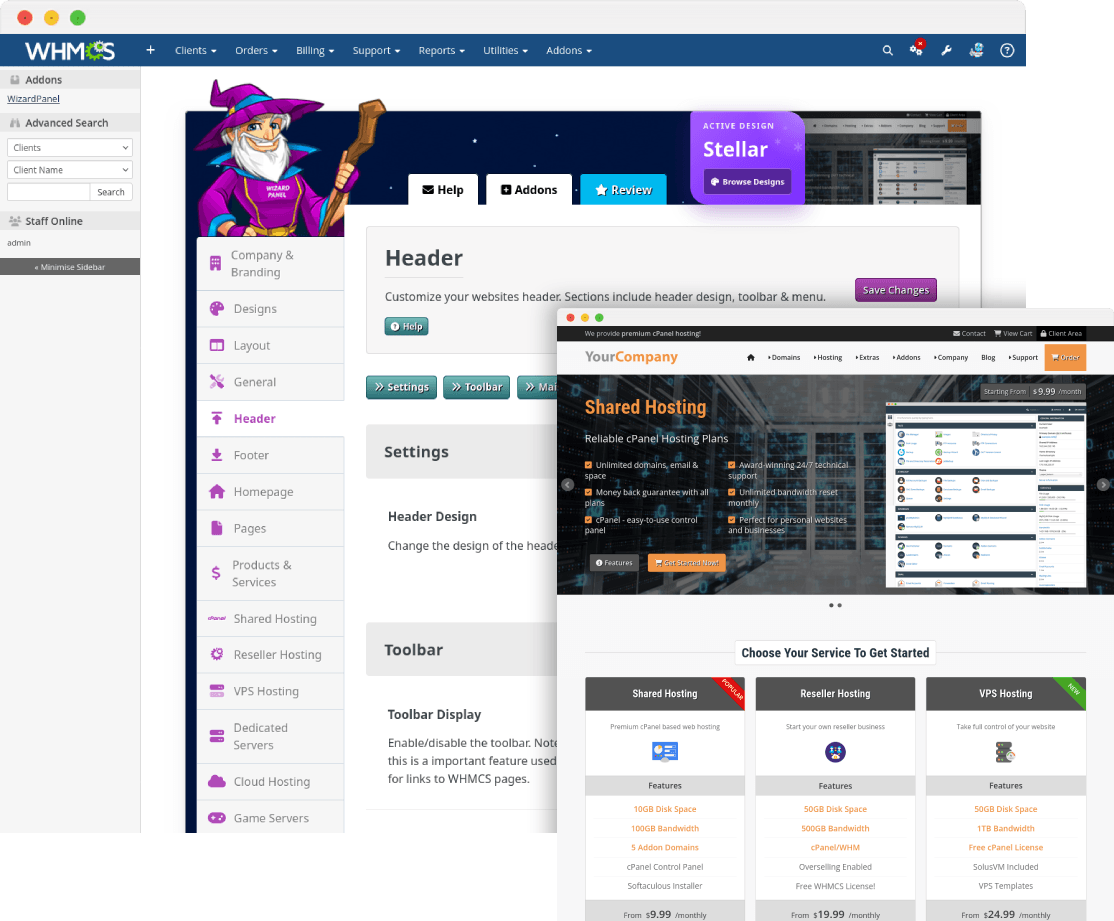
WizardPanel for WHMCS is a complete website framework built specifically for web hosting businesses that want to run their main website directly from WHMCS. It includes multiple ready-made designs, hosting-focused pages, flexible plan layouts, a powerful settings area and built-in WHMCS features to help you launch a professional website faster without WordPress.

Learn More | View Demo

^ Please view the links above to learn more about WizardPanel for WHMCS.

Features

WizardPanel is a feature-rich WHMCS framework built specifically for hosting businesses:

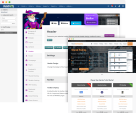
  • Multiple Ready-Made Designs Included - WizardPanel includes Stellar, Mono, Glaze and Prosper in one framework. Choose the design that best suits your business and switch between included designs without purchasing a separate template.
  • All-In-One Framework - Core website functionality, hosting pages, plan displays, design options and WHMCS-focused features are included in one package.
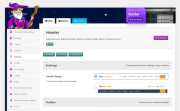
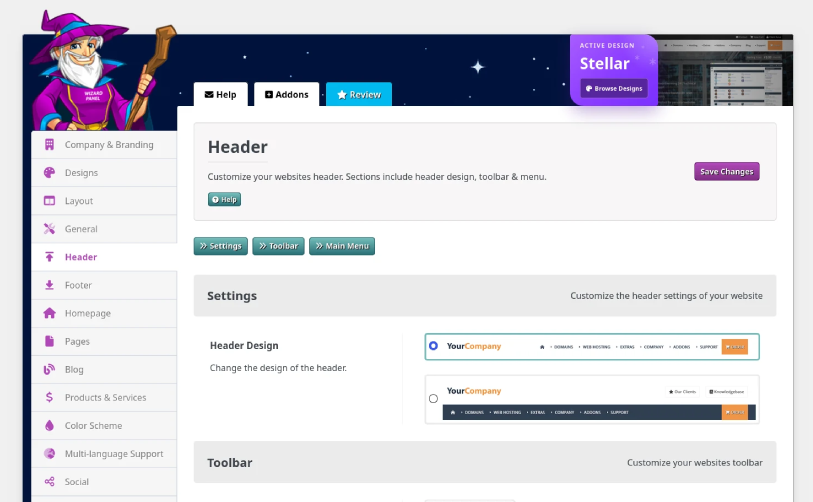
  • Built-In Options Panel - Manage key website settings directly from WizardPanel, including your logo, navigation, hosting plans, social profiles, page content and other design options without needing HTML experience.
  • Responsive Design - WizardPanel is fully responsive and adapts across desktop, laptop, tablet and mobile devices.
  • Quick Setup - WizardPanel can use products and categories already configured in WHMCS to help populate your hosting website quickly, reducing the amount of manual page setup required.
  • 10 Interactive Hosting Pages - Includes ready-made sales pages for popular hosting products and services, with support for 1 to 10 plans per page.
  • 4 Plan Display Layouts - Display your plans using pricing tables, data tables, feature boxes or sliders, all managed through WizardPanel.
  • Ready-Made Pages & Content - Includes useful hosting and company pages such as Company, Affiliate Program, Testimonials, Why Choose Us, legal pages and more.
  • HTML Snippets - Copy and paste responsive HTML snippets for pricing tables, feature boxes, buttons and other custom page elements.
  • Custom Cart Integration - WizardPanel includes an optimized checkout experience designed to reduce distractions and provide visitors with a clearer ordering process.
  • Items In Cart Reminder - Display a reminder when a visitor adds an item to the cart but navigates away from checkout, helping encourage them to complete their order.
  • Domain Checker Pages - Includes a custom domain registration experience designed to provide a more polished alternative to the standard WHMCS cart page.
  • 3 Menu Designs - Choose from a mega menu, dropdown menu or standard menu, with additional options including sticky navigation and CTA settings.
  • 2 Header Designs - Select from 2 header layouts to change the positioning of your logo, navigation and key header content.
  • Dark & Light Color Schemes - Supports dark and light color schemes with an optional visitor toggle.
  • Premium Banner System - Customize banner backgrounds, opacity, content images, buttons, icons and optional video content.
  • Easy Color Customization - Key design colors use CSS variables, making it easier to apply your own brand colors through custom CSS.
  • Multi-Language Support - Supports WHMCS language options, Google Translate and single-language mode, along with RTL language direction.
  • Search Engine Friendly - Manage page titles, meta descriptions and meta tags for key website pages directly through WizardPanel.
  • Social Integration - Includes support for 25+ social networks with display options throughout the website.
  • MarketConnect Integrated - Supports WHMCS MarketConnect landing pages so you can promote compatible products and services using WHMCS automation.
  • Plan Highlighting - Highlight selected plans as popular, hot, new or free to draw attention to important offers.
  • Intelligent Settings - Empty table columns, feature rows and selected content areas can be removed automatically when their fields are left blank.
  • Built-In Animation - Includes optional animations for a modern browsing experience, with controls to disable them when preferred.
  • Slimmed Down Login Page - Provides a cleaner client login experience by removing unnecessary website elements from the login page.
  • Easy Updates - WizardPanel is structured to reduce edits to core framework files, helping make future WHMCS updates safer and less time consuming.
  • WHMCS v9 Support - WizardPanel supports WHMCS v9 and is maintained for compatibility with new WHMCS releases.
  • Fully Customizable - Customize WizardPanel using the included settings, custom CSS, template files and optional HTML/CSS changes.
  • Detailed Documentation & Support - Includes documentation covering installation, configuration, customization and updates, backed by Zomex support.

Included Designs

Unlike a standard WHMCS template, WizardPanel includes multiple professionally designed hosting website layouts in one purchase:

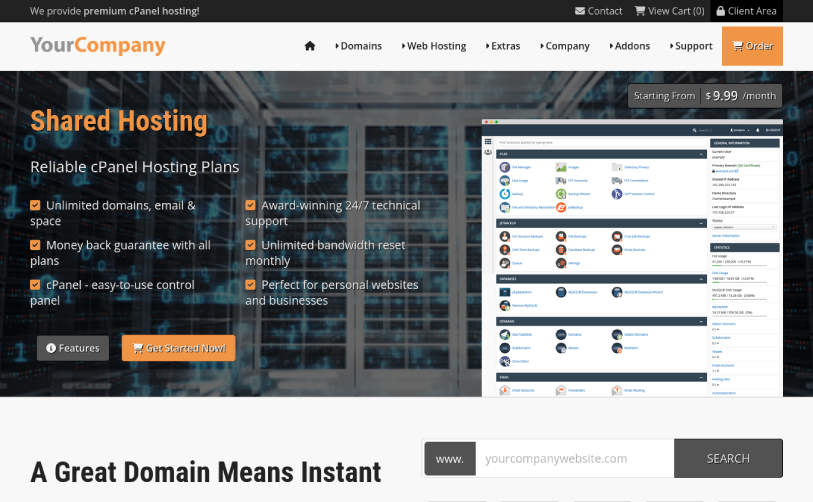
  • Stellar - A striking, modern design combining bold visuals, engaging layouts and a strong hosting-focused presentation.
  • Mono - A vibrant design with strong colors, clean structure and eye-catching elements designed to help your brand stand out.
  • Glaze - A fresh and welcoming design with a friendly appearance and clean professional structure.
  • Prosper - A polished and trustworthy design focused on professionalism, clarity and credibility.

All designs are powered by the same WizardPanel framework, so they share the same core features, settings, pages and ongoing development. This also makes it easier to change the appearance of your website without moving to a completely different product.

Pages

WizardPanel includes a wide range of ready-made pages and content for building a complete hosting website around WHMCS:

  • 10 Hosting Service Pages - Shared Hosting, Reseller Hosting, VPS Hosting, Dedicated Servers, Cloud Hosting, Game Servers, Virtual Private Network, IPTV, Hosting Addons and Web Design
  • Domain Pages - Domain Registration and Domain Transfer
  • Content Pages - Homepage, Company, Affiliate Program, Why Choose Us and Testimonials
  • Legal Pages - Terms Of Service, Acceptable Usage Policy and Privacy Policy
  • WHMCS Pages - Client Area, Register, Cart, Contact, Knowledgebase, Submit Ticket, Announcements, Downloads, Server Status and other standard WHMCS areas
  • WHMCS MarketConnect Pages - Supports WHMCS MarketConnect landing pages for compatible products and services

The included hosting pages can be configured with your own plans and content, while additional custom pages can be created using the included HTML snippets and framework styling.

Built Directly Around WHMCS

WizardPanel for WHMCS is designed for businesses that want WHMCS to power both their customer system and their main website.

Rather than running a separate WordPress installation, WizardPanel works directly within your WHMCS installation. Your website, client area, ordering process, support system and billing platform can therefore share the same WHMCS environment and a consistent design.

The built-in settings area, Quick Setup feature and ready-made hosting pages help you create the public-facing website around the products and services already managed through WHMCS.

Free Installation

Standard installation of WizardPanel for WHMCS is included at no extra cost.

We will upload and activate WizardPanel on your existing WHMCS installation, apply your selected design and verify the standard installation. Standard installation is normally completed within 48 hours of receiving the required access details.

This service covers installation and activation only. Customization, content migration, product configuration and other advanced setup can be provided separately where required.

Benefits Of Being A Zomex Customer

As a Zomex customer, you can expect the following as standard:

  • Reliable Support - Zomex has been creating products and solutions for web hosting businesses since 2009 and has answered over 10,000 support tickets.
  • Detailed Documentation - Clear documentation covers installation, setup, customization and updates.
  • Free Installation - Standard WizardPanel for WHMCS installation is included at no extra cost.
  • Regular Updates - WizardPanel is actively maintained as WHMCS and web standards evolve.
  • Easy To Follow Updates - WizardPanel is designed to reduce edits to core files, with clear update guides provided to help preserve your settings and customizations.
  • Hosting Industry Experience - WizardPanel is built around years of hands-on experience with WHMCS, hosting websites, client areas, hosting plans and automation.

Why Choose Zomex?

  • Established Experience - Zomex has been creating products for web hosting businesses since 2009 and was one of the early providers of commercial WHMCS templates.
  • Built For Hosting Providers - WizardPanel has been developed specifically around the needs of hosting companies rather than adapted from a generic website template.
  • Multiple Designs In One Framework - Stellar, Mono, Glaze and Prosper are included, giving you more choice without having to purchase separate templates.
  • Experienced Support - Over 10,000 support tickets have been answered, with an overall feedback rating of 9.7/10.
  • Customer Feedback - We listen to customer feedback and use it to improve WizardPanel, our documentation and future updates.
  • Ongoing Development - WizardPanel is actively maintained to keep pace with changes to WHMCS and the wider hosting industry.

Reviews

Zomex has built a strong reputation within the web hosting industry over many years. Reviews of our products, services and support can be found through the WHMCS Marketplace, Google and established hosting communities such as Web Hosting Talk.

About Us

Zomex has been providing professional website products and services for web hosting businesses since 2009. Over the years, our WHMCS templates and other hosting-focused products have continually evolved based on industry changes, new technologies and customer feedback.

Today, that experience is built into WizardPanel, our modern website framework available for WHMCS and WordPress.

We focus on the details that matter: professional design, practical hosting-focused features, regular updates, clear documentation and reliable support.

Get In Touch

If you have any questions about WizardPanel for WHMCS, compatibility, installation or setup, you can contact us through the Zomex website or email sales (at) zomex com.

Pricing

WizardPanel for WHMCS is available as a one-time purchase and includes 1 year of updates and support.

After the first year, updates and support can be renewed optionally. If you choose not to renew, your WizardPanel license remains active and you can continue using the version you already have.


Reviews

5 stars
28
28
4 stars
0
0
3 stars
0
0
2 stars
0
0
1 star
0
0
Michael Moore avatar

Michael Moore @michael612

December 13, 2024 at 12:30:47 AM

Prosper v3 for WHMCS is a super cool design and very user friendly to get you site up and running very quick. I have been using Prosper since the beginning and the updates have been outstanding with V3 for the latest version of WHMCS.
Outstanding support and Integration from Zomex made me feel great about my decision for Prosper!!

Zomex .com avatar

Zomex .com @zomex

April 20, 2025 at 04:04:13 PM

Many thanks for your detailed review Michael.

I'm glad to hear of your experience and thank you for being a long term client!

Owner@Zomex  
  • 1 year ago
  • Version Number 3.3
Christopher O'Connell avatar

Christopher O'Connell @christopher8668

July 21, 2024 at 10:35:17 AM

Wow! What a great product. I'm just starting my reseller business and purchased Zomex Glaze Template. It's a beautiful template and with the WHMCS Wizard Panel, it is just awesome.
I had a few newbie questions and Jack was really great in his support and patience in helping me through getting my site up and running.
I highly recommend Zomex. You can't go wrong.
Thank you Jack.

Zomex .com avatar

Zomex .com @zomex

November 17, 2024 at 07:27:19 PM

Thank you for your detailed review Christopher.

Glad to hear the theme is meeting your needs and more importantly our support has exceeded your expectations :)

Owner@Zomex  
  • 2 years ago
  • Version Number 3.0
Tim  avatar

Tim @tim6499

July 9, 2024 at 04:45:27 PM

Really nice theme. Got everything you would expect from a WP theme + a great integration with WHMCS. Highly recommend for the support alone

Zomex .com avatar

Zomex .com @zomex

November 17, 2024 at 07:25:50 PM

Thanks for your feedback Tim!

Owner@Zomex  
  • 2 years ago
  • Version Number 3.0
temo  avatar

temo @temo3600

April 15, 2024 at 12:49:30 PM

SuperB!

Zomex .com avatar

Zomex .com @zomex

May 7, 2024 at 05:59:30 PM

Thanks temo

Owner@Zomex  
  • 2 years ago
  • Version Number 3.0
Jake Luffer avatar

Jake Luffer @jake1535

March 22, 2024 at 07:10:27 PM

Great theme, easy to use with the settings options and great support provided by Jack. Sent you some feature requests which I think will make it even better

Zomex .com avatar

Zomex .com @zomex

May 7, 2024 at 05:59:16 PM

Glad to hear your feedback Jake. It's been a pleasure to support you with our product

Owner@Zomex  
  • 2 years ago
  • Version Number 3.0
Mike Edmonston avatar

Mike Edmonston @mike8305

March 4, 2024 at 11:33:43 AM

**Review for Zomex: Elevating Web Hosting with Top-Notch Integration**

⭐⭐⭐⭐⭐

Finding Zomex was a game-changer for integrating WHMCS with WordPress, transforming my web hosting site to a professional level. Their themes and syncing addon were exactly what I needed, making the setup process straightforward and effective.

Initially, configuring the WHMCS sync module presented challenges, but Zomex's support was exceptional, quickly resolving any setup issues. Their comprehensive service didn't just stop at installation; they ensured everything was perfectly aligned and ready for operation, demonstrating a remarkable commitment to customer satisfaction.

Zomex caters to both startups and established businesses, offering unbeatable value and quality. Their technical support is prompt and efficient, addressing queries and issues with expertise and care.

The professional upgrade Zomex provided my site significantly boosted business, reflecting the quality and reliability of their service. I highly recommend Zomex for anyone seeking to professionalize their web hosting service with reliable, quality solutions.

Zomex .com avatar

Zomex .com @zomex

May 7, 2024 at 05:58:28 PM

Wow thank you for your detailed review Mike that means a great deal to me. I am very glad to hear about your positive experience.

Owner@Zomex  
  • 2 years ago
  • Version Number 3.0
  • Edited
thorhost  avatar

thorhost @thorhost8237

January 15, 2024 at 03:11:31 PM

No comment provided.

Zomex .com avatar

Zomex .com @zomex

May 7, 2024 at 05:54:57 PM

Thank you for your review

Owner@Zomex  
  • 2 years ago
  • Version Number 3.0
Marius Burger avatar

Marius Burger @marius2331

May 22, 2023 at 11:42:51 AM

Amazing after sales service! I had a query and it was resolved very quickly, and yes i did not read the guide but they also noted my logo had too much whitespace at the top and bottom of it and they without me asking modified and sent it back to me as a suggestion, thanks for going the extra mail Zomex!!!

Zomex .com avatar

Zomex .com @zomex

November 16, 2023 at 09:04:19 PM

Thanks for your kind words Marius. Editing your logo is the least we can do for you.

I appreciate your review.

Owner@Zomex  
  • 3 years ago
  • Version Number 2.0.8
J P avatar

J P @james7615

March 27, 2023 at 06:49:23 PM

Nice Themes

Zomex .com avatar

Zomex .com @zomex

November 16, 2023 at 09:03:32 PM

Thanks JP

Owner@Zomex  
  • 3 years ago
  • Version Number 2.0.8
Thomas Wilbur avatar

Thomas Wilbur @thomas1094

March 10, 2023 at 09:30:31 PM

Great theme, great support. 100% recommend.

Zomex .com avatar

Zomex .com @zomex

November 16, 2023 at 09:03:16 PM

Thanks Thomas I am glad you like our theme and support

Owner@Zomex  
  • 3 years ago
  • Version Number 2.0.7
yuanita  avatar

yuanita @yuanita1389

November 18, 2022 at 02:07:17 AM

Great Template and great support, I like it

Zomex .com avatar

Zomex .com @zomex

November 16, 2023 at 09:02:46 PM

Many thanks for your review yuanita

Owner@Zomex  
  • 3 years ago
  • Version Number 2.0.7
Mohamed Elasfar avatar

Mohamed Elasfar @mohamed3561

August 22, 2022 at 11:10:41 AM

I have bought this template a month ago , i was worried at the begging but i felt very confident by the support from Zomex , it was really amazing experience , he is someone to love working with him , i had bad experience buying templates from Themeforest with very lack of support , but with zomex was great experience with great product

Zomex .com avatar

Zomex .com @zomex

October 17, 2022 at 09:01:19 AM

Wow thank you for your review Mohamed. I am very glad to read of your positive experience.

Owner@Zomex  
  • 3 years ago
  • Version Number 2.0.5
Alphonce Were avatar

Alphonce Were @alphonce6198

April 14, 2022 at 01:16:01 PM

Zomex has just become superior service providers in this theme. It is now my fourth fifth year and your products and customer responsiveness is just top-notch. Prosper now adds to your great list of products that provides satisfaction and ease to do online business. Keep it up

Zomex .com avatar

Zomex .com @zomex

May 6, 2022 at 08:53:29 AM

Thank you Alphonce. I am glad to hear of your positive experience over the years.

Owner@Zomex  
  • 4 years ago
  • Version Number 2.0.5
Daniel McDonald avatar

Daniel McDonald @daniel7581

April 23, 2021 at 03:24:44 PM

Jack and Zomex, hands down the best, and the Prosper theme and setup completed by Zomex are by far the best and the best value, I wasted hundreds working with WMHCS directly before I found Zomex and Jack took the time to answer all my questions and made recommendations that exceeecded my expectations. If you are considering a template and Zomex, Just do it NOW you will absolutely appreciate your choice in the end.

Zomex .com avatar

Zomex .com @zomex

October 17, 2021 at 11:20:31 AM

Wow thanks Daniel.

Stay tuned for a Prosper v2 which is in the works.

Owner@Zomex  
  • 5 years ago
  • Version Number 1.9
Mitch C avatar

Mitch C @HamRadioDude

March 15, 2021 at 09:17:41 PM

Wow, What fast service. I ordered the template to be installed and it was installed fast within two days. kept all my settings and all I have to do is little tweaks to the language file. I love the design of the newer templates for WHMCS they are modern and professionally done. Zomex support has been very friendly fast replies. Don't pass them up.

Zomex .com avatar

Zomex .com @zomex

October 17, 2021 at 11:19:41 AM

We are delighted to hear of your good experience Mitch. Thank you for posting a review.

Owner@Zomex  
  • 5 years ago
  • Version Number 1.9
  • Edited
Jasen Green avatar

Jasen Green @jasen2154

January 9, 2020 at 05:45:56 PM

Great Template and the support is excellent been using zomex templates for over 5yrs

Zomex .com avatar

Zomex .com @zomex

February 20, 2020 at 10:02:02 PM

Hello Jasen,

We are very happy to hear of your possitive experience for the last 5 years!

Jack

Owner@Zomex  
  • 6 years ago
  • Version Number 1.9
Nathan Oldfield avatar

Nathan Oldfield @nathan5852

November 21, 2019 at 10:06:02 PM

I have been using Zomex templates since 2012, first Ruby and then moved to Prosper. The support from Jack @ Zomex has always been outstanding and goes above and beyond to make sure things are working.. And patience to deal with what might be called "silly" questions :-)

Zomex .com avatar

Zomex .com @zomex

December 3, 2019 at 05:37:35 PM

Wow Ruby Host, that's going back a few years now. It was one of the first WHMCS templates I developed. It's great to have worked with you for such a long time.

Thank you for your feedback and don't worry no question is too silly my friend :)

Owner@Zomex  
  • 6 years ago
  • Version Number 1.9
System Administrator avatar

System Administrator @system8508

July 18, 2019 at 12:08:40 PM

Okay, first off, it took a few minutes to dive into the template, and I mean just a few once I actually dedicated myself to doing it myself, and just how amazing this, and I would have to assume the other, Zomex templates are. They are super customizable and are leaps and bounds above any other option on the market. Sadly, I tried to save a few bucks and tried several other templates, being dissatisfied, then deciding to pull the trigger on this. It is worth every penny.
Then there is Jack, Zomex himself. He is an incredibly kind and helpful gentleman who provides super responsive and helpful support. I can't say enough good things about him and his work. Let's put it this way...I have tipped him several times as I feel his level of support and help rises so far above the normal standard one would expect with a product like this, even at it's slightly higher than most price point. It is worth every cent and so is Jack having your back.
If you have any doubts, go ahead and pull the trigger. Great product and great guy! Many thanks Jack!

-Robert D

Zomex .com avatar

Zomex .com @zomex

July 24, 2019 at 09:36:36 AM

Thank you so much for your feedback Robert.

Reading of your experience has made my month! :D

Owner@Zomex  
  • 7 years ago
  • Version Number 1.9
David Sleeth avatar

David Sleeth @EY-Mate

September 16, 2018 at 12:02:40 PM

I've been with Zomex for several years and ALWAYS find Jack to be super helpful even when its not his templates that have an issue. The support he provides and proves time and again is A1++. The quality of the work and regular updates gives you some really good value. Always looking to be ahead of the game and takes in suggestions. Thanks Jack..Ey Mate.

Zomex .com avatar

Zomex .com @zomex

September 18, 2018 at 12:20:28 AM

Many thanks for your feedback David. It makes me very happy to know that you have stayed with Zomex/me for all these years. Long may it continue my friend :)

Owner@Zomex  
  • 7 years ago
  • Version Number 1.9
Karl C Chin avatar

Karl C Chin @karl8002

September 10, 2018 at 01:40:21 AM

Bought a great template, easy to use, easy to install, upgraded server, had trouble with the template on the upgrade. Reached out to support and on both occasions the first response was within an hour and he offered advise on a realtime basis, as in when I respond to him he replied within minutes and when that failed, he fixed it for me on a Sunday. Highly recommend to everyone.

Zomex .com avatar

Zomex .com @zomex

September 18, 2018 at 12:19:16 AM

Thanks for your review Karl, I do remember you being shocked at a fix on a Sunday. To be honest with you I will fix a issue even if it's Christmas day :)

Owner@Zomex  
  • 7 years ago
  • Version Number 1.9
Gabriel Anuta avatar

Gabriel Anuta @gabriel6967

April 13, 2018 at 10:56:40 PM

Thank you Zomex team for all the work on this theme and for our collaboration. Zomex helped us very much, even tough we are not there favorite client type :)

Zomex .com avatar

Zomex .com @zomex

May 14, 2018 at 01:28:42 AM

Hello Gabriel,

Thank you for your positive feedback!

PS: Every client is our favourite :)

Jack

Owner@Zomex  
  • 8 years ago
  • Version Number 1.8
Ionut Calugaru avatar

Ionut Calugaru @gazduireSite

November 29, 2017 at 04:18:25 PM

Very nice theme. Also, the support is great. Thumbs up

Zomex .com avatar

Zomex .com @zomex

February 12, 2018 at 04:02:14 AM

Glad to hear you like our theme, thanks! :)

Owner@Zomex  
  • 8 years ago
  • Version Number 1.6
Fishburne V avatar

Fishburne V @Fishburne

April 29, 2017 at 09:57:37 PM

My second template from Zomex, i recommend this template! It's the best i have ever used!
All are simple, very customizable!

Zomex .com avatar

Zomex .com @zomex

May 4, 2017 at 06:29:46 PM

Many thanks for your review Fishburne V

Owner@Zomex  
  • 9 years ago
  • Version Number 1.5
Miriam Michalak avatar

Miriam Michalak @Miriam

October 25, 2016 at 11:42:38 AM

My first WHMCS template was from Zomex and when I wanted a new look it was with no hesitation I went back to them to purchase the Prosper template.

The template not only looks great but is very easy to customise and comes with everything you need.

The support from Jack at Zomex is outstanding - he's fast, extremely reliable and has never failed to help get the problem sorted. I can't imagine using another template supplier!

Zomex .com avatar

Zomex .com @zomex

October 28, 2016 at 02:08:08 AM

Hello Miriam,

Thank you very much for your feedback.

It's always been a pleasure working with you.

Regards,
Jack

Owner@Zomex  
  • 9 years ago
  • Version Number 1.3
Joseph Anderson avatar

Joseph Anderson @aecnu

September 16, 2016 at 06:50:39 AM

Greetings :-)

This is the second template I have purchased from Jack @zomex.com and what a beautiful template it is.

Once I figured out how things were laid out - customizing was simpler then I expected though I still made a mistake or two and Jack's support was above and beyond helping me to quickly fix what I messed up.

When WHMCS updated to a new version - Jack was quick to have an updated Prosper theme available and ready to go to match the WHMCS upgrade.

Jack at zomex.com has my template business for WHMCS for as long as I remain in business which is going on 23 years now.

With that said and in summary ... The Prosper template gave my hosting company web site a professional look far above what the standard templates that come with WHMCS offer and others I have seen.

The template was easy to customize if one follows the instructions and when I ran into trouble making a mistake Jack was quick - no kidding on the same day helping me fix my mistake. As I noticed someone else here in a review mentioned that Jack's support was mind blowing good - from experience I agree.

Those who know me - know that I pull no punches and if something were not right I would be the first to tell the truth of the issue as I always do.

Kudo's and thank you to Jack and zomex.com!

Joseph Anderson
Owner and Global Server Administrator
wpmu-hosting.com
webhostingvirtualdedicatedservers.com

Zomex .com avatar

Zomex .com @zomex

September 17, 2016 at 02:37:44 AM

Thank you for your review! I'm very happy to hear that you're benefiting from the Prosper template and have found my support to be quality.

Owner@Zomex  
  • 9 years ago
  • Version Number 1.2
  • Edited
Dylan Blair avatar

Dylan Blair @SWHosting

July 23, 2016 at 02:45:39 PM

When I purchased another template from Jack and the Team at Template Genie for a not so out of the box application I had expected to do more customization then I did.

This was the second template for the second of our companies, and I have found the template once again awesome, Plus the support that Jack offers is second to none.

If we are looking for another template for WHMCS in the future, Im sure to checkout TemplateGenie first.

Zomex .com avatar

Zomex .com @zomex

September 10, 2016 at 05:02:59 PM

Many thanks for your review Dylan. I'm very happy to hear that the template far exceeded your expectations.

Owner@Zomex  
  • 10 years ago
  • Version Number 1.2
Kevin Grames avatar

Kevin Grames @Nameshark

June 12, 2016 at 02:59:09 AM

I have used 3 different themes from Jack Curtis through Zomex and TemplateGenie. Not a single one has dissappointed. Prosper is the latest one I am using as I develop my new company nameshark.net and it is amazing.

If you are having second thoughts about buying from him....well do not. The customer service that Jack provides is beyond what I have seen from most companies. Jack knows what it means to take care of his customers and he is always goes above and beyond. In 3 years of working with Jack through different projects I have never waited more than a couple hours for an answer to a support question. Most are in a matter of minutes and that is invaluable when you are trying to get your website up and running. Jack is the kind of partner anyone would want.

Zomex .com avatar

Zomex .com @zomex

June 12, 2016 at 04:46:33 AM

Hello Kevin,

Many thanks for your review, it's been a pleasure working with you over this time.

Regards,
Jack

Owner@Zomex  
  • 10 years ago
  • Version Number 1.2
jonathan bracher avatar

jonathan bracher @killadoob

March 15, 2016 at 06:44:49 PM

Bought this template not knowing a thing about coding but jack has been amazing, coding isn't too difficult when you got someone like jack supporting you. Awesome theme and the support is literally mind blowingly good.

Zomex .com avatar

Zomex .com @zomex

April 18, 2016 at 06:35:16 PM

Thank you very much for your review Jonathan.

Owner@Zomex  
  • 10 years ago
  • Version Number 1.1

Version Compatibility


Compatible with WHMCS v9.0

Full Version Compatibility


  • All versions of WHMCS v9.0
  • All versions of WHMCS v8.13
  • All versions of WHMCS v8.12
  • All versions of WHMCS v8.11
  • Selected versions of WHMCS v8.10
        8.10.0
  • Selected versions of WHMCS v8.9
        8.9.0
  • Selected versions of WHMCS v8.8
        8.8.0
  • All versions of WHMCS v8.7
  • All versions of WHMCS v8.6
  • All versions of WHMCS v8.5
  • All versions of WHMCS v8.4
  • All versions of WHMCS v8.3
  • All versions of WHMCS v8.2
  • All versions of WHMCS v8.1
  • All versions of WHMCS v8.0
  • All versions of WHMCS v7.10
  • All versions of WHMCS v7.9
  • All versions of WHMCS v7.8
  • All versions of WHMCS v7.7
  • All versions of WHMCS v7.6
  • All versions of WHMCS v7.5
  • All versions of WHMCS v7.4
  • Selected versions of WHMCS v7.3
        7.3.0
  • All versions of WHMCS v7.2
  • All versions of WHMCS v7.1
  • All versions of WHMCS v7.0
  • All versions of WHMCS v6.3
  • All versions of WHMCS v6.2
  • All versions of WHMCS v6.1
  • All versions of WHMCS v6.0

Support for this product

The best place to start if you need help with a specific product is to contact the developer. All WHMCS Marketplace developers have both a website and support URL listed.

Developed By Zomex

Changelog

v3.6 Released August 24th, 2026

Latest Version


Version 3.6 marks the beginning of an exciting new chapter for our WHMCS products. WizardPanel has evolved from a template options panel into a powerful standalone framework, with all core functionality now managed independently from the design itself.

This allows our designs to share the same features, updates and integrations while remaining fully interchangeable. Existing customers can switch between designs more easily while benefiting from a more reliable, scalable and future-proof platform.

This new architecture provides the foundation for future designs, integrations and features, ensuring WizardPanel can continue to grow while maintaining the stability and ease of use our customers expect.

Key Benefits

  • Unified framework powering all WizardPanel WHMCS designs with a significant performance increase
  • Easy switching between Stellar, Mono, Glaze and Prosper
  • Improved upgrade process and long-term maintainability
  • Shared feature development across all designs
  • Improved foundation for future integrations and enhancements
  • Centralised settings management through WizardPanel

Migration Notes

  • Existing settings and language changes are automatically retained when upgrading
  • No manual reconfiguration required
  • Follow the latest update guide for step-by-step instructions


Previous Versions


v3.5 Released January 21st, 2026

View/hide detailed changelog

  • WHMCS v9 support - Full support for WHMCS v9.

  • Wizard Panel v3.4:

    • Complete re-development of Wizard Panel
    • PHP v8.3 support
    • Merged the file: /includes/hooks/zomex_hooks.php with Wizard Panel
    • Added SocialBee settings
  • Marketconnect:

    • Added SocialBee page to the main menu and footer
  • Quick Setup - Your product categories will now display within the main and footer menus in the order set in WHMCS, Added support for custom icons for each category within the main menu.


v3.4 Released April 19th, 2025

View/hide detailed changelog

  • JS/CSS adjustments
  • Edited all cPanel/WHM images removing the Your Company logo - one less thing to edit
  • Replaced cPanel icons with generic control panel icons making them suitable for any control panel without having to edit
  • Added cPanel alternative images for Plesk (plesk.png, plesk-small.png) and DirectAdmin (directadmin.png, directadmin-small.png, directadminreseller.png, directadminreseller-small.png). Guide: https://www.zomex.com/docs/whmcs-templates/how-to-replace-the-cpanel-control-panel/


v3.3 Released November 18th, 2024

View/hide detailed changelog

- Removed CSS based heading capitalisation - Upon request we have stopped the CSS automatically capitalising all headings. Instead this is now controlled by the text itself allowing more control.
- Implemented a function which should stop the homepage slider jumping pre-load


v3.2 Released July 29th, 2024

View/hide detailed changelog

- Implemented a dark color scheme with a toggle option to instantly switch between light and dark - a highly requested feature from clients.
- Customized some image colors to suit both light and dark colors
- Every one of the main menu colors and some spacing can now be customized using the new CSS variables found in variables.css. Using these variables you can easily override any single color from the main menu. This update is in preparation for the dark color scheme option.
- Replaced image based main menu icons with Font Awesome - Using Font Awesome icons instead of images is faster and allows the colors to be customized with CSS (instead of editing images). 
- Highlight tag (new, hot) support added to the single dropdown. Previously only available for the mega menu.
- Single dropdown now uses a font awesome icon for each dropdown item. Can be removed by setting the icon in variables.css to empty.
- Used a new and much more efficient method for displaying the mega menu image icons - this new method reduces required CSS from 10+ lines to 3.


v3.1 Released March 18th, 2024

View/hide detailed changelog

  • Fixed bug where footer social icons would display on other WHMCS Themes


v3.0 Released November 26th, 2023

View/hide detailed changelog

v3 is a huge update adding a multitude of features and enhancements. We have moved the old .tpl based functions to Wizard Panel for improved speed and usability (plan generation, banners, features, why choose us, testimonials, social icons, addons, domain checker & more). Removed many settings from the language files to Wizard Panel (notably the homepage slider and service page banners). Language files are much more simple to understand and more is editable via Wizard Panel (when multi-language is set to off).

The addition of image support for all feature boxes means the template could be used as a WHMCS based physical product ecommerce site with up to 100 products & 10 categories (unlimited using HTML Snippets).

  • Main Changes:

    • Slider - The homepage slider is now customizable in Wizard Panel - display, content, background image, images, buttons
    • Service Pages - Banner control via Wizard Panel - display, content, background image, images, buttons. Relevant default background image for each page. Animation control added to all plans to allow overriding or removal
    • 2 Header Designs - Instantly change the design of your header via Wizard Panel. Design 2 adds support for up to 5 header call to action buttons
    • Feature Boxes - Set columns per row display of 2-6 (highly requested). Added image & Font Awesome icon support
    • Plans Pages - Set columns per row, image & Font Awesome icon for feature boxes layout. Set the check/cross icon in Wizard Panel and override the default color
    • Menu - Menu Design setting uses image previews, customize the home button & CTA button
    • SEO - Canonical support added to all pages (automatically generated & customisable), automatic OG data added for image, title, meta description & tags
    • Social - Social profile images displayed and can be replaced via Wizard Panel
    • Sub Banner - Customize the sub banner via Wizard Panel - background image, position, repeat, size, color, opacity & more
    • Footer Call To Action managed in Wizard Panel - background image/positions, text, button, URL
    • Parters image display control added
    • 4th Footer Column - About Us block and link blocks set and customized within Wizard Panel
    • Payment Images in footer - Managed in Wizard Panel - image URL, alt, URL, width
    • Company logo & Favicon pulled from Wizard Panel - When logo is set to off the template will display your company name as a text based logo
    • Layout Control - Change between a boxed or full width layout, override the default text size, line height, spacing & more
    • Domain Checker - Customize the display and content in Wizard Panel - new TLD image support
    • 360 Monitoring Marketplace Page support
  • Wizard Panel v3.0:

    • New UI
    • Performance enhancements
    • Huge amount of new settings (see above)


v2.0.8 Released March 23rd, 2023

View/hide detailed changelog

  • WHMCS v8.7 support
  • Added new NordVPN & XOVI NOW WHMCS Marketconnect pages.


v2.0.7 Released August 30th, 2022

View/hide detailed changelog

  • Added RTL support for right to left languages such as Arabic.


v2.0.6 Released August 24th, 2022

View/hide detailed changelog

  • Added the cPanel SEO Marketconnect page


v2.0.5 Released March 25th, 2022

View/hide detailed changelog

V2.0.5 - 25th March 2022

  • Removed the whitelabel display option for addon pages (discontinued affiliate feature)
  • Added WISECP and HostBill templates addons pages
  • Updated all addon pages with new content


v2.0.4 Released January 10th, 2022

View/hide detailed changelog

  • Simplified markup of menu.tpl by using CSS to hide elements based on menu settings
  • Complete re-development of the WHMCS Invoice & Quote
  • Adjusted animation speed of feature boxes
  • Removed the Wizard Panel slideshow number setting - instead this is controlled via the language file
  • Dynamically pulling the page name for the service pages feature and plans headings - saves time when re-naming a page


v2.0.3 Released December 23rd, 2021

View/hide detailed changelog

Enhancements/bug fixes:

  • Missing domain checker term on homepage
  • Changed pointer to cursor for domain checker search button
  • Fixed missing Acceptable Usage Policy SEO data
  • Removed the old domain checker from scripts
  • Fixed missing overview section for WordPress Services
  • Fixed duplicate testimonial alt text
  • Added product boxes 2 to HTML Snippets


v2.0.2 Released December 10th, 2021

View/hide detailed changelog

  • Fixed menu highlight for some items
  • Adjusted affiliate program feature text
  • Fixed portal.php page 404 links
  • Changed CSS of the homepage domain checker input to match theme
  • Added tab based features to template
  • Minor bug fixes


v2.0.1 Released November 25th, 2021

View/hide detailed changelog

  • Minor bug fixes/changes
  • Added custom CSS for the quick setup homepage boxes
  • Added custom CSS for the premiumcomparison cart


v2.0 Released November 12th, 2021

View/hide detailed changelog

V2

Our biggest update yet, this update has taken 7+ months of development. Brace yourself:

  • Main Changes:

    • Complete re-development of Prosper. Every line of code has been re-written from scratch to be as efficient as possible
    • Child Theme - Prosper is now a child theme of the WHMCS Twenty One template. As a child theme Prosper now loads 95% of the template files from WHMCS. This will ensure that updates going forward are significantly easier and faster.
    • New Mega Menu - The menu has been re-developed and functions perfectly on all devices making use of a burger dropdown for tablets/smart phones. New 2 column layout supports text/content applied to each menu dropdown category.
    • New Client Area - Prosper now uses the Twenty One template as a base. Twenty One has many improvements to the client area design/UI over the previous Six template.
    • Wizard Panel v2.1 - improved efficiency, speed & more settings
    • All of the default content has been re-written. Some less relevant default Wizard Panel service pages have been replaced with IPTV and Web Design
    • Font Awesome icons - The majority of icons now use font awesome, you can easily replace any icon with a choice of over 7000
    • Slider Layout - Each sales page now supports a product slider layout
    • CSS Variables - css/template.css now utilises CSS variables. A CSS variable allows a value to be inputed once but used though-out the file. This is especially useful for changing the color scheme of Prosper. Change it in one location to update every color within the template.
    • Order control - You can now re-order many of the elements on the template including pages, plans, features, social icons & more
    • Language text - You can now duplicate most content within english.php to generate a new block on a page (up to 10). For example if you want to add a new feature to the shared hosting page simply duplicate a feature block and increment the number reference. We have also made each content block intelligent in that if for example you leave a string blank it will automatically adapt in the front end. E.g leaving a button URL as blank will remove the whole button. You will also find some variables defined at the top of english.php, these allow you to instantly update values across the whole file from one location (for example setting your company name)
    • Page Highlighting - Site wide page highlighting. Set any page as hot/new and it will display a badge throughout the template (main menu, footer menu)
    • Slideshow/banner - The slideshow now supports up to 10 slides along with complete control over each individual slide. Background image, opacity, content image, 2 buttons along with font awesome icons and even video support. Each of the 10 Wizard Panel pages now include the same banner allowing you to better show off the features of each product/service you provide
    • Domain changes - The old registerdomain.php page has been replaced with the WHMCS domain pricing page, this page benefits from a WHMCS generated domain pricing table. The old transferdomain.php page has been replaced with the WHMCS transfer domain page for improved reliability
    • New items in cart banner - As with the previous version Prosper will display a banner when 1 or more items are added to the cart but the user navigates away. We have re-developed this feature to include a cart total (pulled from WHMCS), coupon display incentive, contact support button and an apply discount cart button that automatically applies the coupon.
    • Toolbar - Choose between the My Account dropdown and WHMCS menu for clients. When logged-in the toolbar will now more clearly display the account links (since the new changes to WHMCS profiles)
    • Notifications badge and popup - When logged-in the toolbar will now display the notifications total as a badge. When clicked a popup will open showing the notifications
    • Cart steps bar - The steps bar shown on the cart will now display a check icon as each step in the cart process has been completed
    • FAQ block - We have added a new FAQ block to the homepage and all service pages. This block will display a contact button and up to 10 FAQs that you can define on a per page basis.
    • Affiliate Program page - All new commissions table - easily set your own specific commissions for the products/services you provide. Marketing tools section added with 3 default banners (PSD files included)
    • Addons pages - New design of all elements. The logo and banner design pages support you promoting these services yourself or as a white label service from Zomex (Simply create the services in your WHMCS and change the order URLs to go to your services.)
    • Marketconnect pages within the main menu and footer menu are now loaded as includes from separate files. This ensures that every time WHMCS add a new page Prosper can be updated without overriding your menu file or requiring you to manually apply the changes
    • We have included a text file containing the WHMCS version support (prosper/template-info-whmcs.txt). This file will be updated with every WHMCS update so it is easy to see which version of WHMCS your template supports
  • Wizard Panel v2.1

    • Improved efficiency and UI
    • Slider layout - new layout option for displaying your plans
    • Re ordering - you can now change the display order of both pages and individual plans (limited to the table and feature box layouts)
    • Social - many new social networks added (WhatsApp, reddit, Telegram, discord, Slack & more), you can also now set each social network to display on the sidebar/footer individually
    • Plan highlighting - now supports various badges including hot, popular, free and new
    • Free pricing - you can now set a price to "free" (case sensitive) for any plan. This will automatically remove the currency prefix and suffix for that plan in the template and display the word free (translateable)
    • Suffix - supports content displayed after each price (e.g $3.99 "AUD")
    • Client Area Menu - Choose between the toolbar and WHMCS menu when a client is logged-in
    • Font Awesome icons - Set your icon (or leave blank for no icon) for the footer links, check/cross comparison tables, buttons
    • Slideshow - various new settings for the slideshow including support for up to 10 slides, auto slide, speeds & adaptive height
    • WHMCS Marketconnect pages - you can now enable/disable these pages within Wizard Panel (for a page to display it will need to be enabled in both WHMCS and Wizard Panel. This allows you to test a page enabled in WHMCS without displaying it in the template). Also define custom SEO data for each of the pages
    • HTML Snippets - improved layout including tabbed display and snippet preview images, new HTML snippets added including the new slider layout
    • Custom CSS has been removed in favour of the new templates/prosper/css/custom.css support. Simply create the /css/custom.css file to add any custom CSS, this file will be safe from updates.
  • Quick Setup

    • Multi-currency support
    • When enabled the homepage feature boxes will be replaced dynamically with your product categories as set in WHMCS
    • Automatic removal of all elements with previous manually inputed plans (homepage feature boxes, domain checker, affiliate program pricing table & more)


v1.9 Released September 30th, 2020

View/hide detailed changelog

  • added full support for WHMCS V8


v1.9 Released April 8th, 2020

View/hide detailed changelog

  • added full support for WHMCS V7.10
  • integrated the new MarketConnect Marketgoo SEO page


v1.9 Released February 20th, 2020

View/hide detailed changelog

  • added support for WHMCS V7.9.2
  • Fixed alignment bug with verify email box


v1.9 Released January 9th, 2020

View/hide detailed changelog

  • Added full support for WHMCS V7.9 (new MarketConnect VPN page & more)


v1.9 Released December 3rd, 2019

View/hide detailed changelog

  • Wizard Panel V2.0 - Added Clientexec Templates & Services to addons, usability enhancements
  • Addition of Clientexec Templates & Clientexec Services pages
  • All of the most commonly edited files have been updated with notes. These notes will make it much easier to quickly find the right way to edit what you need.
  • Minor bug fixes


v1.9 Released August 28th, 2019

View/hide detailed changelog

  • added support for WHMCS V7.8


v1.9 Released January 22nd, 2019

View/hide detailed changelog

  • added support for WHMCS V7.7


v1.9 Released May 19th, 2018

View/hide detailed changelog

V1.9

  • Wizard Panel V1.9
  • increased maximum plans from 6 to 10 on the hosting pages
  • increased maximum plans from 6 to 9 on the homepage feature boxes.
  • Google translate support
  • addition of custom domain register and transfer pages
  • enhanced integration with WHMCS - element color changes, styles edited for the modern, standard & comparison carts
  • enhanced integration of addons
  • added 16 new social buttons
  • added support for WHMCS V7.5 & V7.5.1
  • added SiteLock page from Marketconnect


v1.8 Released December 1st, 2017

View/hide detailed changelog

V1.8

  • Wizard Panel V1.9
  • increased maximum plans from 6 to 10 on the hosting pages
  • increased maximum plans from 6 to 9 on the homepage feature boxes.
  • Google translate support
  • addition of custom domain register and transfer pages
  • enhanced integration with WHMCS - element color changes, styles edited for the modern, standard & comparison carts
  • enhanced integration of addons
  • added 16 new social buttons


v1.6 Released July 2nd, 2017

View/hide detailed changelog

  • Added new quick setup feature, when enabled the template will replace the Wizard Panel hosting pages with links to your WHMCS cart pages (which use your products setup in WHMCS > products/services). This is a very powerful new feature allowing very quick and easy setup of the template.
  • Added new setting to remove the WHMCS templates link in the footer without editing footer.tpl
  • Added marketplace connect links to the template, these only display if you're using each module (website builder etc). We would like to thank Brian! from the WHMCS community for sharing this script with us.
  • Better integration of the marketplace connect pages
  • Ability to remove the slideshow completely
  • Added the new table2 design as HTML snippets. This table design is very easy to add an unlimited amount of plans.


v1.5 Released February 17th, 2017

View/hide detailed changelog

  • New hosting page display named table2 (a perfect grid-style layout for servers)
  • HTML support added to Wizard Panel. Good for example if you want to make some text bold, red etc
  • New language support for: Romanian, Macedonian, Hebrew, Estonian, Chinese, Azerbaijani
  • Added animation which can be turned on/off from inside Wizard Panel
  • Simplified the markup of content pages (company, terms of service etc) - Instead of using a unique string for each paragraph the whole content use one string allowing content to easily be added/removed
  • Ability to set 1 to 6 feature boxes on the homepage instead of the old 3, 6 options
  • Color scheme match of all WHMCS elements for a seamless integration
  • We've removed the cart template as the customisations we've applied to the cart are done so via the main template files. This allows you to make use of a automatic updates cart when you update WHMCS reducing the risk of any cart errors in future.
  • New Wizard panel settings: Animation (on/off), Slimmed down cart (on/off), Slimmed down login (on/off), Table2 option added to hosting pages layout setting (new grid based table layout)
  • Removed Wizard Panel settings: Language dropdown (removed in replacement of the Multi-language support setting), Live chat (removed as most live chat software now uses a widget based script),
  • Tweaked domain functionality in template: Homepage domain checker script has the TLD dropdown removed allowing support for all extensions + no extension, edited register & transfer domain links to new cart.php based URLs
  • Speed enhancements: Template now loads compressed files by default e.g all.css, scripts.js (uncompressed files also included), Merged Wizard Panel CSS files
  • General maintenance: Removed files no longer used such as domainchecker.tpl, whmcs.css, images etc


v1.4 Released December 6th, 2016

View/hide detailed changelog

  • Full support for WHMCS V7.1


v1.3 Released September 30th, 2016

View/hide detailed changelog

V1.3

  • Full support for WHMCS V7


v1.2 Released March 27th, 2016

View/hide detailed changelog

V1.2

New features:

  • Full support for WHMCS V6.3
  • Wizard Panel V1.5 - responsive, improved UI, faster & more efficient, better links to documentation, ability to turn on/off the testimonials and why choose us pages/content. SEO settings for more pages.
  • SEO enhancements - added the ability to define the page title, meta tags and meta description for many more pages including affiliate-program.php, clientarea.php, cart.php, register.php etc. Also added the rel="canonical" on all the main pages which has benefits to SEO
  • set the cart template as a child template meaning it won't need to be updated in future as it pulls the required files from the Modern cart. We've also setup the steps progress bar to work with any WHMCS cart template
  • modified the homepage domain checker to use the TLDs set in Wizard Panel for the domain checker TLD dropdown. Set the ability to removed a domain TLD from this section by leaving it blank in Wizard Panel
  • integrated new conditional links in the toolbar when logged-in including the project management and more
  • compressed all images in the template to increase speed
  • if you have a logo setup in setup > general settings it'll now use that logo in the template, if not it'll show the default template logo
  • some small design enhancements such as the add ons pages highlight box, the domain checker background

Bug fixes:

  • fixed the SEO friendly URLs (announcements, downloads, knowledgebase) missing CSS by using the new {$WEB_ROOT} variable on all files/images/links.
  • resolved issues with certain modules where the homepage was being used as a sub-page by using the new {$templatefile} variable
  • fixed the display errors on the networkissues.php page
  • slowed down the default slideshow speed
  • fixed missing page title on announcements, knowledgeable & downloads
  • updated the add ons pages to use the Zomex affiliate program where applicable


v1.1 Released August 23rd, 2015

View/hide detailed changelog

Version: 1.1

----- Changelog -----

V1.1

  • Re-integrated the template with the new WHMCS V6 Bootstrap responsive template named "Six". This is a significant upgrade and brings a lot of new features.

  • Integrated new notification system to the toolbar section when logged-in using a modern popup design

  • Removed the Gravatar feature as it assumed users had registered with Gravatar before a custom profile picture was shown. We found that very few people use the service, removing it also allows the template to be installed and used without the PHP tags option being enabled in general settings > security.

  • fixed Twitter URL bug on company.php page sidebar

  • removed the old hard-coded year in replacement of the new year variable in WHMCS V6

  • removed {literal} tags from inline CSS and Javascript as it's no longer required in WHMCS V6

  • added "My Portal" link to the top of the logged-in dropdown which is a link to the client area homepage

V1.0

Template launch

 

See also

Email Template for Lagom WHMCS Client Theme

Modern and fully responsive WHMCS email template, containing 3 different styles.
Commercial
LowEndHost - Free Theme

#1 Free WHMCS Web Hosting Theme

Free
Lara, WHMCS Admin Theme

Lara is a WHMCS Admin theme, using the open source AdminLTE package.

Commercial
Lagom WHMCS Client Theme

Fully responsive WHMCS client area theme offering the choice of different styles and layouts for the ultimate user experience.

Commercial
Blend Admin Theme Dark Mode

This file adds dark mode to the Blend admin theme

Free