Moyasar Module for WHMCS
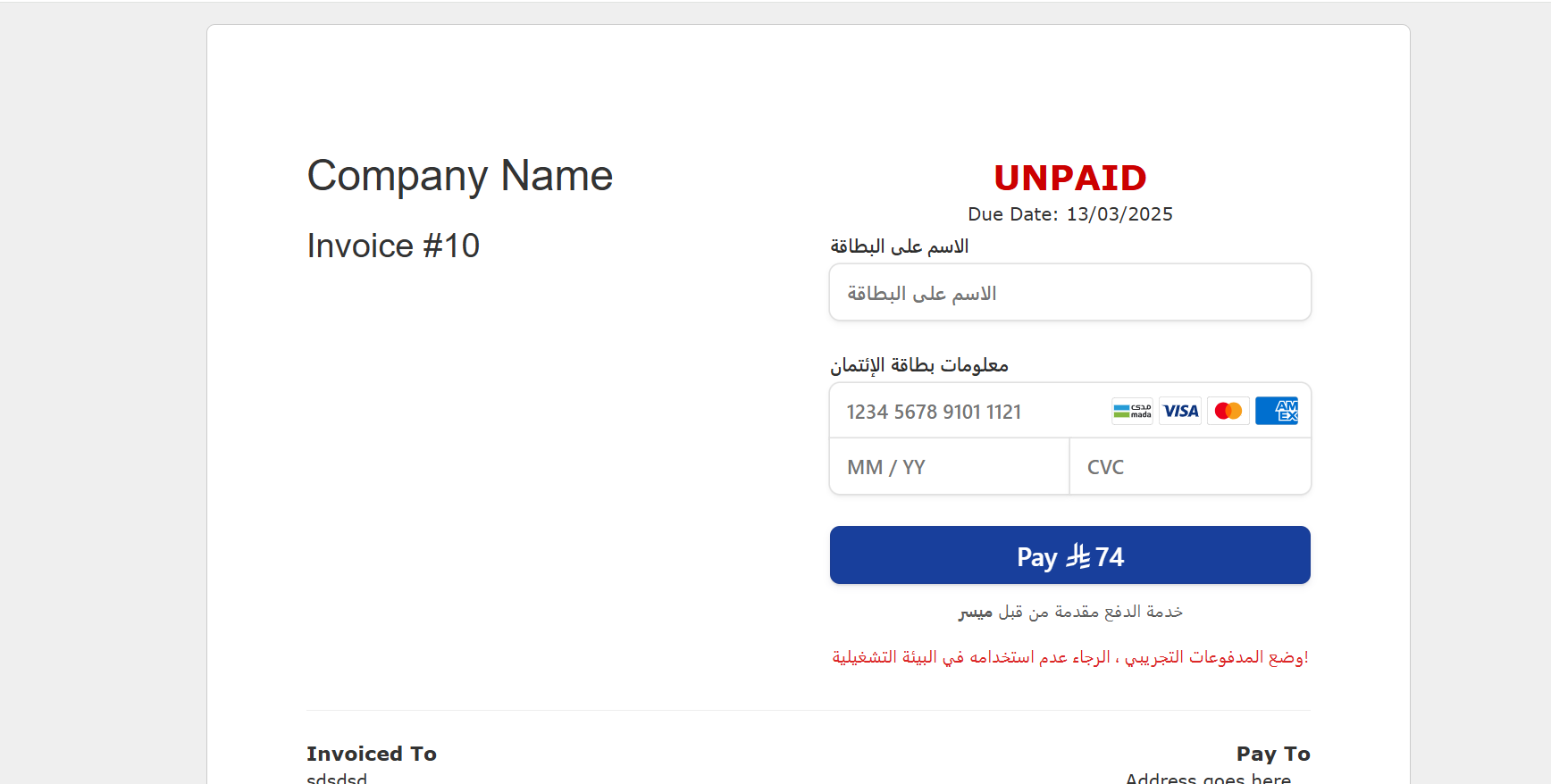
About This Module Easily accept credit card payments via Moyasar with multi-currency support and extensive coverage. This simplifies the payment process for your customers while increasing your sales and revenue.
Offer local, regional, and global payment methods to your clients. Scale your business globally by providing all popular payment options across the MENA region, including Mada, Visa, Mastercard, Amex, and many more.
For more details, visit:
https://www.Moyasar.sa/home
Requirements
A working WHMCS installation (tested up to version 8.11.2).
A Moyasar account. Register for free at: https://dashboard.moyasar.com/register/new
Installation Steps
Features
Gateway Basics
Credit card payments fully supported.
Currency conversion enabled via ConvertTo setting.
Card Tokenization
Automatically saves the card after the first successful payment.
Tokens are automatically deleted if a payment attempt fails.
Recurring / Auto Capture Payments
Integration with WHMCS official Attempt CC Captures setting.
Added moyasar_cron.php for manual Cron Job execution of recurring payments.
Uses WHMCS API to fetch unpaid invoices and process them automatically.
Add Funds Feature
Automatically generates an invoice when a user selects “Add Funds.”
Redirects users to the invoice page after creation.
Apple Pay Support
Full Apple Pay Web integration with official button.
Custom Apple Pay button displayed next to the payment form.
Currency Conversion & International Support
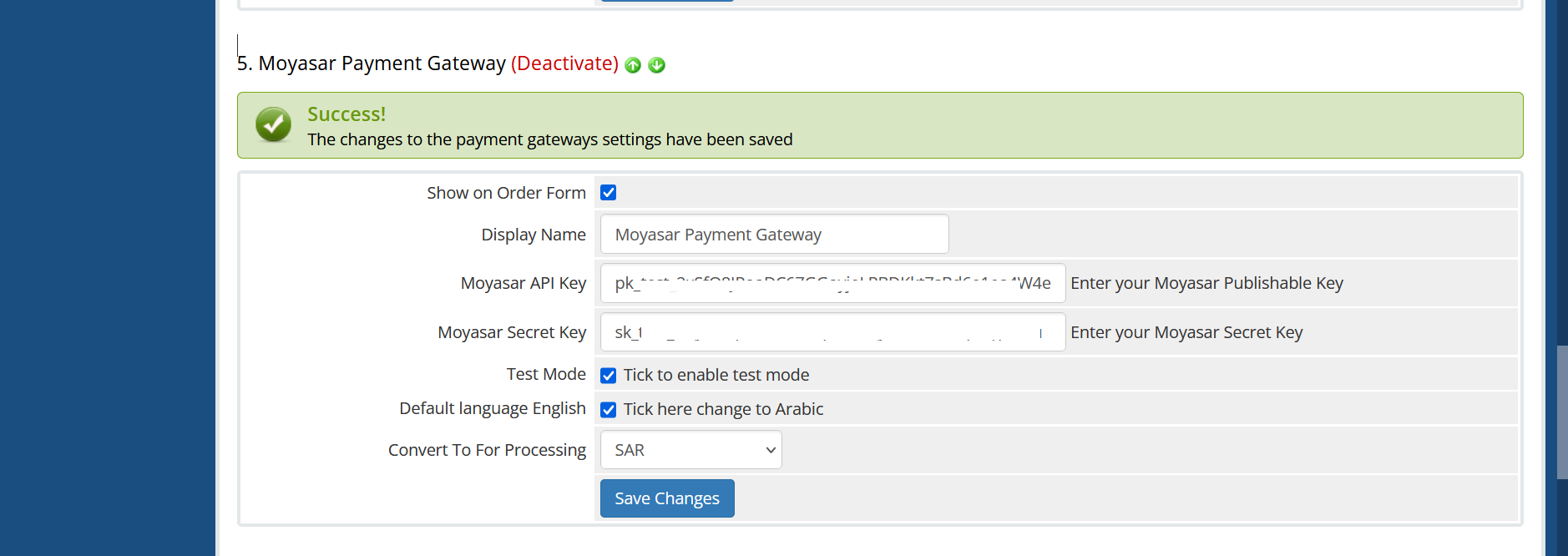
Supported currencies: SAR, USD, AED, EUR, KWD, BHD, OMR.
Automatic currency conversion to the currency supported by Moyasar.
You will get 6 Months Support and Update
Testing To test the module, enable Test Mode on your service via the Moyasar dashboard. Remember to disable Test Mode before going live.
Be the first to review Moyasar Payment Gateway.
The best place to start if you need help with a specific product is to contact the developer. All WHMCS Marketplace developers have both a website and support URL listed.
Change Log
Card Tokenization
Automatically saves the card after the first successful payment.
Tokens are automatically deleted if a payment attempt fails.
Recurring / Auto Capture Payments
Integration with WHMCS official Attempt CC Captures setting.
Added moyasar_cron.php for manual Cron Job execution of recurring payments.
Uses WHMCS API to fetch unpaid invoices and process them automatically.
Add Funds Feature
Automatically generates an invoice when a user selects “Add Funds.”
Redirects users to the invoice page after creation.
Apple Pay Support
Full Apple Pay Web integration with official button.
Custom Apple Pay button displayed next to the payment form.
Currency Conversion & International Support
Supported currencies: SAR, USD, AED, EUR, KWD, BHD, OMR.
Automatic currency conversion to the currency supported by Moyasar.


Easily accept Bitcoin, Tether, Ethereum and many other crypto payments on your WHMCS website
No Fees, Easy Setup. Accept cryptocurrencies like: Bitcoin, Bitcoin Cash, Ethereum and Litecoin!

Open your web site to shopping with the advantages of PayTR. Take your payments securely.

With this WHMCS module, you'll get the payment gateway fees from your clients directly.