Changelog
vv1.2.4
Released October 10th, 2026
Latest Version
Fixed
- The gateway module no longer changes PHP's global error settings (display_errors, display_startup_errors, error_reporting) when WHMCS loads it.
- Cart and checkout pages no longer answer HTTP 500 on unrelated PHP warnings (seen on WHMCS 9 with the Lagom theme).
- Server paths can no longer be exposed to visitors through display_errors.
Previous Versions
vv1.2.2
Released April 13th, 2026
View/hide detailed changelog
New
- Added Revolut as a supported payment provider.
Improved
- Enhanced app activation handling.
- Added license renewal visibility in both:
- Checkout
- WHMCS admin area
Fixed
- Improved activation flow stability for licensed installations.
- Better admin-side license status validation.
vv1.2.1
Released March 9th, 2026
View/hide detailed changelog
Fixed
- Compatibility issues with major WHMCS themes.
- Ensure proper support for Lagom and the Default Six theme.
Updated
- Customer checkout page to correctly display available payment gateways.
- Improved UI rendering for gateway selection on the checkout page.
Improvements
- Better theme integration for client area pages.
- Enhanced gateway visibility and consistency across supported themes.
vv1.1.4
Released February 23rd, 2026
View/hide detailed changelog
Improvements
- Improved payment gateway display to match the standard WHMCS gateway structure.
- Unified gateway layout with other built-in and third-party payment methods.
- Enhanced gateway name presentation for better user experience.
vv1.1.4
Released February 18th, 2026
View/hide detailed changelog
New Features
-
Added support for configuring provider fees manually in the Paymenthood console.
- Fees can now be set as:
- Fixed initial value
- Percentage-based value
-
Integrated real gateway transaction fees into WHMCS.
- Actual fees returned from the payment provider are now recorded during callback.
- Fees are stored in transaction records for accurate reconciliation.
-
Improved invoice reporting.
- Gateway fees are now visible in WHMCS financial reports.
- Admins can review gross amount, fee, and net amount per transaction.
vv1.1.3
Released February 17th, 2026
View/hide detailed changelog
PaymentHood v2.0 – WHMCS Update Notes
New Features & Improvements
1. Improved Logging
- All PaymentHood actions (payments, webhooks, session events) are now logged for easier troubleshooting.
2. Customer Checkout Display
- Shows available payment providers in the WHMCS client area checkout page.
- Admin can configure a custom checkout message to inform customers.
- Providers are displayed and loaded, but selection is handled automatically by PaymentHood.
3. Admin Activation Flow
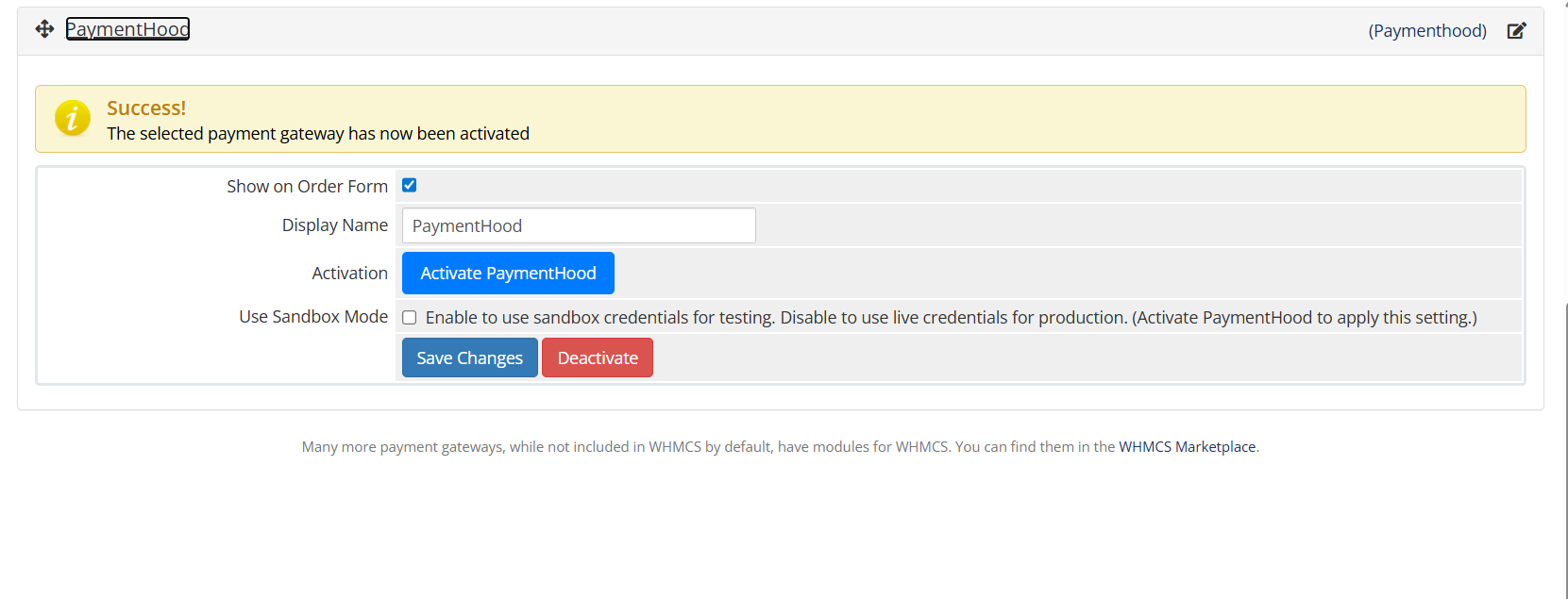
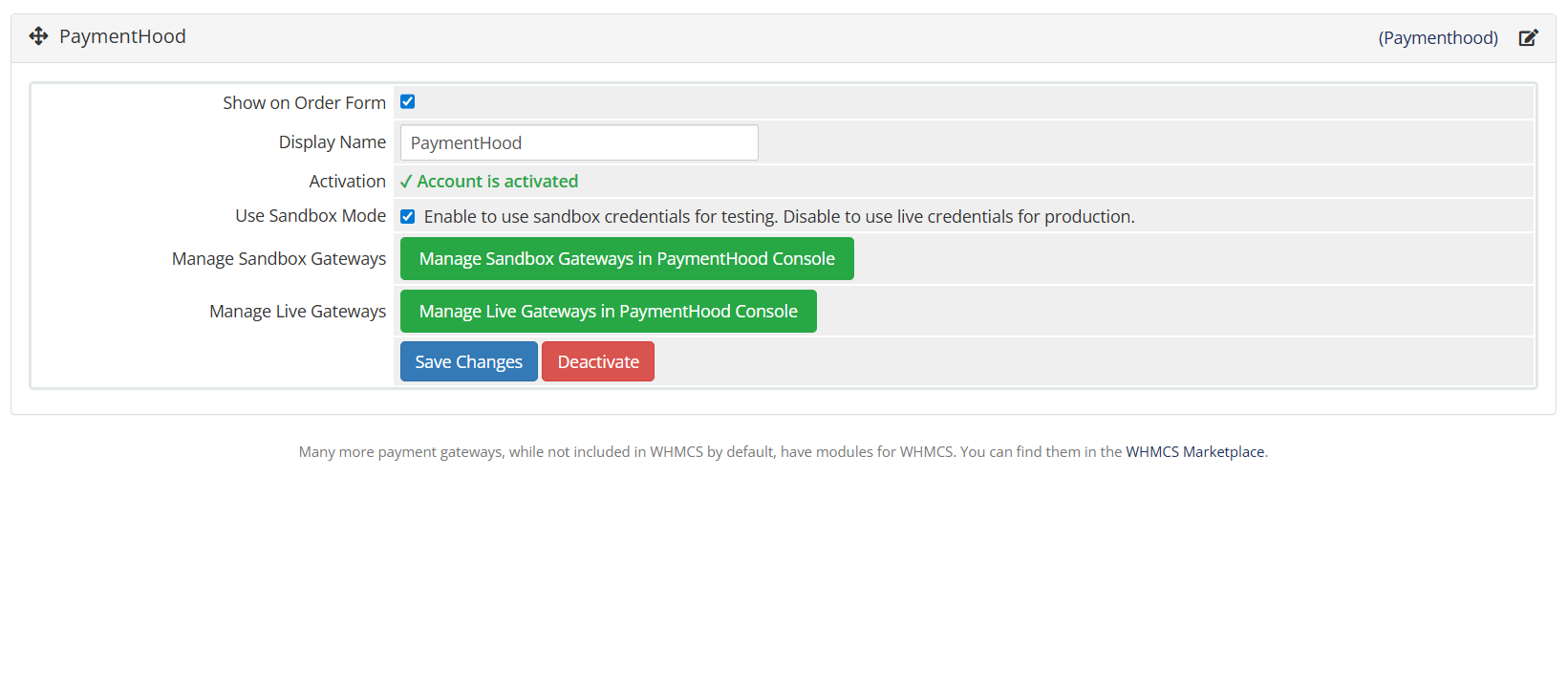
- Simplified setup wizard: enter App ID & Token → test → webhook auto-registration.
- Clear status indicators for connection, webhook, and readiness.
4. Customer Payment Notifications
- Payment details page shows provider used, transaction status, and optional tracking link.
- Customers are informed about how to track their PaymentHood payment.
5. Better User Experience
- Providers are properly loaded and displayed on checkout.
- Improved workflow for enabling and managing PaymentHood in the admin panel.
vv1.1.2
Released February 2nd, 2026
View/hide detailed changelog
Added
- Added OxaPay payment gateway integration
(Support for crypto payments with fast settlement and wide asset coverage)
vv1.1.0
Released January 5th, 2026
View/hide detailed changelog
Initial release of the PaymentHood WHMCS plugin.
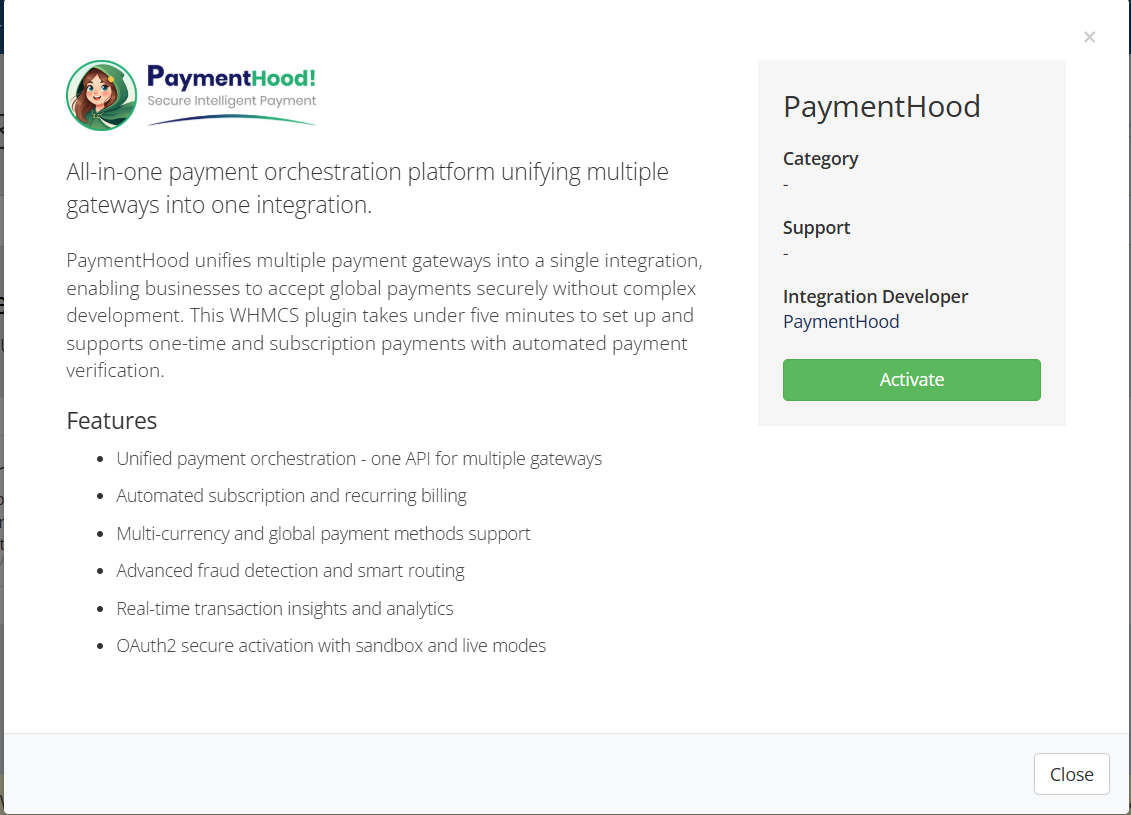
Added support for connecting WHMCS with PaymentHood.
Integrated multiple payment providers (e.g., Stripe, PayPal, Amazon Pay) through the orchestration platform.
Enabled real-time invoice updates upon payment.
Supports recurring payments and multiple payment methods.
Includes step-by-step installation guide via website.
Fully compatible with WHMCS version 8.0 and above.
vVersion v1.1.1
Released February 1st, 2026
View/hide detailed changelog
Added
- New PaymentHood Transactions Report in WHMCS Reports section
- Improved payment handler validation
- Enhanced logging for easier debugging








Robert Wood @robert9640
Setting it up was pretty easy & straightforward, working flawlessly with WHMCS v9.0 right out of the box. Instead of cluttering my checkout page with multiple gateway modules, it beautifully brig everything into a single, seamless hosted page for my clients. The recurring billing automation hooks into standard cron jobs perfectly. I like the distinct way it manages the onetime payment and subscription across the gateways i tried without deterring users.
arthur @arthur2623
No comment provided.