Page Manager addon WHMCS

Page Manager addon WHMCS

Developed By PUQ sp. z o.o.

Compatible with WHMCS v9.0

Introducing the PUQ Page Manager WHMCS Addon

A powerful addon designed for WHMCS administrators who want to build and manage custom frontend pages using ready-made widgets — directly inside WHMCS. The module helps you create landing pages, promotional sections, content pages, and homepage blocks with flexible layouts, multilingual content, and SEO-friendly settings. Based on the docs, Page Manager is documented as its own addon with a dedicated widgets library.

All-in-One Frontend Page Builder for WHMCS

PUQ Page Manager gives you a practical way to expand your WHMCS frontend without hardcoding templates. You can assemble pages from widgets such as Hero Section, Call To Action, Promo Slider, Product Cards, Domain Search, Testimonials, Tabs / Accordion, Timeline, Video Embed, and more. The widget list visible in the documentation confirms a broad set of page-building blocks.

Widget-Based Content + Flexible Layout Styling

Each widget includes its own configuration screen with content, layout, and style options (for example headings, buttons, colors, alignment, logo items, slides, and visual templates depending on the widget). The docs for widgets like Call To Action, Promo Slider, and Slider Logos show dedicated admin settings and frontend render examples.

Flexible Workflows + Clear Visibility in WHMCS

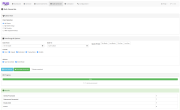
You get a structured page-building workflow inside WHMCS: configure widgets, preview frontend output, organize content blocks, and publish pages for your website. The documentation structure consistently shows widget admin settings and frontend result pages, which supports a build-and-preview workflow. ([doc.puq.info][1])

Main Features

  • Block Widget Editor — visual page builder powered by EditorJS with drag-and-drop block management
  • 23+ Built-in Widgets — Hero Section, Product Cards, Promo Slider, Testimonials, Timeline, FAQ, Team Slide, Contact Form, Tabs/Accordion, and many more
  • Multiple Style Variants — most widgets include 5–11 design styles selectable from the admin panel
  • Full Background Control — every widget supports background image, color, shadow, and border-radius settings
  • Multilingual Pages — create page translations for any language with translation status tracking (Translated / Needs Update / Not Translated)
  • SEO Optimization — Open Graph meta tags, keywords, canonical URL, meta robots, Schema JSON-LD, custom CSS and JS per page
  • Page Analytics — track page views, unique views, top pages, and views per day
  • Revision History — automatic revision tracking with content preview and one-click restore
  • Password Protection — protect individual pages with passwords, with customizable appearance (gradient presets, colors, icon, card style)
  • Visibility Control — restrict pages to all visitors, guests only, clients only, or specific client groups
  • WHMCS Page Rewrites — replace the WHMCS home page, footer, domain register page, or any custom URL pattern with your pages
  • Import / Export — export individual pages or all pages as JSON, import on another WHMCS installation
  • Parent Pages & Sorting — organize pages in a hierarchy with parent pages and custom sort order
  • Scheduled Publishing — set pages as Draft, Published, Scheduled, or Archived
  • WHMCS Product Integration — Product Cards and Domain widgets pull live pricing data from WHMCS
  • TinyMCE Widget — embed rich HTML content using the TinyMCE WYSIWYG editor within the block editor
  • Custom Code Widget — insert raw HTML, CSS, and JavaScript
  • License system — online/offline license verification with graceful degradation
  • English language interface

How It Works

  1. Install and activate PUQ Page Manager in WHMCS.
  2. Create a page (or open an existing one) in the Page Manager interface.
  3. Add widgets (for example: Hero Section, Promo Slider, Product Cards, Domain Search).
  4. Configure each widget’s content, layout, and style settings.
  5. Arrange page sections and publish the page for frontend visitors.
  6. Update widgets anytime to refresh promos, text, links, or visuals.

License

The PUQ Page Manager addon requires an active license for full functionality. The license is verified via PUQ Cloud license server and the result is cached (so the addon does not require a constant connection).

Module Documentation

https://doc.puq.info/books/page-manager-whmcs-addon


There are no reviews yet!

Be the first to review Page Manager addon WHMCS.

Version Compatibility


Compatible with WHMCS v9.0

Full Version Compatibility


  • Selected versions of WHMCS v9.0
        9.0.0 - 9.0.1
  • All versions of WHMCS v8.13
  • All versions of WHMCS v8.12
  • All versions of WHMCS v8.11
  • Selected versions of WHMCS v8.10
        8.10.0
  • Selected versions of WHMCS v8.9
        8.9.0
  • Selected versions of WHMCS v8.8
        8.8.0
  • All versions of WHMCS v8.7
  • All versions of WHMCS v8.6
  • All versions of WHMCS v8.5
  • All versions of WHMCS v8.4
  • All versions of WHMCS v8.3
  • All versions of WHMCS v8.2
  • All versions of WHMCS v8.1
  • All versions of WHMCS v8.0

Support for this product

The best place to start if you need help with a specific product is to contact the developer. All WHMCS Marketplace developers have both a website and support URL listed.

Developed By PUQ sp. z o.o.

Changelog

v1.0 Released February 22nd, 2026

Latest Version


First release.

New Features

  • Block widget editor powered by EditorJS with drag-and-drop block management
  • 23 built-in widgets: Announcements, Call To Action, Contact Form, Custom Code, Domain Search, Domain TLD, Feature Grid, Hero Section, Intelligent Domain Search, Map, Mini Menu, Page Background, Product Cards, Promo Slider, Question Answer, Separator, Slider Logos, Tabs / Accordion, Team Slide, Testimonials, Text Editor TinyMCE, Timeline, Video Embed
  • Multiple style variants per widget (5–11 design templates)
  • Full background control per widget: background image, color, shadow, border radius
  • Multilingual page support with translation status tracking
  • SEO fields: OG Title, OG Description, OG Image, Keywords, Canonical URL, Meta Robots, Schema JSON-LD
  • Custom CSS and JavaScript per page
  • Page analytics: views, unique views, top pages, views per day chart
  • Revision history with content preview and one-click restore
  • Password-protected pages with customizable appearance and quick presets
  • Page visibility control: all visitors, guests only, clients only, client groups
  • WHMCS page rewrites: replace home page, footer, domain register, or custom URL patterns
  • Import and export pages as JSON (individual or bulk)
  • Parent pages and custom sort order
  • Page statuses: Draft, Published, Scheduled, Archived
  • WHMCS product integration: Product Cards and Domain widgets pull live pricing
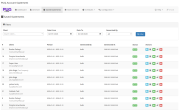
  • Dashboard with statistics, recent changes, top viewed pages, system info
  • One-click page creation from the pages list
  • License verification system with online/offline modes
  • English language interface


See also

FREE ResellerClub Tools v2

Working comfortably with ResellerClub's products and services through your WHMCS system requires additional tools.

Free
SEO Manager

The module developed to add meta description and meta keywords and change the page title

Free
WHOIS for Clients

WHOIS for Clients

Free
Dropbox Backup for WHMCS

This module will integrate WHMCS with Dropbox to upload a copy of WHMCS database onto the cloud. You will never have to worry about losing data any more.


Free
Software Licensing Addon

Build, License & Distribute Your Own Apps using WHMCS

Commercial