
Introducing Auto Backup For WHMCS — your automated backup solution.
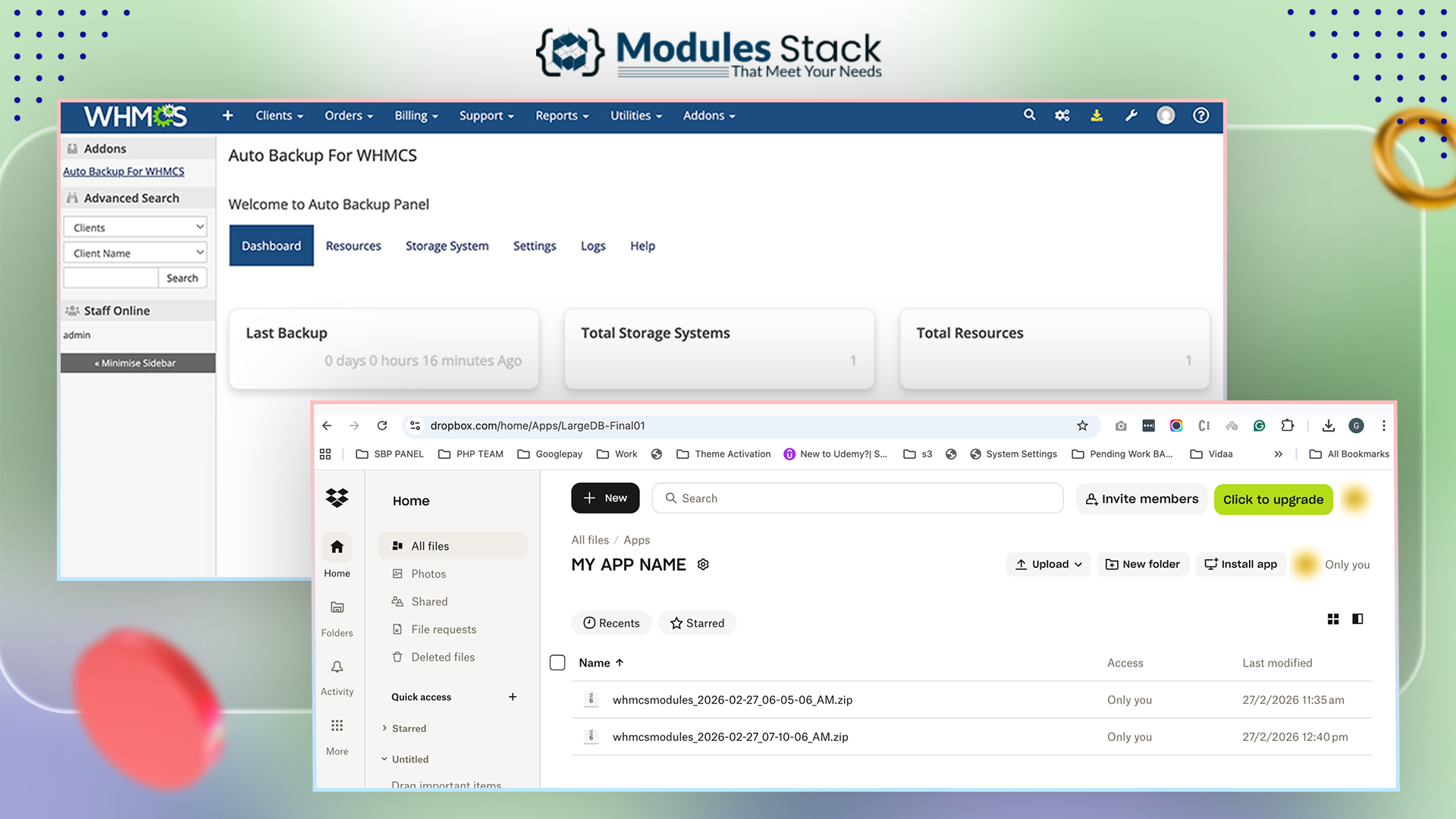
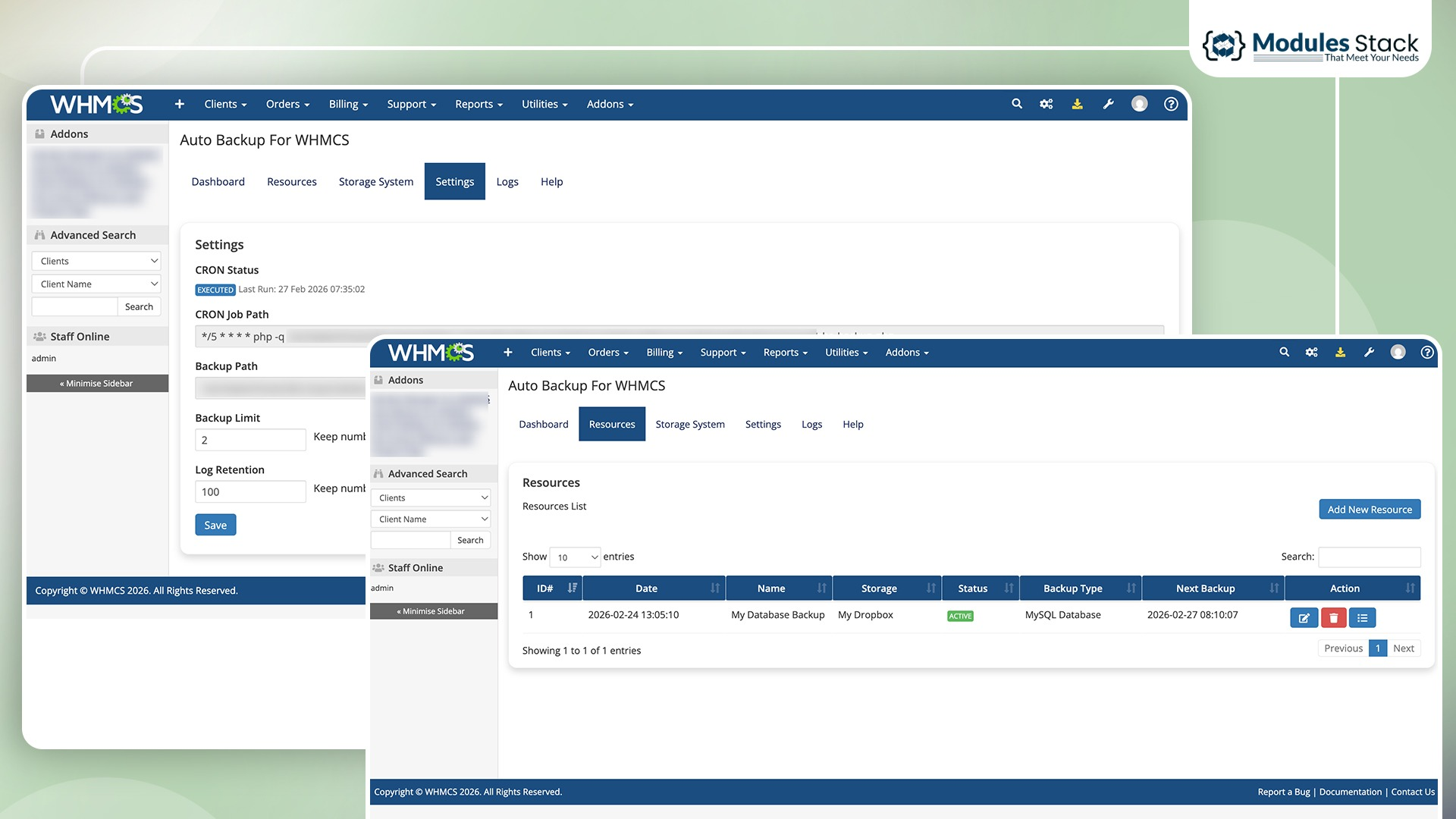
The Auto Backup For WHMCS module provides a complete and reliable backup automation solution to safeguard your WHMCS installation. It enables automatic backups of your WHMCS files, MySQL database, or both at scheduled intervals and securely stores them in your connected cloud storage.
Unlike manual backup methods that are time-consuming and prone to human error, this module ensures your critical billing data, client information, and system files are consistently protected through automated cron-based execution. With flexible resource-based configuration, you can define what to back up, when to run backups, and where to store them — giving you full control over your data protection strategy.
The current version supports Dropbox as the storage destination, with plans to introduce more storage providers in future updates. This ensures long-term scalability while keeping your backups safe, organized, and easily recoverable.
Whether you run a hosting business or manage a WHMCS-powered platform, this module delivers a dependable and hands-off backup system that protects your business from unexpected data loss, server failures, or accidental changes.
Q1: Where are the backups stored initially?
Backups are first generated and stored temporarily on your server during the backup process.
Q2: What happens after the backup is uploaded to Dropbox?
Once the backup is successfully uploaded to Dropbox, the temporary backup file on the server is automatically deleted to save disk space.
Q3: Can I still run manual backups?
Yes. You can trigger manual backups at any time from the WHMCS admin panel, and they will follow the same process of temporary storage and automatic cleanup after upload.
Q4: Will this affect my existing WHMCS data?
No. The module only reads and backs up your WHMCS installation. It does not modify or interfere with your existing data.
Q5: Are more storage providers going to be supported?
Yes. The module is designed to support additional storage providers in future updates.
Q6: Do you provide a trial?
Yes, we offer a 7-day free trial so you can experience the module before committing.
The best place to start if you need help with a specific product is to contact the developer. All WHMCS Marketplace developers have both a website and support URL listed.
Initial Release

Working comfortably with ResellerClub's products and services through your WHMCS system requires additional tools.

The module developed to add meta description and meta keywords and change the page title


This module will integrate WHMCS with Dropbox to upload a copy of WHMCS database onto the cloud. You will never have to worry about losing data any more.


Jack oliver @jack8979
Auto Backup For WHMCS has been working great for me - everything is automated and the Dropbox upload runs smoothly without any issues.
mason ella @mason2672
Works smoothly and keeps all my WHMCS data safe without any hassle, really saves time and gives peace of mind.
Henry Nicoles @henry1070
Perfect tool for keeping WHMCS data safe and protected.
Greyson Hamilton @greyson5495
Reliable backup solution, everything stays secure and organized.
Alcot @alcot2178
Very useful module for automated WHMCS backups. Works smoothly.