A secure, public-facing WHOIS lookup module for WHMCS that allows visitors or clients to perform WHOIS queries while maintaining performance, abuse protection, and administrative control.
This module provides:
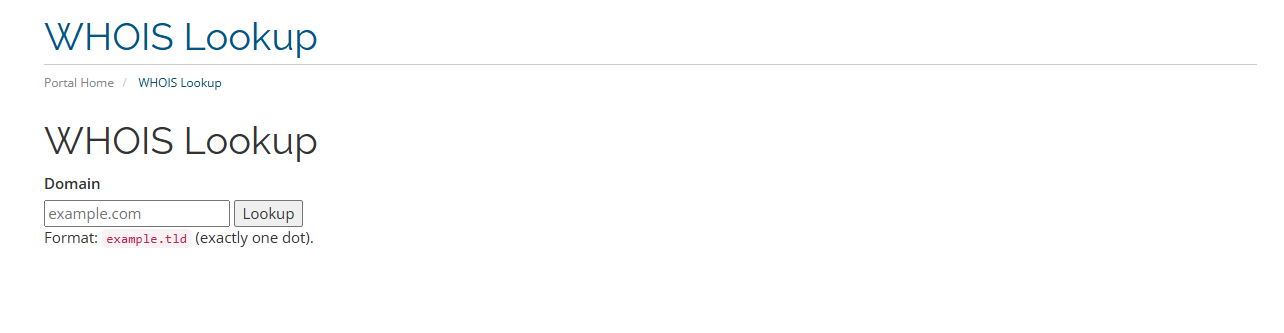
<second-level-domain>.<top-level-domain>)The module creates a publicly accessible WHOIS lookup page:
https://yourwhmcs.com/index.php?m=client_whois
Visitors can search domains in the format:
example.com
example.net
example.org
The module strictly enforces the format:
<second-level-domain>.<top-level-domain>
Subdomains are not allowed.
Example of valid input:
example.com
test.org
mydomain.xyz
Invalid inputs:
example.com.au
test.example.com
http://example.com
Anonymous visitors must pass WHMCS CAPTCHA verification before a WHOIS lookup is executed.
CAPTCHA is automatically integrated with WHMCS security settings.
Supported CAPTCHA providers include:
Logged-in users do not see CAPTCHA.
Configure CAPTCHA in:
WHMCS Admin → System Settings → Security → CAPTCHA
The module resolves WHOIS servers in the following order:
Example resolution flow:
example.com
→ check admin override
→ fallback to static map
→ fallback to IANA whois.iana.org
→ follow referral server
This ensures maximum compatibility across TLD registries.
To improve performance and prevent abuse, WHOIS responses are cached locally.
Cache behavior:
Property Value Storage Filesystem Cache key SHA1(domain) Default TTL 3600 seconds Directory/modules/addons/client_whois/cache/
Example cache file:
cache/whois_9f86d081884c7d659a2feaa0c55ad015.txt
When cache exists and has not expired:
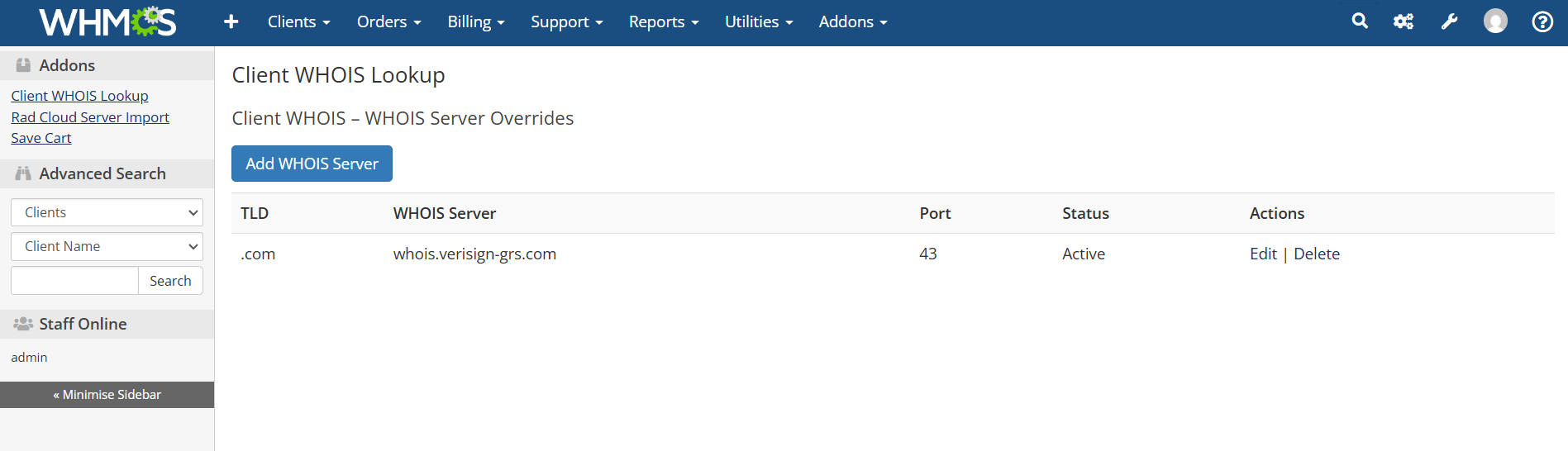
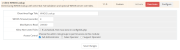
The module provides a database-backed admin interface allowing custom WHOIS servers to be defined per TLD.
Admin page:
WHMCS Admin → Addons → Client WHOIS Lookup
You can:
Database table:
mod_client_whois_servers
Schema:
Column Description id Primary key tld TLD without leading dot server WHOIS hostname port WHOIS port (default 43) active Enable / disable created_at Timestamp updated_at TimestampExample entry:
tld: com
server: whois.verisign-grs.com
port: 43
active: 1
The module validates TLDs using a configurable list.
File:
/modules/addons/client_whois/config/tlds.php
Example:
return [
    ".com",
    ".net",
    ".org",
    ".xyz",
];
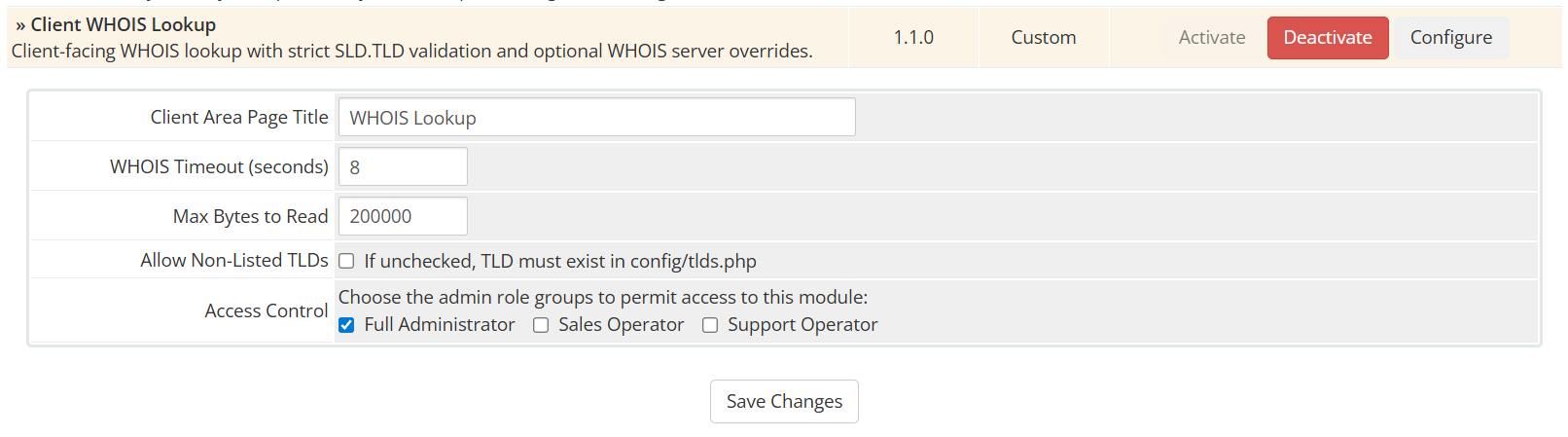
If the module setting Allow Non-Listed TLDs is disabled, the domain must use one of these TLDs.
modules/addons/client_whois/
│
├── client_whois.php
├── README.md
│
├── config/
│   └── tlds.php
│
├── lib/
│   ├── WhoisClient.php
│   └── WhoisServers.php
│
├── templates/
│   ├── clientarea.tpl
│   └── style.css
│
└── cache/
/modules/addons/client_whois/
/modules/addons/client_whois/cache/
Set permissions:
chmod 755 cache
Login to WHMCS Admin.
Navigate to:
System Settings → Addon Modules
Activate Client WHOIS Lookup
Configure module settings.
The module is publicly available at:
index.php?m=client_whois
Example:
https://yourwhmcs.com/index.php?m=client_whois
The module validates:
a-z
0-9
-
Hyphens cannot appear at the start or end.
Examples:
Valid:
example.com
my-domain.net
test123.org
Invalid:
-example.com
example-.net
test..org
The module includes several abuse protections:
Anonymous users must pass CAPTCHA before lookup.
Prevents injection attempts.
WHOIS responses are truncated if they exceed configured limits.
Socket connections automatically close after timeout.
Reduces repeated WHOIS requests.
Typical response times:
Scenario Time Cache hit < 5 ms Cached WHOIS < 20 ms Live WHOIS 200–900 msCache dramatically improves performance under load.
The module supports:
Example:
münchen.de
xn--mnchen-3ya.de
Check firewall rules allowing outbound port 43.
Example:
iptables -A OUTPUT -p tcp --dport 43 -j ACCEPT
Ensure permissions:
chmod 755 cache
or
chown www-data cache
Verify CAPTCHA is enabled in:
WHMCS → Security Settings
The module architecture supports future extensions such as:
This module is provided for internal or commercial use within WHMCS environments.
For issues or feature requests, review the module code or extend functionality using WHMCS addon development guidelines.
The best place to start if you need help with a specific product is to contact the developer. All WHMCS Marketplace developers have both a website and support URL listed.
Initial Release

Working comfortably with ResellerClub's products and services through your WHMCS system requires additional tools.

The module developed to add meta description and meta keywords and change the page title


This module will integrate WHMCS with Dropbox to upload a copy of WHMCS database onto the cloud. You will never have to worry about losing data any more.




Site Admin @site6428
Cool idea
Rad Web Hosting @rad-web-hosting
Thanks for the feedback!
Owner@Rad Web HostingSite Admin @site2429
Nice! I like the custom backend.
Rad Web Hosting @rad-web-hosting
Thanks for the feedback!
Owner@Rad Web Hosting