eSewa, Khalti & Fonepay Payment Gateway - PayBridgeNP

eSewa, Khalti & Fonepay Payment Gateway - PayBridgeNP

Developed By PayBridgeNP

Compatible with WHMCS v9.0

Accept Nepali payments on WHMCS with one integration

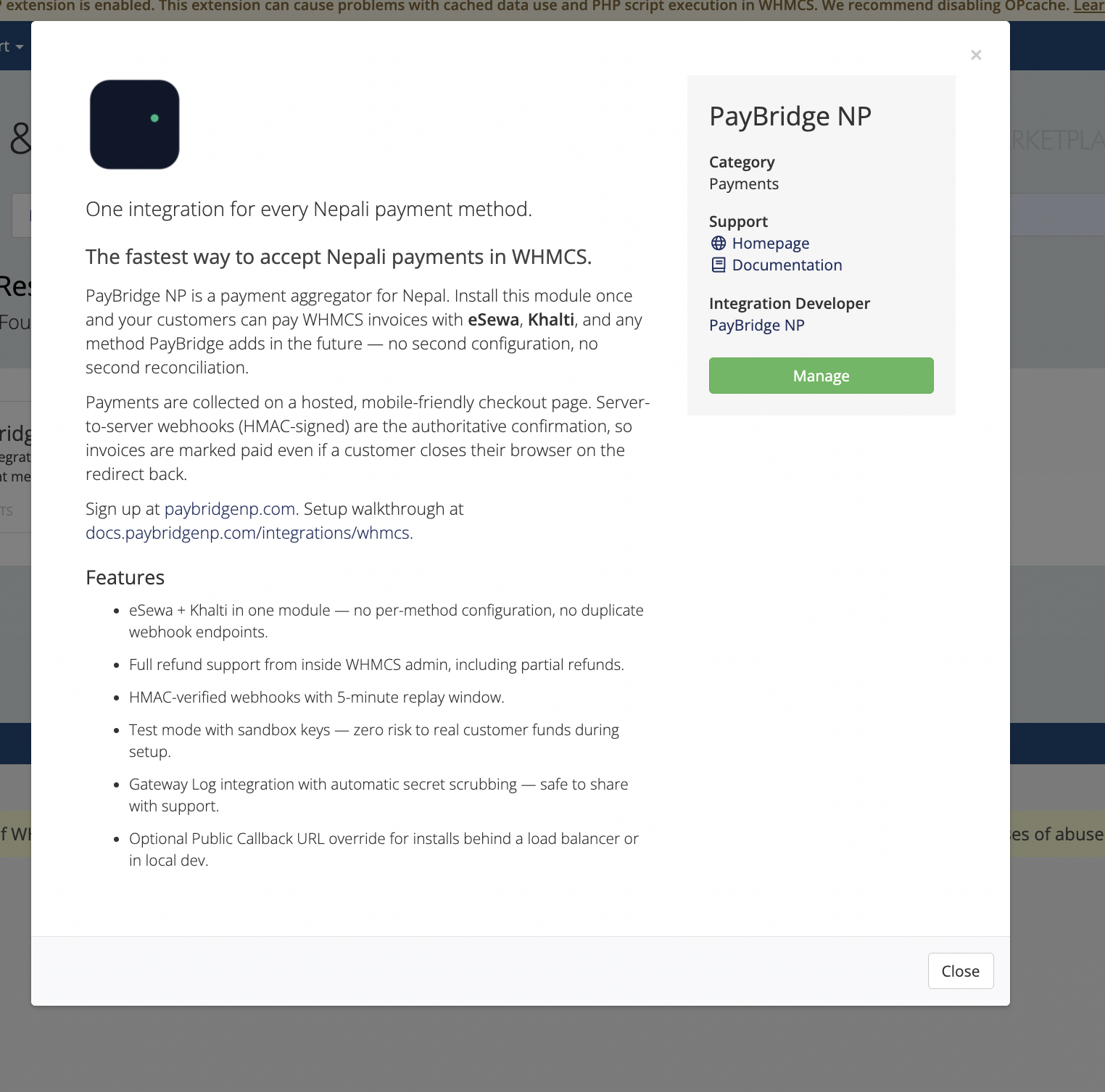
PayBridgeNP is a payment gateway for Nepal. Install this module once and your customers can pay WHMCS invoices with eSewa, Khalti, Fonepay, and any future method PayBridgeNP adds - no second configuration, no second reconciliation, no duplicate webhook endpoints.

Built specifically for WHMCS hosts and domain resellers in Nepal. GPL-licensed, free to use, source on GitHub.

Why this module

  • eSewa, Khalti, and Fonepay in one module. The official Khalti WHMCS module covers only Khalti. Existing eSewa modules cover only eSewa. This module covers all three - customers pick on a hosted checkout page, or you can pin the gateway to a single method.
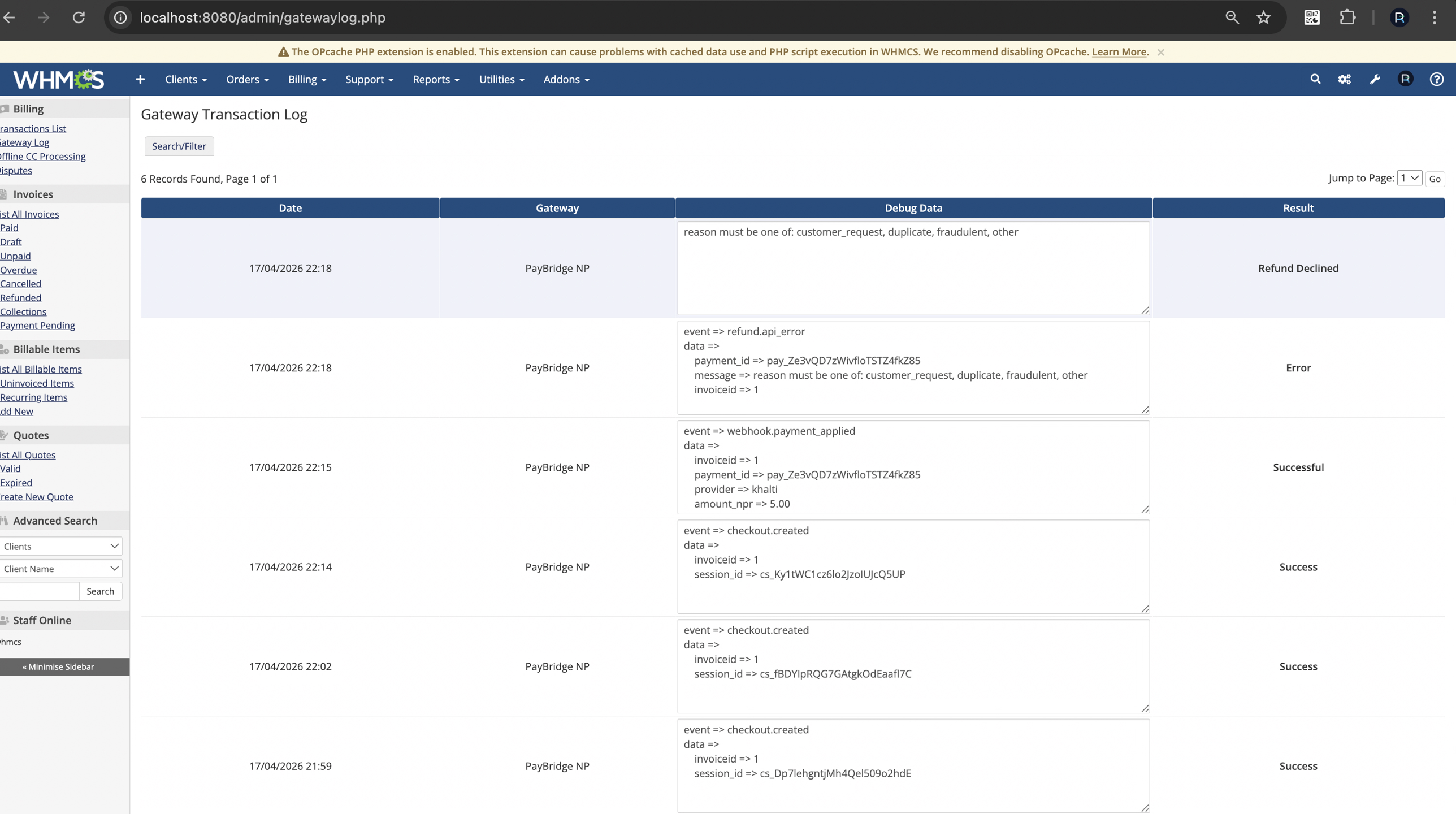
  • Full refund support inside WHMCS admin. Click Refund on a transaction, including partial refunds - the module calls the PayBridgeNP refund API and records the result in both WHMCS and your PayBridgeNP dashboard.
  • HMAC-signed webhooks with a 5-minute replay window. Unsigned events are rejected with HTTP 400 - no unsigned fallback that an attacker could exploit for free orders.
  • Idempotent payment application via WHMCS's checkCbTransID helper - replayed webhooks never double-post to tblaccounts.
  • Gateway Log integration with automatic secret scrubbing. API keys, signing secrets, and signature headers never land in the log - safe to share with support.
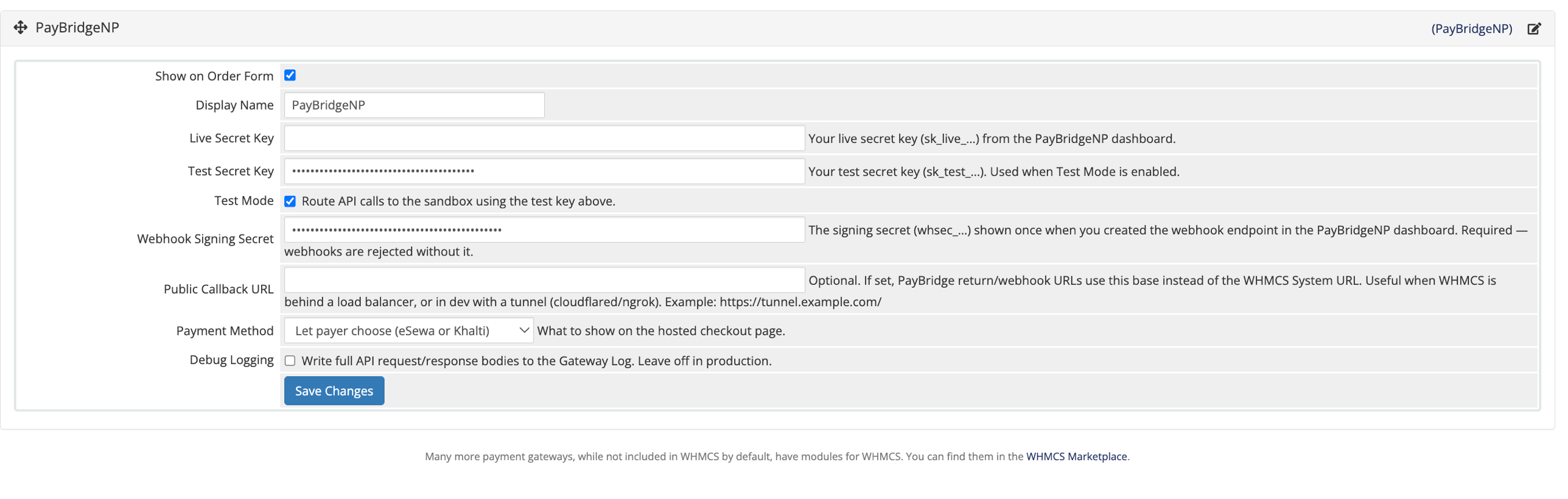
  • Optional Public Callback URL override for installs behind a load balancer, or when you are testing locally with cloudflared or ngrok.

Requirements

  • WHMCS 8.0 or newer (tested up to 8.13)
  • PHP 7.4 or newer with the ionCube Loader extension (which WHMCS requires anyway)
  • Invoice currency set to NPR (Nepalese Rupee)
  • A PayBridgeNP account at dashboard.paybridgenp.com/signup - sign-up is free

Install in 10 minutes

  1. Download the ZIP from paybridgenp.com/integrations/whmcs or this Marketplace listing.
  2. Extract at the root of your WHMCS install. Files merge into modules/gateways/.
  3. In WHMCS admin, activate the gateway from Configuration → System Settings → Payment Gateways → All Payment Gateways → PayBridgeNP.
  4. Paste your test or live secret key and webhook signing secret from dashboard.paybridgenp.com. Save.
  5. In your PayBridgeNP dashboard, register a webhook pointing at https://your-whmcs-url/modules/gateways/callback/paybridgenp.php. Subscribe to payment.succeeded, payment.failed, and payment.cancelled.

Done. Your customers can now pay WHMCS invoices with eSewa, Khalti, or Fonepay.

A note on recurring billing

PayBridgeNP does not vault cards, because Nepali wallets do not currently support merchant-initiated charges. WHMCS renewal invoices are emailed to customers, who pay them interactively. Everything else - one-off invoices, add-ons, upgrades - works normally.

Support

  • Full integration guide: docs.paybridgenp.com/integrations/whmcs
  • Troubleshooting: docs.paybridgenp.com/integrations/whmcs/troubleshooting
  • Source code: github.com/paybridgenp/whmcs
  • Email: [email protected]


There are no reviews yet!

Be the first to review eSewa, Khalti & Fonepay Payment Gateway - PayBridgeNP.

Version Compatibility


Compatible with WHMCS v9.0

Full Version Compatibility


  • All versions of WHMCS v9.0
  • All versions of WHMCS v8.13
  • All versions of WHMCS v8.12
  • All versions of WHMCS v8.11
  • Selected versions of WHMCS v8.10
        8.10.0
  • Selected versions of WHMCS v8.9
        8.9.0
  • Selected versions of WHMCS v8.8
        8.8.0
  • All versions of WHMCS v8.7
  • All versions of WHMCS v8.6
  • All versions of WHMCS v8.5
  • All versions of WHMCS v8.4
  • All versions of WHMCS v8.3
  • All versions of WHMCS v8.2
  • All versions of WHMCS v8.1
  • All versions of WHMCS v8.0

System Requirements


  • PHP 7.4 or newer
  • ionCube Loader extension
  • PHP curl extension
  • PHP json extension
  • Invoice currency set to NPR (Nepalese Rupee)
  • A free PayBridgeNP account

* Requirements listed are in addition to the WHMCS default system requirements.

Support for this product

The best place to start if you need help with a specific product is to contact the developer. All WHMCS Marketplace developers have both a website and support URL listed.

Developed By PayBridgeNP

Changelog

v0.3.0 Released August 28th, 2026

Latest Version


Adds a Fonepay-only payment method, so you can offer Fonepay on its own rather than only through the combined chooser. The default chooser now names every provider you have configured.

Updates the bundled PayBridgeNP PHP SDK from 3.0.0 to 5.5.0. A checkout request that timed out or failed on the server used to be retried without an idempotency key, which could create a duplicate checkout session.


Previous Versions


v0.1.1 Released April 18th, 2026

View/hide detailed changelog

v0.1.1 — 2026-04-18

  • Initial public release.
  • Added optional Public Callback URL override for installs behind a load balancer or local dev tunnels.
  • Fixed refund API payload to match PayBridgeNP's reason enum requirement (reason=other + descriptive notes).
  • Vendored paybridge-np/sdk 1.3.0.


See also

WHMCS Bitcoin Payments

Accept Bitcoin payments on your website

Free
Accept Bitcoin and cryptocurrency payments - CoinGate for WHMCS

Easily accept Bitcoin, Tether, Ethereum and many other crypto payments on your WHMCS website
Free
Coinbase Commerce

No Fees, Easy Setup. Accept cryptocurrencies like: Bitcoin, Bitcoin Cash, Ethereum and Litecoin!

Free
PayTR Virtual Pos iFrame API

Open your web site to shopping with the advantages of PayTR. Take your payments securely.

Free
Gateway Fees for WHMCS

With this WHMCS module, you'll get the payment gateway fees from your clients directly.

Free