Smart Promotions

Smart Promotions

Developed By iBeeHost

Compatible with WHMCS v9.0

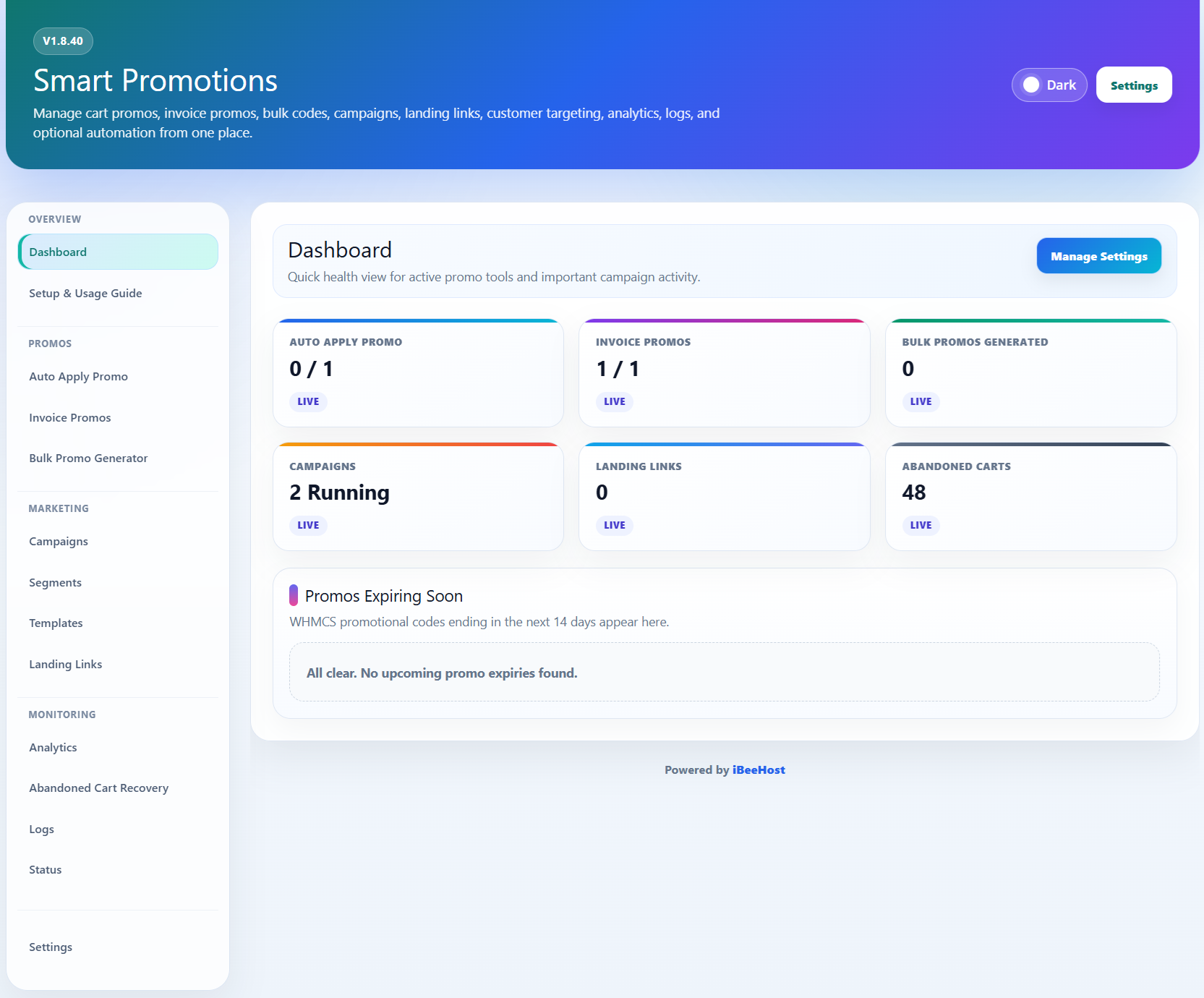
Smart Promotions for WHMCS

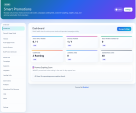
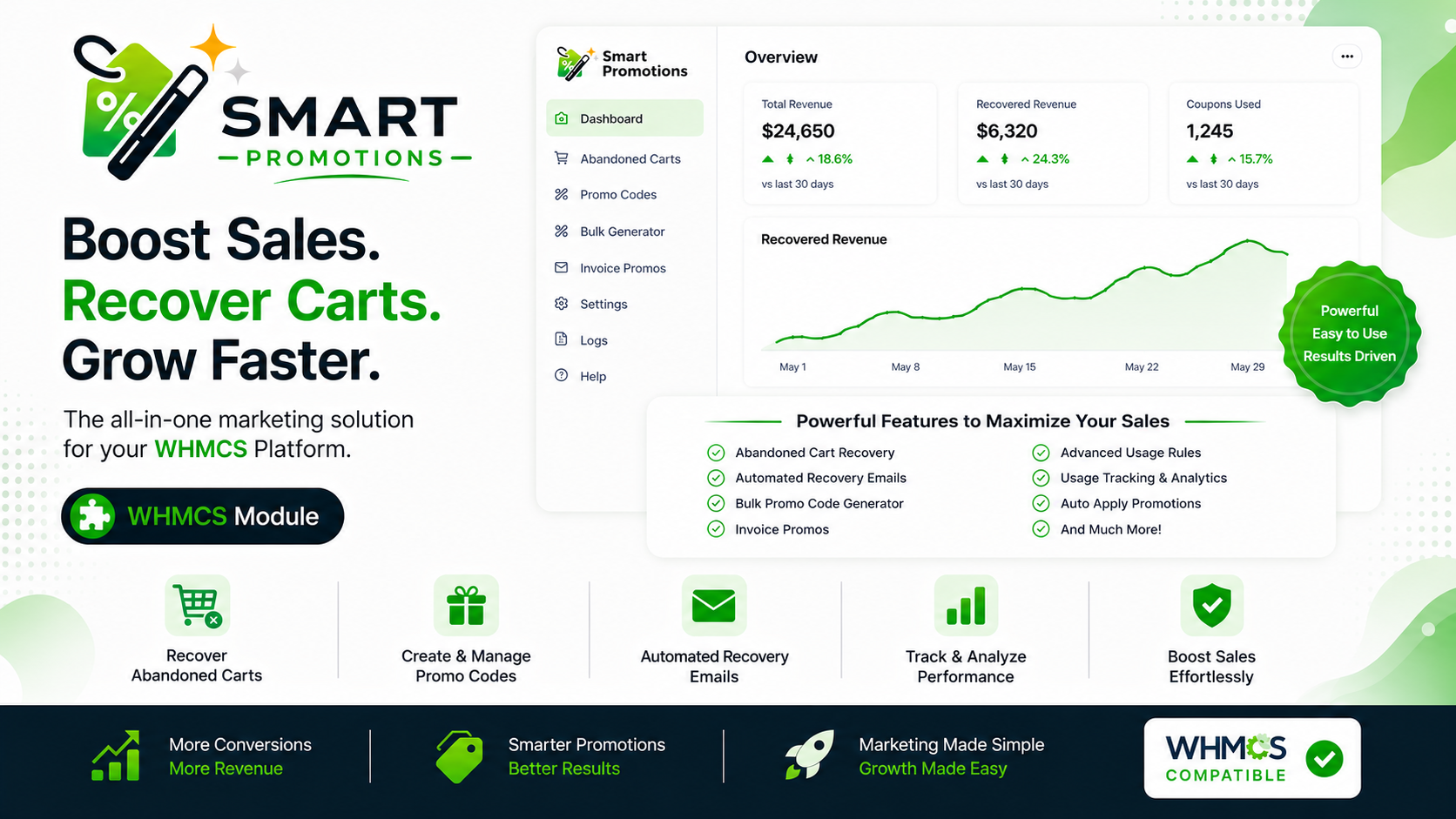
Smart Promotions is a powerful WHMCS addon module designed to help businesses manage, automate, and track promotional campaigns directly from the WHMCS admin area.

The module brings together auto apply promo rules, bulk promo code generation, abandoned checkout follow-ups, landing links, analytics, logs, with optimized administration in one clean and responsive interface.

Key Features

Auto Apply Promo

Create auto apply rules that add WHMCS promo codes to checkout automatically.

Smart Promotions helps reduce friction during checkout by applying eligible promo codes for customers based on your configured rules.

Bulk Promo Generator

Generate multiple WHMCS promo codes quickly using a guided bulk generator.

This is useful for:

  • Seasonal campaigns
  • Black Friday and Cyber Monday sales
  • Affiliate promotions
  • Private customer offers
  • Limited-time campaigns
  • One-time discount campaigns

The Bulk Promo Generator includes:

  • Recent batch history
  • Generate code options
  • Import support
  • Sample CSV download
  • Export All

Landing Links

Create promotional landing links that can be shared in campaigns, emails, ads, or social media posts.

Customers can visit a campaign link and have the related promotion prepared automatically where supported.

Abandoned Cart Recovery

Smart Promotions includes abandoned checkout tracking and follow-up tools to help recover missed sales opportunities.

The abandoned cart system includes:

  • Guest email capture before checkout
  • Optional email prompt for visitors who are not logged in
  • Checkout email prefill support
  • Three optional follow-up email steps
  • Step-based timing
  • Step-based promo code selection
  • Promo discount pulled directly from selected WHMCS promo codes
  • Recovery links
  • Individual abandoned cart detail pages
  • Email activity per abandoned cart
  • Email preview support
  • Expire and delete actions
  • Delete all abandoned carts option

Module SMTP for Guest Emails

Smart Promotions includes dedicated SMTP settings for sending guest abandoned cart emails.

This gives you control over email delivery for visitors who do not yet have a WHMCS client account.

SMTP settings include:

  • SMTP Host
  • SMTP Port
  • SMTP Encryption
  • SMTP Username
  • SMTP Password
  • From Email
  • From Name

Email Logs

The module includes a dedicated Email Logs section for abandoned cart email activity.

Email logs include:

  • Recipient
  • Subject
  • Recovery step
  • Promo code
  • Delivery method
  • Status
  • Error message
  • Sent date
  • Email preview

Email logs include AJAX pagination and search, making them easier to manage on busy WHMCS installations.

Logs

Smart Promotions includes a Logs section to help administrators review module activity.

Logs include AJAX pagination and search for easier navigation.

Analytics

Review promotion-related activity from a dedicated analytics section.

The analytics area includes charts and insights related to Smart Promotions activity, including auto apply performance and abandoned cart data.

Status Page

The Status page provides a quick overview of important module information, and module environment details.

Responsive Admin Interface

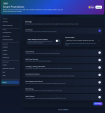
The admin interface is designed to work cleanly inside WHMCS.

The interface includes:

  • Responsive layouts
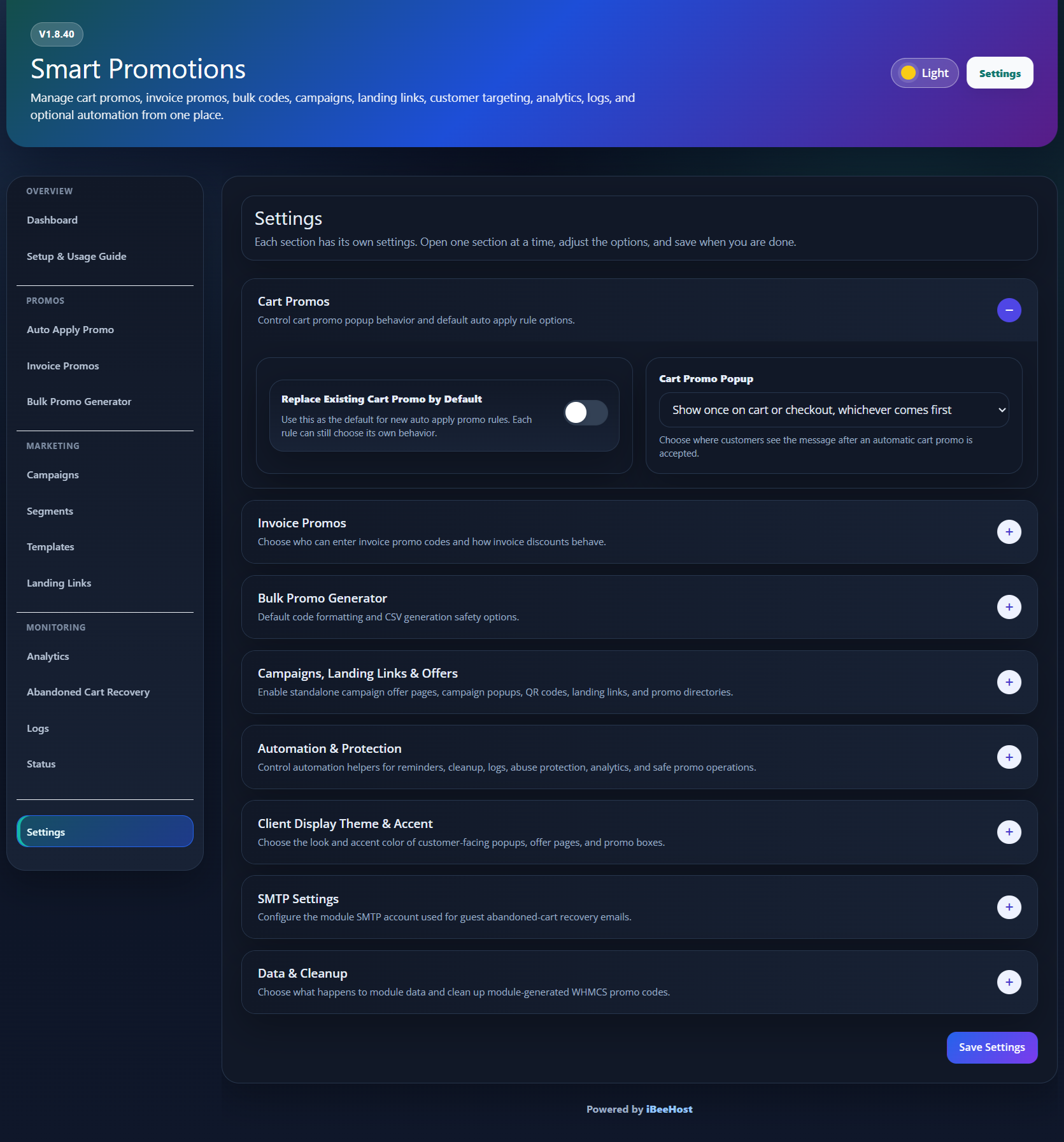
  • Dark mode support
  • Custom Accent Color
  • Collapsible sections
  • Organized admin pages
  • Clean action buttons
  • Modern card-based sections

Why Use Smart Promotions?

WHMCS includes basic promo code functionality, but managing promotional workflows manually can become time-consuming.

Smart Promotions helps improve and automate your promo code workflow by giving you tools to:

  • Apply promo codes automatically
  • Generate promo codes in bulk
  • Manage promotional landing links
  • Automatic Follow up with abandoned checkout visitors
  • Send guest recovery emails using module SMTP
  • Review email delivery logs
  • Track promotional activity
  • Manage campaigns from one admin area

Ideal For

Smart Promotions is ideal for:

  • Web hosting companies
  • VPS providers
  • Domain resellers
  • WHMCS-based SaaS businesses
  • Agencies managing hosting clients
  • Businesses running seasonal campaigns
  • Companies using WHMCS promo codes frequently
  • Any Businesses who works with Promotions

Common Use Cases

Smart Promotions can be used for:

  • New customer discounts
  • Specific Plan promotions
  • Upgrade campaigns
  • Bundle offers
  • Black Friday Sales
  • Cyber Monday Sales
  • Holiday Campaigns
  • Client Retention Offers
  • Abandoned checkout follow-ups
  • Affiliate or partner campaigns
  • Private customer discount campaigns

Abandoned Checkout Follow-Up

Smart Promotions can help recover incomplete checkouts by asking guest visitors for an email before checkout when enabled.

If the visitor leaves before completing the order, the module can send follow-up emails using your configured timing and promo code settings.

Each follow-up step can have its own:

  • Enable or disable option
  • Send-after time
  • WHMCS promo code

The discount information is pulled from the selected WHMCS promo code, so admins do not need to manually enter discount percentages.

Admin Experience

Smart Promotions is built to provide a clean and practical admin experience.

The module keeps sections organized and easy to manage, while AJAX pagination and search help keep large logs and abandoned cart records manageable.

Requirements

  • WHMCS installation
  • Valid Smart Promotions License
  • PHP cURL support
  • SMTP details for guest abandoned cart email delivery

Summary

Smart Promotions is a WHMCS addon module built to simplify and improve promo code management.

It combines auto apply promo rules, bulk promo generation, abandoned checkout follow-ups, landing links, analytics, logs, and module SMTP into one organized WHMCS module.

It is designed for all kinds of businesses that want better control, automation, and visibility over their promotional campaigns.


There are no reviews yet!

Be the first to review Smart Promotions.

Version Compatibility


Compatible with WHMCS v9.0

Full Version Compatibility


  • All versions of WHMCS v9.0
  • All versions of WHMCS v8.13
  • All versions of WHMCS v8.12
  • All versions of WHMCS v8.11
  • Selected versions of WHMCS v8.10
        8.10.0
  • Selected versions of WHMCS v8.9
        8.9.0
  • Selected versions of WHMCS v8.8
        8.8.0
  • All versions of WHMCS v8.7
  • All versions of WHMCS v8.6
  • All versions of WHMCS v8.5
  • All versions of WHMCS v8.4
  • All versions of WHMCS v8.3
  • All versions of WHMCS v8.2
  • All versions of WHMCS v8.1
  • All versions of WHMCS v8.0
  • All versions of WHMCS v7.10
  • All versions of WHMCS v7.9
  • All versions of WHMCS v7.8
  • All versions of WHMCS v7.7
  • All versions of WHMCS v7.6
  • All versions of WHMCS v7.5
  • All versions of WHMCS v7.4
  • Selected versions of WHMCS v7.3
        7.3.0
  • All versions of WHMCS v7.2
  • All versions of WHMCS v7.1
  • All versions of WHMCS v7.0
  • All versions of WHMCS v6.3
  • All versions of WHMCS v6.2
  • All versions of WHMCS v6.1
  • All versions of WHMCS v6.0
  • All versions of WHMCS v5.3

Support for this product

The best place to start if you need help with a specific product is to contact the developer. All WHMCS Marketplace developers have both a website and support URL listed.

Developed By iBeeHost

Changelog

v1.8.40 Released May 23rd, 2026

Latest Version


Changelog

v1.8.40 - Initial Release

Initial public release of Smart Promotions for WHMCS.

Smart Promotions is a WHMCS addon module built to manage, automate, and track promotional campaigns directly from the WHMCS admin area.

Core Module

  • Added module status page.
  • Added responsive WHMCS admin interface.
  • Added dark mode support across the admin interface.
  • Added configurable client-area accent color.

Auto Apply Promo

  • Added Auto Apply Promo section.
  • Added Auto Apply Rules management.
  • Added support for automatically applying WHMCS promo codes during checkout.
  • Added rule-based promo application workflow.
  • Added client-side auto apply popup.
  • Added dark-mode support for auto apply popup.

Invoice Promo

  • Added invoice promo code support.
  • Added invoice promo section under invoice payment area.
  • Added invoice promo popup.
  • Added Lagom theme compatibility fixes for invoice promo popup.
  • Added client accent color support for invoice promo UI.

Bulk Promo Generator

  • Added Bulk Promo Generator.
  • Added recent batch history.
  • Added Import option.
  • Added Sample CSV option.
  • Added Export All option.
  • Added PHP 8.4 support.

Landing Links

  • Added promotional landing links.
  • Added click-to-copy behavior for landing links.
  • Added landing link tracking support.
  • Added public offer routing for campaign/landing links.

Promo Directory

  • Added public Promo Directory page.
  • Added beautiful frontend directory layout.

Offer Pages

  • Added individual public offer pages.
  • Added beautiful offer banner.
  • Added View All Offers link when directory is enabled.
  • Added frontend emoji/rich text support.

Campaign Popups

  • Added campaign popup support.
  • Added TinyMCE-powered popup content support.
  • Added emoji support for popup text areas.
  • Added campaign popup accent color support.

Rich Text / TinyMCE

  • Added TinyMCE support for offer and popup text areas.
  • Added emoji support.
  • Added expanded TinyMCE toolbar.
  • Added alignment controls.
  • Added list, link, color, table, code, formatting, and remove-format tools.
  • Added safe rich HTML rendering for frontend offer and popup content.
  • Added utf8mb4 migration support for emoji compatibility.

Abandoned Cart Recovery

  • Added Abandoned Cart Recovery system.
  • Added abandoned cart tracking.
  • Added guest email capture before checkout.
  • Added checkout email prefill for captured guest emails.
  • Added option to ask guest visitors for email before checkout.
  • Added prevention so guests cannot continue to checkout without entering email when enabled.
  • Added automatic resume of original checkout/add-to-cart action after email capture.
  • Added abandoned cart listing.
  • Added AJAX pagination for abandoned cart listing.
  • Added 10-record listing limit.
  • Added abandoned cart status tracking.
  • Added abandoned cart expiry support using configured days.
  • Added individual abandoned cart detail pages.
  • Added abandoned cart actions:
    • View
    • Open
    • Expire
    • Delete
    • Retry Email
  • Added Delete All Abandoned Carts option.
  • Added duplicate abandoned-cart prevention.
  • Added improved cart/session hashing to prevent multiple entries for one cart.
  • Added recovery link expiry by days.
  • Added recovery email step tracking.

Abandoned Cart Recovery Steps

  • Added three optional recovery email steps.
  • Added separate settings section for Step 1, Step 2, and Step 3.
  • Added send-after minutes per step.
  • Added searchable promo code selector per step.
  • Added discount detection from selected WHMCS promo code.
  • Added support for Step 1 without promo.
  • Added Optional Recovery Promo Code fallback only when all three steps are disabled.
  • Added prevention so global optional promo does not override individual step promos.

Abandoned Cart Emails

  • Added abandoned cart email sending.
  • Added step-aware recovery email content.
  • Added redesigned customer-friendly email templates.
  • Added email previews on abandoned cart detail page.
  • Added email attempt tracking.
  • Added retry support for failed or false-positive email attempts.
  • Added last email error tracking.
  • Added guest email support using module SMTP.
  • Added logged-in client email support using WHMCS SendEmail API.

SMTP Settings

  • Added module-specific SMTP Settings section.
  • Guest abandoned-cart emails now use Smart Promotions module SMTP only.
  • Logged-in client emails use WHMCS SendEmail first, with module SMTP fallback.

Logs

  • Added module Logs page.
  • Added Email Logs section.

Email Logs

  • Added dedicated email log database table.
  • Added logging for abandoned-cart email attempts.
  • Added logging for successful email sends.
  • Added logging for failed email sends.
  • Added recipient tracking.
  • Added subject tracking.
  • Added recovery step tracking.
  • Added promo code tracking.
  • Added delivery method tracking.
  • Added error message tracking.
  • Added rendered email body storage for preview.
  • Added email preview support from abandoned cart detail page.

Analytics

  • Added Analytics section.
  • Added Auto Apply Charts.
  • Added abandoned cart analytics support.
  • Added chart/card styling improvements.

Settings

  • Added organized settings sections.
  • Added Client Accent Color option.
  • Added Invoice Promo Access section.

Admin Interface Improvements

  • Added pre-loader to prevent layout flash.
  • Improved edge-to-edge admin layout.
  • Added responsive admin layout behavior.
  • Added improved dark-mode styling across cards, headers, panels, links, inputs, and helper text.

Compatibility

  • Added PHP syntax compatibility checks.
  • Added PHP 8.4 support.
  • Added WHMCS admin dark-mode styling support.
  • Added Lagom theme compatibility fixes for invoice promo popup.
  • Added responsive frontend and admin layouts.
  • Added safer module-specific CSS scoping to reduce theme conflicts.

Database and Migration

  • Added Smart Promotions module database tables.
  • Added migration helpers for older module naming.
  • Added migration helper for abandoned cart step tracking columns.
  • Added email log table.
  • Added utf8mb4 migration helper for emoji/rich text support.
  • Added schema patching for existing installs.


See also

Accept Bitcoin and cryptocurrency payments - CoinGate for WHMCS

Easily accept Bitcoin, Tether, Ethereum and many other crypto payments on your WHMCS website
Free
Account Statements Module

Send account statements to customers

Free
GST WHMCS Module For India

As WHMCS does provide tax rules options where you can configure your GST tax but we have some extra features in our module that makes it stand out and necessary to use.

Commercial
Handling Fees

A handling fee are the costs that business owners incur when processing payments from customers.

Free
Free Opensource Gateway Fees

Gateway no fees Addon

Free