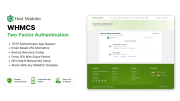
Host Modules Two-Factor Authentication for WHMCS
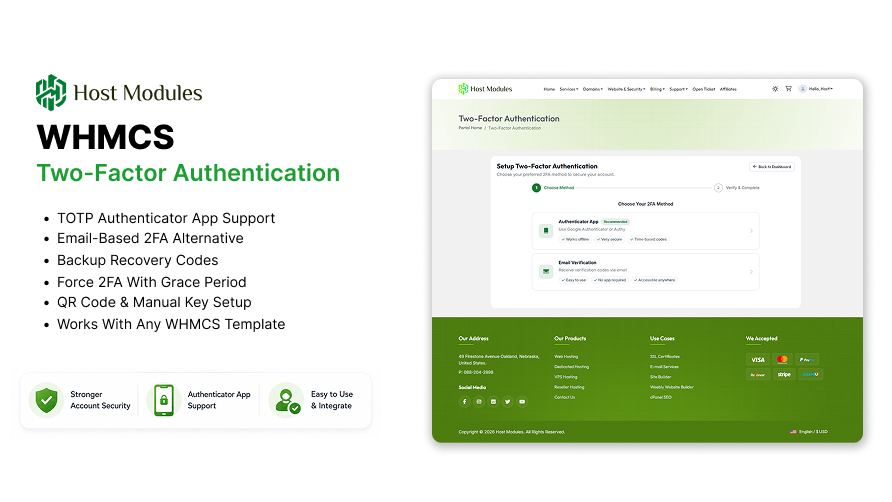
HM Two-Factor Authentication adds a second layer of login security to your WHMCS
client area — and, separately, to your own WHMCS admin logins. Clients can protect
their accounts using a TOTP authenticator app (Google Authenticator, Authy,
Microsoft Authenticator), a passkey (Face ID, Touch ID, Windows Hello, or a
hardware security key), or a one-time email code — whichever suits them. Backup
recovery codes ensure they are never locked out permanently.
Unlike alternatives that only cover the client portal, HM 2FA also protects your
own WHMCS staff logins with a dedicated Admin Security system — enrolment and
enforcement are deliberately separate steps, so turning on enforcement can never
lock out an admin who hasn't opted in yet. Add QR code setup, trusted device
management, forced 2FA with an announced grace period, brute-force lockout
protection, one-setting brand-colour theming, and a detailed security audit log —
all managed from a clean admin panel with no IonCube Loader required.
View Details
─────────────────────────────────────
HOW THIS COMPARES TO WHMCS'S BUILT-IN 2FA
─────────────────────────────────────
WHMCS already ships two-factor authentication. Here's what's different —
sourced against WHMCS's own documentation, not just our word for it. Full
comparison: doc.hostmodules.com/2fa-addon

─────────────────────────────────────
AUTHENTICATION METHODS
─────────────────────────────────────
- Authenticator App (TOTP) — works with Google Authenticator, Authy,
Microsoft Authenticator, and any RFC 6238-compliant app
- Passkeys — Face ID, Touch ID, Windows Hello, or any WebAuthn hardware
security key. Phishing-resistant by design: a passkey will not respond
on a domain it wasn't registered on, even a pixel-perfect fake
- Email Code — a one-time code (4–8 digits, configurable) sent to the
client's registered email address
- Backup Recovery Codes — a configurable set (default 10, up to 20)
of single-use emergency codes generated at setup, regeneratable at
any time from the client's 2FA management page
- QR Code Setup — scan a QR code to add the account to an authenticator
app instantly; manual secret key entry also available
─────────────────────────────────────
ADMIN SECURITY (protects your WHMCS staff, separately from clients)
─────────────────────────────────────
A completely independent 2FA system for administrators, with its own
top-level menu, its own enrolment and backup codes, and admin-side
passkey support.
- Enrolling and enforcing are two separate, deliberate steps — enrolling
never arms anything by itself, so it's always safe to try
- Enforcement only ever challenges admins who have already completed
enrolment — it cannot lock out an admin who hasn't opted in
- Admin-side passkeys, managed the same way as client passkeys
- Its own single-use backup codes, shown once at enrolment
- Three documented recovery paths, including an emergency filesystem
bypass file, in case an admin is ever locked out
─────────────────────────────────────
CLIENT SETUP & MANAGEMENT
─────────────────────────────────────
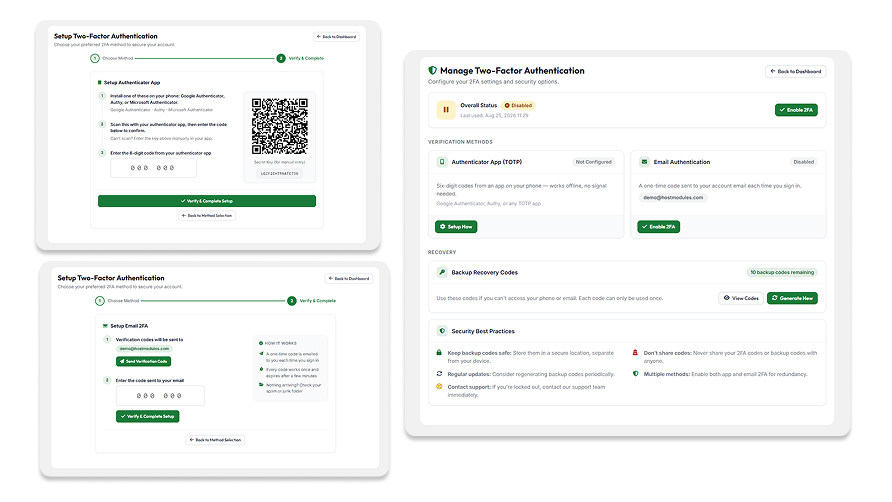
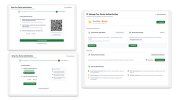
A guided, numbered-step setup wizard walks clients through enabling 2FA
in minutes, with the QR code generating automatically. After setup, a
dedicated Manage 2FA page — laid out like the account-security pages on
Google and GitHub — gives full control over their configuration.
- Enable or disable 2FA at any time from the management page
- Configure any combination of authenticator app, passkeys, and email
code side by side
- Add, name, and remove individual passkey devices
- Regenerate backup recovery codes on demand
- View remaining backup code count at a glance
- "Remember this device" — trusted devices skip 2FA for a configurable
number of days, so clients are not prompted on every login from the
same browser
- Automatic code submission on 6-digit entry — no button click needed
- 2FA status card injected directly into the WHMCS Security Settings page
─────────────────────────────────────
NAVIGATION INTEGRATION
─────────────────────────────────────
- 2FA management link added to the WHMCS client area navigation
- Configurable position: shortcuts bar, account dropdown, or both
─────────────────────────────────────
BRAND-COLOUR THEMING
─────────────────────────────────────
One colour setting drives the accent across every admin and client
page — buttons, active tabs, toggle switches, badges, and focus rings —
so the addon can match your brand instead of looking bolted on.
- Live preview updates as you pick a colour, before saving
- Hover shade, light tint, and readable button text are all derived
automatically — nothing else to configure
- Applies to both the admin panel and every client-facing page at once
─────────────────────────────────────
ADMIN DASHBOARD
─────────────────────────────────────
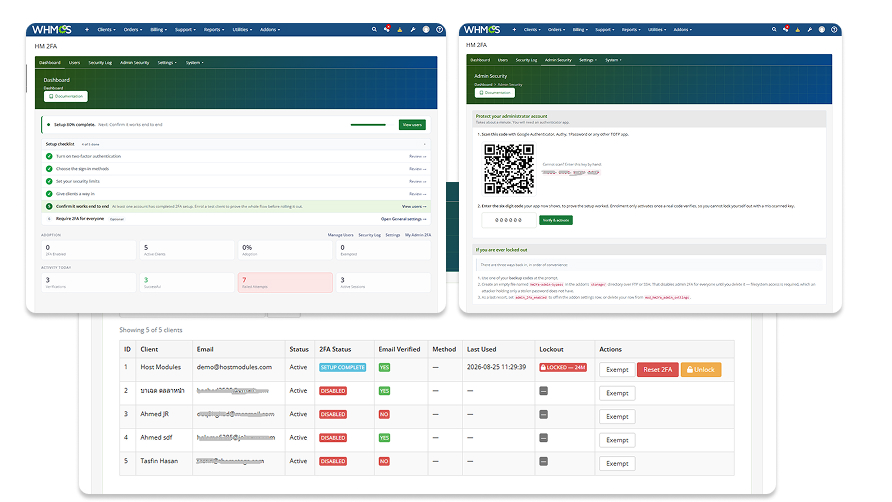
Adapts automatically: a setup checklist while you're getting
configured, live statistics once you are.
- Total active clients vs 2FA-enabled clients
- 2FA adoption rate percentage at a glance
- Successful verifications today
- Failed verification attempts today
- Active verified sessions count
- Total exempt clients
─────────────────────────────────────
ADMIN CLIENT MANAGEMENT
─────────────────────────────────────
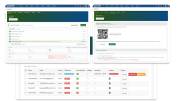
A searchable, paginated client list showing the 2FA status, exemption
state, and lockout state of every client — with per-row admin actions.
- Reset a client's 2FA setup (forces them to re-enrol) — the fast path
for a client locked out of both their authenticator and backup codes
- Exempt a client from 2FA with a reason note
- Manually unlock accounts locked due to failed attempts
- 2FA status badge visible on every WHMCS admin client profile page
─────────────────────────────────────
SECURITY AUDIT LOG
─────────────────────────────────────
A full per-attempt log of every 2FA verification event — successful and
failed, client and admin — with the detail needed to investigate
suspicious activity.
- IP address, browser/user agent, and 2FA method (TOTP / passkey /
email / backup code) per attempt
- Failure reason recorded (wrong code, expired, too many attempts)
- Filter by client, outcome (success / failure), and date range
- Export to CSV, with optional email masking in both the view and export
- Admin email notifications on suspicious failure patterns
─────────────────────────────────────
SECURITY ARCHITECTURE
─────────────────────────────────────
- RFC 6238 TOTP compliance with time-sync tolerance (±1 window)
- Full WebAuthn implementation for passkeys — origin-bound, phishing
resistant by construction, not by user vigilance
- Cryptographically secure secret and code generation (random_bytes)
- Timing-safe code comparison (hash_equals) — prevents timing attacks
- TOTP secrets and backup codes encrypted at rest (AES-256-GCM)
- Account lockout after configurable failed attempts (default: 5), with
exponential backoff on repeat lockouts
- Session-bound verification with IP address and user agent tracking
- Daily automatic cleanup of expired sessions, codes, and old log entries
─────────────────────────────────────
ENFORCEMENT & POLICY
─────────────────────────────────────
- Force 2FA for all clients — requires every client to enrol within a
configurable grace period (default: 7 days), so you can announce the
change before it becomes unavoidable rather than locking everyone out
on their next login
- Require verified email before 2FA setup can begin
- Per-client exemptions with reason notes for staff accounts, resellers,
or accessibility cases
- Detects and clears WHMCS's native client 2FA per account at login, and
hides the native 2FA panel from the client Security page — no
conflicting double prompts
─────────────────────────────────────
CONFIGURATION
─────────────────────────────────────
- Customise the application/issuer name shown in authenticator apps
- Configurable session timeout, backup code count, email code length
and expiry, and remember-device duration
- Anti-phishing phrase included in every 2FA code email, so its absence
is a trained client's tell for a forgery
- Enable or disable 2FA globally with a single toggle
- All settings managed from the admin panel — no file editing required
─────────────────────────────────────
LANGUAGE MANAGER
─────────────────────────────────────
Override any text string on the 2FA setup, verification, and management
pages directly from the admin panel without editing any template files.
Customise headings, button labels, and instructions for your audience.
─────────────────────────────────────
REQUIREMENTS
─────────────────────────────────────
- WHMCS 8.0 or newer
- PHP 8.1 or newer (checked and enforced at activation)
- Passkeys require HTTPS in production (localhost is allowed for testing)
- No IonCube Loader required
- Works with any WHMCS client theme