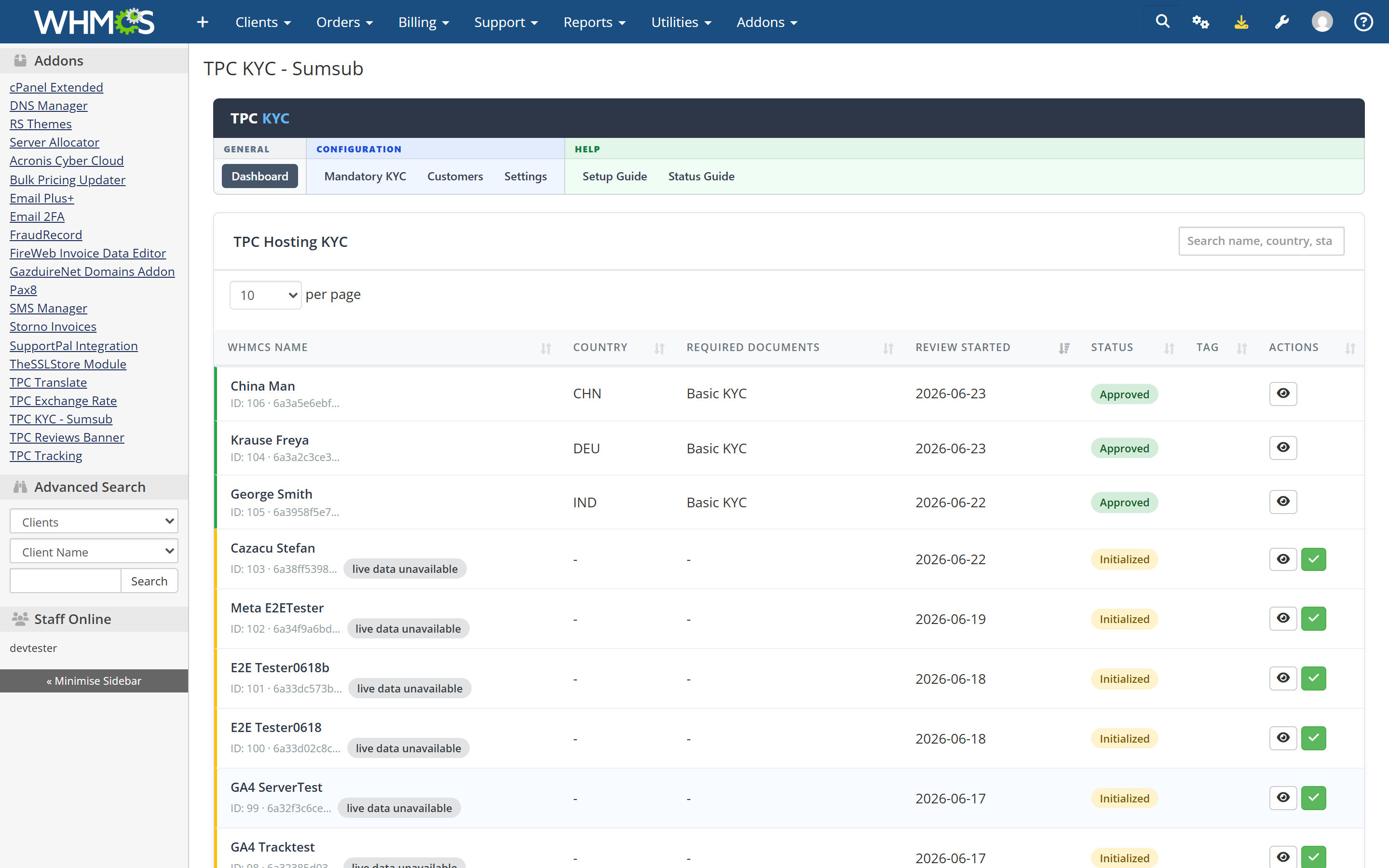
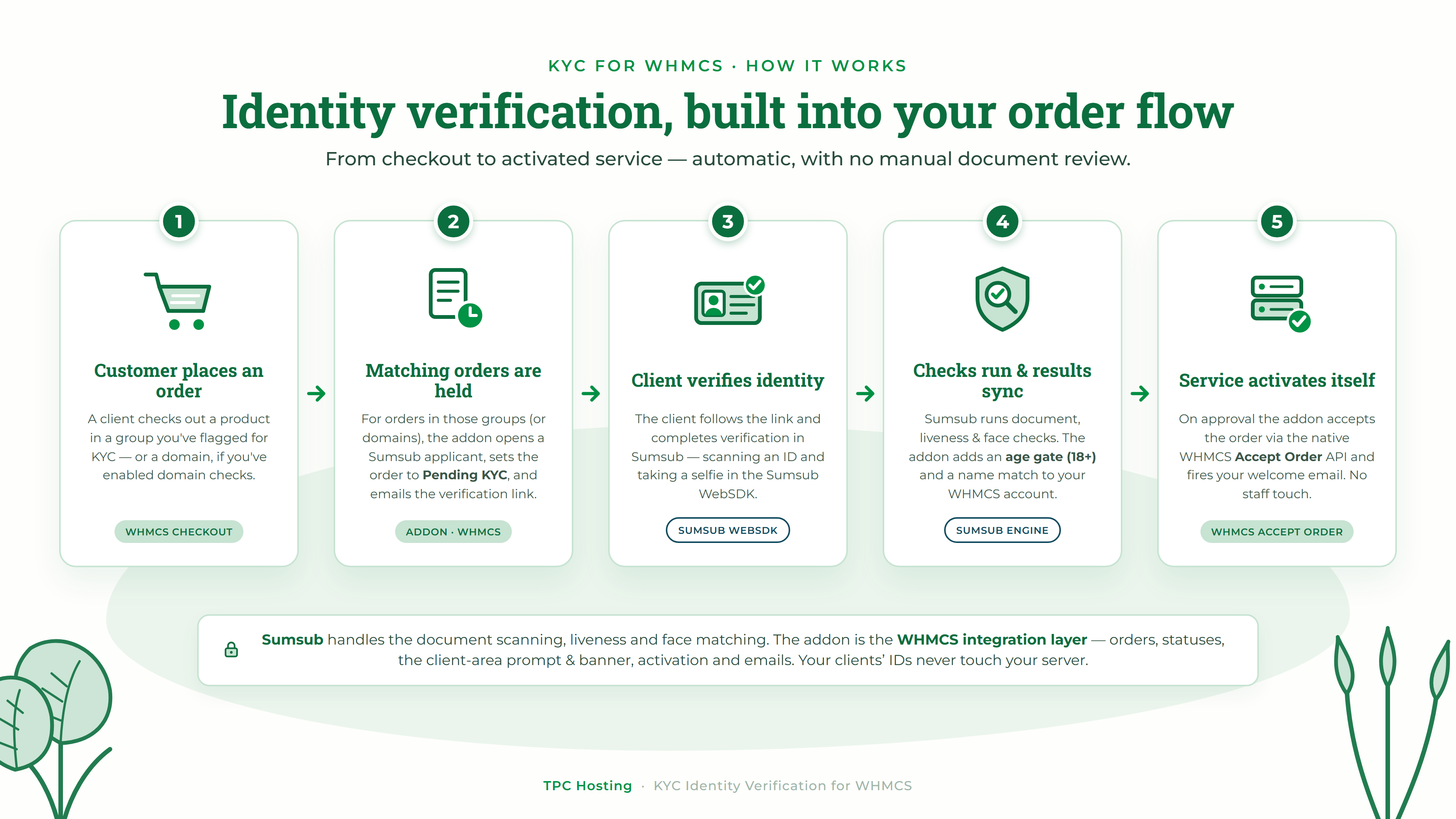
This addon wires identity checks straight into your WHMCS order flow. Clients verify in your client area. Orders activate automatically once they pass. Your team stays focused on customers — not documents.
The addon is the WHMCS integration layer — nothing more. All document scanning, liveness, and face matching happen inside Sumsub, using the verification level you configure in your own Sumsub account. The addon never touches your clients' IDs, never runs a liveness check, and never makes a verification decision. It makes Sumsub's output usable where you already work: inside WHMCS. (Sumsub is billed separately by Sumsub.)
No proxy dashboards. No second login. No parallel CRM.
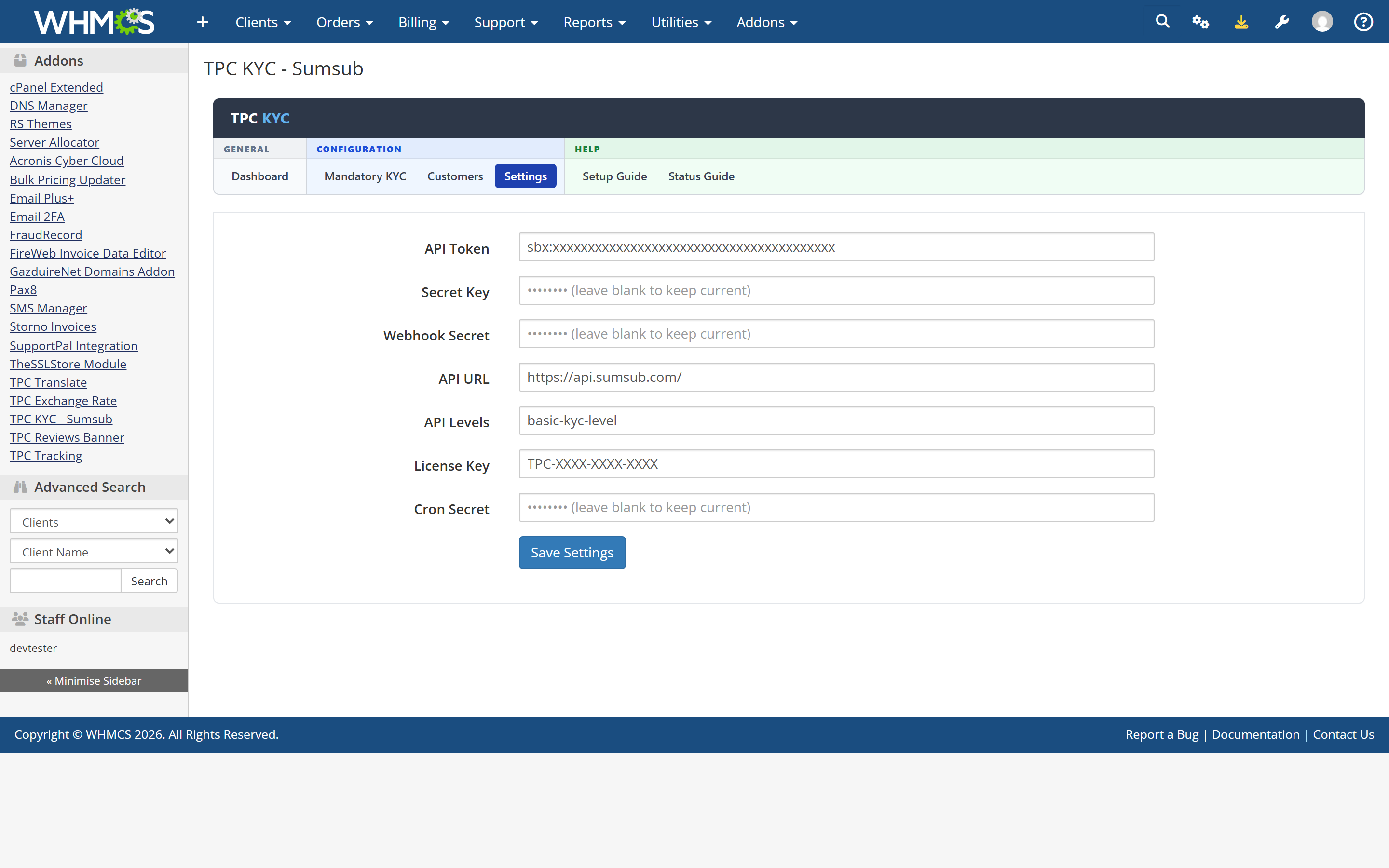
.cn, .ru), by payment gateway, by order size (amount, item count, or spend over a time window), or by client country (billing address or IP). Each rule acts as a trigger (any match = KYC) or a condition (all must match), so "KYC only for crypto payments over 200 EUR from outside the EU" is one screen, not custom code. Flag individual clients to always require KYC.applicantReviewed / applicantWorkflowCompleted, HMAC SHA1/256/512) plus an incremental, lock-protected cron that only touches applicants with pending changes and does a full sweep once a day.Unzip the download and copy the modules/ folder into your WHMCS root, activate in WHMCS Admin, paste your Sumsub keys and license key, configure your KYC rules, add the cron entry and the webhook URL. The built-in setup guide walks you through every step. Upgrades from any earlier version run automatically.
Requirements: WHMCS 9.x, PHP 8.x with the ionCube loader, a Sumsub account with a configured verification level.
Note: This addon requires your own Sumsub account. Sumsub handles and bills for the actual identity verification. TPC Hosting builds and supports the WHMCS integration.
Be the first to review KYC Identity Verification for WHMCS.
The best place to start if you need help with a specific product is to contact the developer. All WHMCS Marketplace developers have both a website and support URL listed.
Domain registrant verification (NIS2 Article 28).
Upgrade notes: existing domains and registrants are not contacted, there is no backfill. Orders placed before the upgrade register without registrant verification. Registrant verification is its own gate on in-scope TLDs (the Domains rules on the Mandatory KYC tab) and is not affected by the gateway, size or country rules. Nothing is enforced until you configure a Domains rule.
Upgrade notes: reminders are on by default (24 h and 72 h); orders already held before the upgrade count as reminded, so nobody is mailed in bulk. Automatic cancellation stays off until you set a number of days.
The release that made the addon configurable from inside itself, and hardened it for production use on someone else's WHMCS.
Added
mod_sumsub_settings table, so they survive deactivate/reactivate. Secrets are never echoed back.Changed
sumsub → tpckycsumsub; module label is now "TPC KYC - Sumsub". Existing settings migrate automatically on first load after the upgrade.externalUserId, so a verified result still displays after an applicant is reset or recreated at Sumsub.WEBHOOK_SECRET setting.Fixed
X-Payload-Digest headers — previously every delivery was rejected with HTTP 403.tblclients order-insensitively.user-verification email now receives the verification_url merge field.userId.Security
userId validation and output escaping.json_encode to prevent JSON injection; applicant IDs URL-encoded.Added
under_18 recorded as the fail reason.name_mismatch fail reason.Fixed
placeOfBirth removed from the Sumsub applicant payload.failed status language key added; the init status now displays as "Initialized".First release. Sumsub applicant creation at checkout, orders held as Pending KYC, client-area
verification page hosting the Sumsub WebSDK, status-sync cron with automatic order activation
via AcceptOrder, admin dashboard, and license validation.

Working comfortably with ResellerClub's products and services through your WHMCS system requires additional tools.

The module developed to add meta description and meta keywords and change the page title


This module will integrate WHMCS with Dropbox to upload a copy of WHMCS database onto the cloud. You will never have to worry about losing data any more.