Hosting Account Domain Changer for WHMCS
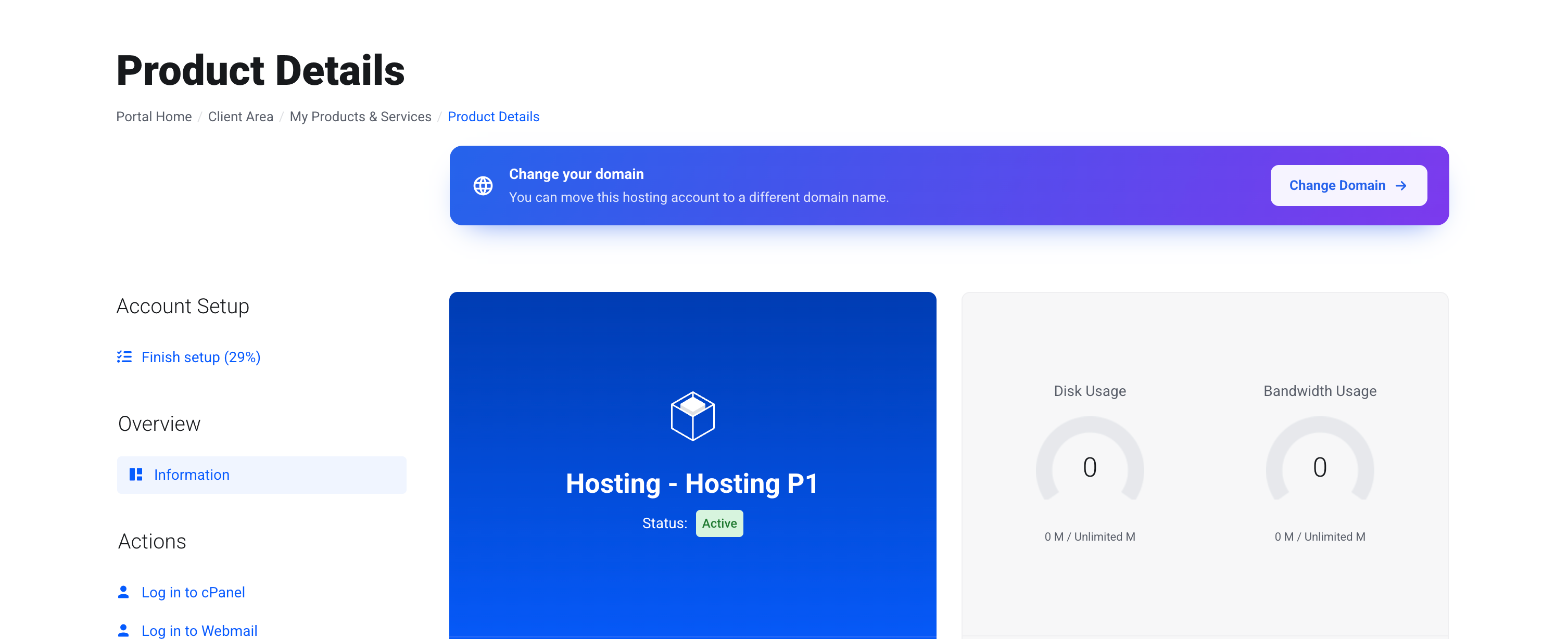
Hosting Account Domain Changer for WHMCS lets your clients change the primary domain of their hosting account directly from the WHMCS client area without opening a support ticket.
The module handles the complete domain change process, including control panel operations, DNS changes, SSL re-issuance, application URL updates, WHMCS synchronisation and rollback. Clients can verify ownership of the new domain, review the changes, track progress and confirm or roll back supported migrations themselves.
With support for cPanel/WHM, DirectAdmin, Plesk, Virtualmin, HestiaCP, CyberPanel and Webuzo, the module automatically selects the appropriate control panel workflow while providing configurable limits, fees, cooldowns and approval rules.
Control Panel Automation
-
cPanel / WHM — native account rename through the WHM API with automatic AutoSSL request for the new domain
-
DirectAdmin — native domain rename with automatic fallback to the migration workflow on older builds
-
Plesk — native rename for subscriptions and addon domains with mailbox handling
-
Virtualmin — native rename covering files, DNS and mail users
-
HestiaCP — native rename followed by automatic web domain rebuild
-
CyberPanel & Webuzo — staged migration workflow when native domain renaming is unavailable
-
Automatic panel detection — the module selects the correct adapter based on the WHMCS server configuration
-
Manual panel override — manually select an adapter when required
-
Server connection testing — verify panel credentials from the admin area before clients submit requests
-
Capability detection — the domain change option is hidden automatically when the configured panel cannot support it
Reliability & Recovery
-
Timeout verification — a panel timeout is checked against the server before the operation is considered failed
-
Smart retries — partially completed operations resume from the current state instead of restarting from the beginning
-
Migration protection — the original site remains available until the new site is confirmed
-
Automatic cleanup — old migration data can be removed after the configured confirmation window
-
Rollback support — supported operations can be reversed and the WHMCS record restored
-
WHMCS verification — the service record is read back after changes to detect synchronisation issues
-
One-click repair — repair WHMCS records when they drift from the server
-
Execution locking — database locks prevent the same domain change from running twice
-
Stalled job recovery — interrupted operations can be requeued automatically
-
Preflight validation — service status, domain format, server conflicts, WHMCS conflicts, disk space and panel availability are checked before execution
Domain, DNS & SSL
-
Automatic DNS handling — DNS zones are created or renamed according to the selected control panel workflow
-
DNS retention — the previous DNS zone can remain available for a configurable retention period
-
Automatic SSL — trigger AutoSSL or Let's Encrypt for the new domain where supported
-
Mailbox handling — existing mailboxes are moved where the control panel supports it
-
Migration document roots — site files are copied to the correct new location during staged migrations
-
Domain conflict detection — existing main, addon, parked or subdomains are detected before any changes are made
-
International domain support — IDN domains are automatically converted to punycode for processing
-
WHMCS domain synchronisation — matching domain records belonging to the same client can be updated alongside the hosting service
Application Awareness
-
WordPress support — safely update WordPress URLs using serialised-data-aware database replacement
-
WordPress URL updates — automatically update both the
siteurl and home settings
-
Database backup — create a database dump before URL rewriting begins
-
Multisite detection — WordPress Multisite installations are identified and flagged for manual migration
-
Joomla detection — identify Joomla installations and provide the required follow-up information
-
Drupal detection — identify Drupal installations and provide relevant migration guidance
-
Magento detection — identify Magento installations and provide required configuration guidance
-
PrestaShop detection — identify PrestaShop installations and provide relevant instructions
-
Optional application handling — disable automatic application changes when a developer wants to handle them manually
-
Global application control — disable application-aware processing entirely when required
Limits, Fees & Approval
-
Free change allowance — define how many domain changes are included with each product
-
Flexible allowance periods — count changes over a rolling year or across the lifetime of the service
-
Cooldown period — prevent customers from repeatedly changing domains within a configured period
-
Customer-facing cooldown information — clients can see when they will be eligible to request another change
-
Flat pricing — charge a fixed fee after the included allowance is used
-
Tiered pricing — configure different fees for subsequent domain changes
-
Automatic invoicing — generate a WHMCS invoice when a paid domain change is requested
-
Payment gating — hold execution until the required invoice has been paid
-
Approval modes — choose automatic approval, always manual approval or approval only after a configured threshold
-
Per-product overrides — customise limits, fees, cooldowns and approval rules for individual products
-
Paid-service restriction — optionally prevent free services from using the domain change functionality
-
Domain blacklist — block domains by keyword, TLD or exact domain name
Ownership Verification
-
Domain ownership verification — require clients to prove control of the new domain before execution
-
A record verification — verify that the new domain points to the hosting server
-
TXT verification — verify ownership using a unique DNS TXT token
-
Guided verification instructions — clients receive the exact DNS record and value required
-
Rate limiting — restrict repeated verification attempts
-
Verification expiry — verification tokens automatically expire after the configured period
-
Optional verification — disable ownership verification entirely when your workflow does not require it
Client Experience
-
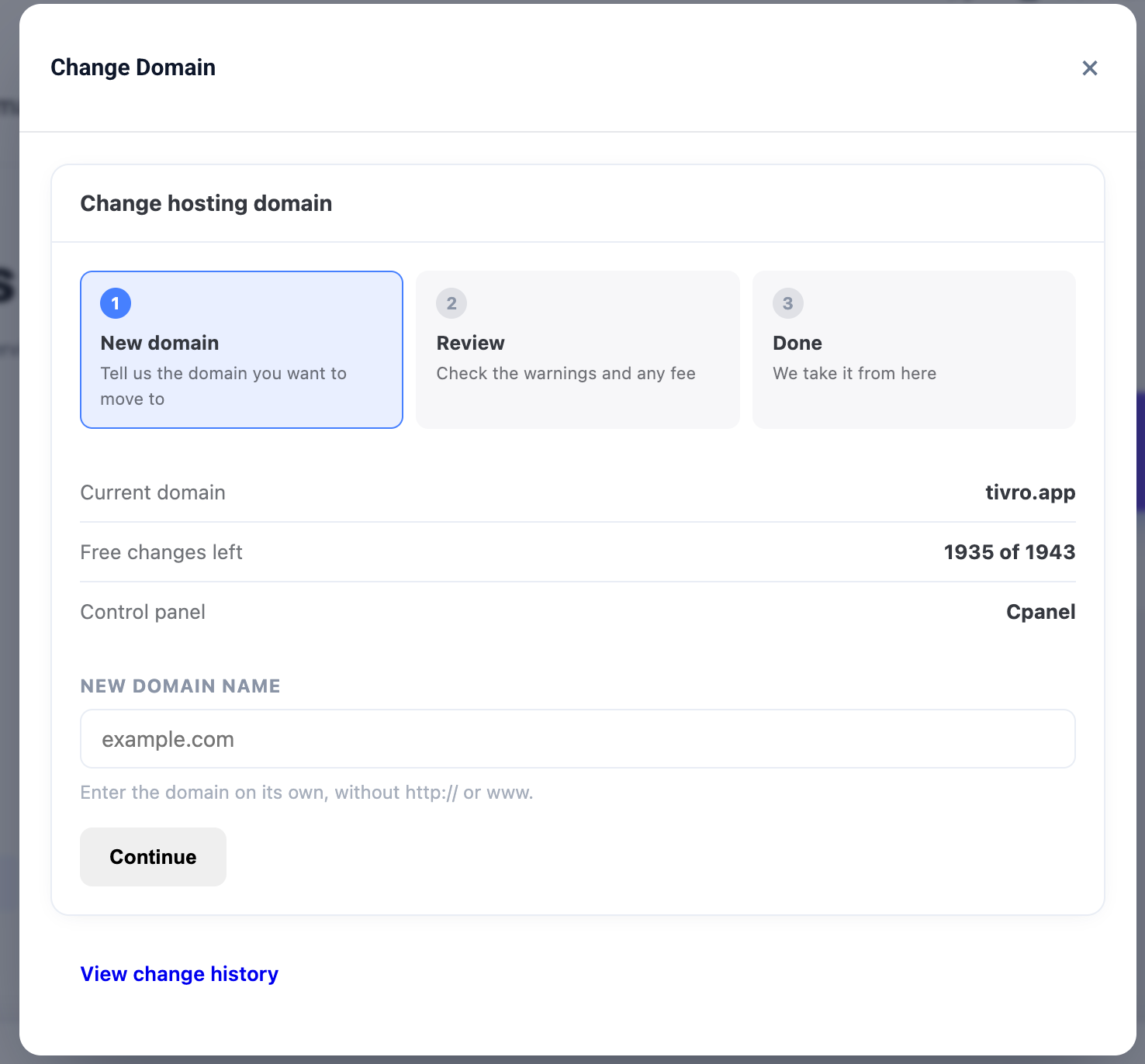
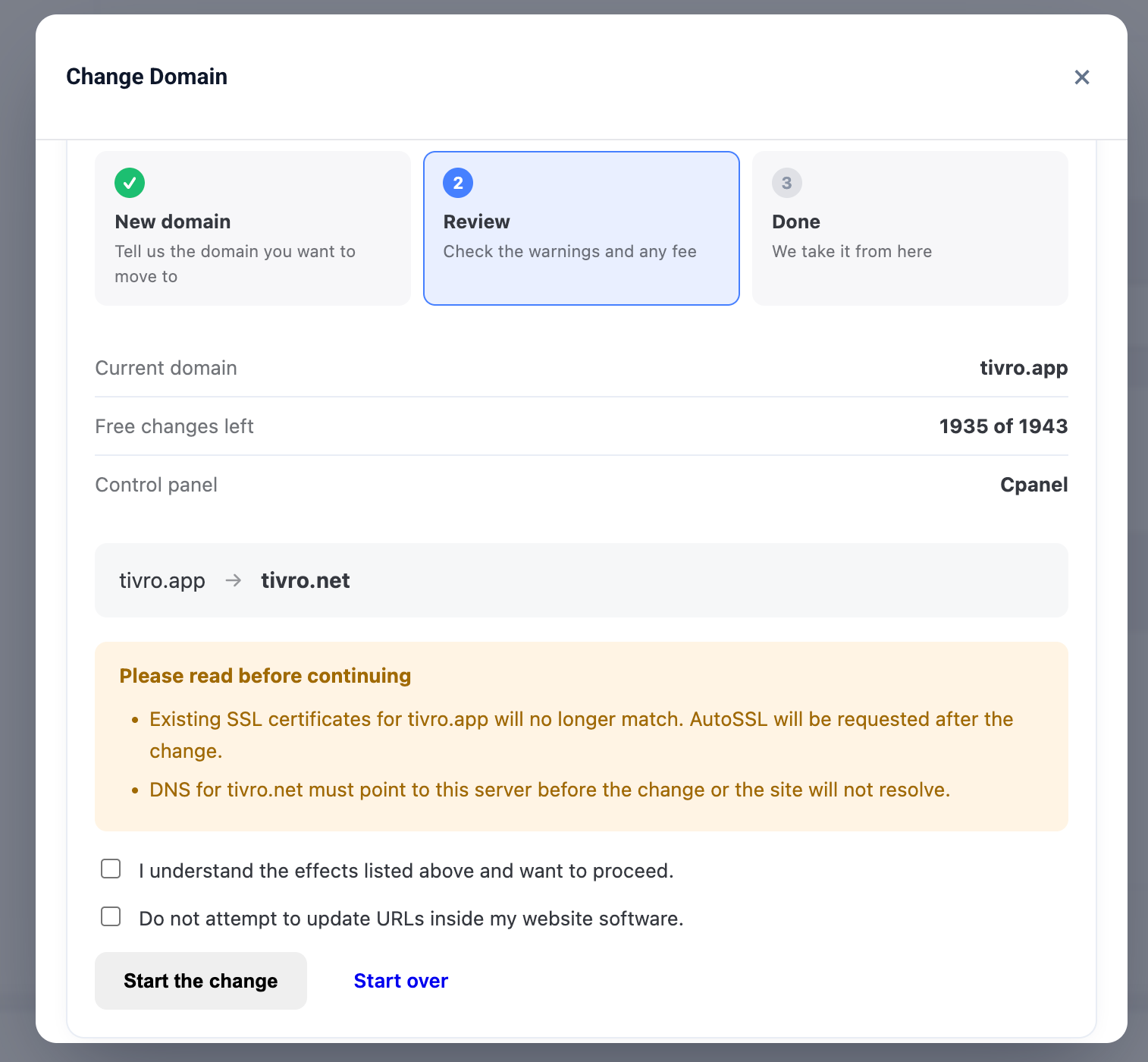
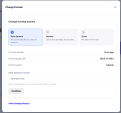
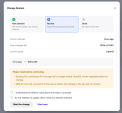
Guided workflow — clients enter the new domain, verify ownership, review the impact and confirm the change step by step
-
Pre-change warnings — clearly explain mailbox changes, SSL re-issuance, document root changes and other potential effects
-
Live progress — show each stage of the operation while the domain change is running
-
Clear success result — provide a dedicated completion state when the change succeeds
-
Detailed failure information — display the actual reason when an operation fails
-
Retry support — allow clients to retry eligible failed operations
-
Client rollback — supported migrations can be confirmed or rolled back by the client
-
Limit explanations — clearly explain cooldowns and exhausted allowances instead of hiding the feature
-
Change history — clients can view previous domain changes, dates and outcomes
-
Service actions integration — domain change functionality is available directly from the service actions area
-
Mobile responsive — fully responsive across desktop, tablet and mobile devices
-
Reduced-motion support — respects supported accessibility preferences
Appearance
-
Seven client-area templates — Default, Twenty-One, Lagom 2, Aurora, Slate, Compact and Wizard Pro
-
Twenty-One design — dedicated styling following the Twenty-One client-area conventions
-
Lagom 2 design — dedicated styling including support for Lagom 2 Dark
-
Standalone themes — Aurora, Slate, Compact and Wizard Pro provide independent layouts for custom and third-party themes
-
Full-page mode — display the domain change workflow as a dedicated page
-
Modal mode — open the workflow directly from the existing service page
-
Eight banner styles — Soft Tint, Solid Bar, Gradient, Outline, Card, Accent Strip, Glass and Spotlight
-
Live previews — preview banner styles while configuring the client area
-
Custom colours — match the interface to your brand
-
Custom wording — change headings, descriptions and button labels
-
Four placement options — place the banner above or below product details, across the top of the page or hide it entirely
-
Scoped styling — module styles cannot interfere with the rest of your WHMCS client area
-
No template editing — all appearance settings are managed from the admin area
Admin Panel
-
Ten-page administration interface — Overview, Jobs, Approvals, Product Rules, Blacklist, Servers, Tools, Audit Log, Settings and License
-
Operations dashboard — view active jobs, success rates, recent failures and monthly domain change volume
-
Detailed job history — inspect every stage, panel response, warning and execution timing
-
Manual job controls — run, requeue, confirm, roll back or cancel jobs directly from the admin area
-
Approval queue — review pending changes with panel, previous change count and fee information
-
Approval reason field — provide a reason that is delivered to the client
-
Manual domain change tool — perform a domain change directly from the admin area while bypassing normal client limits and verification
-
Bulk import — import services and domains for batch processing
-
Dry-run validation — validate a bulk operation before committing changes
-
Deep links — quickly open the related client, service and invoice from each job
-
Automatic upgrades — database updates are applied automatically when the updated module is loaded
-
Safe deactivation — existing jobs, rules and configuration remain stored when the module is disabled
Notifications
-
Request email — notify the client when a domain change request is submitted
-
Approval email — notify the client when approval is granted
-
Start email — inform the client when the domain change begins
-
Confirmation email — request additional confirmation where required
-
Completion email — notify the client when the domain change completes
-
Failure email — provide information when the operation fails
-
Rollback email — notify the client when a change is rolled back
-
Automatic email templates — templates are created automatically during activation
-
WHMCS editable templates — customise the wording directly from WHMCS
-
Upgrade-safe templates — customised email wording is preserved during upgrades
-
Fallback notifications — built-in notification handling prevents clients from being left without an update
-
Outbound webhooks — send signed completion, failure and rollback events to external systems
-
Telegram failure alerts — receive immediate Telegram notifications when a domain change fails
Security
-
Encrypted panel credentials — SSH keys and passwords are protected using AES-256-GCM
-
Installation-specific encryption — encryption keys are unique to your installation
-
Credential redaction — panel credentials are removed before execution details are written to logs
-
CSRF protection — all state-changing client and admin requests require valid CSRF protection
-
Webhook SSRF protection — webhook targets resolving to private or reserved addresses are rejected
-
Server-side ownership verification — ownership checks are performed again during execution
-
Execution security — stale sessions cannot bypass required verification
-
Complete audit trail — record who performed each action, when it happened and the originating IP address
-
Configurable audit retention — retain audit records for the period you choose
-
Private data storage — customer and operational data remains within your own WHMCS database
Operations
-
Standard WHMCS cron — background jobs and scheduled processing use the existing WHMCS cron
-
Automatic job recovery — stalled operations can be detected and requeued
-
Retry management — failed operations can be retried according to configured limits
-
Database locking — prevents concurrent execution of the same domain change
-
Automatic migrations — database schema updates are handled during module upgrades
-
No core modifications — the module does not require WHMCS core file changes
-
No template modifications — client-area integration does not require editing WHMCS templates
Compatibility
-
WHMCS: 8+
-
PHP: 8.1+
-
ionCube Loader: Required
-
Database: MySQL 5.7+ or MariaDB 10.3+
-
Control Panels: cPanel/WHM, DirectAdmin, Plesk, Virtualmin, HestiaCP, CyberPanel and Webuzo
-
SSH: Required only for CyberPanel, Webuzo and WordPress URL rewriting workflows
-
Client Themes: Works with any WHMCS client area theme
-
Template Changes: Not required
-
Cron: Uses the standard WHMCS cron
-
Core Modifications: None
-
License: Valid license required