Cancellation OfferFlow for WHMCS
Cancellation OfferFlow for WHMCS turns your cancellation process into a targeted retention workflow. When a client chooses to cancel, the addon asks why they are leaving and presents an offer based on their specific reason — before the cancellation reaches WHMCS.
Instead of giving every client the same discount, you can respond differently to price objections, completed projects, technical issues, missing features and other cancellation reasons. Offers can include discounts, plan changes, account pauses, free extensions, account credit or priority support.
With configurable rules, offer ladders, approval workflows, holdout testing, churn analytics and proactive outreach, you can build a structured retention strategy while keeping complete control over discounts and customer experience.
Client Experience
-
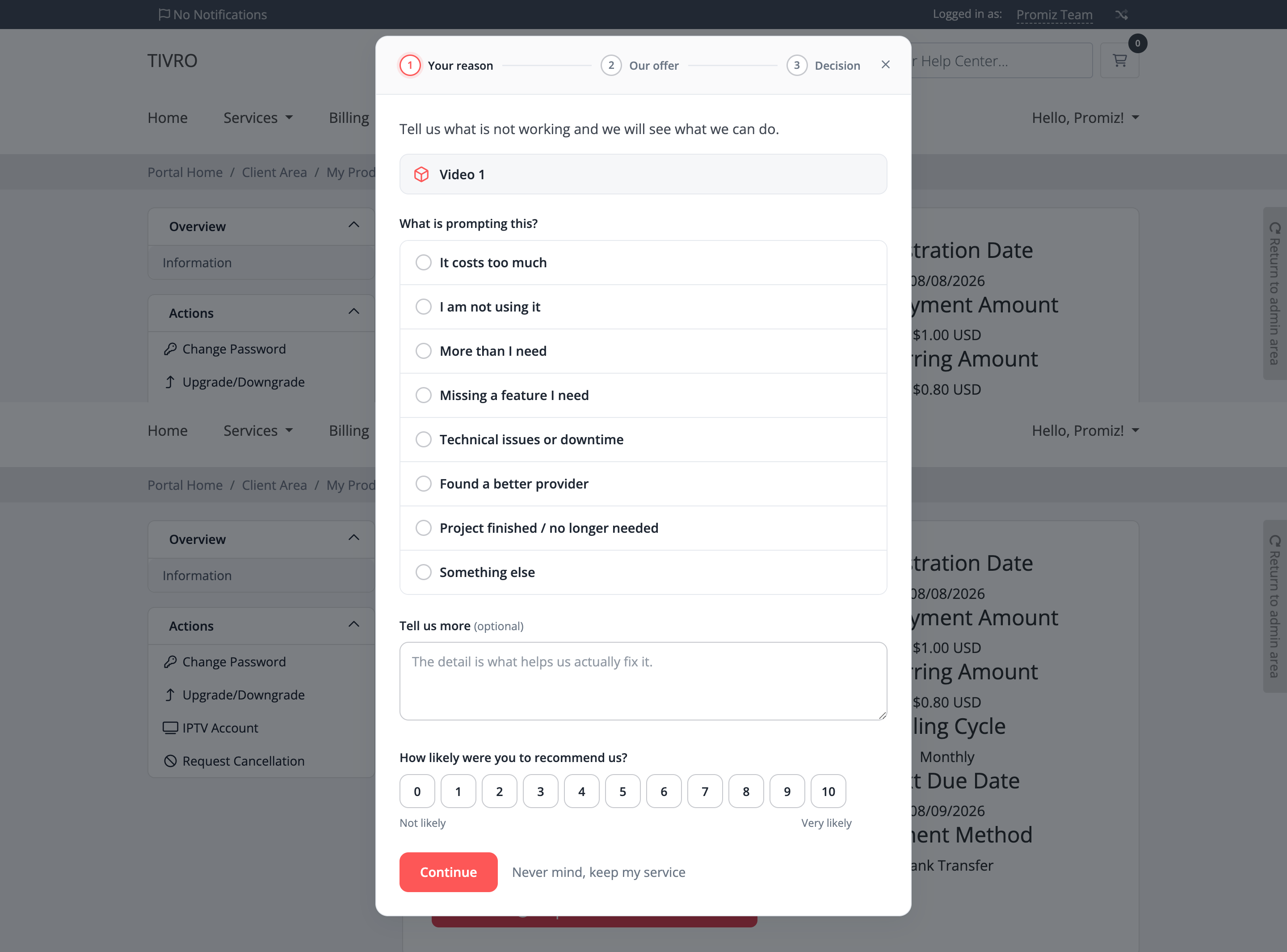
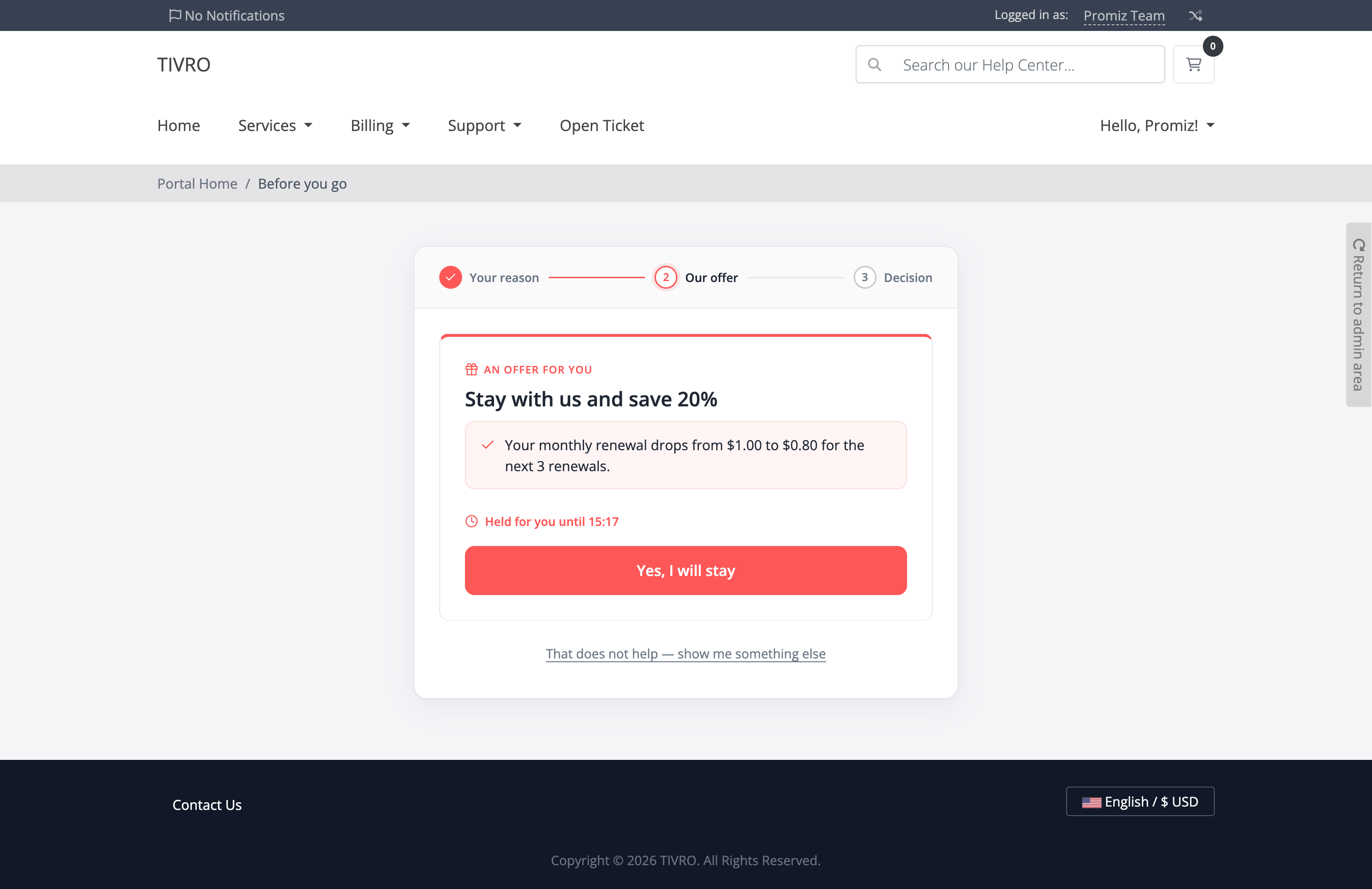
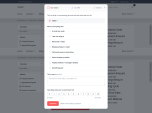
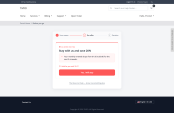
Three-step cancellation flow — clients choose a reason, review an offer and decide what to do next
-
Reason-based offers — automatically present an offer matched to the client's selected cancellation reason
-
Multiple offers per session — configure up to three offers in a sequence
-
Offer escalation — present the next offer when a previous offer is declined
-
Instant application — accepted offers are applied immediately without manual staff intervention
-
Always-visible cancellation option — clients can continue with cancellation without being trapped in the retention flow
-
Written confirmation — clients receive confirmation of the offer, changed terms and the date the original price will return
-
Mobile responsive — the complete cancellation flow adapts to mobile devices
Interception & Entry Points
-
Cancellation interception — intercept cancellation requests before they reach the normal WHMCS cancellation flow
-
Downgrade interception — trigger the retention flow when a client selects a genuinely cheaper plan
-
Upgrade protection — upgrades never trigger the retention flow
-
Domain non-renewal interception — optionally handle domain auto-renewal cancellations separately
-
Cancellation backstop — record cancellations that bypass the normal retention flow
-
Independent entry controls — enable cancellation, downgrade or domain interception separately
-
Returning client protection — clients who have already completed the flow are not repeatedly forced through it
Eight Offer Types
-
Recurring discount — apply a percentage or fixed recurring discount for a configurable number of renewals
-
Automatic price reversion — restore the original service price automatically after the configured discount period
-
Free extension — extend the next due date by days, months or years
-
Plan downgrade — offer a lower-cost product explicitly or automatically identify cheaper plans in the same product group
-
Account pause — temporarily pause billing and automatically resume the service after the configured period
-
Account credit — apply a credit amount toward the customer's next invoice
-
Billing cycle switch — move customers to annual billing with an optional additional discount
-
Priority support — route technical or feature-related cancellation reasons toward priority support instead of a financial concession
-
Automatic offer skipping — skip offers that cannot be applied to a particular service and continue to the next eligible offer
-
Optional offer expiry — make offers available only for a configured number of minutes
Rules & Targeting
-
Sixteen targeting conditions — target offers using reason, product, product group, billing cycle, service value, service age, client tenure, lifetime value, invoice status, recent tickets, login activity, country and churn risk
-
Selectable conditions — products, product groups, billing cycles, countries and other values are selected from WHMCS lists
-
Readable rules — rules display resolved names instead of internal IDs
-
Offer ladders — configure up to three offers per rule and present them in a defined order
-
Rule chaining — allow general fallback rules to continue after a more specific rule
-
A/B testing — create multiple variants for a rule and distribute clients between them
-
Holdout groups — withhold offers from a percentage of clients to establish a control group
-
Variant reporting — measure performance separately for each configured offer variant
Guardrails & Abuse Prevention
-
Minimum service age — require a service to be active for a minimum number of days before receiving an offer
-
Minimum payment requirement — require at least one paid invoice before a client becomes eligible
-
Per-service cooldown — prevent the same service from repeatedly receiving retention offers
-
Lifetime client cap — limit the total number of concessions a client can receive
-
Monthly discount budget — define a maximum retention discount spend across the entire WHMCS installation
-
Chargeback protection — block offers for clients with chargebacks
-
Overdue invoice protection — prevent offers from being applied to clients who currently owe money
-
Approval thresholds — require manual approval when an offer exceeds a configured cost
-
Repeat cancellation detection — identify clients who repeatedly enter the cancellation flow
-
Testing mode — temporarily relax guardrails for safely testing the complete retention workflow
Beyond The Client Area
-
Ticket cancellation detection — analyse incoming support tickets and replies for cancellation intent
-
Six-language intent scoring — detect cancellation-related phrases across all supported languages
-
Weighted phrase detection — distinguish genuine cancellation intent from unrelated questions containing cancellation terminology
-
Private staff notifications — cancellation intent is added as an internal ticket note without exposing the detection to the client
-
Built-in phrase tester — test ticket subjects and messages against your configured cancellation scoring
-
Staff-generated offer links — generate an offer link for any service and send it directly to a client
-
Offer preview — staff can preview exactly what the client will see before sending an offer
-
Proactive outreach — reach selected high-risk clients before they initiate a cancellation
-
Outreach controls — configure daily limits and per-client cooldowns
Churn Risk Scoring
-
0–100 client risk score — calculate churn risk using login activity, overdue invoices, ticket volume, tenure, payment history, failed payments, renewal proximity and suspension status
-
At-risk dashboard — identify customers with elevated churn risk
-
Revenue visibility — view associated revenue alongside churn risk
-
WHMCS client badge — display the risk score directly on the WHMCS client summary
-
Rule integration — use churn risk as a targeting condition for retention offers
Appearance
-
Works with any WHMCS theme — no template modifications required
-
Five ready-made designs — Tivro, Corporate, Midnight, Soft and Minimal
-
Custom colour controls — configure accent, text, surface, body, muted, border and subtle-fill colours
-
Shape controls — customise corner radius and button styles
-
Button styles — choose rounded, pill or square buttons
-
Density options — select comfortable or compact spacing
-
Container options — use card or plain layouts
-
Maximum width control — customise the flow's content width
-
Full-page mode — display the retention flow on a dedicated page
-
Popup modal mode — display the flow over the existing WHMCS page without a full page reload
-
Automatic fallback — unsupported browsers can fall back to the full-page experience
-
Scoped styling — module styles remain isolated from the rest of the client area
Languages
-
Six included languages — English, French, German, Spanish, Brazilian Portuguese and Arabic
-
Full RTL support — Arabic layouts automatically adapt to right-to-left presentation
-
WHMCS language integration — automatically follow the language selected by the client's WHMCS session
-
Fixed language option — optionally force a specific language for all clients
-
Custom translations — translate reason labels, offer headlines, descriptions and terms
-
Fallback translations — incomplete translations automatically fall back to the configured English wording
-
Localised emails — client emails are sent using the recipient's configured language
Cancellation Reasons
-
Eight ready-to-use reasons — sensible cancellation reasons, offers and rules are included after installation
-
Fully editable reasons — rename, reorder, add or disable cancellation reasons
-
Required explanations — make a written explanation mandatory for selected cancellation reasons
-
Minimum note length — require a minimum amount of information in the client's explanation
-
Competitor tracking — optionally ask which competitor the client is moving to
-
Support routing — route technical problems and missing features toward priority support
-
Product-specific reasons — display relevant reasons for specific products or product groups
-
Optional satisfaction score — collect a 0–10 satisfaction rating during the cancellation process
Reporting & Analytics
-
Real decisions only — abandoned sessions are excluded from save and cancellation statistics
-
Verified cancellations — cancellations are only counted once they are actually recorded in WHMCS
-
Automatic withdrawal correction — later withdrawn cancellations are removed from churn statistics
-
Accurate save reporting — plan changes are recorded separately from genuine cancellation saves
-
Revenue reporting — track retained ARR, lost ARR, offer cost, net benefit and return on retention spend
-
Cancellation reason analysis — identify the most common cancellation reasons over time
-
Offer performance — track offers shown, answered and accepted
-
Acceptance rates — measure acceptance against clients who actually responded to offers
-
A/B test reporting — compare offer variants against each other
-
Holdout analysis — compare retention performance against clients who did not receive an offer
-
Competitor intelligence — identify competitors mentioned by cancelling clients
-
Session timeline — review every stage of a retention session, including reason, offer, score and outcome
-
CSV export — export filtered analytics and session data for external analysis
Approvals & Notifications
-
Manual approval workflow — require staff approval for expensive or sensitive retention offers
-
Approval thresholds — configure when an offer requires human review
-
One-click approval — approve or decline offers directly from notification emails
-
Approval deadlines — define how long an approval request can remain pending
-
Approval reminders — send reminders before the approval deadline
-
Automatic expiry actions — configure whether expired approvals are declined, approved or held
-
Accurate reporting — pending offers are not counted as successful saves until approved
-
Client confirmation — provide written confirmation of accepted retention offers
-
Win-back campaigns — optionally contact clients who cancelled after a configurable delay
-
Staff alerts — notify staff about saves, cancellations and important retention events
-
Outbound webhooks — send signed retention events to external systems
Security & Reliability
-
Official WHMCS cancellation flow — supported cancellation and plan-change actions continue through WHMCS
-
Service ownership verification — every session is tied to the correct client and service
-
Atomic offer claiming — prevents duplicate discounts from double-clicks or multiple open browser tabs
-
Server-side eligibility checks — all offer rules and guardrails are validated again before applying a concession
-
Session verification — every submission requires a valid session token
-
Signed approval links — approval links are individually signed using an installation-specific key
-
Webhook validation — outbound webhook destinations are validated before requests are sent
-
Settings validation — limits, colours and thresholds are validated server-side
-
Private data storage — customer and retention data remains within your own WHMCS database
Admin Panel
-
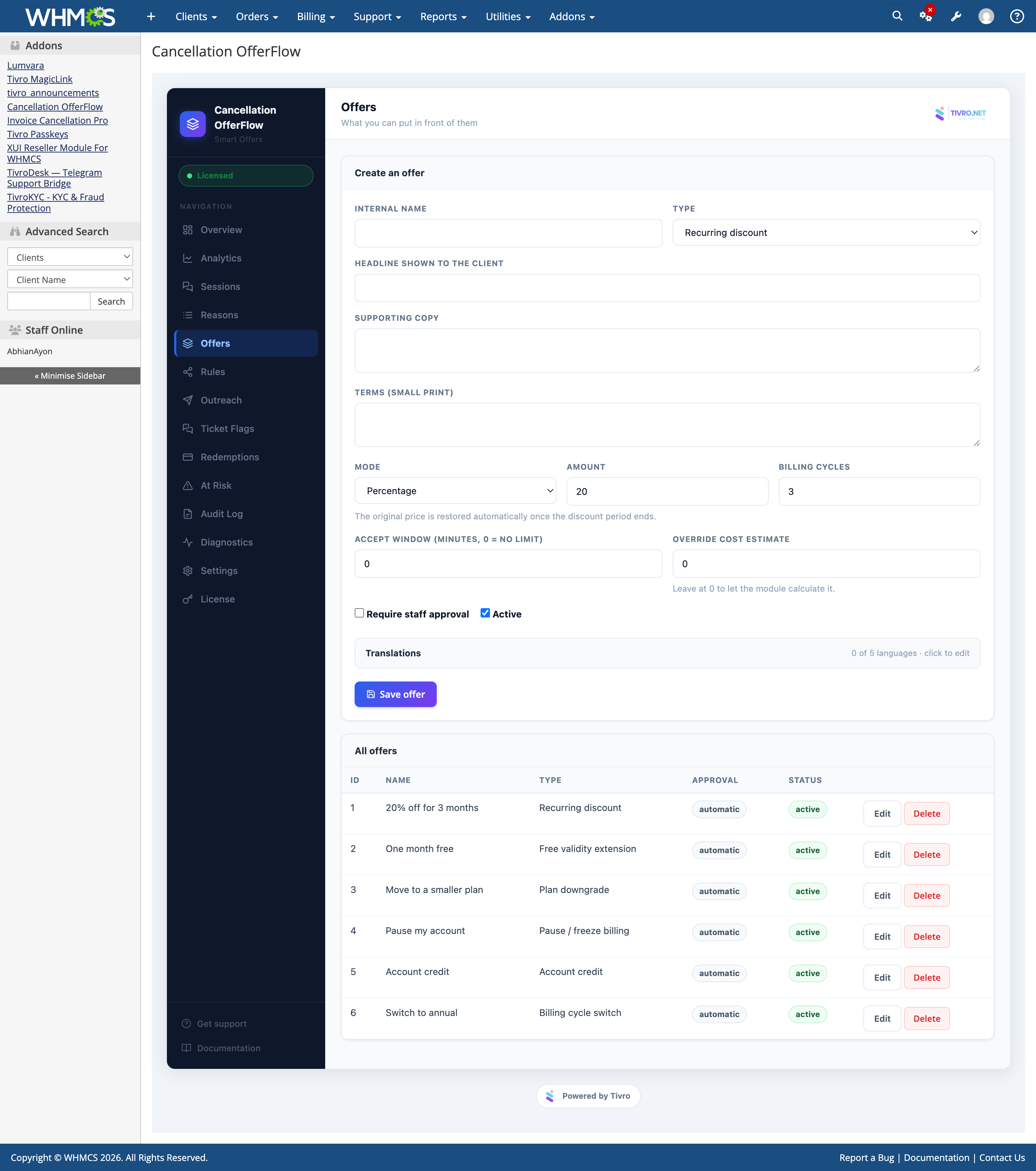
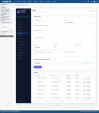
Fourteen-page administration interface — Overview, Analytics, Sessions, Reasons, Offers, Rules, Outreach, Ticket Flags, Redemptions, At Risk, Audit Log, Diagnostics, Settings and License
-
Ready-to-use configuration — reasons, offers and rules are configured automatically during activation
-
Fast setup — upload the module, activate it and enter your license key
-
Self-diagnostics — check environment, database, configuration, hooks and scheduled tasks
-
Actionable diagnostics — troubleshooting results include explanations and recommended actions
-
Complete audit trail — administrative changes record before and after values, actor and originating IP
-
Deep links — sessions, ticket flags and redemptions link directly to related clients and services
-
Standard WHMCS cron — price reverts, approvals, win-back campaigns and housekeeping use the existing WHMCS daily cron
-
Automatic database upgrades — upload new files and the database is updated automatically
-
Safe deactivation — settings, reasons, offers, rules and sessions remain stored when the module is disabled
Compatibility
-
WHMCS: 8+
-
PHP: 8.1+
-
ionCube Loader: v15
-
Database: MySQL 5.7+ or MariaDB 10.3+
-
Client Area: Works with any WHMCS client area theme
-
Languages: English, French, German, Spanish, Brazilian Portuguese and Arabic
-
Cron: Uses the standard WHMCS daily cron
-
Template Changes: Not required
-
Core Modifications: None
-
License: Valid license required