Smart Popups - Clientarea popups module for WHMCS

Smart Popups - Clientarea popups module for WHMCS

Developed By TIVRO

Compatible with WHMCS v9.0

Smart Popups for WHMCS

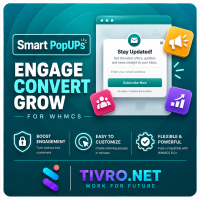
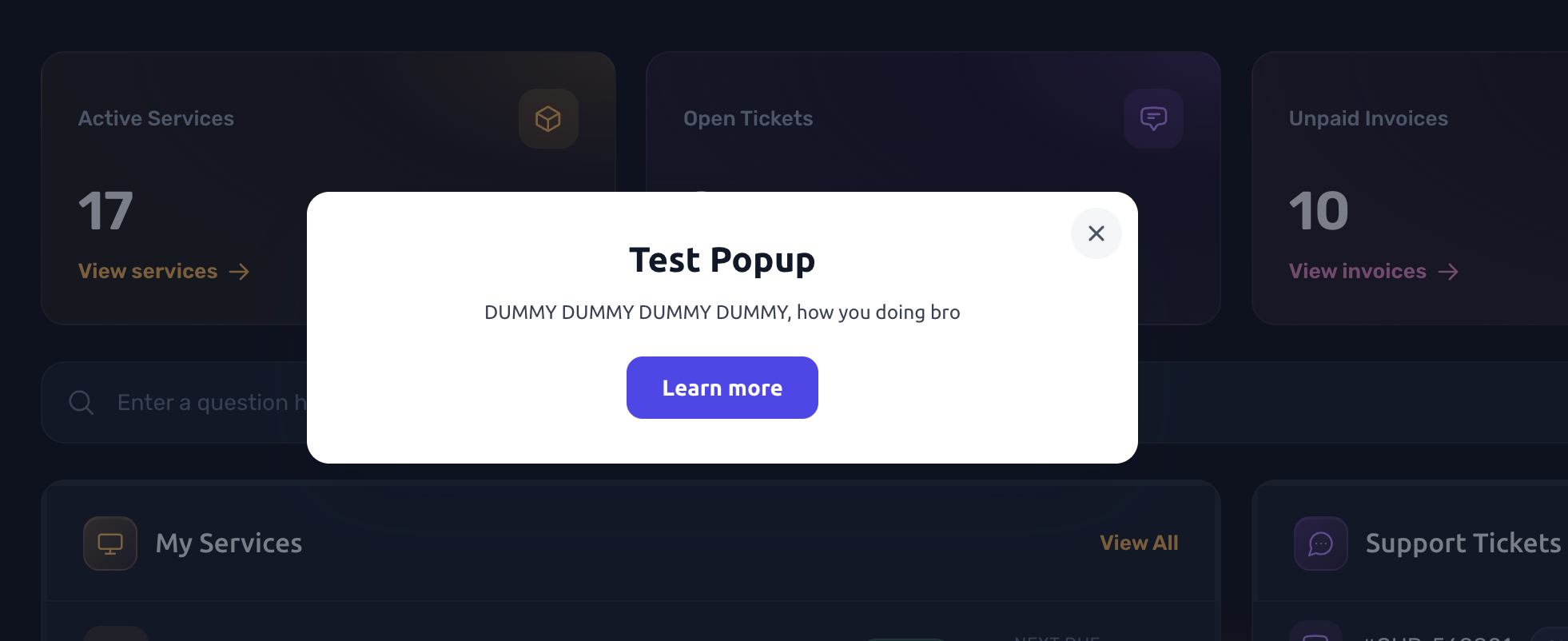
Smart Popups gives you a flexible way to communicate with clients directly inside the WHMCS client area. Announce maintenance, promote a sale, remind clients about unpaid invoices, welcome new signups, or display important notices — all from one admin interface with no template edits required.

Each popup has its own targeting, scheduling, audience, frequency, appearance, and behaviour rules, allowing you to show the right message to the right client at the right time.

Popup Rules

  • Unlimited Popups — Create as many popups as you need, each with its own independent display rules.
  • Active / Inactive Controls — Enable or disable individual popups without deleting them.
  • Global Master Switch — Disable all popups instantly from a single setting.
  • Start & End Date Scheduling — Automatically activate and deactivate popups for campaigns, promotions, maintenance windows, and other time-sensitive messages.
  • Priority Ordering — Control which popup takes precedence when multiple popups qualify on the same page.
  • Popup Queue — Multiple qualifying popups appear one at a time instead of being stacked on top of each other.
  • Maximum Popups Per Page View — Configure how many popups can appear during a page view.

Page Targeting

  • Flexible Page Targeting — Display popups on all client area pages, selected pages, or all pages except selected pages.
  • 27 Built-In Page Targets — Target common WHMCS areas including the dashboard, services, domains, invoices, tickets, knowledgebase, store, cart, checkout, and more.
  • Custom URL Rules — Target custom URLs using contains matching or * wildcard rules.
  • Precise Page Control — Give every popup its own page targeting configuration so messages only appear where they are relevant.

Audience

  • Everyone — Display a popup to both guests and logged-in clients.
  • Guests Only — Target visitors who are not logged in.
  • Logged-In Clients Only — Show messages exclusively to authenticated clients.
  • Client Group Targeting — Restrict popups to selected WHMCS client groups.
  • Unpaid Invoice Conditions — Target clients who have unpaid invoices.
  • Overdue Invoice Conditions — Display reminders specifically to clients with overdue invoices.
  • Active Service Conditions — Target clients who have active services.
  • No Active Service Conditions — Target clients without active services.
  • Incomplete Profile Conditions — Display profile completion prompts to clients missing required account information.
  • Device Targeting — Show popups on desktop, mobile, or both.

Triggers & Frequency

  • Page Load Trigger — Display a popup as soon as the page loads.
  • Scroll Depth Trigger — Open the popup after the visitor scrolls to a configured point on the page.
  • Exit Intent Trigger — Display a popup when the visitor appears to be leaving the page.
  • Configurable Display Delay — Set a delay in seconds before the popup appears.
  • Every Page Load — Display the popup every time the visitor meets its targeting rules.
  • Once Per Session — Limit the popup to one display per browsing session.
  • Once Per Day — Show the popup no more than once per day.
  • Once Per Visitor — Display the popup only once to each visitor.
  • Show Again Reset — Reset the viewing state when you update a popup and want previous visitors to see it again.
  • Optional Auto-Close Timer — Automatically close the popup after a configured period.

Size & Position

  • Nine Screen Positions — Position popups in different areas ranging from screen corners to the centre.
  • Separate Mobile Position — Configure a dedicated position for mobile visitors.
  • Flexible Width — Set width using pixels, percentages, or viewport width units.
  • Flexible Height — Set height using pixels, percentages, viewport height units, or automatic sizing.
  • Full-Width Notification Bars — Create full-width top or bottom notification bars.
  • Edge Offset — Configure the distance between the popup and the edge of the screen.
  • Inner Padding — Control the spacing inside the popup.
  • Content Alignment — Configure horizontal and vertical content alignment.
  • Animation Options — Choose zoom, fade, slide, or no animation.

Content

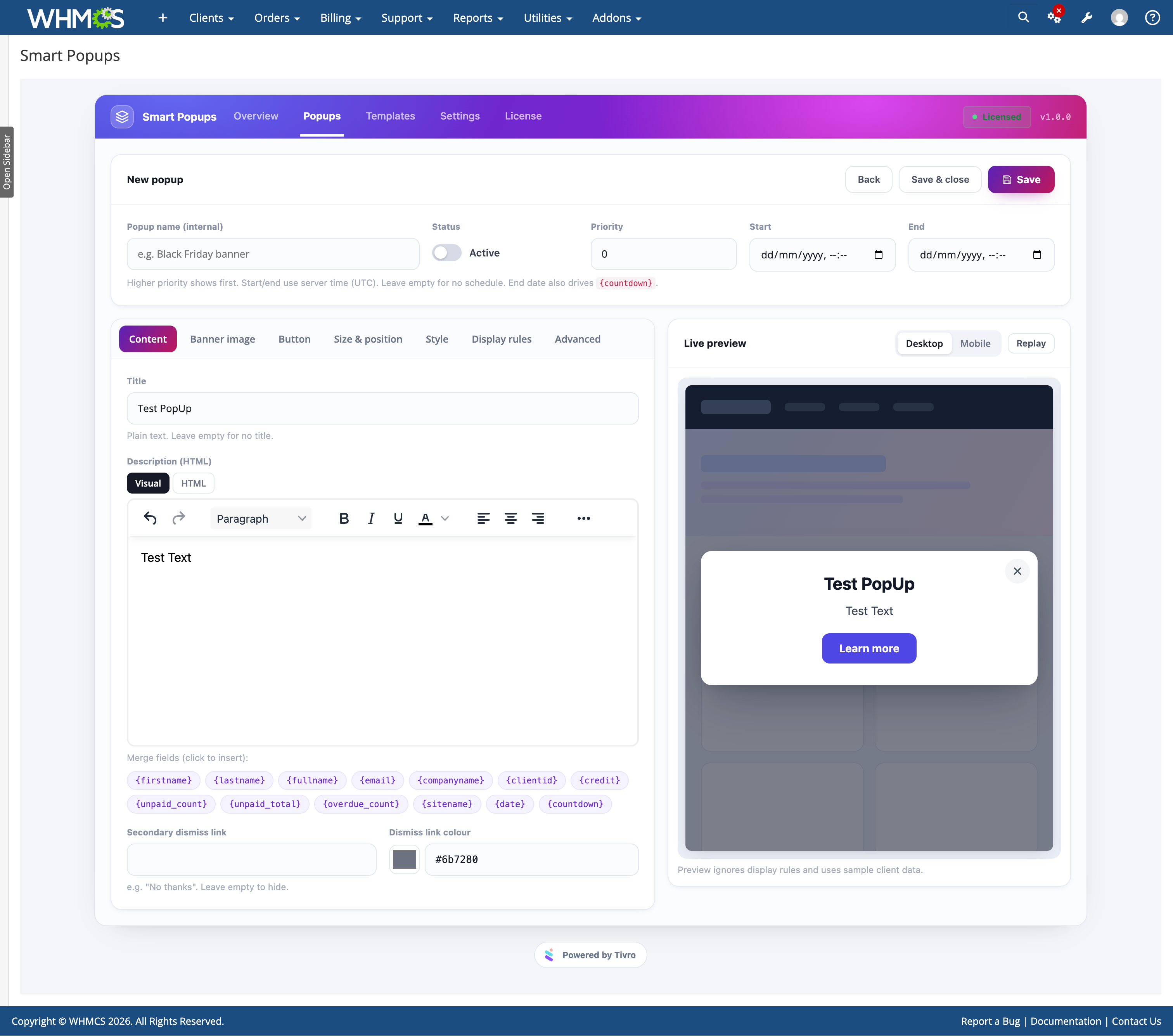
  • Rich HTML Description — Create popup content using a visual editor or switch to raw HTML mode.
  • Title & Description — Configure separate title and rich content areas.
  • Banner Image Uploads — Upload JPG, PNG, GIF, or WEBP images directly to the popup.
  • Image URLs — Use externally hosted images when preferred.
  • Image Controls — Configure image width, height, fit, corner radius, padding, and spacing.
  • Clickable Banners — Make banner images clickable with same-tab or new-tab destinations.
  • Call-To-Action Button — Add a custom button with configurable text, URL, target, and size.
  • Button Styling — Configure button background, text, hover colours, radius, and full-width behaviour.
  • Secondary Dismiss Link — Optionally provide a "No thanks" link for visitors who want to dismiss an offer.
  • Merge Fields — Personalise popup content using the client's name, email, company, client ID, credit balance, unpaid invoice count and total, overdue invoice count, site name, and date.
  • Live Countdown — Use {countdown} to display a live countdown to the popup's configured end date.

Style & Behaviour

  • Custom Colours — Configure background, text, and title colours.
  • Typography Controls — Adjust title and content font sizes.
  • Borders & Shadows — Configure borders and drop-shadow styling.
  • Dimmed Overlay — Add an overlay behind the popup with configurable colour and opacity.
  • Custom Close Button — Configure close button colours or hide it for acknowledgement-style messages.
  • Overlay Click Close — Optionally allow visitors to close the popup by clicking outside it.
  • Escape Key Close — Optionally allow the Esc key to close the popup.
  • Custom CSS — Add custom CSS to individual popups, scoped by popup ID.
  • Configurable Z-Index — Adjust layering for themes and interfaces that use high z-index elements.
  • Theme Independent — Self-contained styling works across client area themes without template modifications.
  • Reduced Motion Support — Respects user reduced-motion preferences.
  • Accessibility Support — Includes dialog roles and keyboard focus handling.

Templates

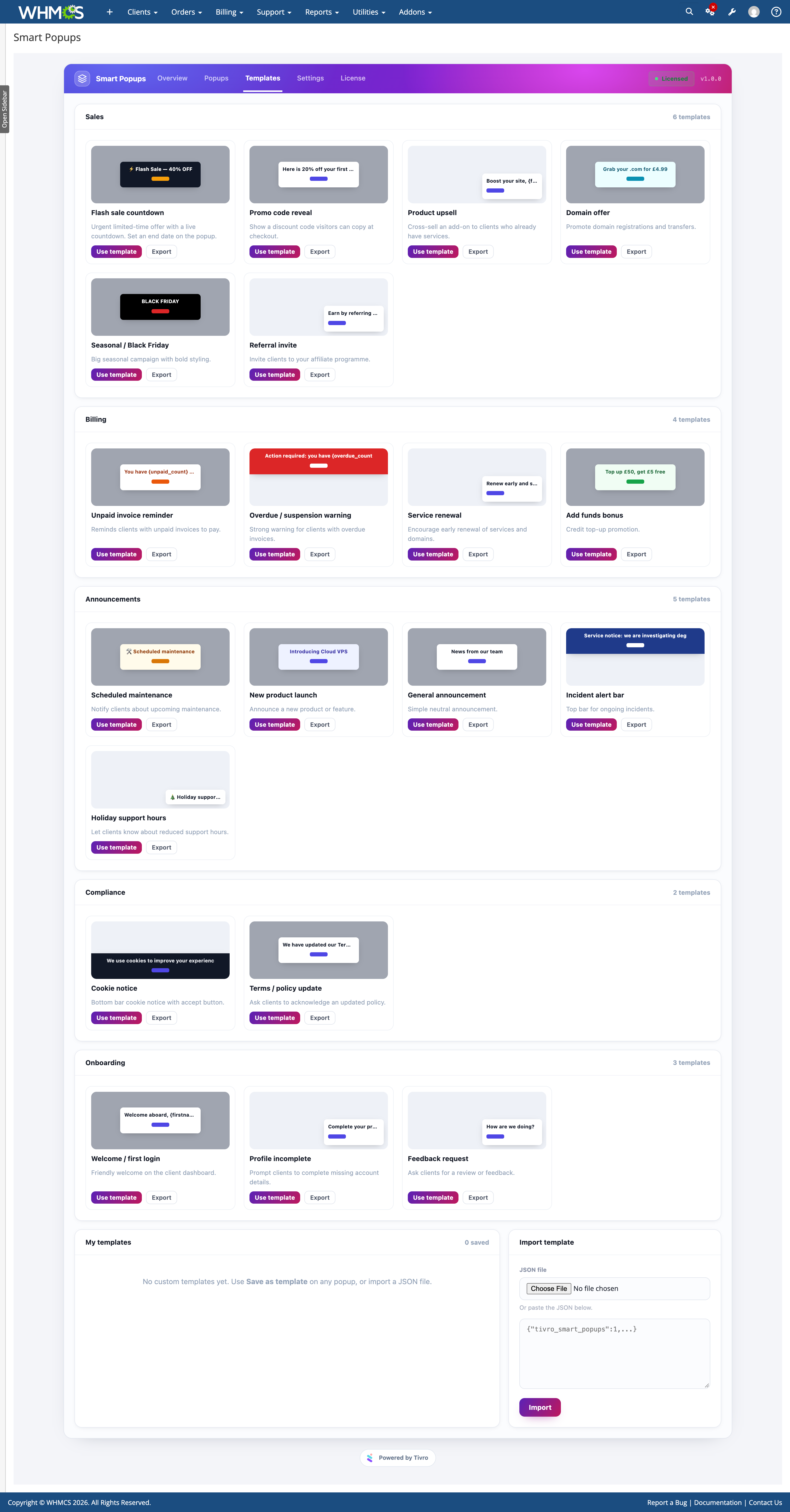
  • 20 Ready-Made Templates — Start quickly with templates covering sales, billing, announcements, compliance, onboarding, and more.
  • Flash Sale Countdown — Promote time-limited offers with a live countdown.
  • Promo Code — Display promotional codes and offers.
  • Upsell — Promote additional products or services.
  • Unpaid Invoice Reminder — Remind clients about outstanding invoices.
  • Overdue Warning Bar — Highlight overdue billing situations.
  • Maintenance Notice — Notify clients about planned maintenance.
  • Cookie Notice — Display cookie-related notices.
  • Policy Update — Announce changes to policies or terms.
  • Welcome Messages — Create onboarding and welcome experiences.
  • Custom Templates — Save any popup you create as your own reusable template.
  • JSON Import & Export — Import and export templates and popups as JSON for moving configurations between installations.

Admin Area

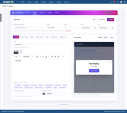
  • Live Preview — Preview changes instantly while editing.
  • Desktop & Mobile Preview — See how the popup will appear on different device sizes.
  • Sample Client Data — Preview personalised content using sample client information.
  • Dashboard — View popup views, clicks, click-through rates, and recent activity.
  • 14-Day Activity Chart — Review recent popup performance visually.
  • Popup Status Overview — Quickly identify live, scheduled, ended, and inactive popups.
  • One-Click Actions — Activate, duplicate, export, reset statistics, or delete popups directly from the popup list.
  • Per-Popup Performance — Review up to 30 days of performance data directly from the popup editing screen.

Statistics

  • Views — Track how many times each popup has been displayed.
  • Clicks — Track interactions with popup links and buttons.
  • Closes — Track popup dismissals.
  • Click-Through Rate — View the percentage of popup views that result in clicks.
  • Anonymous Daily Counters — Statistics are stored as anonymous daily totals without personal data.
  • Rate Limited Tracking — Tracking is rate limited per session to help keep statistics consistent.
  • Tracking Toggle — Disable popup statistics tracking entirely when required.
  • Configurable Retention — Choose how long statistics should be retained.
  • Automatic Cleanup — Old statistics are cleaned up automatically through the daily cron.

Operations

  • Automatic Database Setup — Database tables are created and upgraded automatically when the module is activated.
  • Simple Installation — Upload the module files and activate the addon without manually creating database structures.
  • Protected Uploads — The uploads directory is protected against script execution.
  • CSRF Protection — Administrative actions are protected against cross-site request forgery.
  • Data Preserved On Deactivation — Deactivating the addon keeps your data by default.
  • Optional Full Cleanup — Configure the module to remove its stored data when required.
  • Standard WHMCS Cron — Statistics cleanup and maintenance tasks use the standard WHMCS cron.

Compatibility

  • PHP: 8.1+
  • WHMCS: 8.x
  • ionCube Loader: 15+
  • Client Area: Works across WHMCS client themes without template edits
  • Cron: Standard WHMCS cron required


There are no reviews yet!

Be the first to review Smart Popups - Clientarea popups module for WHMCS.

Version Compatibility


Compatible with WHMCS v9.0

Full Version Compatibility


  • Selected versions of WHMCS v9.0
        9.0.0 - 9.0.8
  • All versions of WHMCS v8.13
  • All versions of WHMCS v8.12
  • All versions of WHMCS v8.11
  • Selected versions of WHMCS v8.10
        8.10.0
  • Selected versions of WHMCS v8.9
        8.9.0
  • Selected versions of WHMCS v8.8
        8.8.0
  • All versions of WHMCS v8.7
  • All versions of WHMCS v8.6
  • All versions of WHMCS v8.5
  • All versions of WHMCS v8.4
  • All versions of WHMCS v8.3
  • All versions of WHMCS v8.2
  • All versions of WHMCS v8.1
  • All versions of WHMCS v8.0

Support for this product

The best place to start if you need help with a specific product is to contact the developer. All WHMCS Marketplace developers have both a website and support URL listed.

Developed By TIVRO

Changelog

vv1.0.0 Released September 20th, 2026

Latest Version


v1.0.0 released


See also

FREE ResellerClub Tools v2

Working comfortably with ResellerClub's products and services through your WHMCS system requires additional tools.

Free
SEO Manager

The module developed to add meta description and meta keywords and change the page title

Free
WHOIS for Clients

WHOIS for Clients

Free
Dropbox Backup for WHMCS

This module will integrate WHMCS with Dropbox to upload a copy of WHMCS database onto the cloud. You will never have to worry about losing data any more.


Free
Software Licensing Addon

Build, License & Distribute Your Own Apps using WHMCS

Commercial