Wega Payment Gateway Fees

Wega Payment Gateway Fees

Developed By HosTwega

Compatible with WHMCS v9.0

Wega Payment Gateway Fees by HostWega

Smart Payment Gateway Fees & Discounts Automation for WHMCS

Wega Payment Gateway Fees is a professional WHMCS addon developed by HostWega that automatically applies payment gateway surcharges or discounts based on your customers' selected payment methods.

Configure percentage-based fees, fixed charges, or both for each active payment gateway. The module automatically calculates the applicable fees, updates eligible invoices, and displays payment charges during checkout.

With a modern administration dashboard, flexible fee rules, multi-currency support, and automatic invoice synchronization, managing payment processing costs has never been easier.

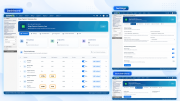
Admin Area Features

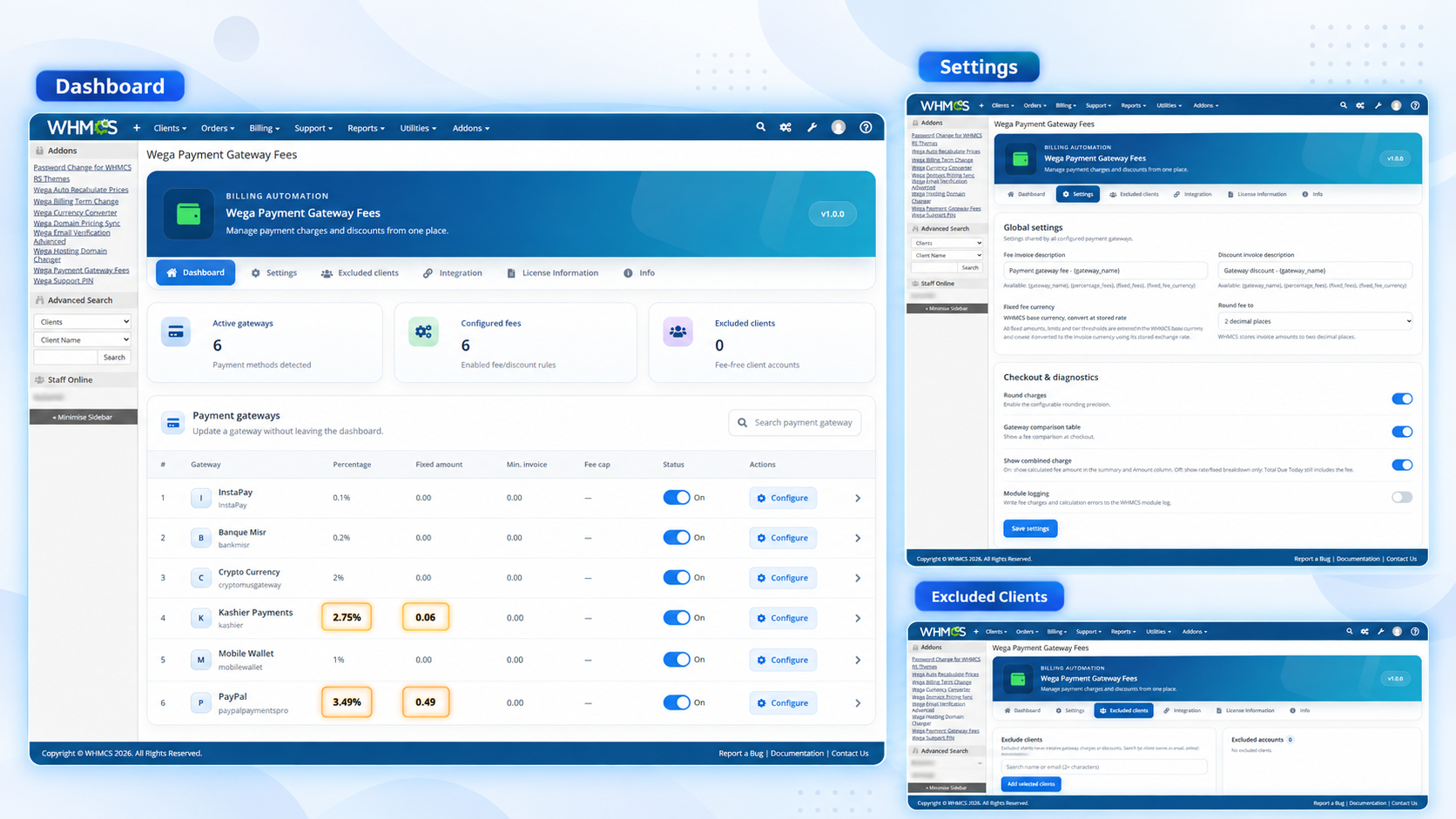
  • Professional dashboard with payment gateway statistics and a modern, organized interface.
  • Automatically detects all active WHMCS payment gateways.
  • Configure individual percentage fees, fixed charges, or discounts for each gateway.
  • Enable or disable payment gateway fee rules independently.
  • Set minimum invoice amounts and maximum fee limits.
  • Configure amount-based pricing tiers for different transaction values.
  • Advanced fee calculation options, including gross-up calculations and tax settings.
  • Exclude specific clients from payment gateway fees and discounts.
  • Automatic synchronization of eligible unpaid and draft invoices.
  • Customizable invoice fee and discount descriptions.
  • Configurable fee rounding and multi-currency conversion.
  • Dedicated Dashboard, Settings, Excluded Clients, Integration, License Information, and Info sections.
  • Built-in license management with license status, license type, expiration date, and authorization details.

Client Area Features

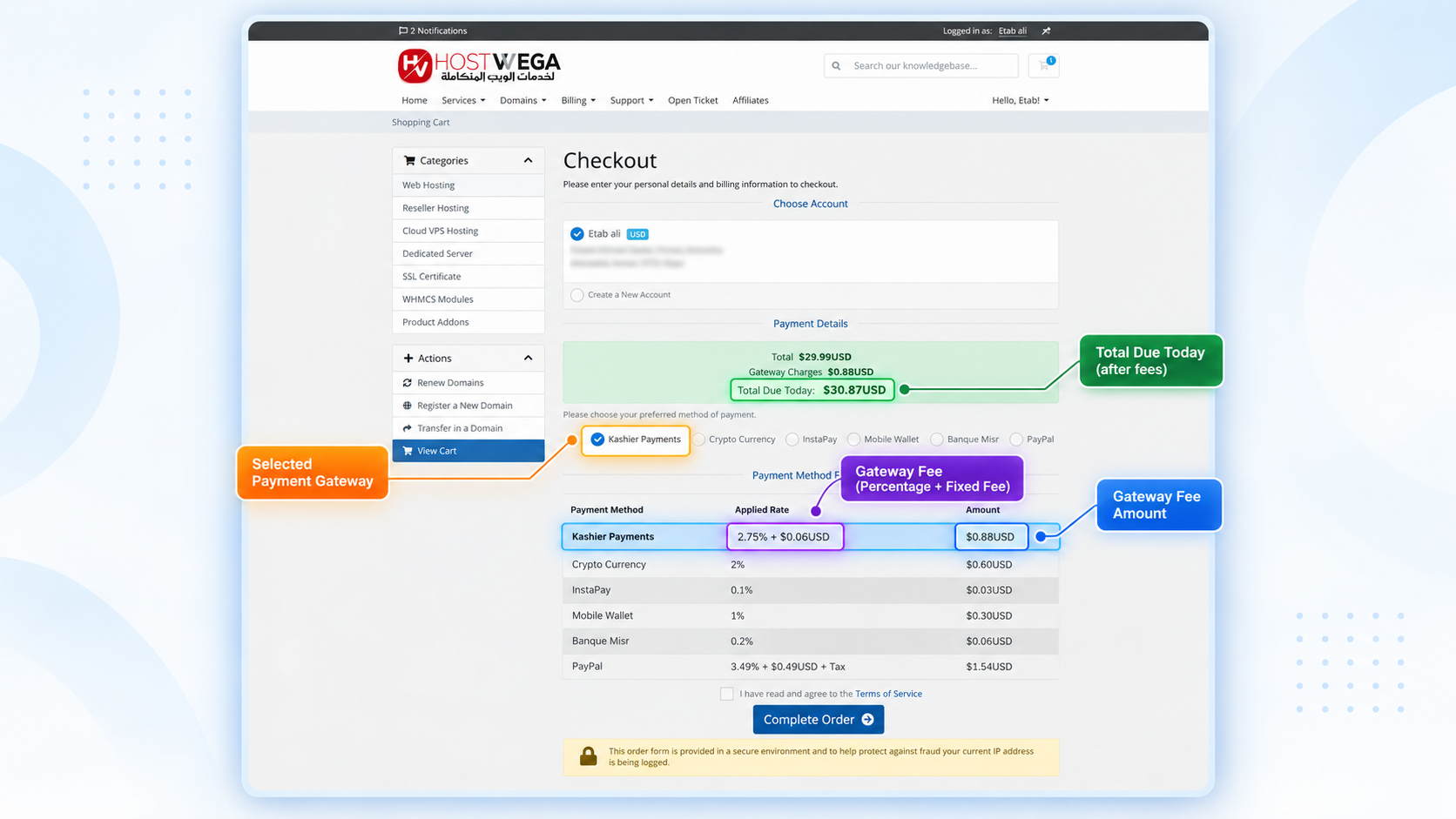
  • Automatic payment gateway fee calculation during checkout.
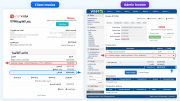
  • Displays gateway charges or discounts in the order summary.
  • Updates the estimated checkout total when customers switch payment methods.
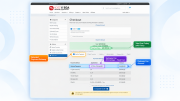
  • Optional payment gateway fee comparison table.
  • Displays percentage-based fees, fixed charges, and applicable discounts.
  • Supports client credit and currency-aware fee calculations.
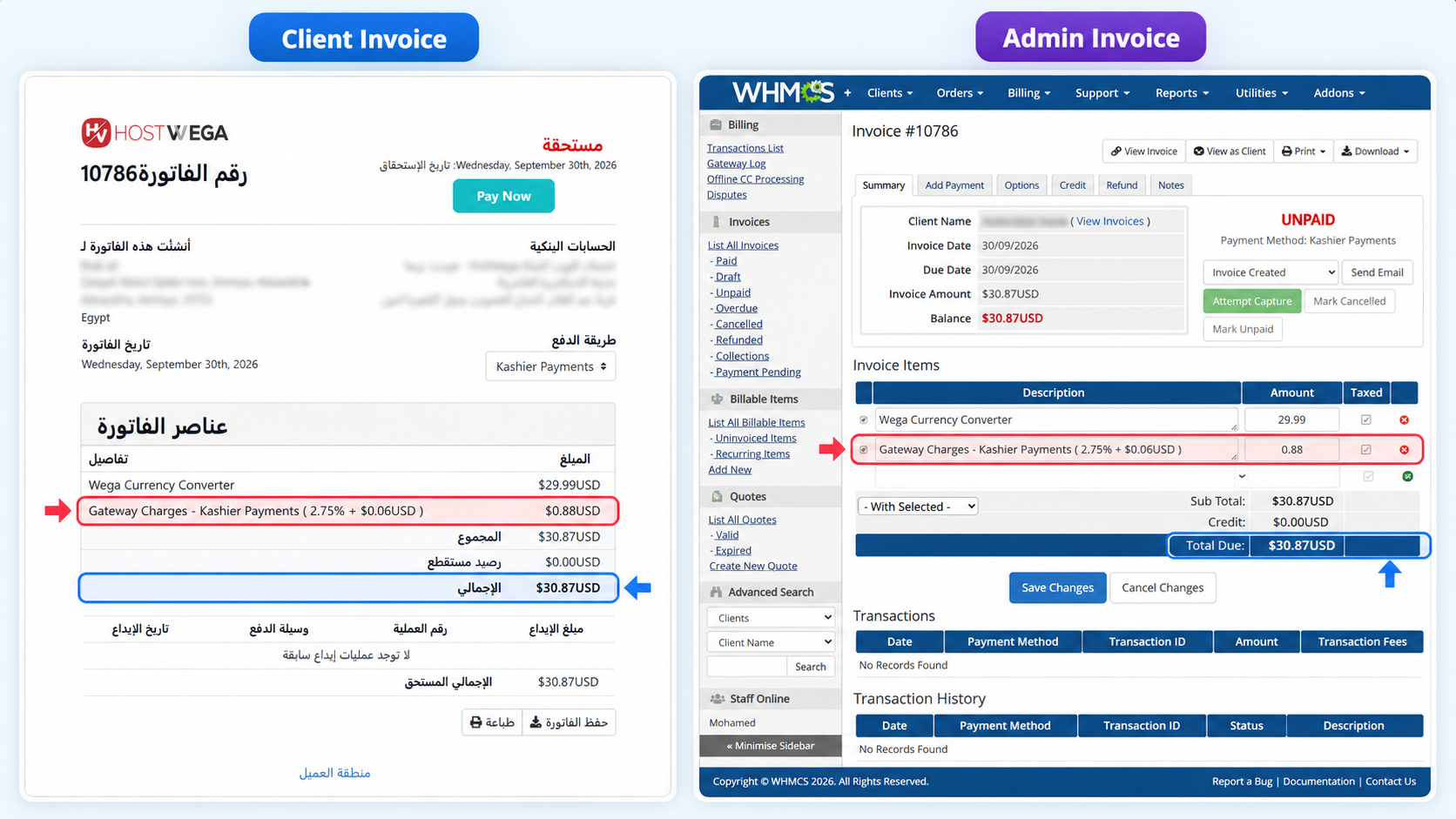
  • Automatically manages gateway fee line items on eligible invoices.
  • Multilingual checkout support with RTL and LTR layouts.
  • Integrates with WHMCS order forms and compatible custom themes.
  • Transparent payment charges displayed before customers complete their orders.

Advanced Fee Configuration

Each payment gateway supports:

  • Percentage Fee / Discount: Apply a percentage-based surcharge or discount.
  • Fixed Fee / Discount: Add or deduct a fixed amount per transaction.
  • Combined Fees: Apply percentage and fixed charges together.
  • Minimum Invoice Amount: Define the minimum amount required before applying a fee or discount.
  • Maximum Fee: Limit the calculated charge or discount.
  • Amount-Based Tiers: Configure different fees according to transaction value.
  • Tax Options: Control taxable fees and tax-inclusive calculations.
  • Gross-Up Calculation: Calculate processing fees using a gross-up formula.

Automatic Invoice Management

  • Automatically applies configured payment gateway charges and discounts to eligible invoices.
  • Recalculates applicable fees when the invoice payment gateway changes.
  • Synchronizes gateway fee line items with the configured payment method.
  • Prevents duplicate addon-owned fee line items during synchronization.
  • Supports invoice calculations involving client credit and multiple currencies.
  • Automatically processes eligible unpaid and draft invoices.
  • Uses the existing WHMCS automation cron for scheduled invoice synchronization.
  • Preserves existing payment transactions and prevents automatic fee modifications to paid invoices.

General Compatibility

  • WHMCS Compatibility: Supports WHMCS versions 8.1 to 9.X.
  • Payment Gateways: Supports all payment gateways activated in WHMCS.
  • WHMCS Themes: Fully compatible with popular WHMCS themes, including "Six," "Twenty-One," and "Lagom WHMCS Client Theme".
  • PHP Compatibility: Supports PHP 8.1, 8.2, 8.3, and 8.4.
  • ionCube Loader: Requires ionCube Loader v14 or v15.
  • Multi-Currency Support: Supports multiple currencies using WHMCS exchange rates.
  • Multilingual Support: Includes 26 built-in language packs with RTL and LTR support.
  • Installation: No modifications to WHMCS core files required.
  • Automation: Uses the existing WHMCS cron for automatic invoice synchronization.
  • Licensing: Requires a valid Wega Payment Gateway Fees license.

Payment Gateway Integration

Wega Payment Gateway Fees automatically detects the payment gateways activated in your WHMCS installation and allows you to configure independent fee or discount rules for each gateway.

The addon works with existing WHMCS payment methods, including:

  • Credit and debit card payment gateways.
  • Bank transfer payment methods.
  • Digital and mobile wallets.
  • Cryptocurrency payment gateways.
  • PayPal and other supported online payment methods.
  • Custom payment gateway modules integrated with WHMCS.

The module manages payment charges through the WHMCS billing system without requiring direct integration with individual payment provider APIs.

Installation & Configuration

Step 1: Download the Module

Download the Wega Payment Gateway Fees installation package and extract the ZIP archive.

Step 2: Upload the Module

Upload the wega_payment_gateway_fees folder to your WHMCS installation directory:

/modules/addons/wega_payment_gateway_fees/

Step 3: Activate the Addon

Log in to your WHMCS administration area and navigate to:

System Settings → Addon Modules

Locate Wega Payment Gateway Fees and click Activate.

Step 4: Configure Your License

Click Configure, enter your valid license key, assign the required administrator access permissions, and save the configuration.

Step 5: Configure Payment Gateway Fees

Navigate to Addons → Wega Payment Gateway Fees.

Open the Dashboard and click Configure next to the payment gateway you want to manage.

Set your percentage fee, fixed amount, minimum invoice amount, maximum fee, and any additional calculation options.

Save your configuration and enable the gateway fee rule.

Step 6: Configure Global Settings

Open the Settings tab to configure invoice descriptions, fee rounding, checkout display options, and other available settings.

Step 7: Test the Checkout Process

Create a test order, select a payment gateway, and verify that the applicable charges or discounts appear correctly in the checkout summary and final invoice.

Your Wega Payment Gateway Fees addon is now ready to manage payment gateway charges automatically.

Why Choose HostWega?

HostWega develops WHMCS solutions designed to simplify hosting business management and automate essential billing operations.

Wega Payment Gateway Fees combines flexible payment fee management, automated invoice synchronization, transparent checkout pricing, multi-currency support, and a professional administration interface in one comprehensive addon.

With centralized gateway configuration, customizable fee rules, automatic billing calculations, and seamless WHMCS integration, the module helps hosting providers and online businesses manage payment processing costs efficiently.

Simplify your billing, automate payment gateway charges, and take control of your payment processing costs with Wega Payment Gateway Fees!


There are no reviews yet!

Be the first to review Wega Payment Gateway Fees.

Version Compatibility


Compatible with WHMCS v9.0

Full Version Compatibility


  • Selected versions of WHMCS v9.0
        9.0.0 - 9.0.8
  • All versions of WHMCS v8.13
  • All versions of WHMCS v8.12
  • All versions of WHMCS v8.11
  • Selected versions of WHMCS v8.10
        8.10.0

System Requirements


  • * WHMCS 8.1 to 9.X.
  • * PHP 8.1, 8.2, 8.3, or 8.4.
  • * ionCube Loader v14 or v15, compatible with the installed PHP version.
  • * A valid Wega Payment Gateway Fees license key.
  • * Outbound HTTPS connectivity to the HostWega licensing server.
  • * WHMCS automation cron configured and running for automatic invoice synchronization.
  • * At least one active payment gateway configured in WHMCS.
  • * A compatible WHMCS client-area theme and order form template.

* Requirements listed are in addition to the WHMCS default system requirements.

Support for this product

The best place to start if you need help with a specific product is to contact the developer. All WHMCS Marketplace developers have both a website and support URL listed.


Developed By HosTwega

Changelog

v1.0.0 Released September 23rd, 2026

Latest Version


Version 1.0.0 Initial Release

  • Introduced Wega Payment Gateway Fees for WHMCS.
  • Added a professional administration dashboard with individual payment gateway configuration.
  • Added percentage-based, fixed, and combined gateway fees and discounts.
  • Added amount-based fee tiers, minimum invoice thresholds, and maximum fee limits.
  • Added advanced fee calculations, tax options, and gross-up calculation support.
  • Added automatic invoice fee management and scheduled synchronization.
  • Added real-time checkout fee previews and a payment gateway comparison table.
  • Added multi-currency support using WHMCS exchange rates.
  • Added client exclusion management and customizable invoice descriptions.
  • Added 26 language packs with RTL and LTR support.
  • Added compatibility with WHMCS 8.1–9.X and PHP 8.1–8.4.
  • Added support for ionCube Loader v14 and v15.
  • Added license activation, license type, expiration date, and license status management.
  • Added module logging and integration options for custom WHMCS templates.


See also

WHMCS Bitcoin Payments

Accept Bitcoin payments on your website

Free
Accept Bitcoin and cryptocurrency payments - CoinGate for WHMCS

Easily accept Bitcoin, Tether, Ethereum and many other crypto payments on your WHMCS website

Free
Coinbase Commerce

No Fees, Easy Setup. Accept cryptocurrencies like: Bitcoin, Bitcoin Cash, Ethereum and Litecoin!

Free
PayTR Virtual Pos iFrame API

Open your web site to shopping with the advantages of PayTR. Take your payments securely.

Free
Gateway Fees for WHMCS

With this WHMCS module, you'll get the payment gateway fees from your clients directly.

Free