Email Verification Advanced for WHMCS

Email Verification Advanced for WHMCS

Developed By HosTwega

Compatible with WHMCS v9.0

Wega Email Verification Advanced

Secure Your WHMCS Client Accounts with Advanced Email Verification

Wega Email Verification Advanced is a comprehensive email verification and account protection module designed for WHMCS.

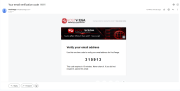
Replace traditional email verification links with secure, six-digit One-Time Password (OTP) codes and provide your customers with a modern, streamlined verification experience directly within the WHMCS client area.

Featuring eight customizable verification templates, multiple CAPTCHA providers, multilingual support, and an advanced administration dashboard, the module gives WHMCS administrators greater control over email verification and client account security.

Key Features

1. Secure OTP Email Verification

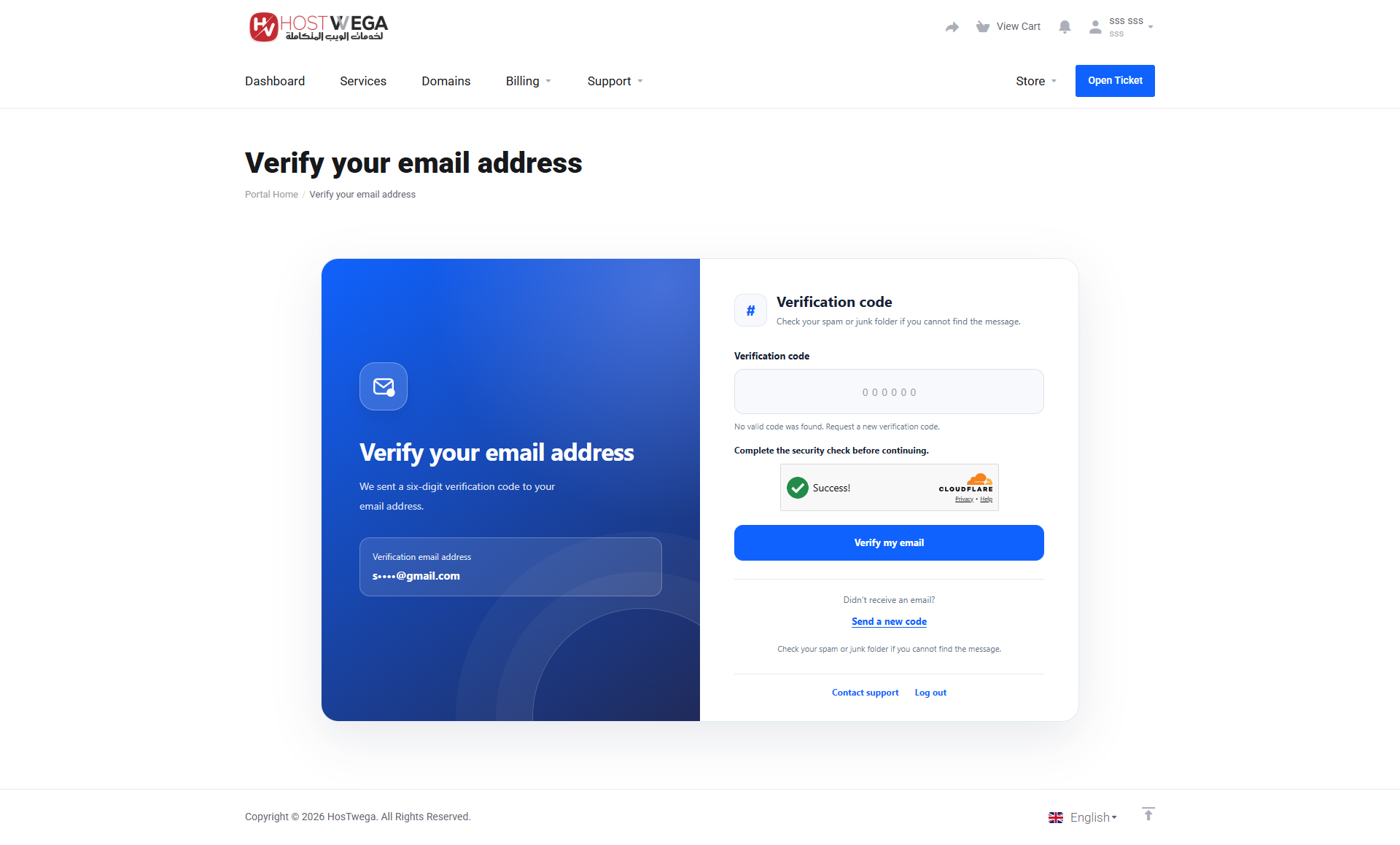
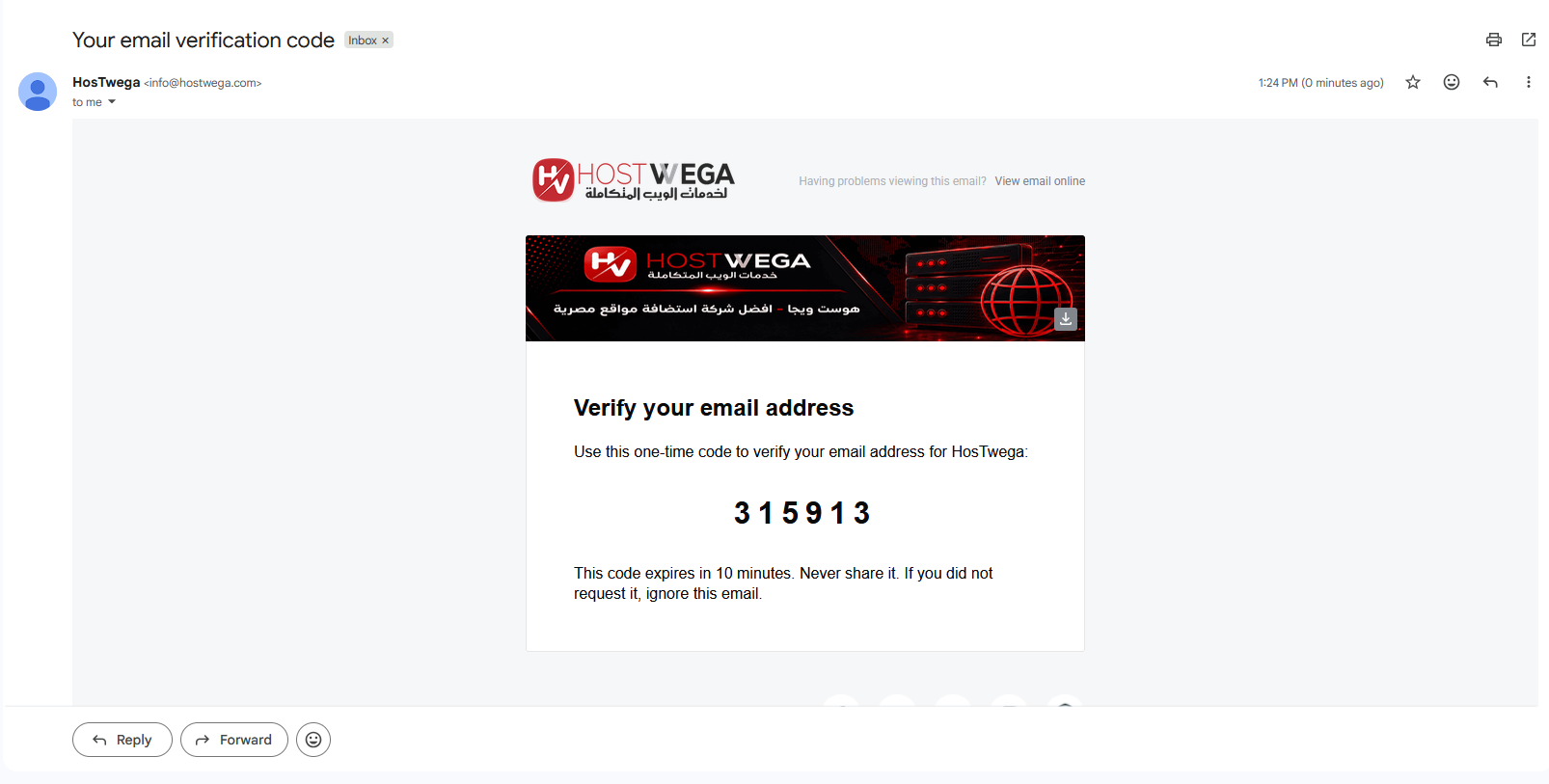
Replace traditional email verification links with a secure, six-digit verification code.

  • Automatically generate and send unique OTP codes to customers.
  • Allow customers to verify their email addresses directly within the WHMCS client area.
  • Configure OTP expiration times.
  • Limit the number of incorrect verification attempts.
  • Automatically invalidate previously used or expired verification codes.
  • Allow customers to request a new verification code.
  • Configure resend cooldown periods and daily resend limits.
  • Update the customer's email verification status in WHMCS after successful verification.

2. Advanced CAPTCHA Protection

Protect your email verification system against automated requests and abuse with multiple CAPTCHA solutions.

Supported CAPTCHA providers:

  • Google reCAPTCHA v2 (Checkbox)
  • Google reCAPTCHA v3
  • Cloudflare Turnstile

CAPTCHA verification is performed on the server before accepting verification codes or processing code resend requests.

Administrators can select the preferred CAPTCHA provider and configure the required API credentials from the module's settings.

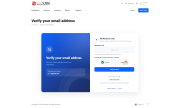
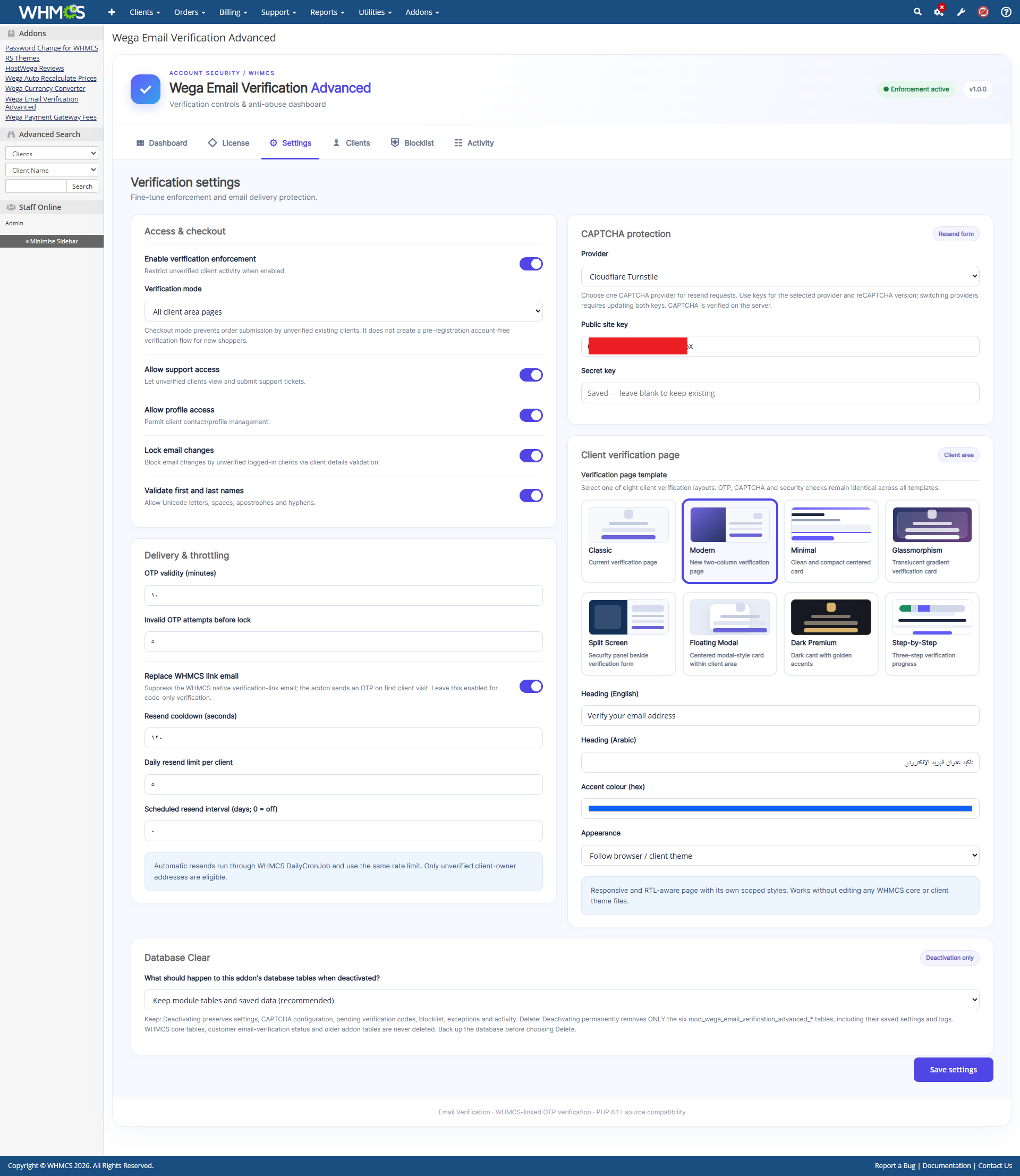
3. Eight Professional Client Verification Templates

Choose from eight verification page templates to match your WHMCS website's design and branding.

Available Templates:

  • Classic – A clean and familiar email verification interface.
  • Modern – A contemporary two-column verification layout.
  • Minimal – A lightweight interface focused on simplicity and usability.
  • Glassmorphism – A modern glass-inspired design with gradients and translucent elements.
  • Split Screen – A spacious layout with a dedicated security information panel.
  • Floating Modal – A centered, modal-style verification interface.
  • Dark Premium – A premium dark interface with elegant gold accents.
  • Step-by-Step – A structured verification experience with a visual progress indicator.

Switch between templates directly from the module's administration dashboard without modifying the WHMCS core files.

All templates support OTP verification, CAPTCHA protection, responsive layouts, and multilingual content.

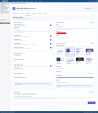
4. Advanced Administration Dashboard

Manage your email verification system through an integrated WHMCS administration interface.

The module includes the following sections:

Dashboard

View verification statistics and monitor the module's activity.

License

Review license status, product information, and license verification details.

Settings

Configure OTP verification, CAPTCHA protection, client verification templates, appearance, resend restrictions, and other module settings.

Clients

Manage client verification information and available administrative actions.

Blocklist

Manage blocked email addresses and IP addresses to control access to the verification system.

Activity

Monitor verification events and review module activity logs.

5. Multilingual Support

Provide customers with a localized verification experience based on their selected or assigned WHMCS language.

The module includes 26 language files, including English, Arabic, French, German, Spanish, Turkish, Russian, Ukrainian, Portuguese, Italian, Dutch, and other supported languages.

Additional features include:

  • Automatic language detection.
  • Localized administration and client verification interfaces.
  • Right-to-left (RTL) layout support for Arabic, Persian, and Hebrew.
  • Language-specific CAPTCHA display where supported by the selected provider.

Language files are stored within the module's dedicated lang directory.

6. Client Account Protection

Control access to the WHMCS client area for customers who have not completed email verification.

The module provides configurable verification restrictions and supports administrative exemptions for selected customers.

Additional security features include verification attempt limits, resend restrictions, CAPTCHA validation, and protection against unauthorized verification requests.

7. Independent Module Database Tables

The module uses dedicated database tables to store its verification-related settings and operational data.

Stored information includes OTP records, module settings, verification activity, resend history, blocklist entries, and client exemptions.

The module integrates with WHMCS to maintain the customer's actual email verification status.

8. Database Clear Configuration

Choose whether to retain or remove the module's database tables when deactivating the addon.

Keep Module Tables

Preserve module settings, OTP records, activity logs, and other module data for future reactivation.

Delete Module Tables

Remove the module's dedicated database tables when the addon is deactivated.

WHMCS core database tables, client accounts, invoices, payment records, and native email verification records are not deleted by this option.

9. License Management

The module includes an integrated license verification system.

Administrators can enter their license key through the standard WHMCS Addon Modules configuration page.

License information and verification status can be reviewed from the dedicated License tab within the module's administration dashboard.

A valid and active license is required to use the module's functionality.

10. WHMCS Integration

Wega Email Verification Advanced is designed to integrate with the WHMCS administration and client areas.

  • No direct modification of WHMCS core files.
  • No manual modification of the active WHMCS client area template.
  • Compatible with standard WHMCS installation paths and custom administration directory names.
  • Designed for responsive client area layouts.
  • Supports light and dark appearance settings.
  • Integrates with WHMCS email verification status and existing client account information.

Installation

  1. Download and extract the module package.
  2. Upload the wega_email_verification_advanced folder to your WHMCS modules/addons/ directory.
  3. Open your WHMCS administration area.
  4. Navigate to System Settings > Addon Modules.
  5. Activate Wega Email Verification Advanced.
  6. Configure the module's administrator access permissions.
  7. Enter your valid license key in the module configuration.
  8. Open the module dashboard to configure OTP verification, CAPTCHA protection, and your preferred verification template.

Once configured, the module can begin handling email verification for eligible clients.

Important Information

A valid module license is required.

CAPTCHA integration requires valid credentials from the selected CAPTCHA provider.

The module uses the email delivery configuration available in WHMCS. Email delivery and verification messages may be affected by existing WHMCS email settings.

The module operates alongside WHMCS and does not replace the core client account management system.

Wega Email Verification Advanced

Secure email verification. Flexible customization. A better client verification experience.


There are no reviews yet!

Be the first to review Email Verification Advanced for WHMCS.

Version Compatibility


Compatible with WHMCS v9.0

Full Version Compatibility


  • Selected versions of WHMCS v9.0
        9.0.0 - 9.0.8
  • All versions of WHMCS v8.13
  • All versions of WHMCS v8.12
  • All versions of WHMCS v8.11
  • Selected versions of WHMCS v8.10
        8.10.0

System Requirements


  • WHMCS: Compatibility target of versions 8.1 through 9.x, subject to the supported PHP environment and version-specific compatibility testing.
  • PHP: 8.1, 8.2, 8.3, or 8.4, where supported by the installed WHMCS version.
  • MySQL or MariaDB: Compatible with the installed WHMCS environment.
  • PHP cURL and OpenSSL extensions with HTTPS connectivity for license and CAPTCHA verification.
  • A valid Wega Email Verification Advanced license key.
  • A working WHMCS email delivery configuration for sending OTP verification codes.
  • Valid Google reCAPTCHA or Cloudflare Turnstile credentials when CAPTCHA protection is enabled.
  • An active WHMCS installation with access to Addon Modules.

* Requirements listed are in addition to the WHMCS default system requirements.

Support for this product

The best place to start if you need help with a specific product is to contact the developer. All WHMCS Marketplace developers have both a website and support URL listed.

Developed By HosTwega

Changelog

v1.0.0 Released September 23rd, 2026

Latest Version


Version 1.0.0 – Initial Release

  • Introduced Wega Email Verification Advanced for WHMCS.
  • Added secure six-digit OTP email verification.
  • Added configurable OTP expiration and verification attempt limits.
  • Added verification code resend functionality with cooldown and daily request limits.
  • Integrated Google reCAPTCHA v2, reCAPTCHA v3, and Cloudflare Turnstile.
  • Added eight customizable client verification templates.
  • Introduced a dedicated administration dashboard with Dashboard, License, Settings, Clients, Blocklist, and Activity sections.
  • Added multilingual administration and client verification interfaces with 26 language files.
  • Added RTL layout support for Arabic, Persian, and Hebrew.
  • Added email and IP blocklist management.
  • Added client verification exemptions and configurable access restrictions.
  • Introduced dedicated database tables for module settings and verification records.
  • Added the Database Clear option to retain or remove module tables upon deactivation.
  • Integrated license key configuration through the standard WHMCS Addon Modules settings.
  • Added a dedicated License Information tab.
  • Added responsive layouts and light/dark appearance support.
  • Improved compatibility with custom WHMCS installation paths and administration directory names.


See also

Discord Notifications

A simplistic, free & open source hook allowing instant Discord notifications when an action is triggered.

Free
Netgsm SMS

Netgsm Sms addon provides you sending customized bulk sms and creating sms templates.

Free
MSG91 SMS/OTP Plugin

MSG91 WHMCS SMS plugin gives you the power and flexibility to stay connected with your customers by sending them an SMS and OTP's for 2FA at the crucial steps that matters the most.


Free
SMS Manager

More Advanced SMS System

Commercial
SMSQ Notify

Send SMS Notification From WHMCS by SMSQ Notify

Free