Whop Payments for WHMCS

Whop Payments for WHMCS

Developed By G&S DIGITAL

Compatible with WHMCS v9.0

Whop Payments for WHMCS connects your WHMCS billing system to Whop. Accept card payments, collect renewal invoices automatically, and offer wallets and local payment methods through two included gateways.

Whop Payments — cards and automatic renewals

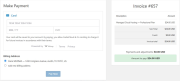
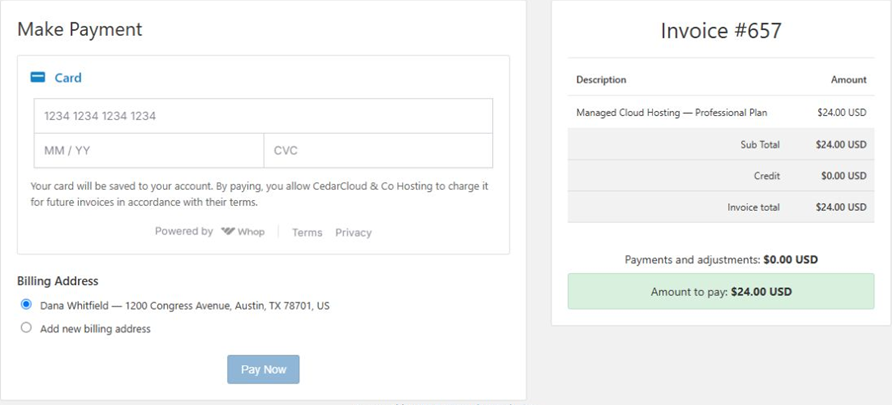
The main gateway handles your Whop connection and shared settings. Customers can pay invoices by card and save cards for future payments. WHMCS continues to create renewal invoices and control automatic collection.

  • Card payments within your WHMCS client area.
  • Saved cards and automatic invoice collection.
  • Billing address selection when saving a card.
  • 3D Secure card authentication.
  • Full and partial refunds, subject to the payment's currency rules.
  • Dispute notifications for your staff.

Whop Checkout — wallets and local payment methods

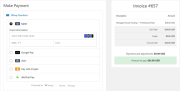
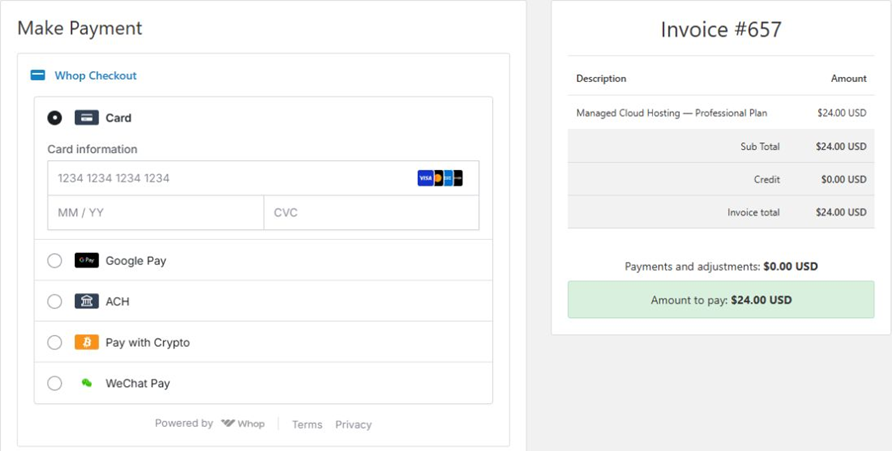
The optional companion gateway adds embedded checkout for one-time invoice payments. It shares the connection configured in Whop Payments.

Payment options across Whop's network include Apple Pay, Google Pay, PayPal, crypto, Cash App Pay, Klarna, Afterpay, iDEAL and SEPA. Checkout presents eligible methods for your business, customer, device and currency.

Whop Payments handles saved cards and automatic renewals; Whop Checkout provides additional ways to pay individual invoices.

Native WHMCS billing

WHMCS manages invoices, outstanding balances and billing automation. The module verifies payments with Whop and records them in WHMCS's native transaction system.

Card details are entered through Whop's payment interface. Card numbers never pass through the module's PHP code.

Separate Sandbox and Live connections

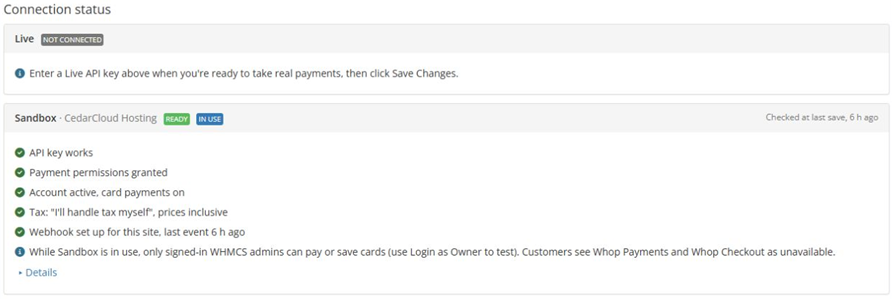
Configure a Whop Sandbox business to test payments before going live. The module keeps Sandbox and Live connections separate.

Installation and support

The package includes both gateways, installation instructions, release notes, and payment templates for the Six and Twenty-One themes. Activate and configure Whop Payments first, then optionally enable Whop Checkout.

Developed and maintained by G&S DIGITAL, with setup documentation and direct support.


There are no reviews yet!

Be the first to review Whop Payments for WHMCS.

Version Compatibility


Compatible with WHMCS v9.0

Full Version Compatibility


  • All versions of WHMCS v9.0
  • All versions of WHMCS v8.13

System Requirements


  • PHP 8.3
  • A Whop business and API key with the required permissions
  • Public HTTPS access to WHMCS, including its payment callback
  • Outbound HTTPS access from the server to Whop
  • WHMCS cron configured and running regularly
  • Six or Twenty-One theme, or the included payment templates installed in your custom system theme
  • For Apple Pay and Google Pay: a Live Whop connection and wallet-domain verification in Whop

* Requirements listed are in addition to the WHMCS default system requirements.

Support for this product

The best place to start if you need help with a specific product is to contact the developer. All WHMCS Marketplace developers have both a website and support URL listed.

Developed By G&S DIGITAL

Changelog

v1.1.0 Released October 4th, 2026

Latest Version


Added

  • Clear card-saving notices identifying the business that may charge the saved card for future invoices.
  • Billing address selection when saving a card: use the client's profile, another saved address, or a new address.
  • Guidance for cards already saved, explaining that their billing address remains unchanged and can be edited through Payment Methods.

Improved

  • Payment and card-saving pages expand to fit their content within WHMCS.
  • Separate payment and invoice panels, with a stacked layout on smaller screens.
  • Better positioning of 3D Secure verification on long pages.
  • Consistent square corners on card-entry fields.

Fixed

  • Special characters in names, addresses and invoice lines now display and reach Whop correctly.
  • Reusing an existing billing address no longer creates duplicate WHMCS contacts, including when state names and codes differ.
  • New billing addresses reject < and > characters.


See also

WHMCS Bitcoin Payments

Accept Bitcoin payments on your website

Free
Accept Bitcoin and cryptocurrency payments - CoinGate for WHMCS

Easily accept Bitcoin, Tether, Ethereum and many other crypto payments on your WHMCS website
Free
Coinbase Commerce

No Fees, Easy Setup. Accept cryptocurrencies like: Bitcoin, Bitcoin Cash, Ethereum and Litecoin!

Free
PayTR Virtual Pos iFrame API

Open your web site to shopping with the advantages of PayTR. Take your payments securely.

Free
Gateway Fees for WHMCS

With this WHMCS module, you'll get the payment gateway fees from your clients directly.

Free