Ruach SMS for WHMCS

Ruach SMS for WHMCS

Developed By Ruach Networks

Compatible with WHMCS v9.0

Text your clients at every billing moment and get paid on time.

Ruach SMS for WHMCS sends SMS to your clients when invoices are issued, payments arrive, invoices go overdue and services or domains are about to expire. Messages go out over Ruach Networks' direct carrier routes to mobile numbers in any country, so you can text clients wherever they are, and every message gets a delivery report. The module is free; you only pay for the SMS you send.

What it sends

  • Invoice issued: amount, due date and a link to pay
  • Payment received: an instant confirmation
  • Invoice overdue: with WHMCS's 1st, 2nd and 3rd overdue notices
  • Service and domain expiry reminders: sent only while the renewal invoice is unpaid, so clients who have paid aren't chased
  • Service suspended / reactivated

Built for hosting businesses

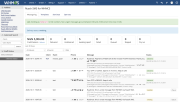
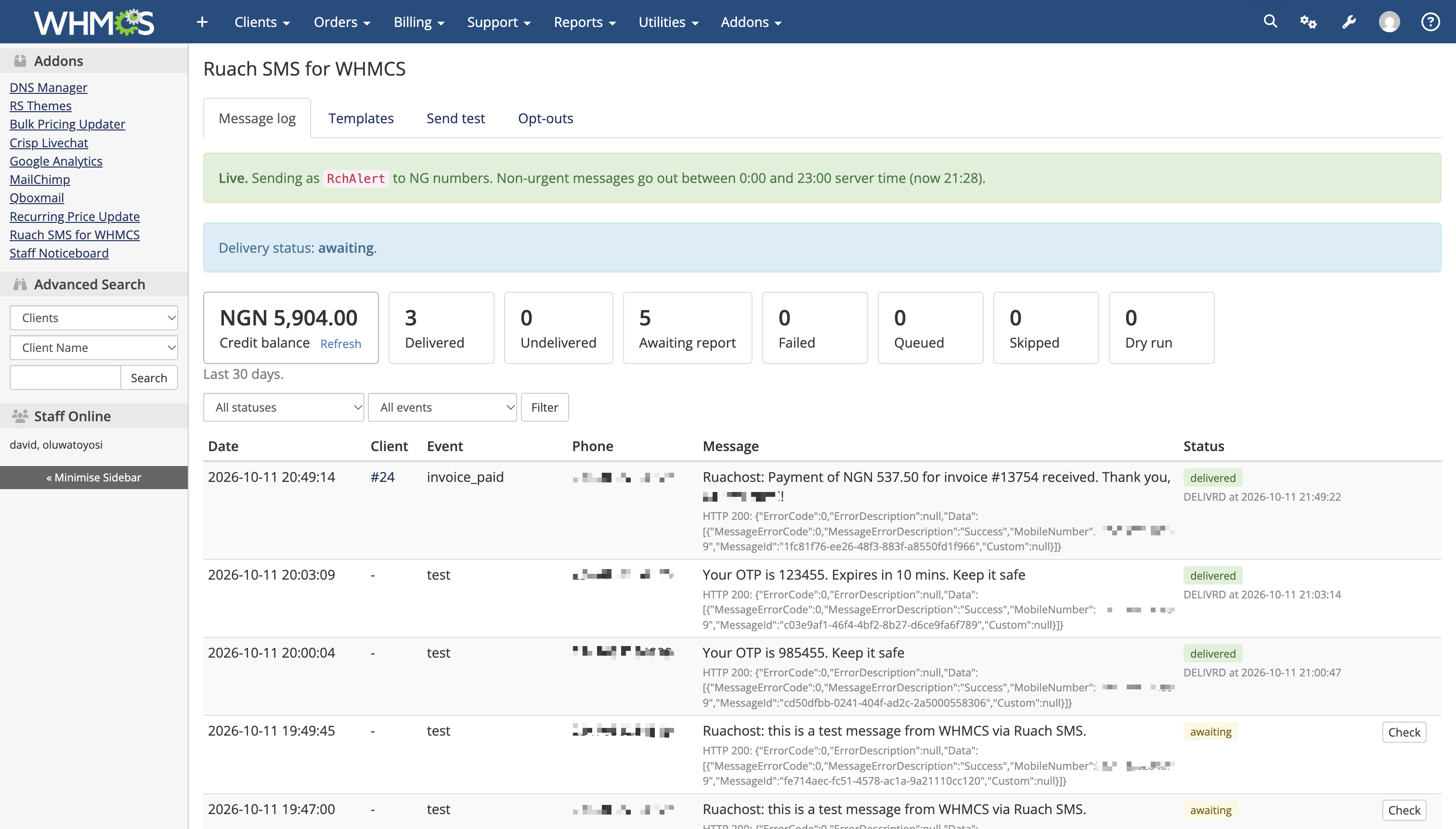
  • Delivery reports: see Delivered, Undelivered or Awaiting for every message, with a Check button for an instant status lookup
  • No duplicate texts: each notification is tracked, so retries and overlapping cron runs never text a client twice
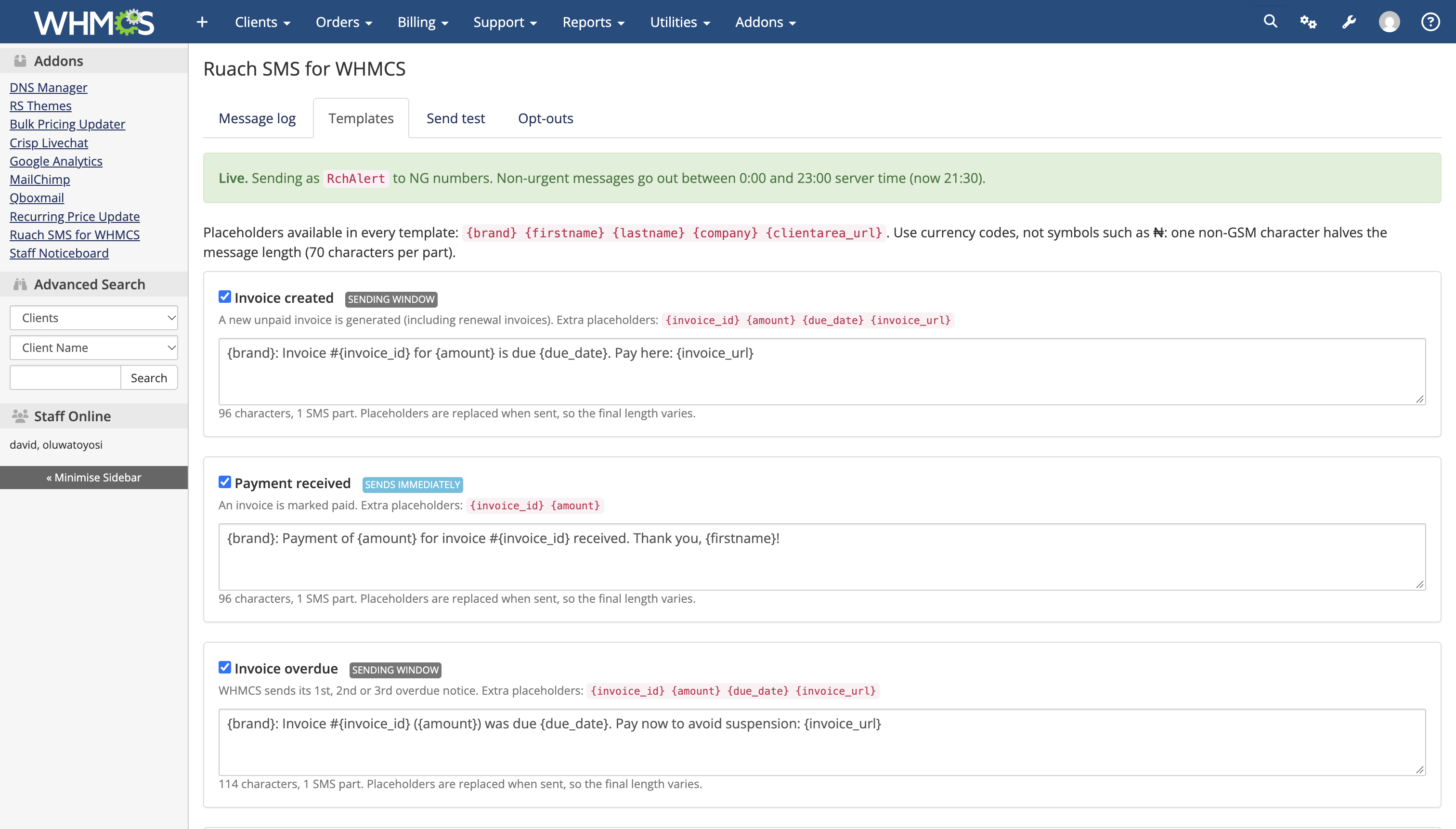
  • Sending hours: reminders wait for your chosen hours; payment confirmations go out immediately
  • Transactional and promotional Sender IDs: mark each template transactional or promotional and send each type on its own Sender ID, for countries that separate the two. Promotional messages can have their own sending hours and go only to clients who opted in to marketing. Where the split doesn't apply, use one Sender ID for everything
  • Template editor with an SMS counter: shows characters and SMS parts as you type, and warns when a symbol would double the cost
  • Placeholders: client name, invoice number, amount, due date, invoice link, service, domain and days left
  • Credit balance in WHMCS, with an email alert to your admins before you run low
  • Full audit trail: every send is logged in the module, the WHMCS Activity Log and the client's own log
  • Dry-run mode: see exactly what would be sent, and to whom, before going live
  • Global delivery: text clients in any country. Numbers are converted to international format from each client's country, and an optional country filter limits sending to the countries you choose
  • Client opt-outs, a country filter and automatic retries (up to 3 attempts within 2 days)

Requirements

  • WHMCS 8.0 or later; PHP 7.4 or later with cURL
  • WHMCS cron running every 5-15 minutes
  • A Ruach SMS account with an API key, Client ID and approved Sender ID (sign up at ruachnet.com)

Installation

  1. Upload the modules/addons/ruach_sms folder to your WHMCS modules/addons directory.
  2. Go to System Settings > Addon Modules, activate Ruach SMS for WHMCS and click Configure.
  3. Enter your API key, Client ID and Sender ID, choose your countries, reminder days and sending hours, and save. Dry run is on by default.
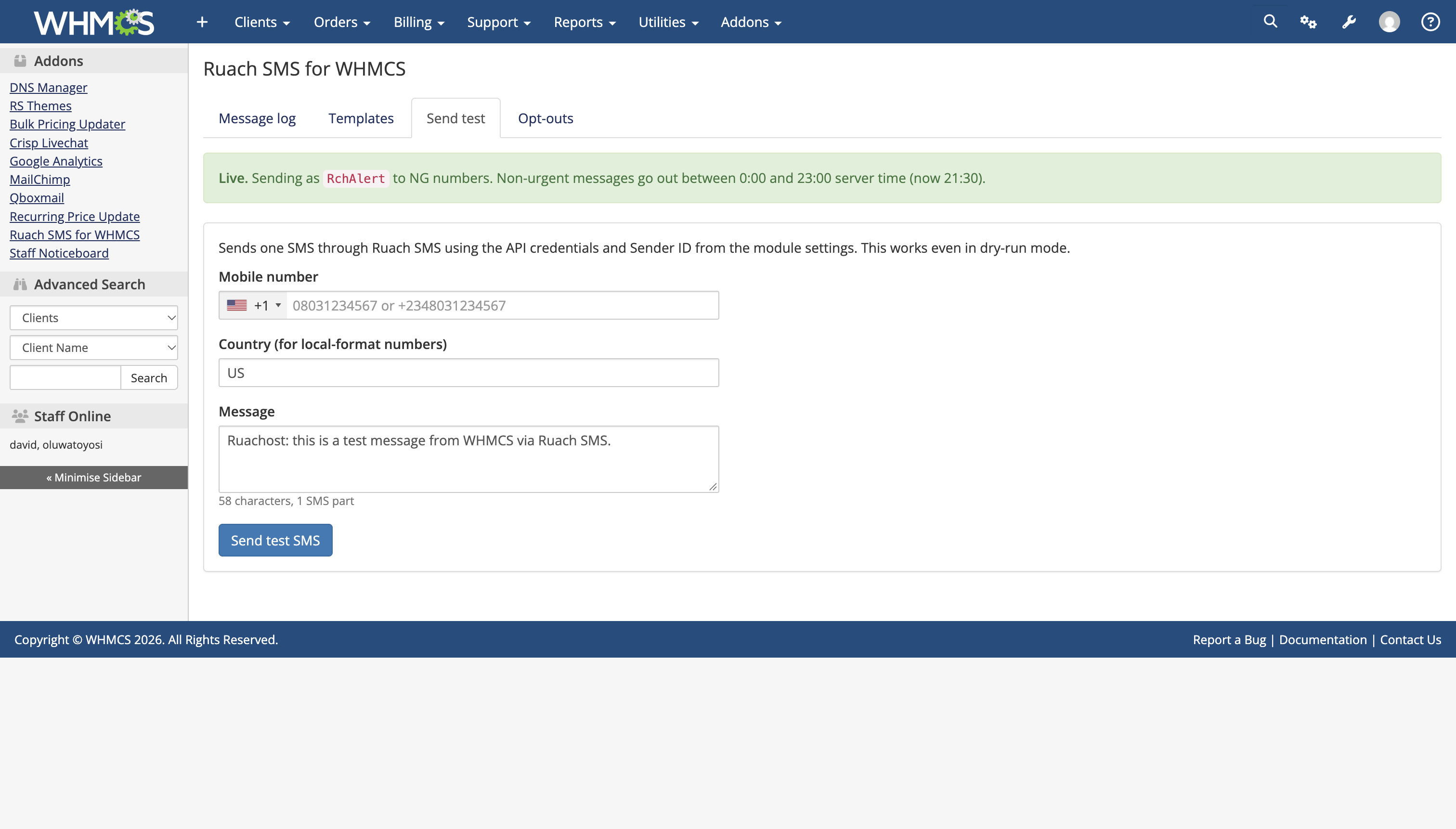
  4. Open Addons > Ruach SMS for WHMCS > Send test and send yourself an SMS.
  5. Check the Message log, then turn dry run off to go live.

Support

Email [email protected] with your WHMCS version, module version and the Message log entry for the affected message. Full documentation is available at docs.ruachnet.com.


There are no reviews yet!

Be the first to review Ruach SMS for WHMCS.

Version Compatibility


Compatible with WHMCS v9.0

Full Version Compatibility


  • All versions of WHMCS v9.0
  • All versions of WHMCS v8.13
  • All versions of WHMCS v8.12
  • All versions of WHMCS v8.11
  • Selected versions of WHMCS v8.10
        8.10.0
  • Selected versions of WHMCS v8.9
        8.9.0
  • Selected versions of WHMCS v8.8
        8.8.0
  • All versions of WHMCS v8.7
  • All versions of WHMCS v8.6
  • All versions of WHMCS v8.5
  • All versions of WHMCS v8.4
  • All versions of WHMCS v8.3
  • All versions of WHMCS v8.2
  • All versions of WHMCS v8.1
  • All versions of WHMCS v8.0

System Requirements


  • A Ruach SMS account (https://ruachnet.com) with an API key, Client ID and approved Sender ID
  • PHP 7.4 or later with the cURL extension
  • WHMCS cron running every 5-15 minutes

* Requirements listed are in addition to the WHMCS default system requirements.

Support for this product

The best place to start if you need help with a specific product is to contact the developer. All WHMCS Marketplace developers have both a website and support URL listed.

Developed By Ruach Networks

Changelog

v1.3.1 Released October 19th, 2026

Latest Version


  • Fix: publishing a draft invoice with plain "Publish" (without sending the email) now sends the invoice SMS straight away instead of at the next cron run.
  • Fix: notifications already logged during dry run are no longer sent when dry run is turned off.
  • Upgrading: upload the new modules/addons/ruach_sms folder over the old one and open System Settings > Addon Modules. Settings, templates and the log are kept.


Previous Versions


v1.3.0 Released October 19th, 2026

View/hide detailed changelog

  • Transactional and promotional Sender IDs. The Sender ID setting is now "Sender ID (transactional)". An optional "Sender ID (promotional)" is used for promotional templates, for destinations that route promotional traffic separately. Leave it blank to keep one Sender ID for everything.
  • Category per template. Each template is Transactional or Promotional, editable on the Templates page. Defaults: payment received, service suspended and service reactivated are transactional; invoice created, overdue notices and expiry reminders are promotional.
  • Promotional sending hours. Optional separate sending window for promotional messages.
  • Marketing opt-in. Optionally send promotional messages only to clients who have opted in to marketing in WHMCS.
  • Message log shows the category and Sender ID of every message. Retry uses the current Sender ID.
  • Fix: delivery times are now shown in server time. Existing entries are corrected on upgrade.
  • Fix: the Message log filter stays applied after Check, Retry and Refresh.
  • Upgrading: upload the new modules/addons/ruach_sms folder over the old one and open System Settings > Addon Modules. Settings, templates and the log are kept.


v1.2.0 Released October 12th, 2026

View/hide detailed changelog

  • First public release
  • SMS for invoice created, payment received, invoice overdue, service suspended and reactivated
  • Service and domain expiry reminders, sent only while the renewal invoice is unpaid
  • Delivery reports (Delivered / Undelivered / Awaiting) with on-demand status check
  • Editable templates with live SMS character and part counter
  • Message log with retry, WHMCS Activity Log entries, credit balance and low-credit alerts
  • Sending hours, country filter, client opt-outs and dry-run mode


See also

Discord Notifications

A simplistic, free & open source hook allowing instant Discord notifications when an action is triggered.

Free
Netgsm SMS

Netgsm Sms addon provides you sending customized bulk sms and creating sms templates.

Free
MSG91 SMS/OTP Plugin

MSG91 WHMCS SMS plugin gives you the power and flexibility to stay connected with your customers by sending them an SMS and OTP's for 2FA at the crucial steps that matters the most.


Free
SMS Manager

More Advanced SMS System

Commercial
SMSQ Notify

Send SMS Notification From WHMCS by SMSQ Notify

Free