One theme for every language. Updates with one click.
AraTheme replaces the WHMCS client area, the order form and the way you customise them. You get a modern client area, a faster store and a theme manager inside WHMCS admin where you change colours, menus, homepage, pages, emails and every text without touching code.
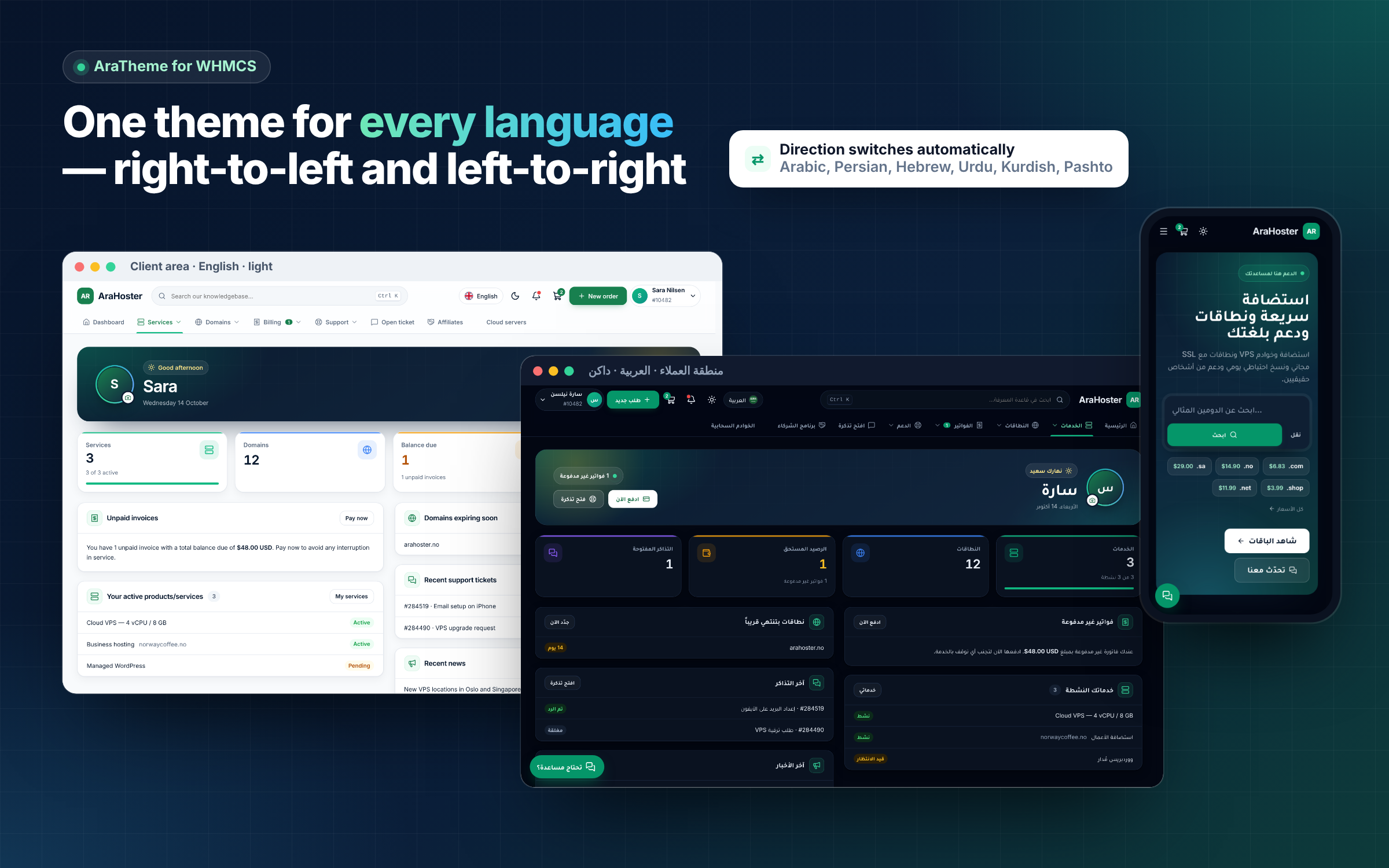
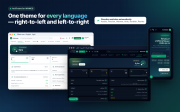
It speaks every language WHMCS supports: true right-to-left for Arabic, Persian, Hebrew, Urdu, Kurdish and Pashto, and clean left-to-right for everything else. Light and dark mode, phone-first layouts and real WHMCS data on every page. Your visitors and clients can even install your site as an app on their phone or computer.
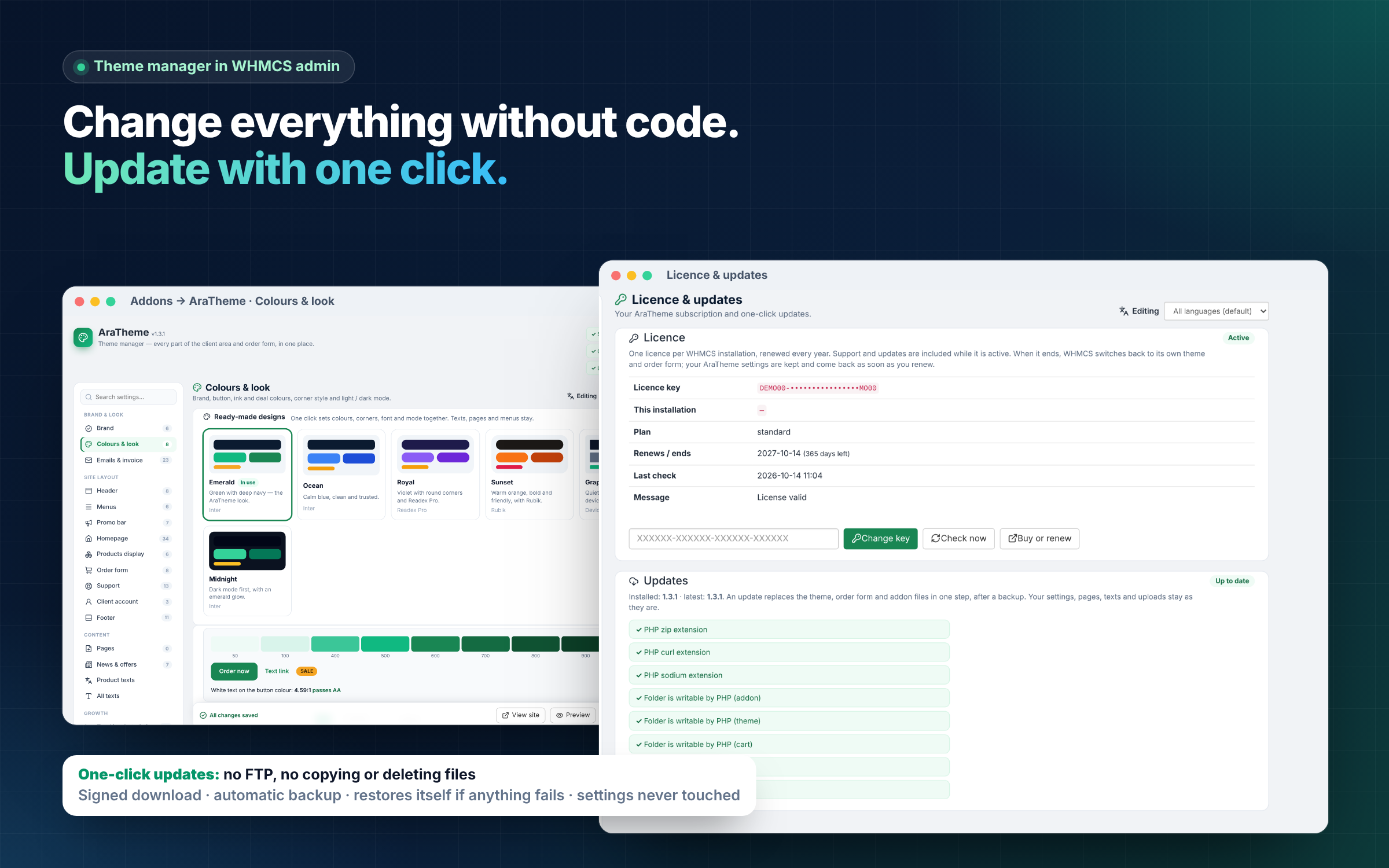
And you never copy files again. Updates install with one click from inside WHMCS — downloaded, verified, backed up and put in place for you. No FTP, no deleting old folders, no merging templates by hand.
Try the live demo: https://me.arahoster.com/ — the whole site, store and client area run on AraTheme.
New in 1.4: the theme studio — see every change before you save
-
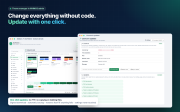
Your real site next to the settings — the preview redraws as you change colours and layout, on desktop, tablet or phone, in light or dark mode. Visitors see nothing until you save.
-
The whole look is a setting — text size, shadows, spacing, page width, and the style of the header, footer and client-area menu.
-
My looks — save looks under a name, switch with one click (with Undo), and move a look to another WHMCS as a file.
-
Product cards — a badge, accent colour and icon per product, and your choice of highlighted plan.
-
Your own code survives updates — a custom folder for your CSS, JavaScript, extra content and replaced theme parts that updates never touch.
-
What's new after every update — each admin sees once what changed, in their own language.
One-click updates — no FTP, no copying, no deleting
Most people put off theme updates because they are afraid of breaking the site: download a zip, delete folders, upload files, hope nothing is missing. AraTheme removes all of that.
Open Addons → AraTheme → Licence & updates and click Update. AraTheme then:
-
Checks your server first — PHP zip, curl and sodium, write access to its folders and free disk space. If something is missing, it tells you what before it touches anything.
-
Downloads a signed release — the size and SHA-256 checksum are compared with values signed by our licence server, and the package must carry our offline release signature, so a broken or altered download is refused.
-
Unpacks safely — only into its own three folders (theme, order form, addon); every PHP file must parse before anything is installed.
-
Backs up your current version — a zip of the installed files is kept (the last three versions) in a protected folder with no web access.
-
Swaps the files in one step — and removes only files that the previous release shipped and the new one no longer needs. Your own files and uploads are never touched.
-
Restores itself if anything fails — the backup goes back automatically. You can also restore any of the last three versions with one click.
Your settings, pages, texts, menus and uploads live in the database and the uploads folder, so an update never resets them. New features arrive regularly — and each one is a single click away.
Your site as an app — installable, fast, and friendly offline
Visitors and clients can install your site on their phone or computer and open it from the home screen like an app.
-
Its own icon, name and colour — no browser bar, your colour in the status bar, and shortcuts to My services, Invoices, Support and Order on a long press of the icon.
-
"Install the app" card from the second visit, on devices that can install it. On iPhone and iPad it explains Share → Add to Home Screen. Closing it hides it for 30 days.
-
An offline page instead of a browser error — in the visitor's language, and it reloads by itself when the connection is back.
-
Faster repeat visits — the theme's styles, scripts, fonts and icons are kept on the device and refreshed in the background.
-
Private by design — pages, account data, the cart and the admin area are never stored on the device; they always come from your server.
-
One section in the theme manager — on or off, app name per language, app icon (every size is made for you, including Android's round icons), app colour and the page the app opens on. Turn it off and the app's files are removed from every device on the next visit.
Secure details — passwords never sit in a ticket again
Clients often paste cPanel, WordPress or root passwords straight into a ticket, where they stay in the database, the email copies and every staff inbox. AraTheme adds Secure details to the ticket pages:
-
An encrypted box instead of the message — on "Open a ticket" and on the ticket page, with ready-made forms for hosting / cPanel, WordPress, SSH / root, FTP / SFTP, email, database and API keys.
-
Encrypted on your own server — each entry has its own random key (XChaCha20-Poly1305, libsodium). That key is encrypted with a master key kept outside the public web folder where your hosting allows it and combined with the WHMCS encryption hash. A copy of the database alone opens nothing.
-
Ask with one click — "Ask the client for details" on the admin ticket page; the client gets a ticket reply and fills in a secure form.
-
Opened with a reason — staff give a reason to open an entry, it hides again after 30 seconds, and only the roles you choose and staff of the ticket's department can open it. The client sees who opened what, when and why, and can get an email each time.
-
Deleted automatically — after the ticket is closed, 24 hours after your team first opens it, or after a set time, with a hard limit you choose. Deleting wipes the data and its key.
-
Send secrets back — e.g. a new server's root password, shown once to the client and then deleted.
-
Warnings and guards — the theme warns when a password, key or card number is typed into a message and offers to move it; card numbers are never stored.
Included in every licence — no extra extension to buy.
What changes on day one
-
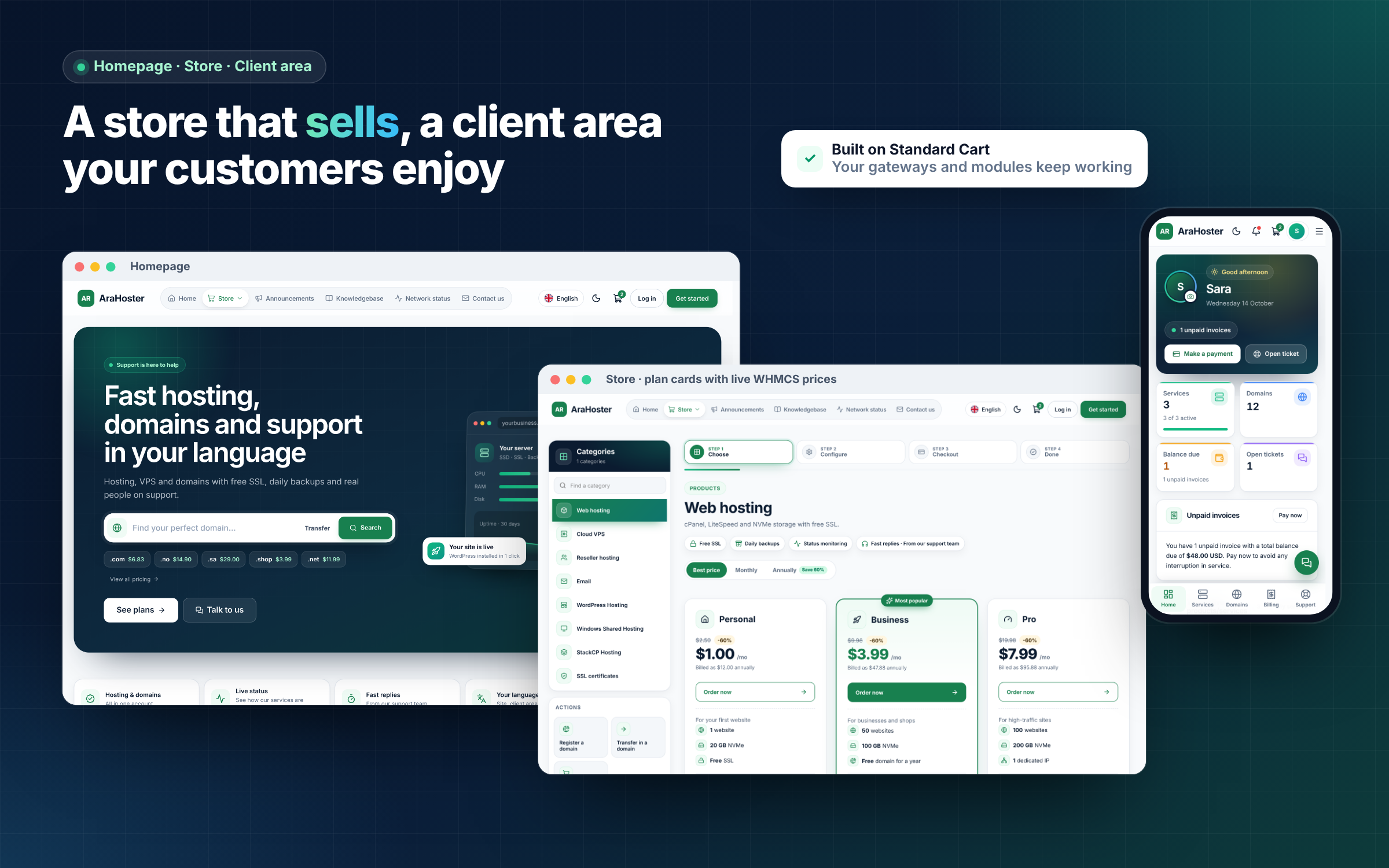
A client area customers like using — dashboard with greeting, profile photo, key numbers, "needs attention" items, services, domains, invoices and tickets; card lists with search, status filters and sorting; a chat-style ticket view; a clean account area.
-
Invoices that get paid — My invoices opens with the amount due, how many invoices are unpaid or overdue and a "Pay all" button; every row shows "Due in 3 days" or "5 days overdue", a "Pay now" button and the PDF. The invoice page puts the status, due date, amount and pay button at the top, and reads in the invoice's own language and direction.
-
News that reads like a blog — the newest post as a large card with "Latest" and "New" badges, a date tile on every post, reading time, a table of contents for longer posts, "Copy link" and proper month names in every language.
-
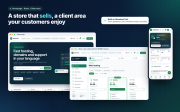
A store that sells — plan cards with real WHMCS prices, billing-period switch with savings, compare-plans table, one-step checkout and restyled MarketConnect pages.
-
Your brand everywhere — logos for light and dark mode, a brand colour with an automatically generated shade scale and a contrast check that keeps buttons readable.
-
Every language, both directions — direction switches automatically per language; prices, domains and IPs stay left-to-right inside right-to-left text.
-
Fast and accessible — self-hosted fonts and icons, nothing the homepage does not use holds up its first paint, and every button and heading is named and ordered for screen readers.
Six ready-made designs and a first-run setup
On a fresh install a short guided screen asks four things: your name, a design, your menus and the client-area layout. Pick one of six ready-made designs (Emerald, Ocean, Royal, Sunset, Graphite, Midnight) — each sets colours, corners, font and mode together, with Undo. Choose the client-area menu across the top or as a sidebar, and Inter + Tajawal, Rubik, Readex Pro or device fonts. Every choice can be changed later.
Preview before saving: the Preview button opens your site with the unsaved changes, visible only to you.
Menus for visitors and for clients
Build two menus in the theme manager: one for visitors and one for logged-in clients, so visitors never see links like My Domains or Support Tickets. Every header menu opens as a mega menu with an icon, a title and a short description per link, an optional highlight panel and a "see all" link. Prefer the WHMCS menu? Keep it, add your own items, hide built-in ones and translate labels per language.
Everything in the theme manager
Open Addons → AraTheme. A searchable sidebar (press /) groups every setting, each section saves on its own, and one switch edits all languages or a single one. The theme manager itself speaks English, Arabic (right-to-left), Norwegian and Spanish: pick yours with the switcher in its header, saved per admin.
-
Brand — name, tagline per language, monogram, light, dark and icon logos.
-
Colours & look — brand, button, ink and deal colours, corners, default mode and the light/dark toggle.
-
Header — search, notifications, cart, language and "New order" button on or off; top or sidebar client-area menu.
-
Homepage — hero with domain search and extension prices, plan tabs with live WHMCS prices, reorderable sections, trust rows, steps, FAQ and a closing call to action.
-
Products display — per product group: title, text, badge, colour, icon, picture and order.
-
Order form — one-step checkout, billing-period switch, compare table, "complete it in one step" offers and your own SSL products.
-
Support — department hours and reply times, common requests per department and a help assistant that answers from your knowledgebase.
-
Pages — build About, Pricing, Contact, FAQ, landing and privacy pages from blocks (hero, text, features, live plans, image and text, call to action, FAQ), per language, with drafts, menu links and SEO per page.
-
News & offers — offers with badge, promo code, countdown and audience as homepage cards, store and dashboard banners or a one-time pop-up.
-
App (PWA) — install card, app name and short name per language, icon, colour and start page.
-
All texts — every theme text per language, with search. English, Arabic, Norwegian and Spanish ship fully translated and reviewed line by line, including screen-reader labels, error pages and the order form.
-
Emails & invoice — client emails and the PDF invoice in your brand style, with preview and one-click restore of your previous design.
-
Backup — export and import all settings as one file; extra CSS loaded after the theme.
-
Feedback & ideas — send us a feature idea, a bug report or feedback from inside the addon and follow it: received, under review, planned, in progress and released, with our answer and the version it shipped in.
Built-in tools you would otherwise buy separately
-
Cookie-free statistics — visitors, pages, sources, countries, devices and a store funnel with revenue, right inside WHMCS.
-
Tracking with consent — Google Analytics 4, Tag Manager, Google Ads, Meta, Clarity, Hotjar, TikTok, LinkedIn and Microsoft Advertising, all waiting for the visitor's consent, with Consent Mode v2.
-
GDPR cookie banner — opt-in, opt-out or notice; every text per language; a record of consent you can search and export.
-
SEO — titles and descriptions per page and language, indexed languages you choose, canonical and hreflang links, Open Graph and X cards, structured data, an XML sitemap and a suggested robots.txt, plus a built-in guide for hosting businesses.
-
Quick search (Ctrl/⌘ + K) — pages, help articles and, for clients, their own services, domains, invoices and tickets.
-
Secure details on tickets — encrypted passwords and logins instead of plain text in messages, with a full access record (see above).
-
Installable app (PWA) — home-screen icon, shortcuts and an offline page (see above).
-
Help assistant — answers questions from your knowledgebase, FAQ and pages, and understands same-meaning words in four languages.
-
Live status — reads your providers' status pages and shows an outage bar when something is wrong.
-
Phone bottom bar and a language suggestion for visitors whose browser language your site offers.
Safe with your modules and gateways
- The order form is built on Standard Cart and keeps its IDs and classes, so payment gateways, fraud checks and other add-ons keep working.
- The client-area theme is built on Twenty-One and overrides only the templates it redesigns; every other page is styled with CSS, so WHMCS updates reach it untouched.
- No Bootstrap CSS is loaded, yet Bootstrap class names used by modules are restyled with the theme's colours, so module output fits in without edits.
- Fonts and icons are self-hosted — no requests to Google Fonts.
- Settings that change what every client sees or pays (custom code, emails, invoice details, updates) are for Full Administrators only, and every change is logged.
Licence and pricing
One licence per WHMCS installation. Every feature is included; there are no paid extensions.
-
Yearly: $99 for the first year with code ARA99, then $149 per year.
-
Monthly: $14.99 per month.
-
Three licences: $79 per licence per year ($237 a year for three) — and that price stays the same at every renewal.
Support and one-click updates are included while the licence is active. Refund within 14 days of purchase.
If you do not renew, WHMCS switches back to its own theme and order form, your site keeps working and all AraTheme settings are kept. Renew, and AraTheme switches itself back on.
Up and running in minutes
- Upload the contents of the zip to your WHMCS root.
- Activate AraTheme under System Settings → Addon Modules and enter your licence key.
- Set the System Theme to
arahosterone and the default order form to arahoster_cart.
- Follow the first-run setup — name, design, menus, layout — and you are live.
After that, every update is one click.
Frequently asked questions
How do updates work?
Click Update in the theme manager. AraTheme downloads a signed release, checks it, backs up your current files and installs it. If anything fails, the backup is restored. Your settings, pages and texts are never touched, and you can restore one of the last three versions.
Do I ever need FTP for an update?
No. As long as PHP can write to the theme, order form and addon folders (the update screen checks this for you), updates install from WHMCS admin.
Can my clients install my site as an app?
Yes. On phones and computers that support it, AraTheme offers an "Install the app" card from the second visit. The app opens with your icon, name and colour, and never stores pages, account data or the cart on the device. You can turn it off at any time.
How are passwords in tickets protected?
With Secure details, clients add logins in an encrypted box instead of the message. Each entry has its own key, the master key is kept outside the public web folder where your hosting allows it, entries are deleted automatically, and every opening by staff is recorded with a reason the client can see.
Which languages are supported?
Every language WHMCS supports. Right-to-left is automatic for Arabic, Persian, Hebrew, Urdu, Kurdish and Pashto. Theme texts ship in English, Arabic, Norwegian and Spanish and can be edited for any language.
Will my payment gateways and modules keep working?
Yes. The order form keeps Standard Cart's structure, and module pages are styled through CSS.
What happens if I do not renew?
WHMCS switches back to its own theme and order form. Customers can still sign in, pay and open tickets, and your AraTheme settings are kept for when you renew.
I run more than one WHMCS site. Is there a better price?
Yes. The three-licence pack is $79 per licence per year ($237 for three), and that price stays the same at every renewal.
Do I need a licence for a staging site?
Each WHMCS installation needs its own licence. Open a ticket to ask about a staging key or to move your licence to a new domain.
Is there a refund?
Yes, within 14 days of the purchase date.