HostModules WHMCS Bridge — Your Client Area Inside WordPress
Your marketing site is beautiful. Then a customer clicks Client Area and
lands somewhere that looks like different software on a different domain,
because it is. Every host knows the feeling and most live with it, because the
alternatives are worse: rebuilding WHMCS's templates to match a WordPress
theme that will change again next year, or handing a WHMCS admin API key to a
WordPress server running thirty plugins.
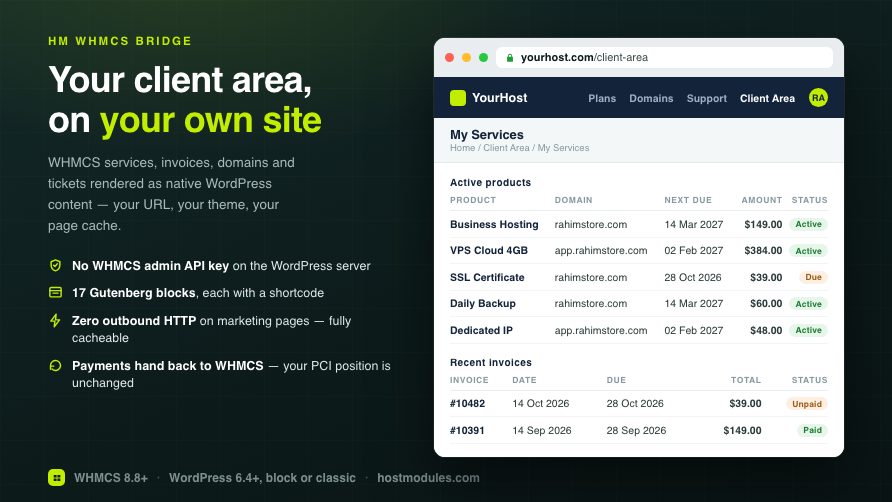
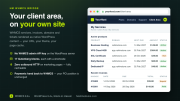
HM WHMCS Bridge takes the third option. It renders your WHMCS client area as
native WordPress content — your URL, your theme, your header and footer,
your page cache — and it does it without a WHMCS admin API key existing
anywhere on the WordPress server. Each site is paired once with a
single-use code, which produces a shared secret used to sign every request.
WordPress can call a fixed whitelist of read and write operations and nothing
else. There is no passthrough, no generic query, and nothing an attacker who
owns your WordPress install can do with it that a signed-in customer could not
already do.
Payments are the one thing that never bends: card entry, 3-D Secure and
invoice PDFs always hand back to WHMCS on your billing domain, exactly as they
do today. Your PCI position does not change because you installed a WordPress
plugin.
─────────────────────────────────────
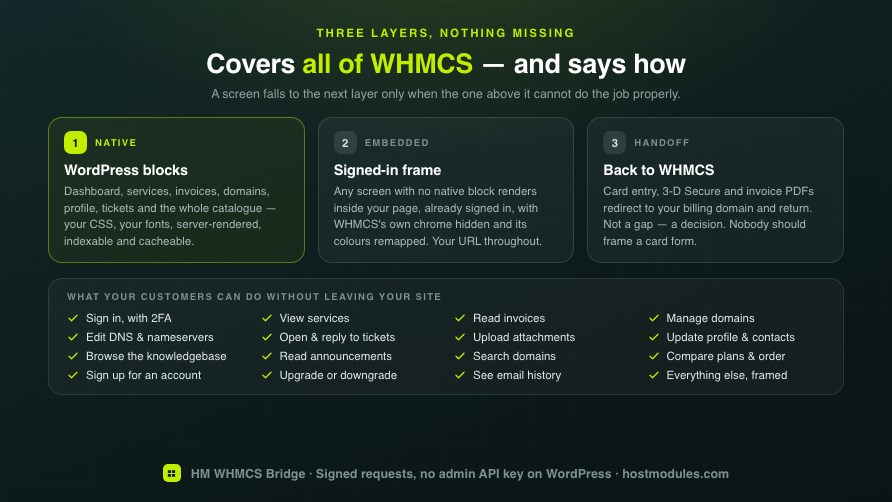
THREE LAYERS, SO NOTHING IS MISSING
─────────────────────────────────────
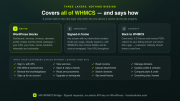
A plugin that natively renders some of WHMCS leaves customers stranded on
the screens it did not get to. The Bridge covers all of it, and is honest
about how.
-
Layer 1 — native blocks. Dashboard, services, invoices, domains,
profile, tickets and the marketing catalogue are real WordPress output:
your CSS, your fonts, server-rendered, indexable, cacheable
-
Layer 2 — the embedded frame. Any WHMCS screen with no native block
renders inside your page, signed in, with WHMCS's own header, footer and
sidebar suppressed and its colours remapped to your theme's. The customer
stays on your URL
-
Layer 3 — the deliberate handoff. Payment pages, 3-D Secure and PDF
downloads redirect to WHMCS and come back. Not a gap — a decision. Nobody
should frame a card form
─────────────────────────────────────
WHAT YOUR CUSTOMERS GET
─────────────────────────────────────
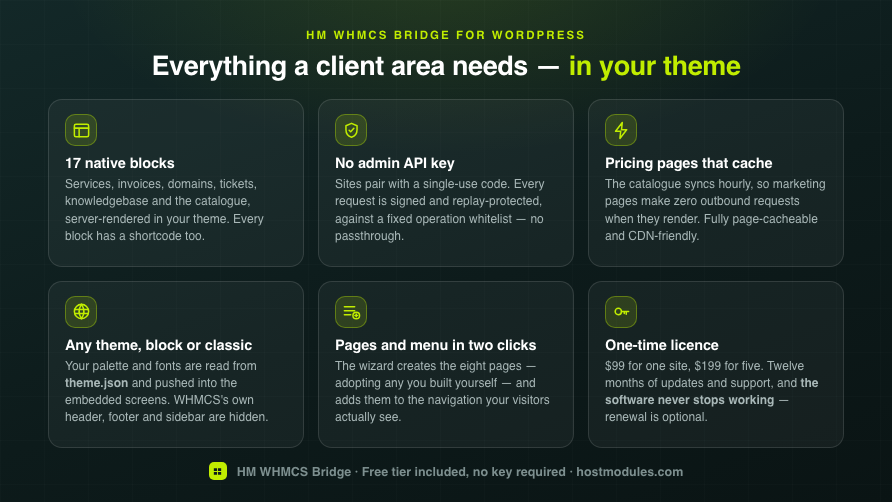
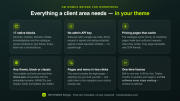
Seventeen blocks, each with a shortcode equivalent, each with editor controls.
-
Sign in, sign out and an account menu that shows the customer's name
once they are signed in
-
Two-factor sign-in — the customer completes 2FA on WHMCS's own login
and returns signed in. The code is minted only after a real login, bound to
that client and that browser, single-use, 60 seconds
-
My Services and a service detail view
-
Invoices with a detail view; Pay and Download PDF hand off to WHMCS
-
Domains — list, detail, nameservers, contact, DNS, EPP
-
Profile, contacts and email history
-
Support tickets — list, thread, reply and open a ticket, with
attachments on both (5 files, 10 MB each, executable types refused;
downloads proxied through an endpoint that resolves the file only from a
ticket that customer owns)
-
Knowledgebase — categories, subcategories and articles, three levels
from one block, with counts that reproduce WHMCS's own pages exactly
-
Announcements — an index and a linkable single view
-
Sign up without leaving your site
-
A full-width client-area page template, on block and classic themes
alike
─────────────────────────────────────
MARKETING BLOCKS THAT SELL
─────────────────────────────────────
Your product catalogue syncs from WHMCS hourly. Marketing pages make zero
outbound HTTP requests when they render — asserted by test — so they stay
fully page-cacheable and CDN-friendly, which is the difference between a
pricing page that loads in 200 ms and one that waits on your billing server.
-
Pricing tables in four layouts — cards, table, compact list, feature
columns — with a billing-cycle switcher, multi-year saving, featured plans
and optional grouping by WHMCS product group, each group keeping its own
period selection
-
A page per product group and a Plans dropdown. One page stacking shared
hosting, VPS and reseller asks the visitor to do the filtering. A checkbox
per group decides which get a page and a menu item — you do not sell legacy
tiers on the website
-
Plan features come from the WHMCS product description — the field your
order forms already use, so the feature list is written once
-
Plan curation. Per product: show/hide, order, badge, display name,
tagline and feature bullets, so the website can say something different
from the invoice. Stored separately from the sync, which deletes what WHMCS
stops returning
-
Product comparison — a feature matrix across a group
-
TLD price matrix — register, transfer, renew, with a client-side filter
-
Domain search with live availability, cached and rate-limited per
visitor
-
Order buttons that stay on your domain — the cart renders in an
anonymous frame on your own URL instead of dropping the visitor into
WHMCS's template mid-funnel
─────────────────────────────────────
NO ADMIN API KEY ON WORDPRESS
─────────────────────────────────────
This is the part worth reading twice, because it is the reason to choose this
over a generic API integration.
-
Pairing, not credentials. One single-use code, valid 15 minutes, stored
hashed and never re-displayed. It produces a shared secret; the secret is
encrypted at rest on both sides
-
Every request is signed (HMAC-SHA256) and replay-protected by nonce
and timestamp
-
A fixed operation whitelist. WordPress can call the operations the
product needs and nothing else. No generic passthrough to WHMCS's API
-
The client ID never crosses over. Session tokens are opaque to
WordPress; WHMCS resolves who the customer is
-
Cross-client isolation is enforced server-side and verified by test —
an id arriving in a query string is re-checked against the session, never
trusted
-
Revocation is instant and unilateral. Revoke a site in WHMCS and its
API access and every live customer session end immediately. The WordPress
side cannot override it
-
Sessions are sliding with a 12-hour absolute cap, httpOnly/Secure/
SameSite cookies, login rate limiting, and an unknown email is
indistinguishable from a wrong password
-
A full audit log in WHMCS — paginated, newest first, with hashed IPs
and redacted secrets
─────────────────────────────────────
SET-UP IS A WIZARD, NOT A WEEKEND
─────────────────────────────────────
Five steps, each from a live check rather than a stored flag, so it tells you
the truth after someone changes something.
-
One click creates the eight pages — and adopts pages you built by
hand rather than publishing a rival beside each one
-
One click adds them to your menu, handling both WordPress storage
models: a block theme's navigation block and a classic theme's menus.
It targets the menu your visitors actually see, names it before you press
the button, is idempotent, and prunes links whose page you deleted
-
Connection health reports clock skew between your two servers and
whether the WHMCS hooks are firing — the two failures that otherwise
present as "sign-in just loops"
-
Migration from the old WHMCS Bridge plugin is detected from its own
options; your WHMCS URL is imported and pages convert one at a time with a
working Undo
─────────────────────────────────────
IT LOOKS LIKE YOUR SITE, NOT LIKE WHMCS
─────────────────────────────────────
-
Your theme's palette and fonts are read from
theme.json and pushed
into the embedded client area, so it matches without configuration. Brand
colours are used on solid buttons only when the text on them passes WCAG AA
-
WHMCS's own header, footer and sidebar are suppressed inside the frame,
per region — a second set of navigation is the most obvious tell that
something is embedded. The header is a choice of three, because hiding it
outright also removes Store, Announcements and Network Status, which your
WordPress menu does not carry
-
Your WHMCS theme's own selectors are editable. There is no standard for
what a WHMCS theme calls its header, so each region has a box pre-filled
with every selector it hides — add your theme's class, or delete one of ours
that is catching something it should not
-
A Style screen with custom CSS for header, body and footer, stored
outside your theme so it survives a theme switch and a theme update
-
A page title band and breadcrumb under your header, which inside the
client area is the only thing that can tell a customer whether they are
looking at an invoice or a ticket
-
Template-part overrides for developers who want the markup itself
-
Any theme, block or classic — verified under both
─────────────────────────────────────
THE WHMCS SIDE
─────────────────────────────────────
-
Overview — every paired WordPress site with its address, when it paired,
when it was last seen, its plugin version and a Revoke button. Paginated
with a per-page selector
-
Licence — activate, re-verify, re-issue for a server move, remove, with
the key always shown masked
-
Audit log — paginated, hashed IPs, redacted secrets
-
One-click updates — signature-verified against the HostModules signing
key, checksum-checked, with an automatic backup before every update,
automatic rollback on failure, and a pre-flight health checklist. Manual ZIP
upload if you prefer
-
A circuit breaker, so a WHMCS that is down cannot hang WordPress
-
Optional shadow WordPress users — off by default. When on, a signed-in
customer also gets a read-only WordPress user so membership and content
plugins recognise them. Never authority over billing, never able to hijack
an existing account
─────────────────────────────────────
EDITIONS
─────────────────────────────────────
-
Free — no key required. Sign in, sign out, the account menu, My Services
and Invoices, on one WordPress site. A working tier, not a locked demo; the
one-site limit is applied when you pair, with a message that says so
-
Pro — $99 one-time: every block, one WordPress site per WHMCS
-
Agency — $199 one-time: every block, five WordPress sites per WHMCS
Pro and Agency are feature-identical — the only difference is how many
WordPress sites one WHMCS installation may pair.
One-time, not a subscription. Both editions are a perpetual licence with
12 months of updates and support. The software never stops working, on any
tier, whether or not you renew. Renewal is optional and extends updates and
support only. A 14-day grace period covers a licence server it cannot reach,
and entitlement fails open — an unreachable server never downgrades a site
that has paid.
─────────────────────────────────────
REQUIREMENTS
─────────────────────────────────────
- WHMCS 8.8 or newer (verified on 8.13.1)
- PHP 8.1 or newer, checked and enforced at activation
- IonCube Loader for the WHMCS addon. The WordPress plugin is GPL, shipped
as readable source — it has to be, to live on WordPress.org
- WordPress 6.4 or newer, any theme, block or classic
-
WordPress and WHMCS should share a registrable domain (
example.com and
billing.example.com) for the embedded frame. On unrelated domains the
Bridge detects it and falls back to the full redirect — layer 1's native
blocks and all the marketing blocks work either way
- A WHMCS theme is not required and not replaced — your billing portal keeps
working exactly as it does now for anyone who visits it directly