WHMCS Crypto Payment Gateway – RedotPay Connect

WHMCS Crypto Payment Gateway – RedotPay Connect

Developed By RedotPay connect

Compatible with WHMCS v8.13

Crypto Payments for Hosting Business - Crypto Payments Straight From Your Customers’ Favourite Wallet in WHMCS with RedotPay Connect

RedotPay Connect brings the smoothest crypto checkout to WHMCS. Your customers pay invoices directly from their crypto wallet or the RedotPay app, with no copying addresses, no typing amounts and no choosing networks manually. You are always settled in stablecoins (USDT/USDC) and can withdraw to your bank in fiat whenever you like.

Why Choose RedotPay Connect

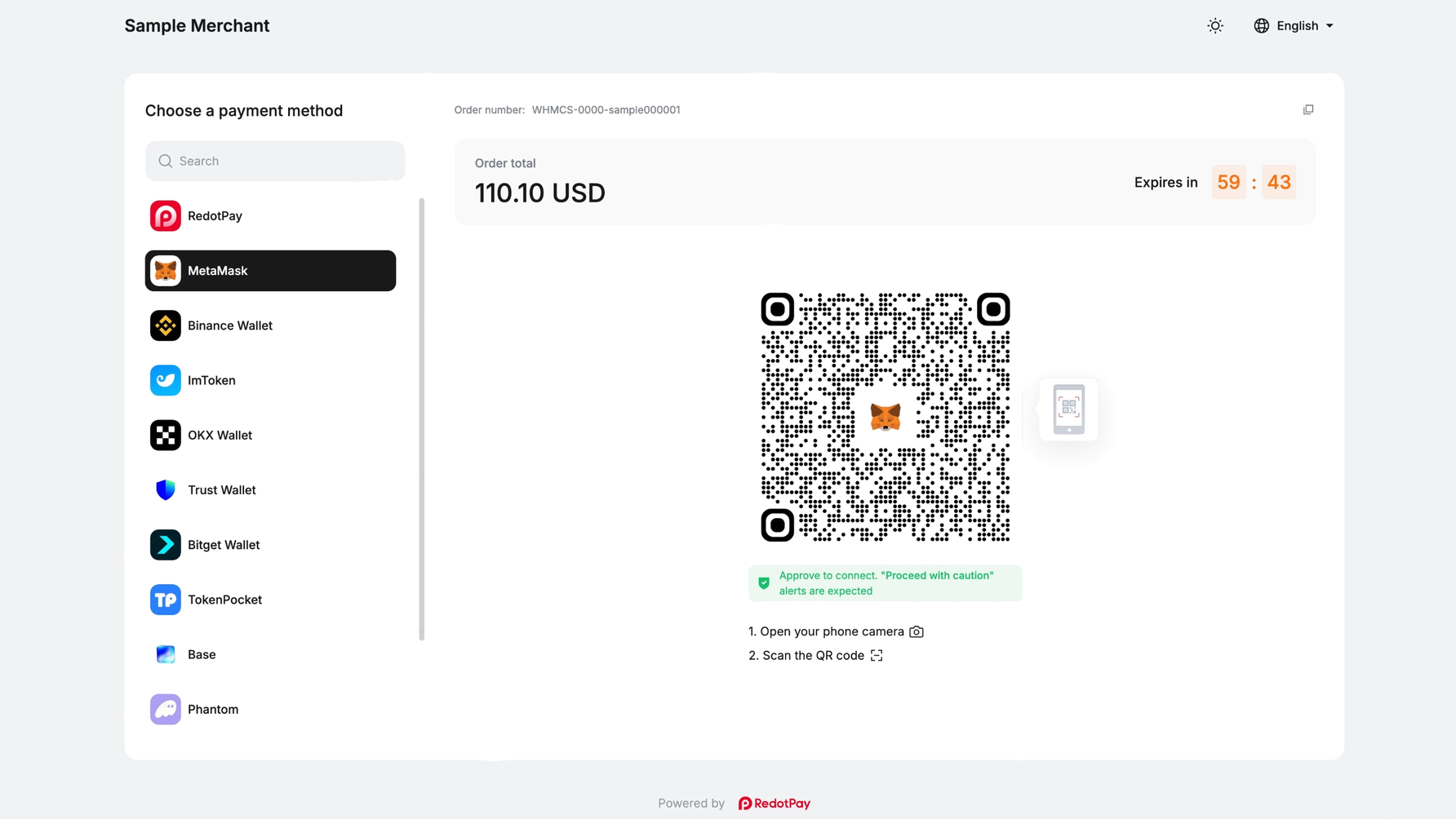
Customers simply scan the payment code, choose their wallet and confirm payment. The exact amount and the right network are filled in for them, so paying an invoice in crypto is as easy as paying by card.

With RedotPay Connect, the customer simply connects their wallet or scans with the RedotPay app. The amount and network are filled in automatically, and they confirm with one tap. Fewer failed payments for your customers, fewer tickets for your team.

Features

  • Wallet payments: customers pay straight from their wallet or the RedotPay app.
  • Withdraw to fiat: keep your balance in USDT/USDC or withdraw to your bank account in USD, EUR, GBP, AED and more.
  • Always settled in stablecoins: whatever the customer pays with, you receive USDT or USDC, protected from price swings.
  • No chargebacks: crypto payments are final, so no card-fraud disputes.
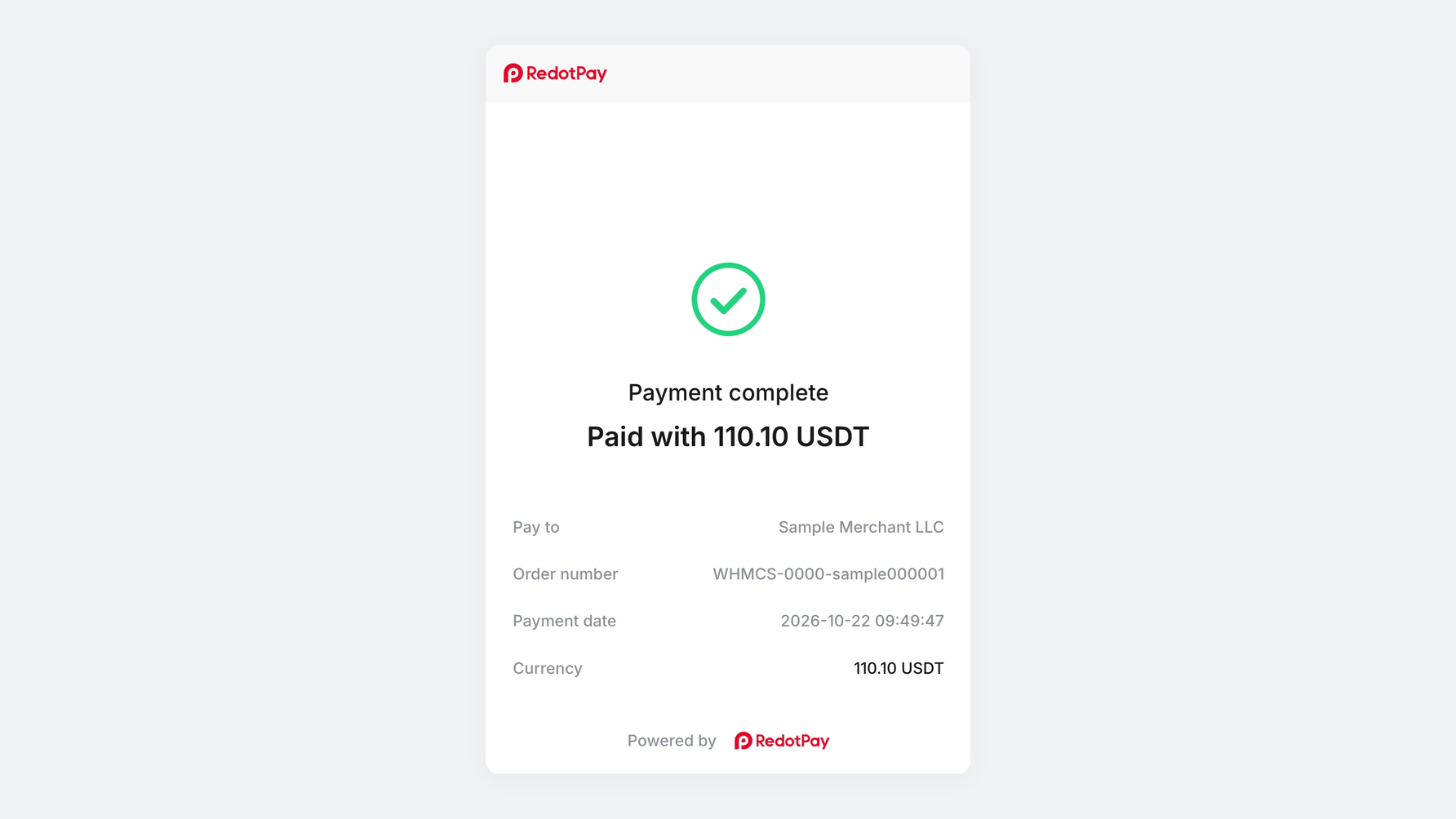
  • Fully automated: invoices are marked as paid automatically once the payment is confirmed.
  • Works alongside your other gateways: add it next to PayPal, Stripe or any existing crypto gateway.
  • Transparent pricing: fees from 0.3% to 1% per transaction, with no recurring or installation fees..

Supported networks and currencies

Stablecoins

  • USDT: Ethereum, Tron, Solana, BNB Smart Chain, Polygon, Arbitrum One, Avalanche
  • USDC: Ethereum, Solana, Base, BNB Smart Chain, Polygon, Arbitrum One, Avalanche

Other cryptocurrencies, automatically settled to you as USDT/USDC: ETH, BNB, SOL, AVAX, POL, TRX, cbBTC, WETH, DAI, USDe, PYUSD, USDG and more.

Quick setup

  1. Sign up for a RedotPay Connect merchant account and complete business verification (KYB).
  2. Download the module and upload the files to your WHMCS root directory.
  3. In your WHMCS admin panel, go to Setup → Payments → Payment Gateways → All Payment Gateways, and click RedotPay Connect.
  4. Enter your RedotPay Connect merchant credentials and click Save Changes. You're ready to accept crypto payments.

The customer's payment journey

  1. The customer selects RedotPay Connect at checkout.
  2. They connect their wallet or scan the QR code with the RedotPay app.
  3. The amount and network are pre-filled, and they confirm in their wallet with one tap.
  4. The payment is confirmed and the invoice is marked as paid automatically.

Support

Questions or need help with setup? Contact us at [email protected] or on Telegram @Redotpay_Connect.

Your opinion matters

If RedotPay Connect works well for you, please leave a review and rating here on the Marketplace.


There are no reviews yet!

Be the first to review WHMCS Crypto Payment Gateway – RedotPay Connect.

Version Compatibility


Compatible with WHMCS v8.13

Full Version Compatibility


  • All versions of WHMCS v8.13
  • All versions of WHMCS v8.12
  • All versions of WHMCS v8.11
  • Selected versions of WHMCS v8.10
        8.10.0
  • Selected versions of WHMCS v8.9
        8.9.0
  • Selected versions of WHMCS v8.8
        8.8.0
  • All versions of WHMCS v8.7
  • All versions of WHMCS v8.6
  • All versions of WHMCS v8.5
  • All versions of WHMCS v8.4
  • All versions of WHMCS v8.3
  • All versions of WHMCS v8.2
  • All versions of WHMCS v8.1
  • All versions of WHMCS v8.0
  • All versions of WHMCS v7.10
  • All versions of WHMCS v7.9
  • All versions of WHMCS v7.8
  • All versions of WHMCS v7.7
  • All versions of WHMCS v7.6
  • All versions of WHMCS v7.5
  • All versions of WHMCS v7.4
  • Selected versions of WHMCS v7.3
        7.3.0
  • All versions of WHMCS v7.2
  • All versions of WHMCS v7.1
  • All versions of WHMCS v7.0
  • All versions of WHMCS v6.3
  • All versions of WHMCS v6.2
  • All versions of WHMCS v6.1
  • All versions of WHMCS v6.0
  • All versions of WHMCS v5.3

Support for this product

The best place to start if you need help with a specific product is to contact the developer. All WHMCS Marketplace developers have both a website and support URL listed.

Developed By RedotPay connect

Changelog

v1.0.32 Released October 8th, 2026

Latest Version


1.0.32 – First public release Accept crypto payments on WHMCS invoices with RedotPay Connect.

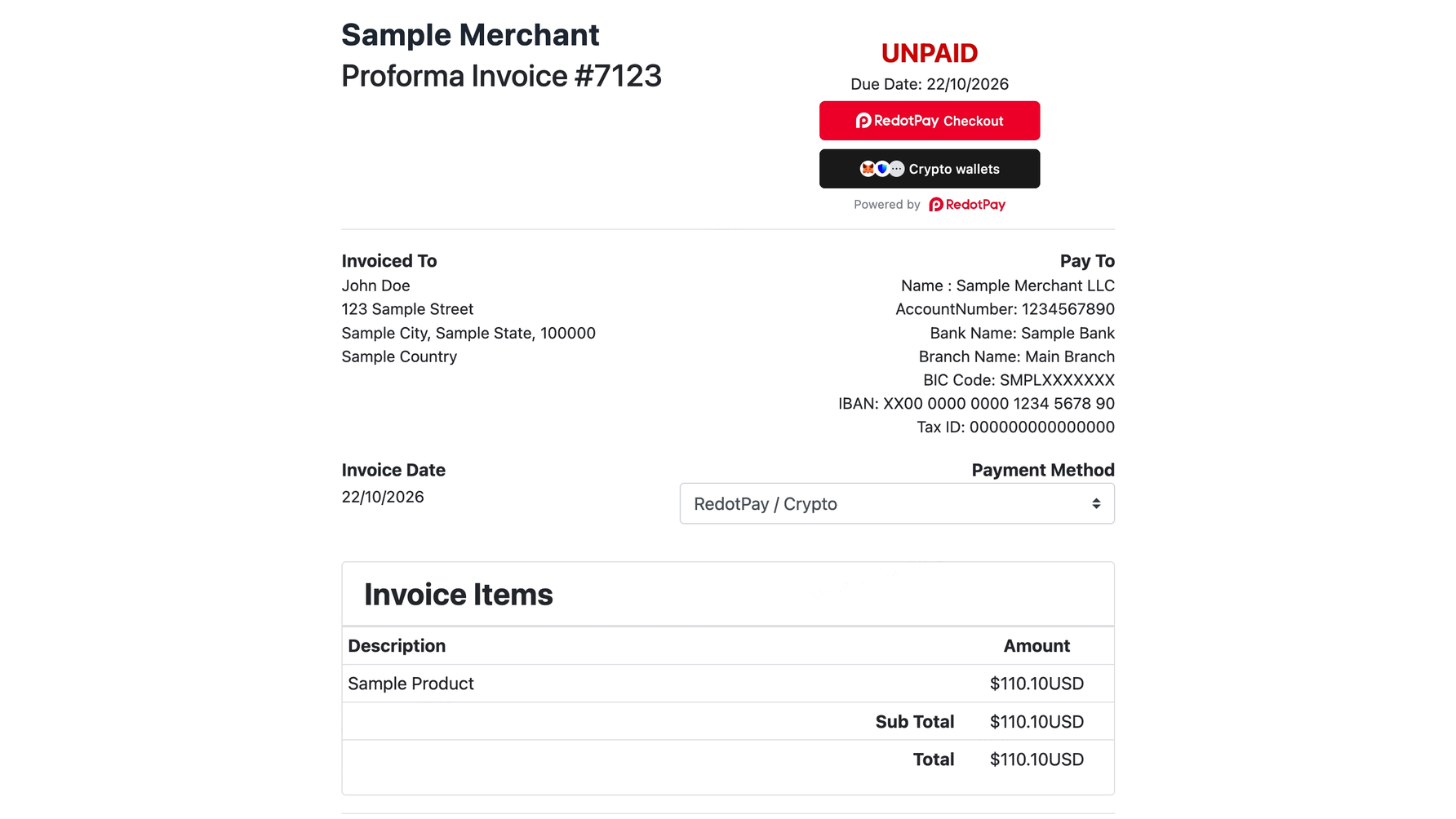
  • Two payment options on every invoice: RedotPay Checkout and Crypto wallets
  • Customers are redirected to RedotPay to pay if choose RedotPay Checkout, then returned to your site automatically
  • Duplicate payment confirmations are handled automatically, so invoices are never credited twice
  • Full and partial refunds directly from WHMCS
  • Cancelling an unpaid invoice also closes the related RedotPay order
  • Admin alerts for unusual cases: payment after cancellation, overpayment, or amount mismatch
  • Sandbox and live modes, so you can test before going live


See also

WHMCS Bitcoin Payments

Accept Bitcoin payments on your website

Free
Accept Bitcoin and cryptocurrency payments - CoinGate for WHMCS

Easily accept Bitcoin, Tether, Ethereum and many other crypto payments on your WHMCS website

Free
Coinbase Commerce

No Fees, Easy Setup. Accept cryptocurrencies like: Bitcoin, Bitcoin Cash, Ethereum and Litecoin!

Free
PayTR Virtual Pos iFrame API

Open your web site to shopping with the advantages of PayTR. Take your payments securely.

Free
Gateway Fees for WHMCS

With this WHMCS module, you'll get the payment gateway fees from your clients directly.

Free