Square card payments for WHMCS, the way they should work
Gatepoint for Square connects WHMCS to Square so your clients can pay invoices by credit or debit card without ever leaving your site. The first time a client pays, their card is saved securely at Square. From then on, the WHMCS cron charges it automatically every time a renewal invoice is due, so you get paid on time without chasing anyone.
WHMCS doesn't include a Square gateway. If your business already uses Square, or you want Square's straightforward online card pricing, Gatepoint gives you a complete, modern card gateway built specifically for hosting companies and other WHMCS businesses that bill on a recurring basis.
Why hosting companies choose Gatepoint
-
Get paid automatically. Saved cards are charged by the WHMCS cron on every renewal invoice. No more waiting on manual payments or reminding clients to pay.
-
A checkout your clients trust. Clients pay on your own WHMCS payment page, in your colours, with a clear summary of exactly what they're paying for. No redirects to an unfamiliar site.
-
No card data on your server. Card numbers are typed into Square's own secure card fields and go straight to Square. Your server never sees or stores them, which keeps your PCI scope to a minimum.
-
No extra fees. Gatepoint adds nothing to your payments. You pay Square's normal processing fees and nothing else.
-
Built by a WHMCS user. Gatepoint was built for, and runs on, live hosting businesses that bill through WHMCS every day.
How it works
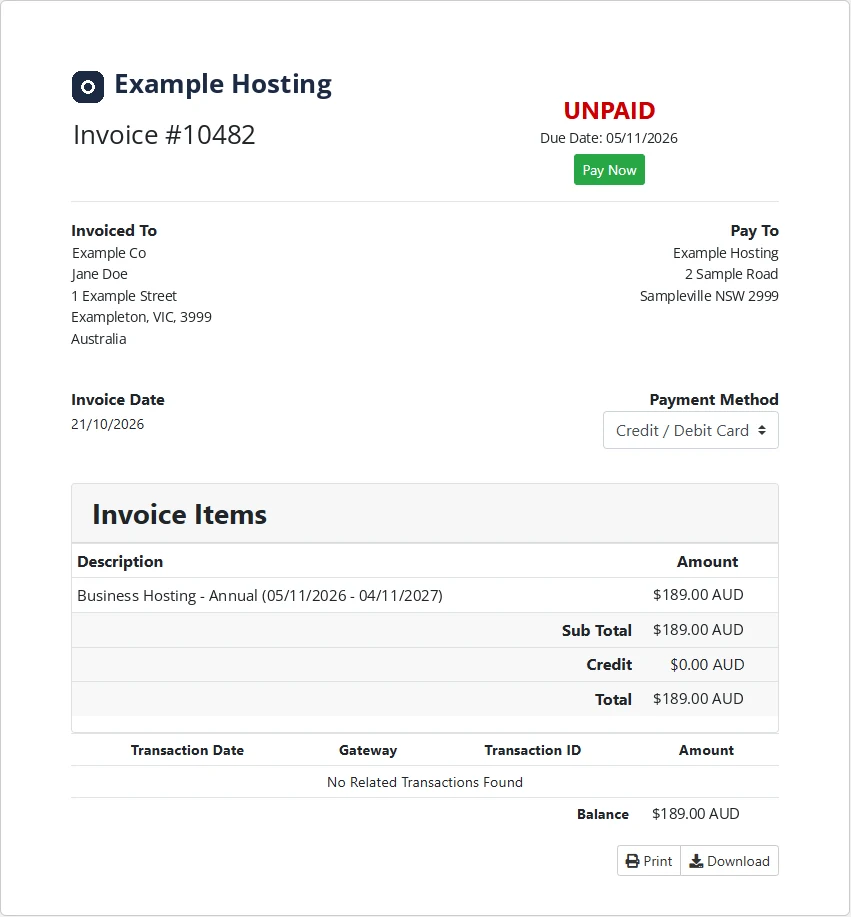
- A client opens an unpaid invoice, or reaches checkout, and chooses Credit / Debit Card.
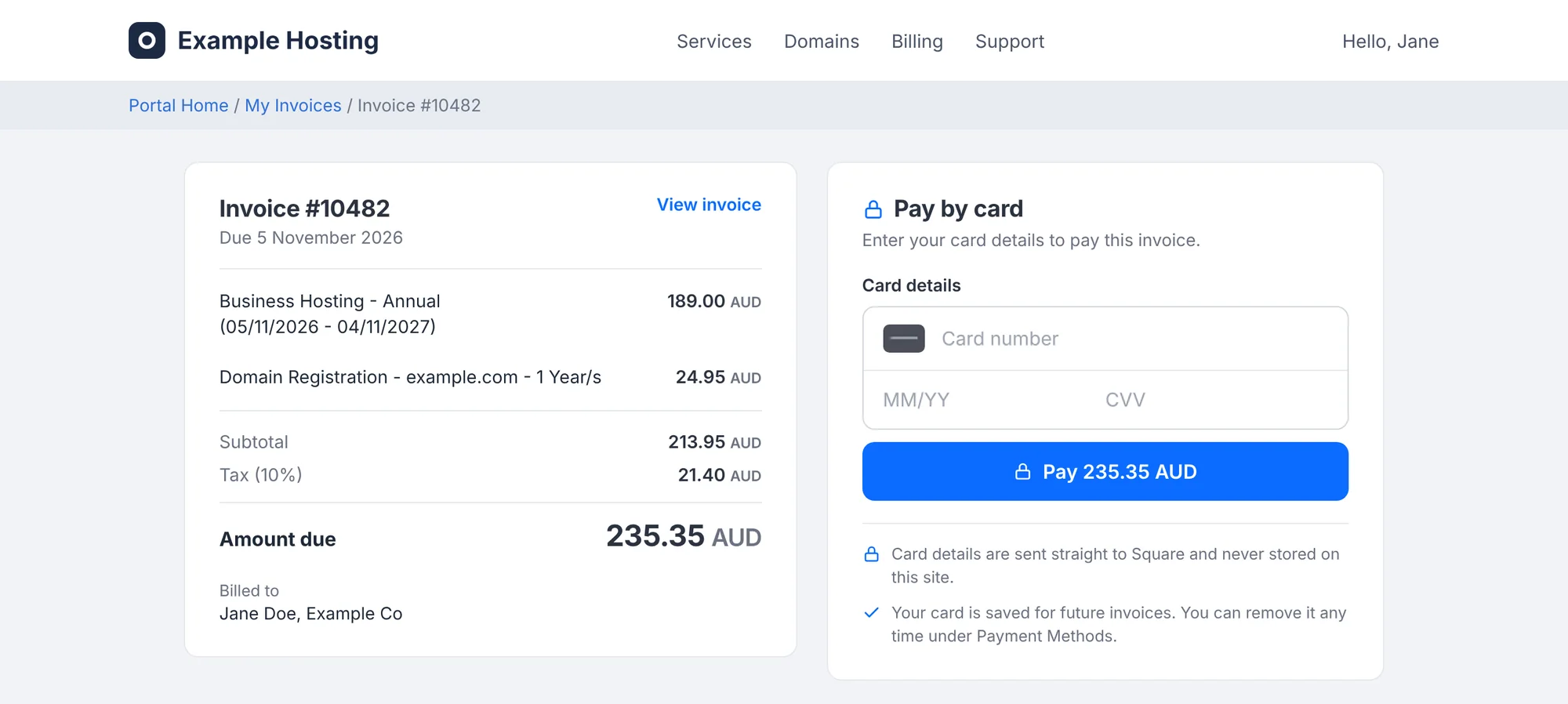
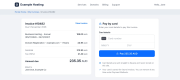
- Gatepoint shows a secure payment page with a summary of the invoice on one side and Square's card fields on the other.
- The client enters their card once. Square processes the payment and the invoice is marked Paid straight away.
- Square saves the card as a card on file, linked to that client. WHMCS stores only a reference to it.
- When the next renewal invoice is due, the WHMCS cron charges the saved card automatically.
- If you need to refund, you do it from the invoice in WHMCS and the money goes back to the client's card.
Features
Payments
- Card payments using Square's secure card fields, shown inside your WHMCS invoice and checkout pages
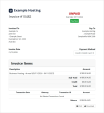
- A clean payment page with an invoice summary: invoice number, due date, line items, tax, credit applied, amount due and billing name
-
3D Secure handled by Square. When a bank asks to verify the cardholder, the check appears inside the card form
- Clear, friendly decline messages for clients, such as insufficient funds or an incorrect security code
Saved cards and automatic renewals
- Cards saved at Square on the first payment, linked to a Square customer for each WHMCS client
- Renewal invoices charged automatically by the WHMCS cron
-
Attempt Capture works from the admin area, so you can charge a saved card on any unpaid invoice yourself
- Clients can add and remove cards under Payment Methods in the client area
- Removing a card in WHMCS also disables it at Square, so it can't be charged again
Refunds
-
Full and partial refunds from the invoice's Refund tab in WHMCS
- Refunds go straight back to the client's original card
Your brand
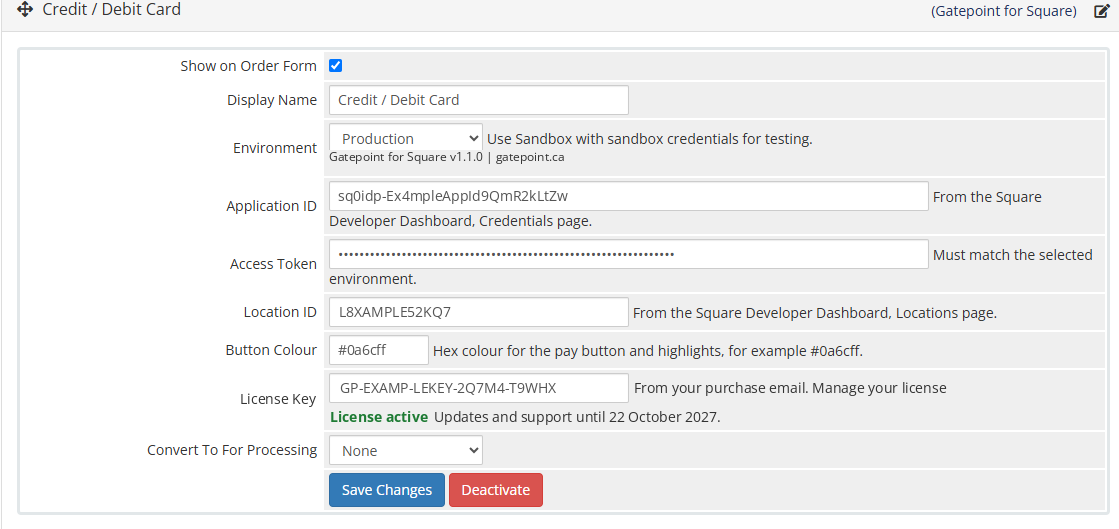
- Set the pay button colour to match your brand
- The payment page picks up the fonts and colours of your WHMCS theme and resizes itself to fit
- Choose the display name clients see, for example Credit / Debit Card
Testing and troubleshooting
-
Sandbox mode lets you test the whole flow with Square's test cards before taking real payments
- Every response from Square is recorded in the WHMCS Gateway Log, so the reason for any decline is easy to find
- The gateway settings page shows your license status and tells you when a new version is available
Security
- Card details are entered in Square's own fields and sent directly to Square. They never pass through or get stored on your server.
- WHMCS stores only a reference to the saved card, plus its type, last four digits and expiry date so clients can recognise it.
- The payment page is protected with a signed, time-limited session, so payment requests can't be tampered with.
- Your Square access token is stored in WHMCS as a password field and is never shown to clients.
Requirements
- WHMCS 8.4 or newer in the WHMCS 8 series
- PHP cURL extension and outbound HTTPS access
- A Square account in a country where Square operates: Australia, Canada, the United States, the United Kingdom, Ireland, France, Spain or Japan
- A free Square Developer application, which gives you the Application ID, Access Token and Location ID
- WHMCS invoices in the same currency as your Square account. Square charges in its own country's currency, for example AUD for an Australian account or CAD for a Canadian one
Installation
Setup takes about 20 minutes, including a full test in Sandbox.
- Create a free application in the Square Developer Dashboard and copy your Application ID, Access Token and Location ID.
- Upload the Gatepoint zip to your WHMCS folder, the one that contains
configuration.php, and extract it there.
- In WHMCS, go to Configuration > Apps & Integrations, find Gatepoint for Square and activate it.
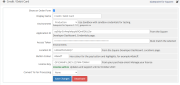
- Enter your Square credentials and your Gatepoint license key, and choose Sandbox.
- Pay a test invoice with Square's test card, try a renewal with Attempt Capture, and try a refund.
- Switch to Production, enter your Production credentials, and tick Show on Order Form.
A step-by-step install guide, settings reference, Sandbox testing checklist and troubleshooting guide are available on our website.
Pricing and licensing
-
A$199 one-time (approx. US$140) for one live WHMCS installation, including 12 months of updates and support
-
Optional renewal: A$69 per year (approx. US$48) for another 12 months of updates and support. Renewing early never costs you time: each renewal adds 12 months to the end of your current period
-
Gatepoint keeps working whether you renew or not, including card payments and automatic renewal charges
-
Free test and development copies on localhost, .test and .local addresses, and on dev., staging. and test. subdomains
-
14-day refund if Gatepoint can't be made to work on your WHMCS and our support couldn't fix it
All prices are charged in Australian dollars. US dollar amounts are estimates only and depend on the exchange rate on the day of purchase.
Frequently asked questions
Do card numbers ever touch my server?
No. Card details are entered in Square's own fields and sent straight to Square. WHMCS only stores a reference to the saved card, its type, last four digits and expiry date.
Do I need a Square account?
Yes. You need a Square account and a free Square Developer application. Gatepoint uses your own Square account, so payments go straight to you and are paid out to your bank by Square.
Which currencies can I charge in?
The currency of your Square account's country. Your WHMCS invoices need to use that same currency. If you also bill in another currency, you can keep a different gateway, such as bank transfer, for those clients.
Can my clients be in other countries?
Yes. Clients can pay with Visa, Mastercard, American Express and other major cards from anywhere. They're charged in your Square account's currency, and their bank handles any conversion.
What happens if a renewal charge is declined?
The invoice stays unpaid and WHMCS sends its usual failed payment email. The client can pay from the invoice with the same card or a different one, and WHMCS retries according to your automation settings.
Can I move saved cards from another gateway?
No. Cards stored with another processor can't be transferred to Square. Clients add their card through Gatepoint the next time they pay, and from then on their renewals are charged automatically.
Can I offer card payments alongside other payment methods?
Yes. Gatepoint is a standard WHMCS gateway, so you can keep PayPal, bank transfer or any other gateway active alongside it and let clients choose.
Can I test before taking real payments?
Yes. Switch the gateway to Sandbox, use your Square Sandbox credentials and Square's test card. When everything works, switch to Production.
Does Gatepoint charge any fees on my payments?
No. You pay Square's normal processing fees and nothing else.
What does the license check send?
About once a day, Gatepoint sends its license key, your WHMCS domain and the Gatepoint version to confirm the license and check for updates. No client, invoice or payment information is ever sent. If the check can't connect, payments keep working normally.
What happens when my 12 months of updates end?
Nothing changes in how Gatepoint works. Card payments and automatic renewal charges carry on as before. You just won't receive new versions or support until you renew, which is optional.
Can I move my license to a new domain?
Yes. Contact us with your license key and the new domain, and we'll move it for you.
Support
Support is provided by email through the contact page on our website. When reporting a problem, include the Gatepoint entry from Billing > Gateway Log and your WHMCS version, and we'll take it from there.
Gatepoint is an independent product and is not made or endorsed by Square (Block, Inc.) or WHMCS Limited.