The HOYIST Payment Gateway Fee Module for WHMCS allows hosting businesses to configure and manage payment gateway fees directly within WHMCS. Apply custom fees to payment methods, products, addons, and domain extensions while managing tax rules, promotional discounts, billing cycles, and client exemptions.
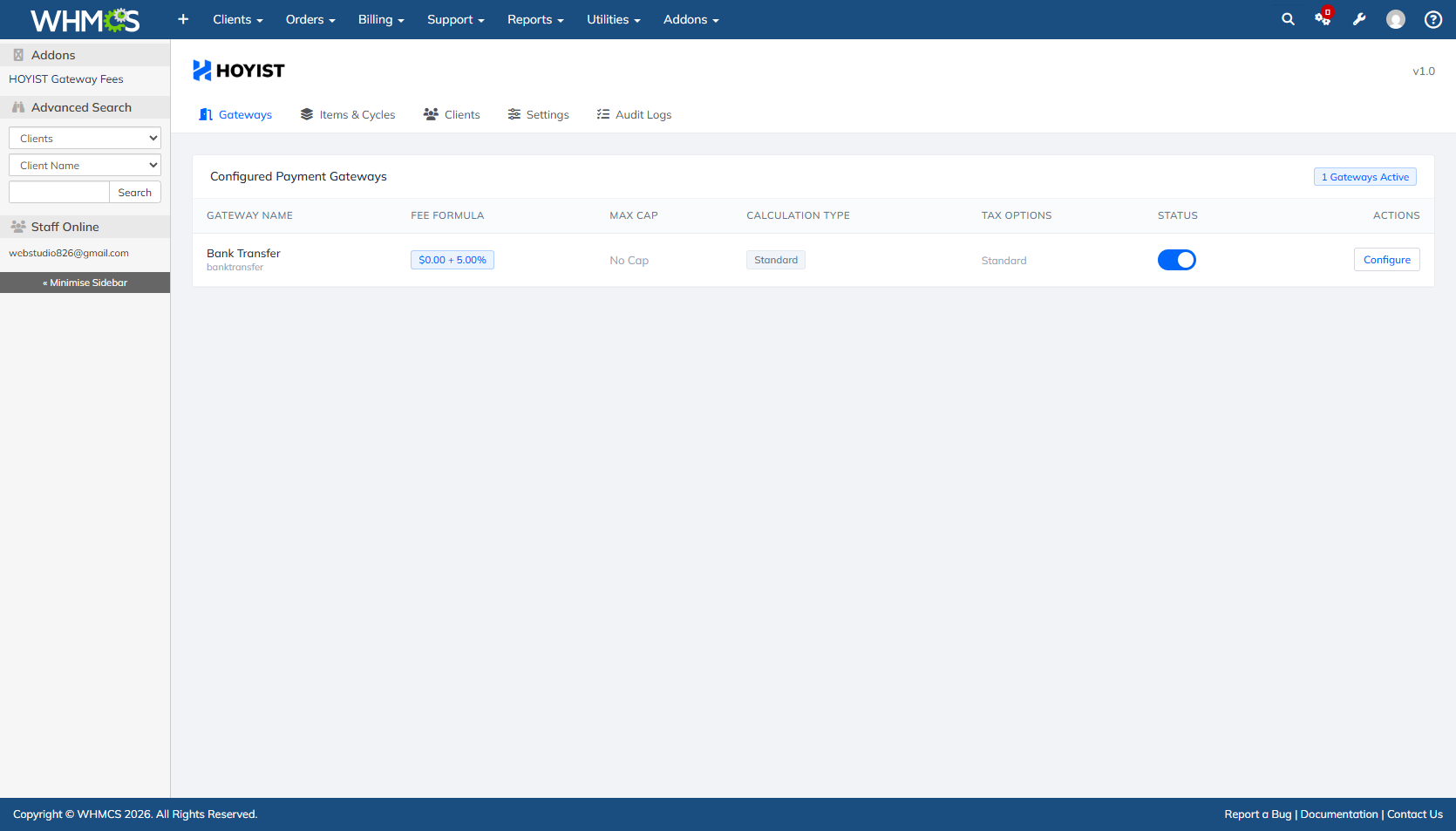
Configure payment fees using fixed amounts, percentage-based calculations, or combined formulas. Set maximum fee caps and customize rules for individual payment gateways.
Control whether fees are calculated before or after taxes and promotional discounts. Configure whether gateway fees are taxable to match your billing requirements.
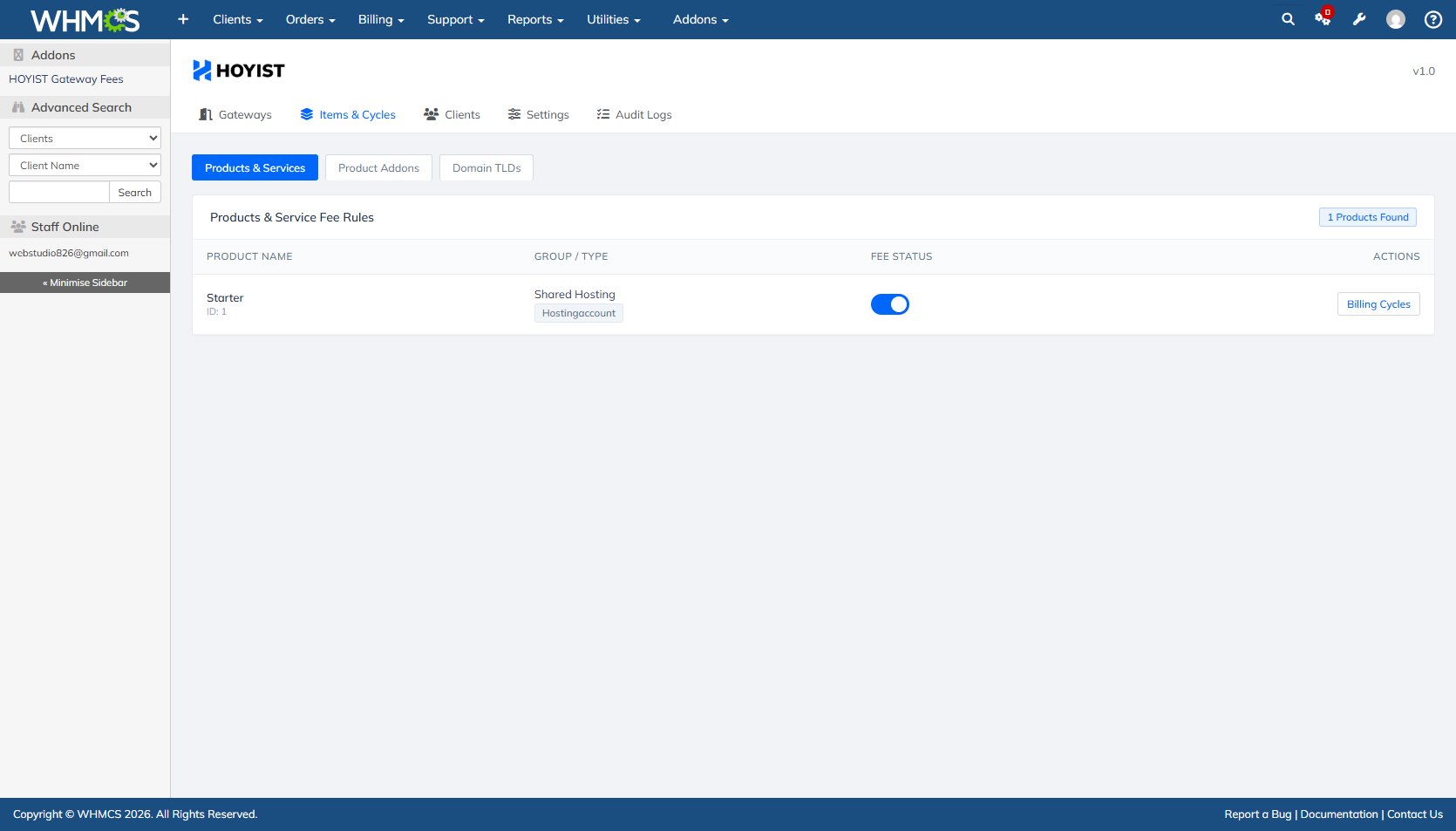
Apply fees at multiple levels, including global defaults, individual products, product addons, and domain TLD extensions.
Configure gateway fees according to supported billing cycles, with individual switches to enable or disable rules for specific periods.
Exclude selected clients from payment gateway fees using client search, autocomplete, and one-click fee exemptions. Ideal for VIP customers, wholesale accounts, and special pricing arrangements.
Display a clear payment fee breakdown during checkout and recalculate fees dynamically when customers change their selected payment gateway. The breakdown appears on /cart.php?a=checkout.
Automatically recalculate payment gateway fees when clients change the payment method on unpaid invoices. Fees are also removed when the newly selected gateway has no applicable fee.
Manage fee settings through a modern, mobile-friendly interface featuring responsive layouts, Mulish typography, touch-friendly controls, and edge-swipe navigation.
Can I configure different fees for different gateways?
Yes. Configure fixed fees, percentage fees, combined formulas, and maximum fee caps.
Can I exclude specific clients?
Yes. Apply individual fee exemptions to selected clients.
Can fees vary by product or domain extension?
Yes. Configure global, product, addon, and domain TLD rules.
Are fees updated when a client changes payment methods?
Yes. Fees are recalculated during checkout and when changing gateways on unpaid invoices.
Can I control tax and discount calculations?
Yes. Configure fee calculation order and whether fees are taxable.
Does it support mobile screens?
Yes. The administration interface is designed for responsive layouts and touch navigation.
Simplify payment fee management, customize gateway pricing rules, and maintain greater control over payment processing costs with the HOYIST Payment Gateway Fee Module for WHMCS.
Be the first to review Payment Gateway Fee for WHMCS.
The best place to start if you need help with a specific product is to contact the developer. All WHMCS Marketplace developers have both a website and support URL listed.
1st Release.


Easily accept Bitcoin, Tether, Ethereum and many other crypto payments on your WHMCS website

No Fees, Easy Setup. Accept cryptocurrencies like: Bitcoin, Bitcoin Cash, Ethereum and Litecoin!

Open your web site to shopping with the advantages of PayTR. Take your payments securely.

With this WHMCS module, you'll get the payment gateway fees from your clients directly.