Payment gateway inhibitor

Payment gateway inhibitor

Developed By JetHosting.ch

Compatible with WHMCS v9.1

Choose which payment methods each client can use.

Payment Term Inhibitor is a lightweight WHMCS hook that lets you disable one or more payment gateways for individual clients. Some examples:

  • keep bank transfer or "pay later" options for trusted customers only;
  • stop a client who has had chargebacks from using credit cards;
  • hide PayPal from one specific account.

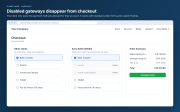
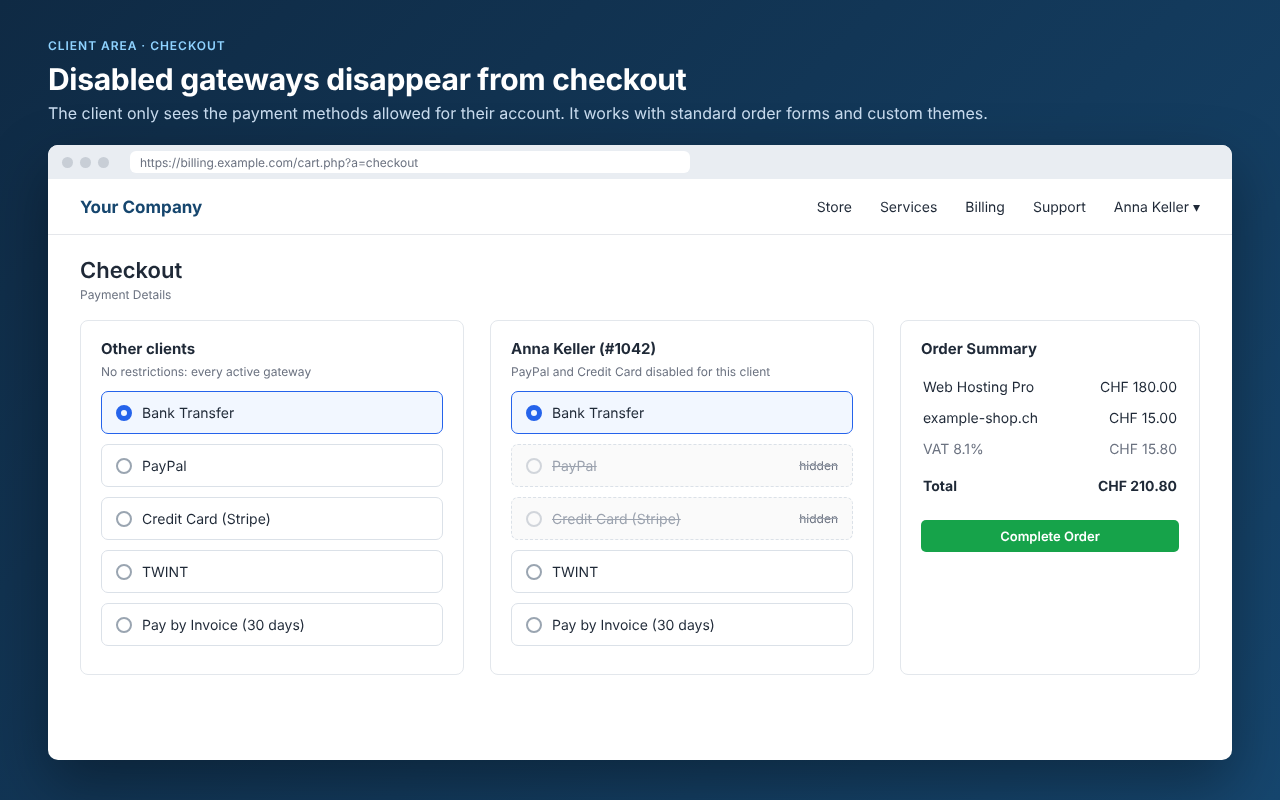
For that client, a disabled gateway disappears everywhere in the client area, and WHMCS also refuses it on the server.

Why use it?

WHMCS lets you enable or disable a payment gateway for everyone, or limit gateways per product. It has no built-in way to restrict them per client. Payment Term Inhibitor adds exactly that, with no core file changes and no template editing.

Key features

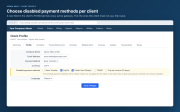
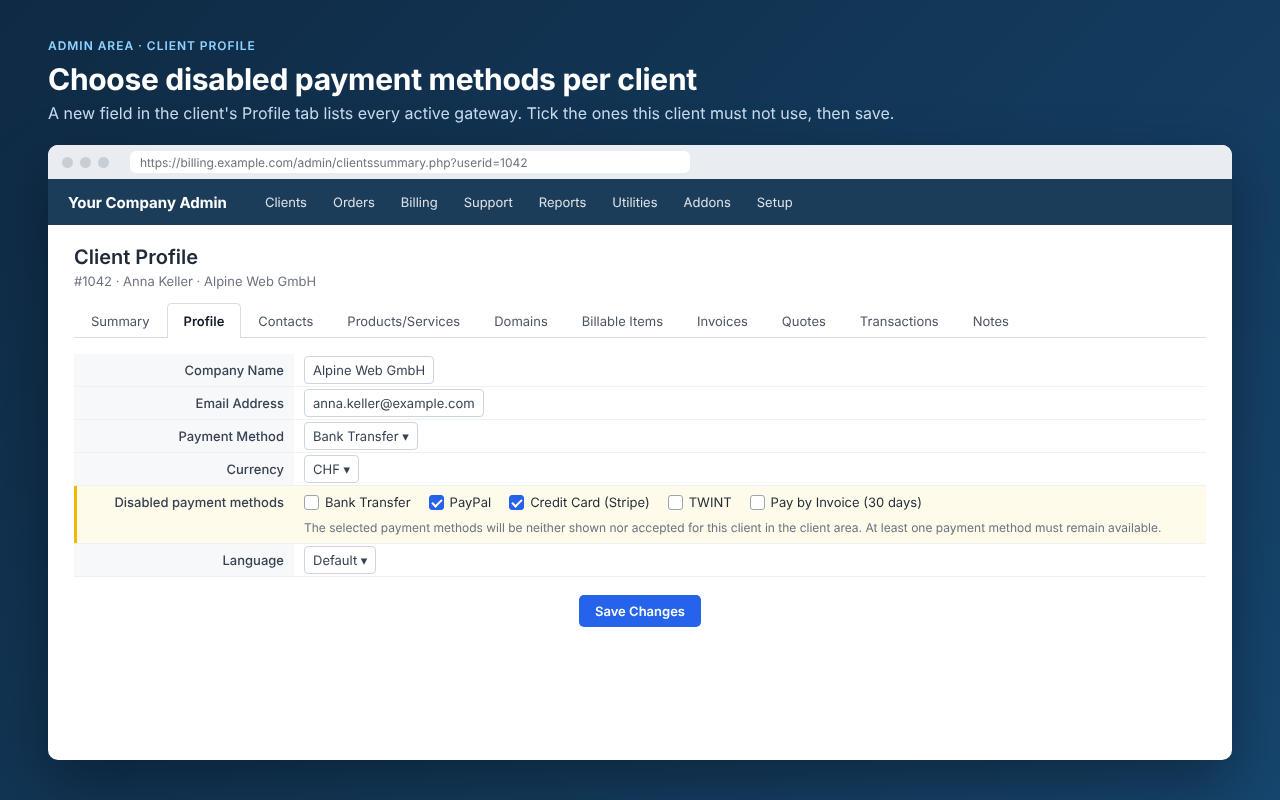
  • Per-client setup from the admin area. A new Disabled payment methods field appears in the client's Profile tab, with one checkbox per active gateway. Tick, save, done.
  • Hidden throughout the client area. Disabled gateways are removed from:
    • checkout;
    • the client profile (default payment method);
    • the payment method menu on invoices;
    • Add Funds;
    • Mass Pay.
  • Works with custom themes. Template variables are filtered, and a light page-level filter also covers themes that render gateways differently. It handles content loaded via AJAX.
  • Enforced on the server. An order with a disabled gateway is rejected with a clear error message, even if someone tampers with the form. The same applies when a client tries to save a disabled gateway as their default in their profile.
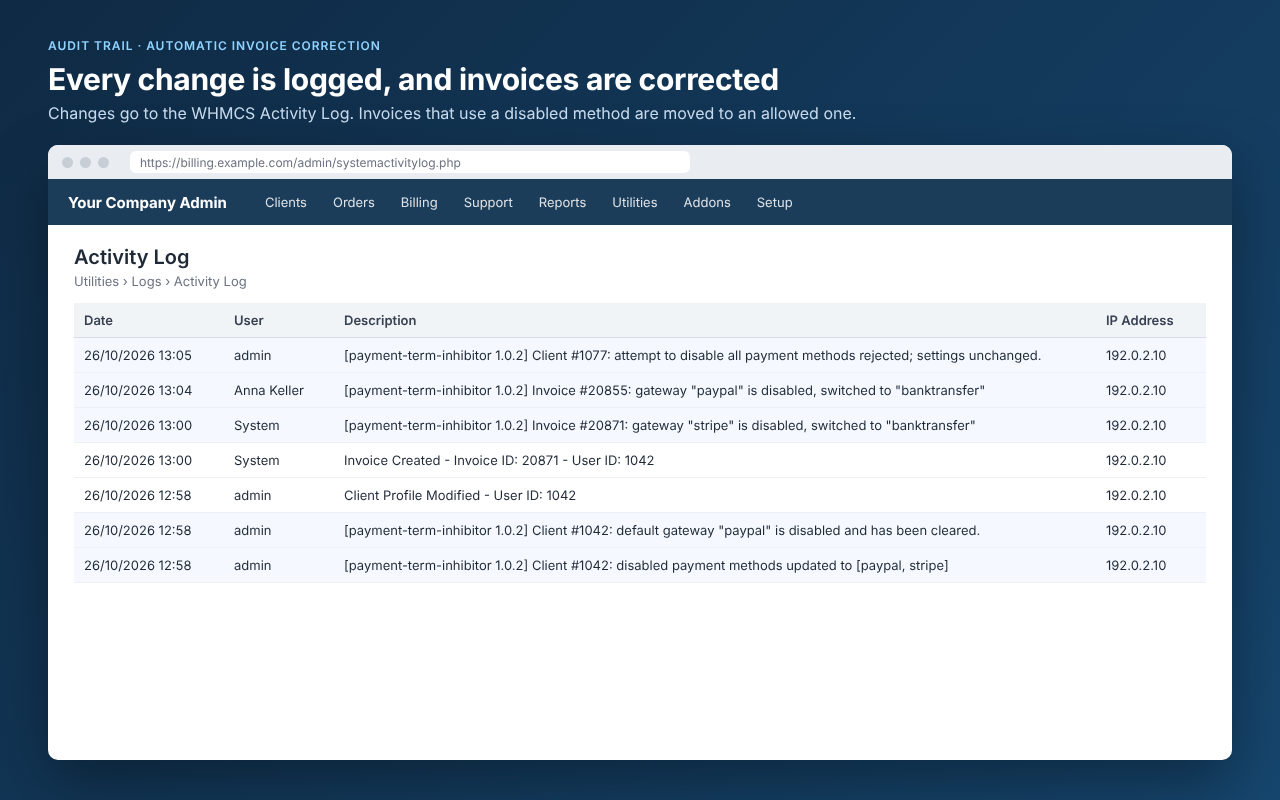
  • Invoices fixed automatically. If a new unpaid invoice is created with a disabled gateway (for example an automatic renewal), it is switched to an allowed one. The same happens if the client tries to change an invoice to a disabled gateway.
  • Safe settings. At least one payment method always stays available. If the client's default gateway is disabled, it is cleared.
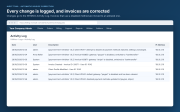
  • Audit trail. Every change is written to the WHMCS Activity Log.
  • Multilingual. The client-facing error message is built in for English, Italian, German and French, and matches the client's language. You can change the text or add more languages through standard WHMCS language overrides.
  • Clean and lightweight. It is a single hook file with its own small database table, created automatically. The client's settings are removed automatically when the client is deleted.

Integration with WHMCS

The module uses only official WHMCS hooks:

  • admin profile fields;
  • client area page hooks;
  • checkout and client details validation;
  • invoice events.

It does not modify core files or templates, and it keeps working after WHMCS updates as long as these hooks are available.

Requirements

  • WHMCS 8.x
  • PHP 7.2 or later

Installation

  1. Extract the ZIP into your WHMCS root folder. The file goes to includes/hooks/payment-term-inhibitor.php.
  2. Open a client, go to the Profile tab and tick the payment methods to disable.

There is nothing else to configure. To upgrade, extract the new version over the old one.

FAQ

Do I need to edit my theme? No. It works with the standard WHMCS themes and order forms, and includes a page-level filter for custom themes.

Can a client still pay with a disabled method by manipulating the form? No. Checkout and profile changes are also checked on the server, and the client gets an error message.

What happens to existing unpaid invoices? Invoices created from now on are switched to an allowed gateway automatically. Existing invoices are corrected when the client tries to change their gateway. On invoices, the disabled method no longer appears in the payment method menu.

Can I disable all payment methods for a client? No. At least one must remain available, so the client can always pay. An attempt to disable all of them is ignored and logged.

Does it affect the admin area? No. Administrators can still change an invoice's gateway manually. The restrictions apply to the client area and to newly created invoices.

Can I change the error message? Yes. Add $_LANG['pti_gateway_not_allowed'] to your lang/overrides/<language>.php file.

How do I uninstall it? Delete includes/hooks/payment-term-inhibitor.php. Optionally, drop the mod_payment_term_inhibitor table.


There are no reviews yet!

Be the first to review Payment gateway inhibitor.

Version Compatibility


Compatible with WHMCS v9.1

Full Version Compatibility


  • Selected versions of WHMCS v9.1
        9.1.0
  • All versions of WHMCS v9.0
  • All versions of WHMCS v8.13
  • All versions of WHMCS v8.12
  • All versions of WHMCS v8.11
  • Selected versions of WHMCS v8.10
        8.10.0
  • Selected versions of WHMCS v8.9
        8.9.0
  • Selected versions of WHMCS v8.8
        8.8.0
  • All versions of WHMCS v8.7
  • All versions of WHMCS v8.6
  • All versions of WHMCS v8.5
  • All versions of WHMCS v8.4
  • All versions of WHMCS v8.3
  • All versions of WHMCS v8.2
  • All versions of WHMCS v8.1
  • All versions of WHMCS v8.0

Support for this product

The best place to start if you need help with a specific product is to contact the developer. All WHMCS Marketplace developers have both a website and support URL listed.


Developed By JetHosting.ch

Changelog

v1.0.2 Released October 23rd, 2026

Latest Version


  • Initial version


See also

WHMCS Bitcoin Payments

Accept Bitcoin payments on your website

Free
Accept Bitcoin and cryptocurrency payments - CoinGate for WHMCS

Easily accept Bitcoin, Tether, Ethereum and many other crypto payments on your WHMCS website

Free
Coinbase Commerce

No Fees, Easy Setup. Accept cryptocurrencies like: Bitcoin, Bitcoin Cash, Ethereum and Litecoin!

Free
PayTR Virtual Pos iFrame API

Open your web site to shopping with the advantages of PayTR. Take your payments securely.

Free
Gateway Fees for WHMCS

With this WHMCS module, you'll get the payment gateway fees from your clients directly.

Free