ZPayNG Business Payment Gateway for WHMCS

ZPayNG Business Payment Gateway for WHMCS

Developed By D-N Developers Technologies Company Ltd

Compatible with WHMCS v8.13

ZPayNG Business Payment Gateway integrates seamlessly into your WHMCS billing system, letting your clients pay invoices in Nigerian Naira (NGN) without leaving your platform.

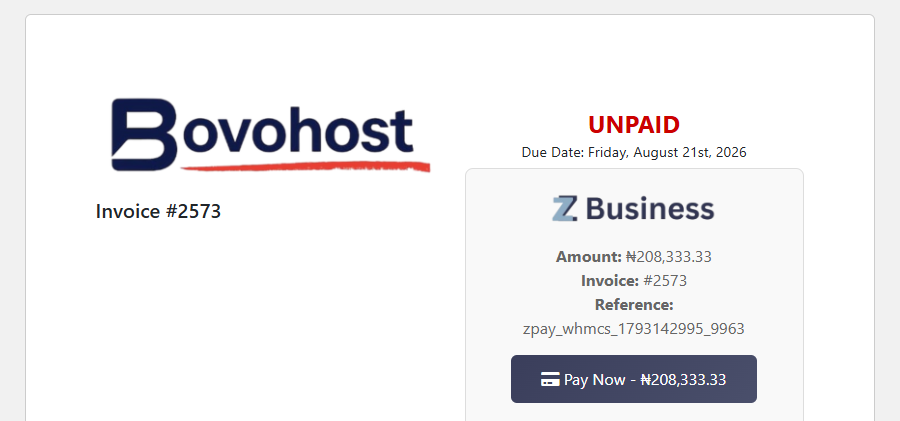
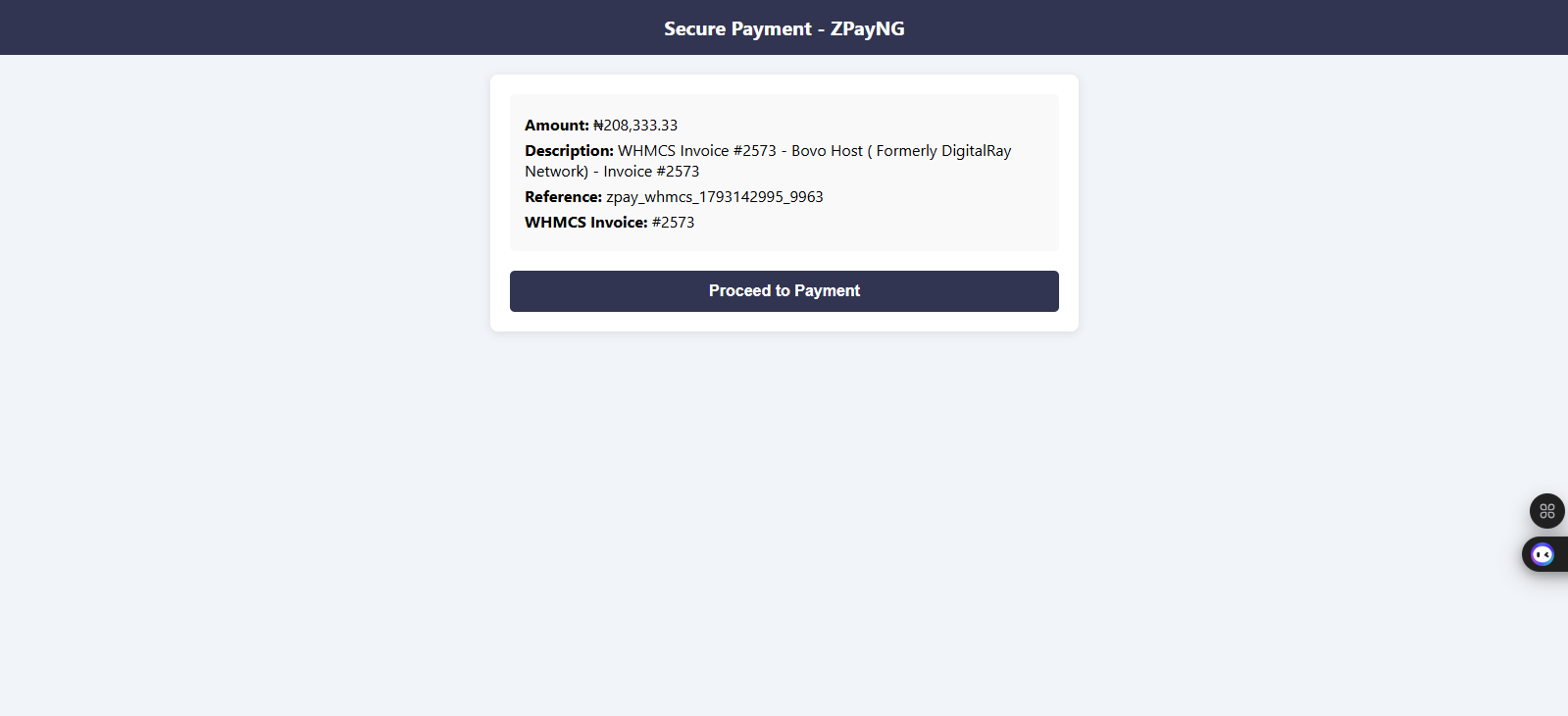
Once a client clicks Pay Now, they are taken to a secure ZPayNG payment page. After payment is confirmed, the invoice is automatically marked as paid and the client is redirected back to their account — no manual intervention required.

FEATURES

  • Native WHMCS gateway — appears alongside other payment methods on the invoice page
  • Automatic invoice payment — ZPayNG confirms payment and updates the invoice instantly via callback
  • Amount validation — payment amount is verified against the invoice total before the invoice is marked paid
  • Duplicate payment protection — the same transaction reference cannot be applied twice
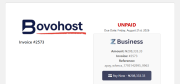
  • Professional payment UI — branded payment button with invoice number, amount, and reference displayed
  • Secure callback handler — uses WHMCS native gateway functions (checkCbInvoiceID, checkCbTransID, addInvoicePayment)
  • Debug mode — optional activity log entries for every step of the payment flow
  • Test mode — toggle for development and staging environments
  • Auto-redirect — client is redirected back to their invoice page 3 seconds after payment confirmation

REQUIREMENTS

  • WHMCS 7.0 or higher
  • PHP 7.0 or higher
  • cURL enabled on your server
  • Active ZPayNG Business account (register at business.zpayng.com)
  • NGN (Nigerian Naira) currency configured in WHMCS

HOW TO INSTALL

  1. Download the module zip and extract it
  2. Upload the modules/ folder to your WHMCS root directory (merge, do not replace)
  3. Log in to WHMCS Admin → Setup → Payment Gateways → All Payment Gateways
  4. Find ZPayNG Business and click Activate
  5. Enter your ZPayNG email address and authorization token
  6. Save changes — the gateway is now live on your invoice pages

Your ZPayNG email and token are found in your ZPayNG Business dashboard under Profile → API Access.

IMPORTANT: This module currently supports NGN (Nigerian Naira) only. Invoices in other currencies will display a notice instead of the payment button.

SUPPORT

For help, visit: https://business.zpayng.com/business/home/contact-us


There are no reviews yet!

Be the first to review ZPayNG Business Payment Gateway for WHMCS.

Version Compatibility


Compatible with WHMCS v8.13

Full Version Compatibility


  • All versions of WHMCS v8.13
  • All versions of WHMCS v8.12
  • All versions of WHMCS v8.11
  • Selected versions of WHMCS v8.10
        8.10.0
  • Selected versions of WHMCS v8.9
        8.9.0
  • Selected versions of WHMCS v8.8
        8.8.0
  • All versions of WHMCS v8.7
  • All versions of WHMCS v8.6
  • All versions of WHMCS v8.5
  • All versions of WHMCS v8.4
  • All versions of WHMCS v8.3
  • All versions of WHMCS v8.2
  • All versions of WHMCS v8.1
  • All versions of WHMCS v8.0
  • All versions of WHMCS v7.10
  • All versions of WHMCS v7.9
  • All versions of WHMCS v7.8
  • All versions of WHMCS v7.7
  • All versions of WHMCS v7.6
  • All versions of WHMCS v7.5
  • All versions of WHMCS v7.4
  • Selected versions of WHMCS v7.3
        7.3.0
  • All versions of WHMCS v7.2
  • All versions of WHMCS v7.1
  • All versions of WHMCS v7.0

System Requirements


  • Active ZPayNG Business account (register at business.zpayng.com)
  • NGN (Nigerian Naira) currency configured in WHMCS
  • cURL enabled on your server
  • PHP 7.0 or higher
  • ZPayNG registered email address (used as gateway identifier)
  • ZPayNG API key / authorization token (found in ZPayNG Business dashboard under Profile → API Access)
  • Your server's IP address whitelisted in your ZPayNG Business account

* Requirements listed are in addition to the WHMCS default system requirements.

Support for this product

The best place to start if you need help with a specific product is to contact the developer. All WHMCS Marketplace developers have both a website and support URL listed.

Developed By D-N Developers Technologies Company Ltd

Changelog

v1.0.0 Released September 2nd, 2026

Latest Version


1.0.0

  • Initial release


See also

WHMCS Bitcoin Payments

Accept Bitcoin payments on your website

Free
Accept Bitcoin and cryptocurrency payments - CoinGate for WHMCS

Easily accept Bitcoin, Tether, Ethereum and many other crypto payments on your WHMCS website
Free
Coinbase Commerce

No Fees, Easy Setup. Accept cryptocurrencies like: Bitcoin, Bitcoin Cash, Ethereum and Litecoin!

Free
PayTR Virtual Pos iFrame API

Open your web site to shopping with the advantages of PayTR. Take your payments securely.

Free
Gateway Fees for WHMCS

With this WHMCS module, you'll get the payment gateway fees from your clients directly.

Free