Turn your WHMCS into a modern hosting brand
Hosturia Client Theme replaces the default WHMCS look with a fast, premium client area that your customers will enjoy using. One package gives you four parts that work together:
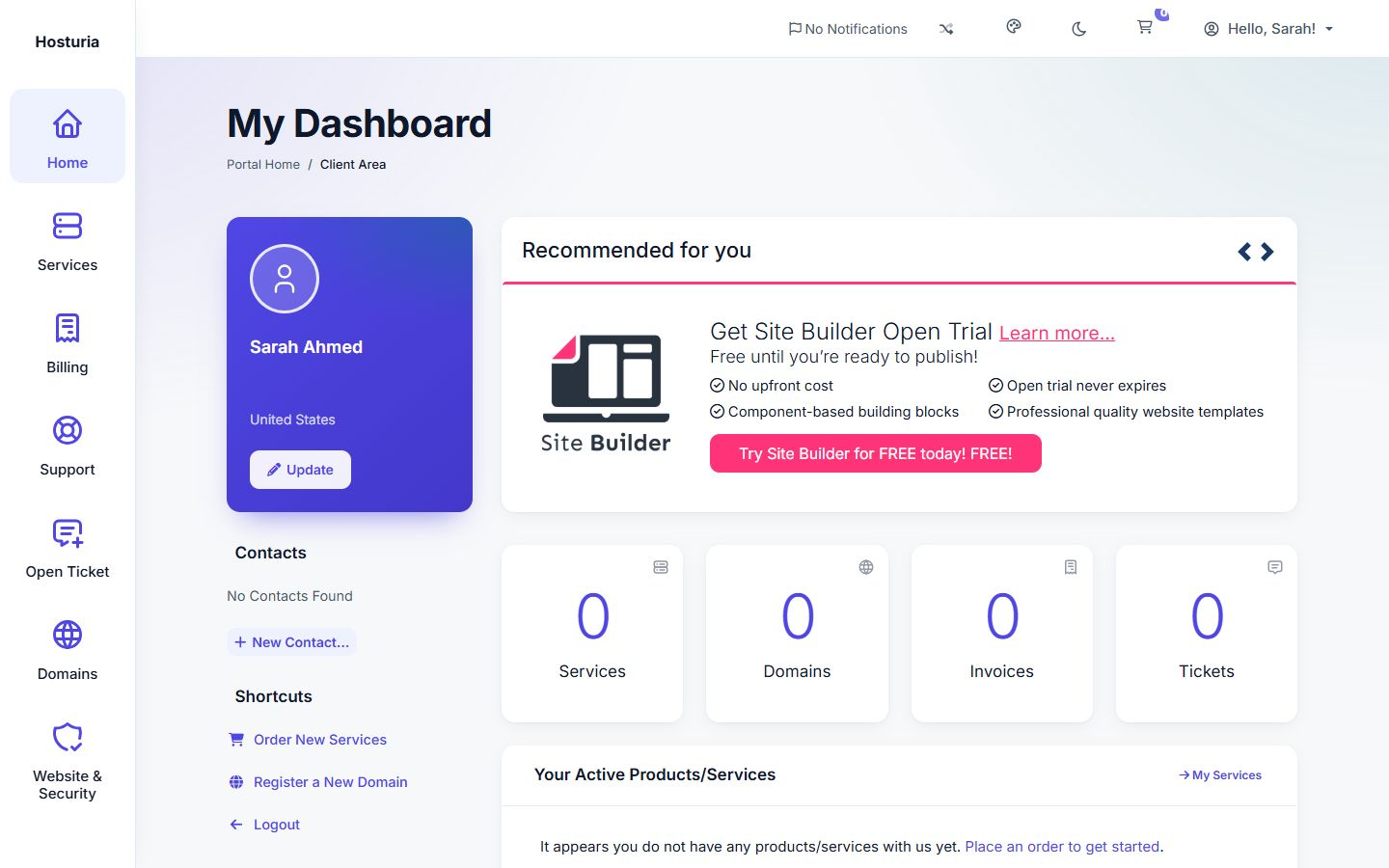
- A complete client area theme with 4 styles, full dark mode and complete Arabic right-to-left support
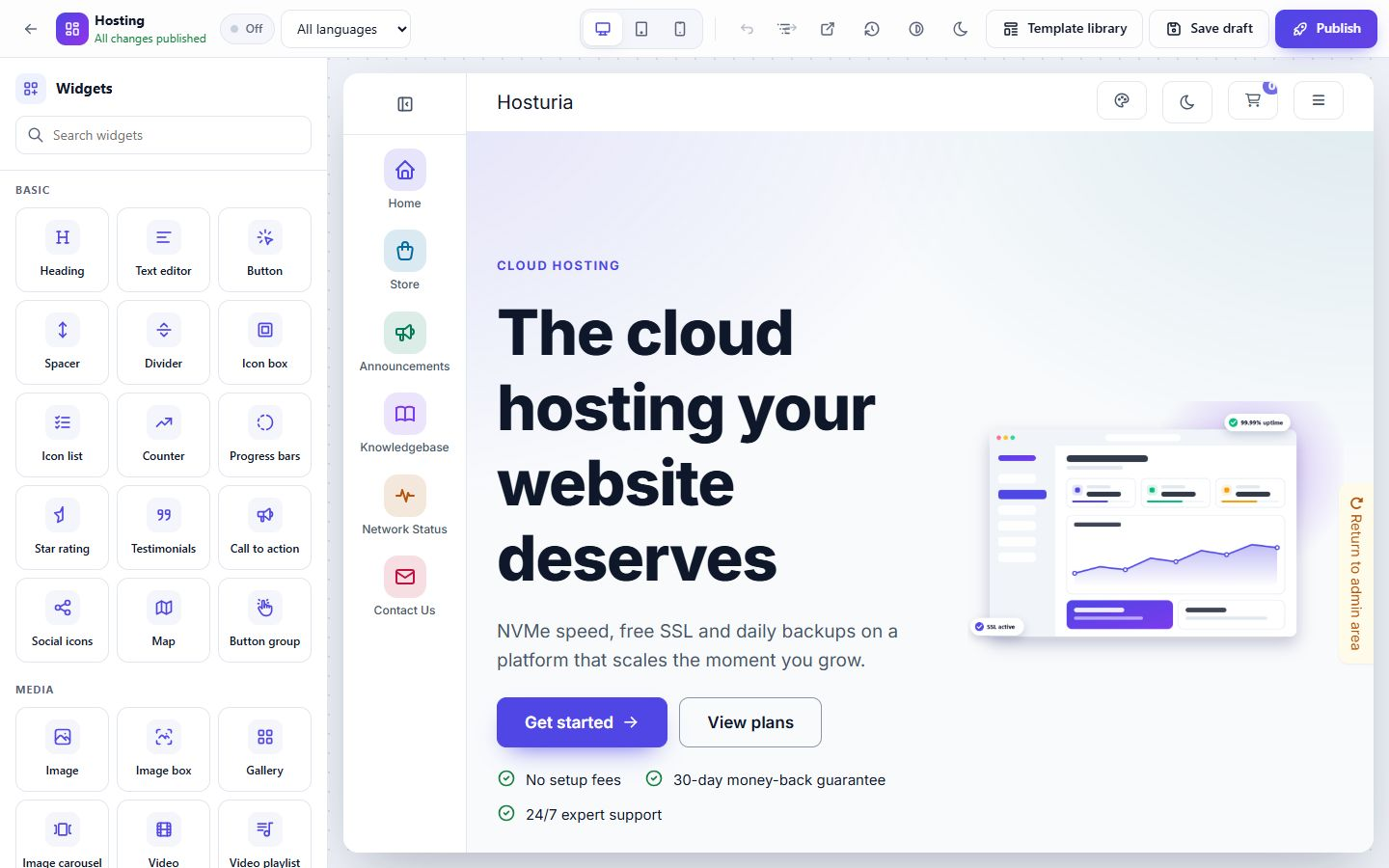
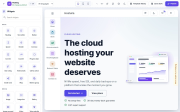
- A drag-and-drop page builder with 39 widgets and 35 ready templates
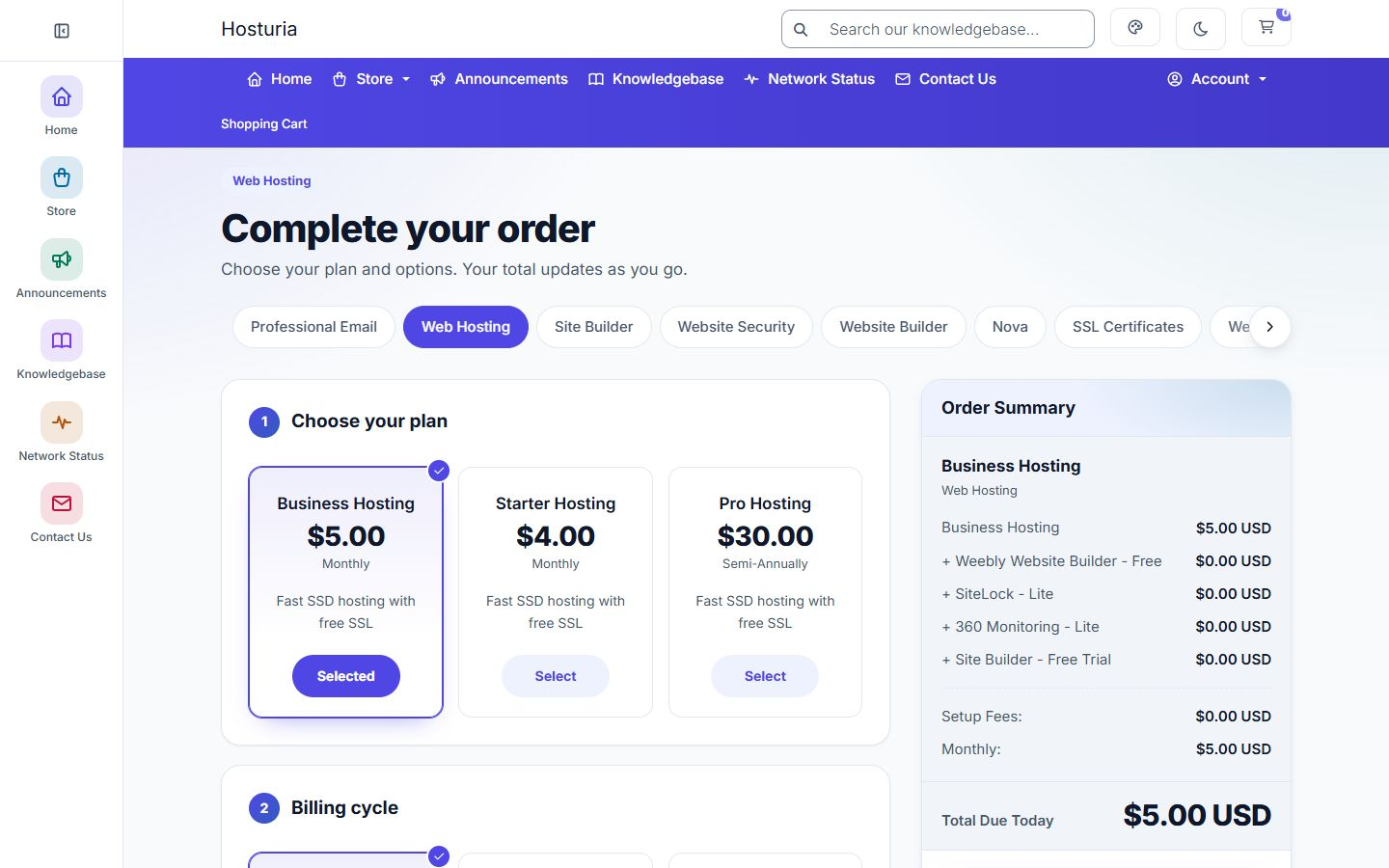
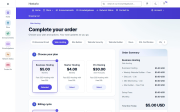
- A one-step order form that takes customers from "interested" to "paid" on a single page
- An admin dashboard with a live preview, so you control everything without touching code
Everything works in light and dark mode, in English and Arabic.
See every feature with real screenshots: https://dev.hosturia.com/hosturia-landing-page.html?lang=en
1. Client area theme
-
4 complete styles: Aurora, Clean Modern, Pulse and Grid. All four share the same pages, so you choose a look, not a compromise. You can also let your clients pick their favourite style.
-
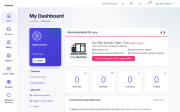
4 dashboard designs: profile card, account figures, quick actions and panels, arranged differently in each style.
-
Real dark mode: light, dark or follow the visitor's device. You choose the default and whether visitors see the toggle. The page never flashes the wrong colours while loading.
-
Flexible navigation: top bar, side menu or both, with hover menus and automatic mega menus for large stores.
-
Sign-in pages: login, register, password reset and two-factor pages, centred or split screen with your own image.
-
Services and invoices: clear tables with status labels, and detail pages with figures and tabs.
-
Support centre: ticket conversations, department cards and a searchable knowledgebase help centre.
-
News and status: announcements, downloads, network status and a contact page.
-
Works with your modules: cPanel, Plesk, MarketConnect and payment gateway pages keep working and take on the new look, including dark mode.
-
Your brand: colours, logos for light and dark mode, favicon, fonts and corner styles, all set from the admin.
2. Drag-and-drop page builder
Build your homepage, new landing pages and even WHMCS's own pages visually, right inside WHMCS.
-
39 editable widgets: headings, text, buttons and button groups, images, galleries and carousels, video and video playlists, maps, icon boxes, flip boxes, counters, progress bars, star ratings, reviews, tabs, FAQ accordion, alerts, social icons, pricing tables, domain search, code highlight and more.
-
Responsive per device: set sizes, spacing and alignment separately for desktop, tablet and phone. Preview in light and dark mode.
-
Safe editing: undo and redo, a structure navigator, saved revisions, drafts and publishing, and a switch to take a page live or offline.
-
A version per language: design an Arabic and an English version of the same page, with automatic fallback.
-
Unlimited custom pages, each with its own address and its own title in each language.
-
Design 19 WHMCS pages: add sections around the client dashboard, services, invoices, tickets, store, knowledgebase and more.
-
Live client widgets: welcome card, account statistics, my services, unpaid invoices with a "Pay now" button, tickets, and domains with renew links.
-
Custom code blocks: HTML, CSS and JavaScript blocks run in a sandbox by default. Every change is logged and can be restored, and a safe mode turns all custom code off in one click.
-
Privacy-friendly media: video and map widgets show a light preview first and only load YouTube, Vimeo or Google Maps when the visitor clicks.
-
For developers: add your own widget with a single PHP file, using the built-in guide and example.
3. Template library: 35 ready designs
Open the library inside the builder, choose a full page or a block, and insert it with one click. Every part is a normal widget, so you can change texts, colours and images in seconds.
-
10 full home pages: cloud hosting, domains, VPS, website builder, agency, minimal, startup, business email, game servers and support-first.
-
25 blocks in 12 categories: heroes, features, pricing, domains, numbers, reviews, logos, FAQ, calls to action, contact, team and story.
- Inserted in the language you are editing, with English and Arabic texts ready.
- Original illustrations included. They follow your brand colours and dark mode.
- Pricing blocks fill in your real WHMCS products automatically.
4. One-step order form and store
Plan, billing cycle, domain, configurable options, add-ons and promo code on one page, with a live order summary. Fewer steps mean fewer abandoned carts.
-
Clear savings: billing cycle cards show "Save X%", the full price struck through and the price per month.
-
Built for phones: swipe through plans, and a sticky bar keeps the total and the "Buy now" button in reach.
-
Tidy MarketConnect offers: SSL, SiteLock, website builder and more appear as compact cards instead of long lists.
-
5 product card designs for your store pages: centred, gradient header, spec sheet, list rows and compare columns.
-
Modern domain search, including support for WHMCS's AI domain search.
-
Domain transfer page: domain and authorisation code side by side, three clear steps and reasons to move to you.
-
One-page checkout: numbered sections, payment methods as tiles and a sticky order summary.
-
Your choice: turn the one-step page, the plan switcher and the promo code box on or off from the admin. With the one-step page off, the classic WHMCS steps appear in the new design.
- Uses WHMCS's own cart, so WHMCS validation, taxes, promotions and payment gateways keep working exactly as before.
5. Pricing tables on any page
-
6 designs: classic, centred, gradient, spec sheet, list and compare.
- Show any product group on any page.
- Prices come live from WHMCS, in the visitor's currency.
- Billing period switch, savings badge and a highlighted "most popular" plan.
6. Admin dashboard
A clean dashboard inside the WHMCS admin area. No code, no rebuilding files.
-
Live preview: see your changes on desktop, tablet and phone, in light and dark mode, before you save.
-
Menu builder: main menu, account menu and footer columns. Drag and drop, nest items, rename them per language, choose icons and set who sees each item. Menu items added by other modules still appear.
-
Scheduled announcements: a top bar with start and end dates, four styles and a dismiss button.
-
Header and footer: footer columns, social links and copyright text.
-
Backup and restore: export all settings to a file, import them on another site, or reset with history.
-
Custom CSS: add your own CSS. Anything unsafe is blocked automatically.
-
Languages and flags: choose which languages are right-to-left and the flag shown for each language.
-
Order form settings: one-step page, plan switcher, promo code box and store card design.
- The dashboard itself works in light, dark and right-to-left.
7. Arabic and right-to-left, done properly
Made for the Arabic market, not translated as an afterthought.
- Complete English and Arabic translations for the theme, the admin dashboard and all templates.
- Every page, menu, card and widget mirrors correctly in right-to-left languages.
- Arabic fonts included: IBM Plex Sans Arabic, Cairo and Tajawal.
- Domain names, prices and codes keep their correct reading order inside Arabic text.
- Arrows, menus and sliders flip, and swipe gestures go the right way.
- Arabic, Farsi, Hebrew and Urdu are right-to-left by default, and you can change the list.
8. Security and quality
Built for production, with security in every file.
-
Full security review: database access only through bound parameters, escaped output everywhere, and attack tests on every widget.
-
CSRF protection and access control: every admin action needs a valid token and an administrator with access to the addon.
-
Safe uploads: images only, checked, re-encoded and renamed. Scripts can never run from the upload folder.
-
178 automated tests, plus static analysis and checks on a live WHMCS site in light, dark and Arabic.
-
Accessible: keyboard navigation, visible focus rings, large touch targets and reduced-motion support.
-
Fast: one CSS and one JavaScript file, self-hosted fonts, lazy-loaded images and no external CDNs.
-
Standalone: a complete theme and order form of their own, with no dependency on Twenty-One or Standard Cart being installed.
-
Module friendly: Bootstrap 4 is kept, so third-party module pages look and work as expected.
Default WHMCS vs Hosturia Client Theme
-
Client area styles: default WHMCS has 1 classic look. Hosturia Client Theme has 4 styles, and clients can choose.
-
Dark mode: none by default. Hosturia Client Theme covers every page, with a system mode.
-
Arabic right-to-left: partial by default. Hosturia Client Theme is complete, with Arabic fonts.
-
Visual page builder: none by default. Hosturia Client Theme has 39 widgets and 35 templates.
-
Ordering: several steps by default. Hosturia Client Theme has one page with a live summary.
-
Menu changes: code (hooks) by default. Hosturia Client Theme has drag and drop, per language.
-
Branding without code: logo only by default. Hosturia Client Theme covers colours, fonts and corners, with a live preview.
-
Pricing tables on any page: none by default. Hosturia Client Theme has 6 designs with live prices.
Made for every kind of hosting business
Shared and cloud hosting, domain registrars, VPS and game server providers, agencies and resellers, and hosts serving the Arabic market.
What is included
- Client area theme
- One-step order form
- Admin addon: settings dashboard, live preview, menu builder, page builder and template library
- English and Arabic language files
Requirements
- WHMCS 9.1 or newer
- PHP 8.2, 8.3 or 8.4
- ionCube Loader 15 or newer (already required by WHMCS 9.1)
- One license per WHMCS installation
Installation in 4 steps
- Upload the files to your WHMCS root folder.
- Activate Hosturia Client Theme under System Settings → Addon Modules and enter your license key.
- Choose hosturia_client_theme as the system theme and as the order form template.
- Open the Hosturia Client Theme dashboard in the admin area and set your brand.
Licensing
Each license key is checked against our license server. If a license ever stops being active, your customers are never locked out: the client area keeps working with the default design, and only the Hosturia Client Theme features and settings pause until the license is active again.
Frequently asked questions
Do I need to know how to code?
No. Colours, fonts, menus, pages and the order form are all set from the admin dashboard with a live preview. Developers can still add custom CSS, custom code blocks and their own widgets.
Will my modules and payment gateways still work?
Yes. The theme keeps the WHMCS structure and Bootstrap 4, so module pages, MarketConnect and payment pages keep working and get the new look, including dark mode.
Is the Arabic support really complete?
Yes. The theme, the admin dashboard and all 35 templates come in English and Arabic, with full right-to-left layouts and Arabic fonts.
Can I keep the normal WHMCS order steps?
Yes. The one-step order page can be switched off at any time, and the classic steps then show in the new design.
Can I move my settings to another installation?
Yes. Export all settings to one file and import them on another site from the Backup and restore page.
Is it secure?
Every file went through a security review: database access with bound parameters, escaped output, CSRF tokens, checked uploads and sandboxed custom code. Automated attack tests run on every widget.
See every feature with real screenshots: https://en.hosturia.com/hosturia-client-area-whmcs-theme-en/
Demo Url : https://dev.hosturia.com/