Ensure Only Verified Users Access Your WHMCS Client Area
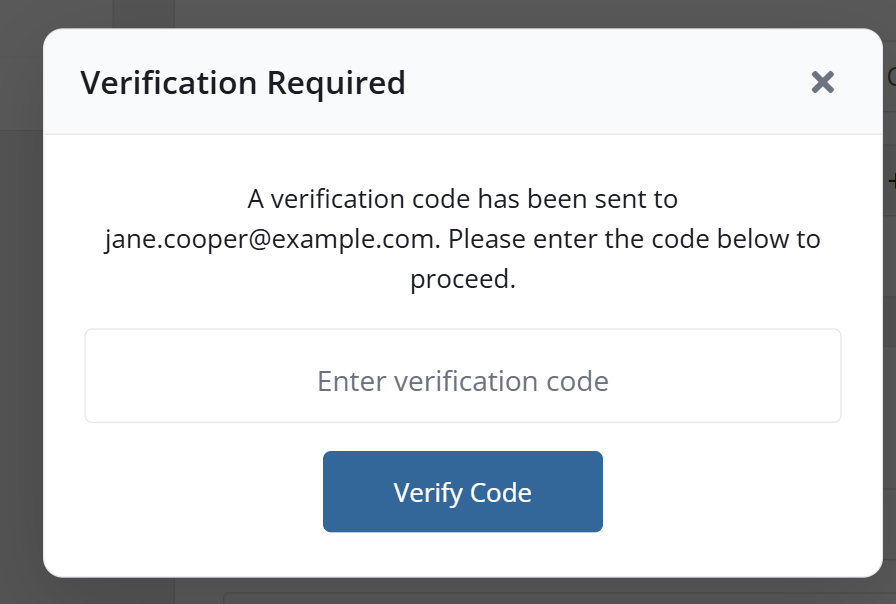
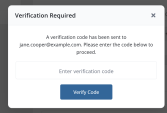
Provonic Email Verification Extended is an email verification module for WHMCS that stops spam signups, spam registrations, fake signups, fake registrations, fake accounts and fake orders by making every new client verify email address ownership before anything is created. On registration and at checkout the client receives a six-digit code by email (a 6-digit code, a one-time verification code, used once as a one-time code) and types it into a verification popup on the same page: no code, no account. It is WHMCS email verification done as email OTP verification, so registration verification, signup verification, account verification, order verification and checkout verification all happen without editing a single template, and only verified, real email addresses reach your client list: email verification for WHMCS with real email address verification at the door.
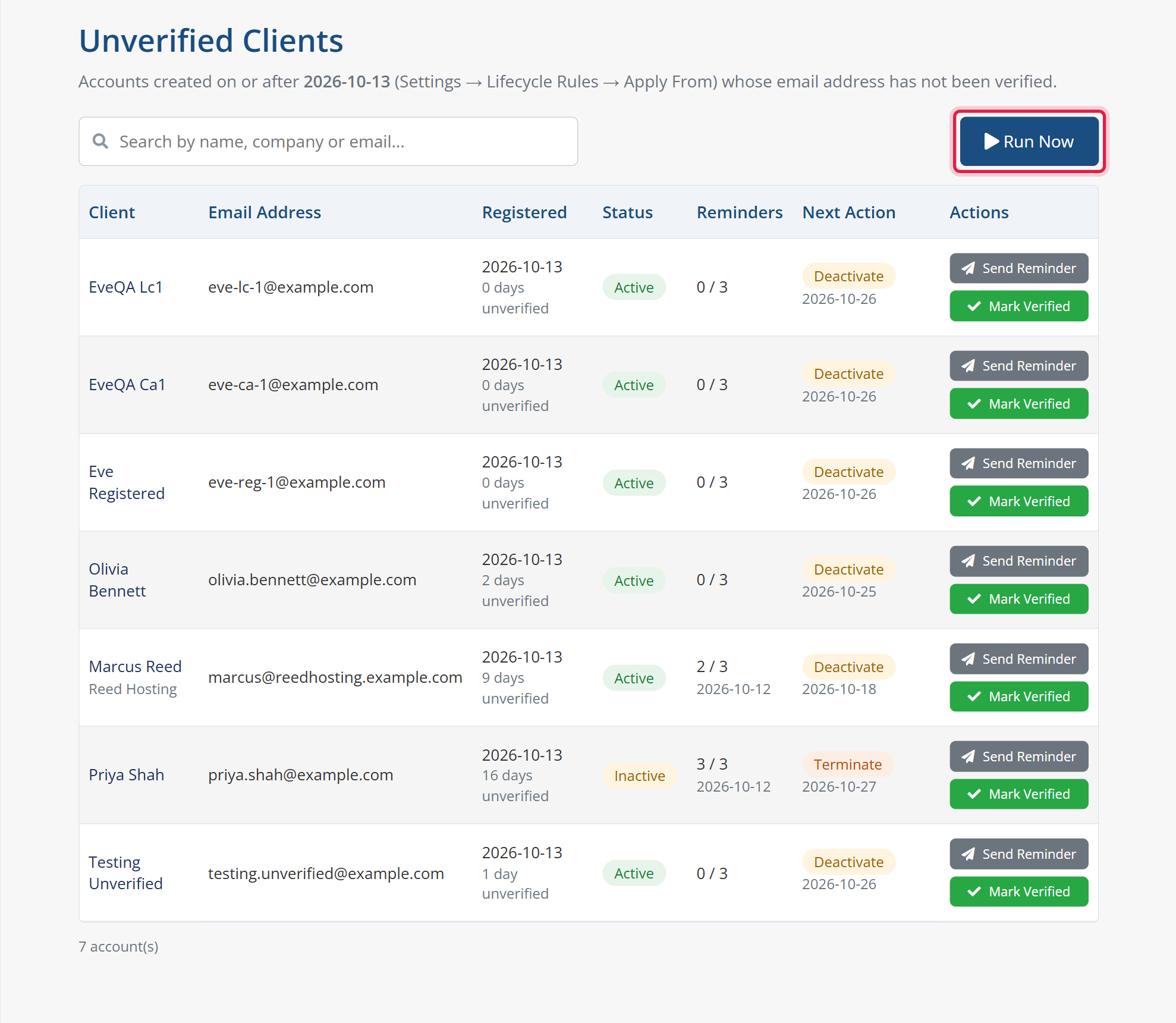
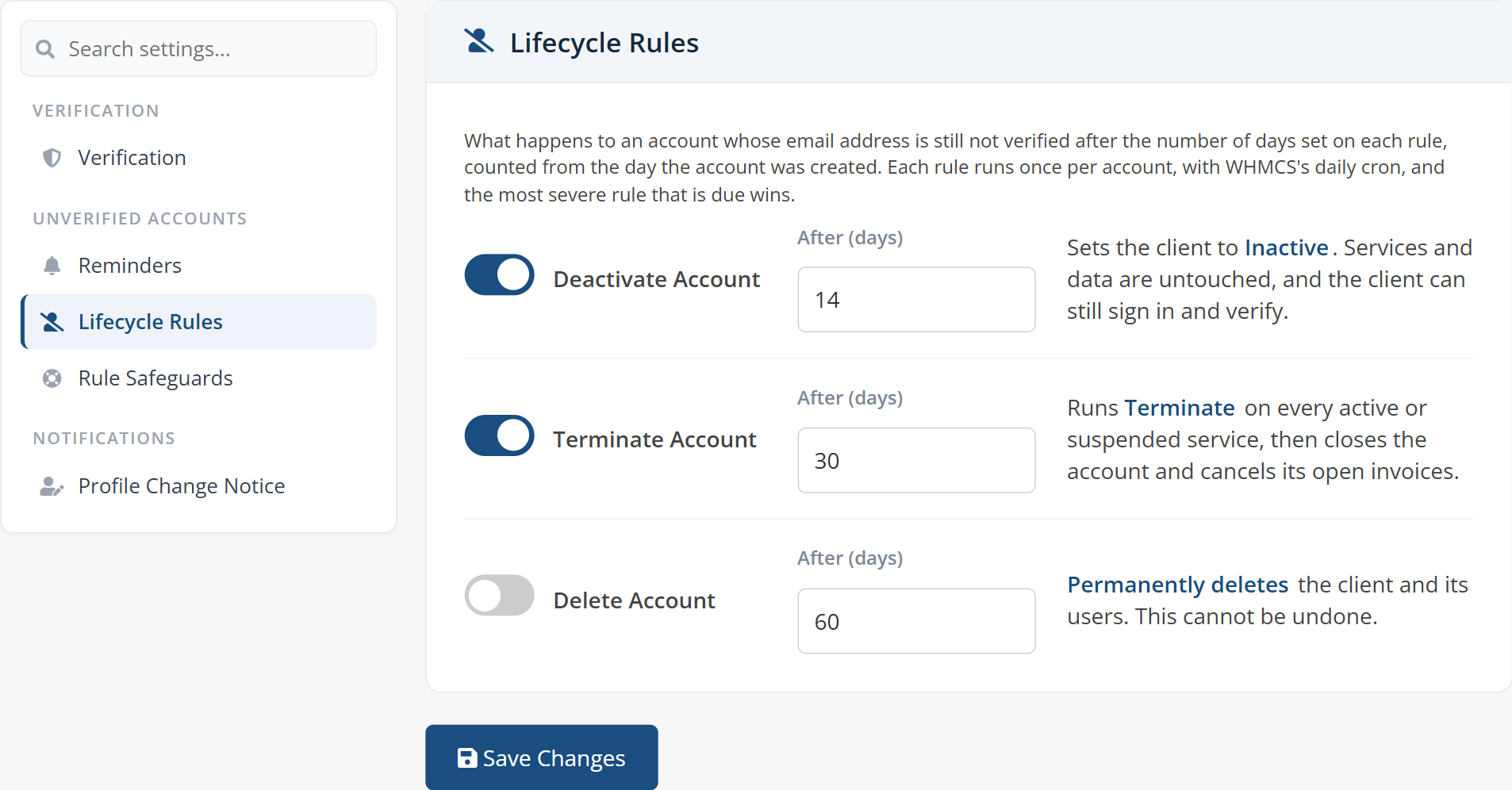
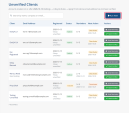
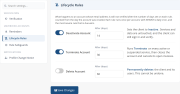
Version 1.8 adds automated verification reminders and lifecycle rules for unverified accounts. Clients who have not verified their email address receive email verification reminders, reminder emails sent on a schedule you set: the first reminder after a number of days, then repeat reminders until the maximum is reached. Each reminder email carries a one-click verification link (a secure email confirmation link that expires after the hours you choose), so the client can confirm the email address without logging in. Lifecycle rules then deal with unverified clients that never respond: deactivate unverified accounts (the client is set to Inactive), terminate unverified accounts (every service is terminated and the account is closed) or delete unverified accounts, each after its own number of days. This automatic cleanup of fake accounts and abandoned signups runs on the WHMCS daily cron, an Apply From date keeps existing clients out of it, a paid-client safeguard skips anyone who has paid an invoice, and a deactivated account is reactivated automatically the moment the client verifies.
The same email verification code can protect client area logins too. With login verification switched on, a login OTP is emailed as a second step, giving you two-step login and two-step verification (2-step verification) without an authenticator app: a simple email 2FA for your clients. Profile change notifications are built in as well. When a client edits their own details, a profile change notification lists the changed fields with previous and new values, the date and the IP address; when the email itself changes, the module can notify previous address owners as well, so the old email address gets a security alert. Every account change notification and email change notification is sent automatically.
Every message is yours to write: editable email subjects and bodies per language in three email templates, the verification code email, the verification reminder email and the profile change email, each delivered in the client's own language, so multi-language and multilingual stores are covered. Send account emails through WHMCS's own mail settings, through the server's local mail or through remote SMTP: custom SMTP with SSL / TLS or no encryption, delivered via PHPMailer, set up on the SMTP configuration tab and checked with a one-click test email. Clients who need a fresh OTP code simply press Try Again, and you can verify new clients only at checkout so existing customers are never asked twice.
Test all features with our 5-Day Free Access!
Admin Area Features:
Client Area Features:
Settings:
{$username}, {$verification_code}, {$expires_in}, {$company_name}
{$client_name}, {$client_email}, {$verification_link}, {$link_validity_hours}, {$days_unverified}, {$next_action}, {$next_action_date}, {$company_name}
{$username}, {$changes_table}, {$changes_list}, {$change_date}, {$ip_address}, {$company_name}
Tracked Profile Fields:
Supported Languages:
General Info:
Available Pricing Models:
The best place to start if you need help with a specific product is to contact the developer. All WHMCS Marketplace developers have both a website and support URL listed.
Added “Notify Client On Profile Change” toggle in the Settings tab. When enabled, a client who updates their own details in the client area is emailed a summary of what changed. Tracks 12 fields: First Name, Last Name, Company Name, Email Address, Address 1, Address 2, City, State/Region, Postcode, Country, Phone Number and Tax ID. The email lists each changed field with its previous and new value, plus the date/time of the change and the IP address it came from. Added “Also Notify The Previous Address” toggle – when the email address itself was changed, the same notification also goes to the old address so the previous mailbox owner is alerted. Subject and message are editable per language in the Email Customization tab, with the new variables {$changes_table}, {$changes_list}, {$change_date} and {$ip_address}. Only fires for a client editing their own details in the client area. Admin-side edits do not trigger it. The email is sent after the page response is handed back, so the client never waits on the mail server. Improvement Rebuilt the header to the standard two-row layout: logo, module title and subtitle on the first row, tabs on their own bar below with underline active states. Settings, Email Customization and SMTP Configuration tabs rebuilt on the settings-card layout, with an icon header per card, per-toggle descriptions and helper text on every field. Settings tab regrouped into Verification, Profile Change Notification and Logging cards. Email Customization now holds two editors: the verification code email and the new profile change notification email, each with its own language selector. Info tab now also shows License Status, WHMCS Version, PHP Version and ionCube Version. Dropdowns no longer get cut off inside cards, flip upwards when there is no room below, and show a search box when the list is long – the language pickers in particular. Added the “Refresh Database” configuration field, which drops the module’s own tables on deactivation when it is set to Yes.
Version 1.0.0 - Initial Release

A simplistic, free & open source hook allowing instant Discord notifications when an action is triggered.

Netgsm Sms addon provides you sending customized bulk sms and creating sms templates.

MSG91 WHMCS SMS plugin gives you the power and flexibility to stay connected with your customers by sending them an SMS and OTP's for 2FA at the crucial steps that matters the most.



Joseph tom @joseph4131
Solid module. Stops fake signups dead. No verification, no orders. Simple and effective.
Alex Brow @alex8730
Pretty solid module. No more unverified users wandering around my client area. Sets up fast and just works.
Jack Christopher @jack5217
No more unverified users accessing my client area or placing orders. Simple, effective, and exactly what WHMCS needed. Great module
Nael Vallee @nael3677
I'm extremely satisfied with the service. The developer even released updates tailored to our specific needs, and in record time. They were very understanding and adaptable. A huge thank you.
Smith david @smith3210
A must-have module! Supports very well, adds solid security by allowing only verified users to place orders or access accounts. Quick and helpful support.
Emma Noor @emma7933
Great module! Super Easy to set up and has helped us filter out invalid and disposable emails effectively. The support team is responsive and helpful. Definitely a must-have for WHMCS users!
mohit kumar @mohit1239
<h1>Hello</h1>
Provonic Support @whmpress
We noticed that you left a review with the content:
Owner@Provonic<h1>Hello</h1>
As of now, we have not received any orders for this product from your name . If this review was posted by mistake or as a test, we kindly request that you remove or update it to reflect an actual experience with the product.
We take our product reputation seriously and aim to maintain an honest and helpful review environment for all users.
Thank you for your understanding and cooperation.