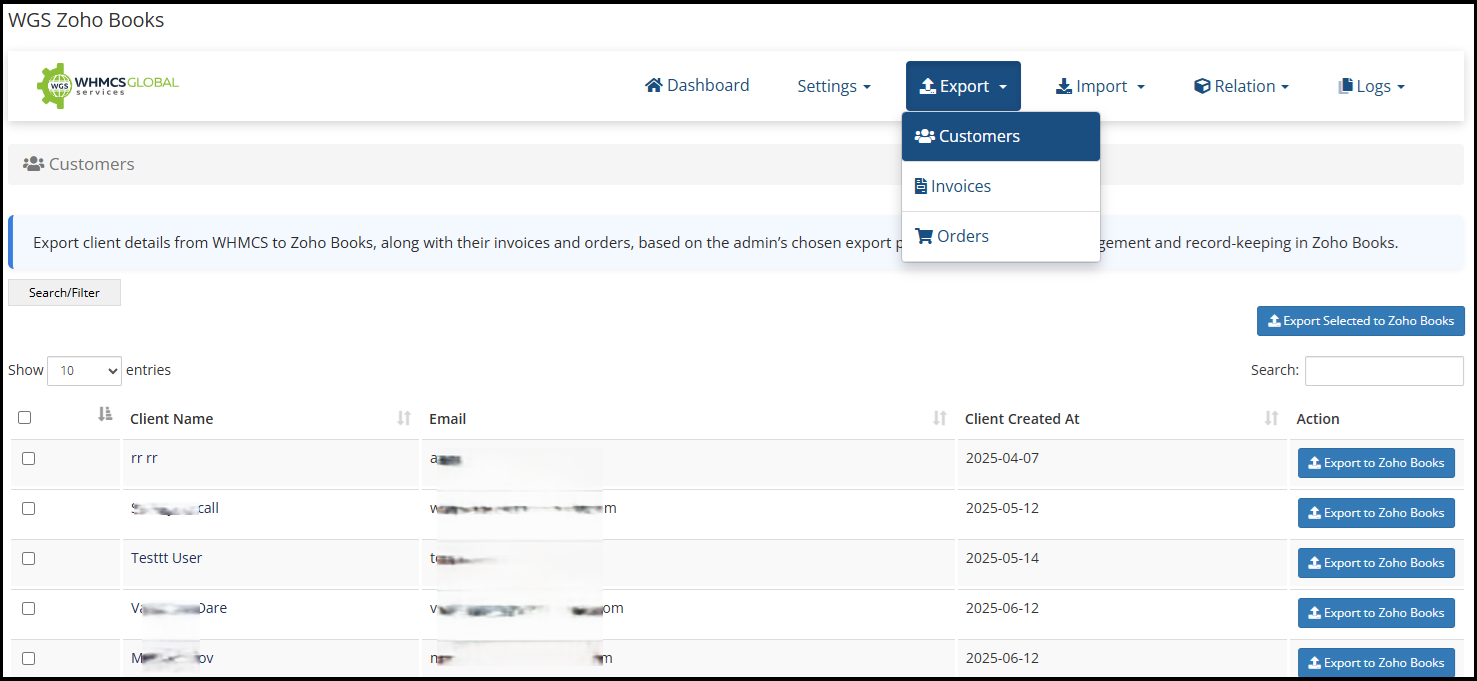
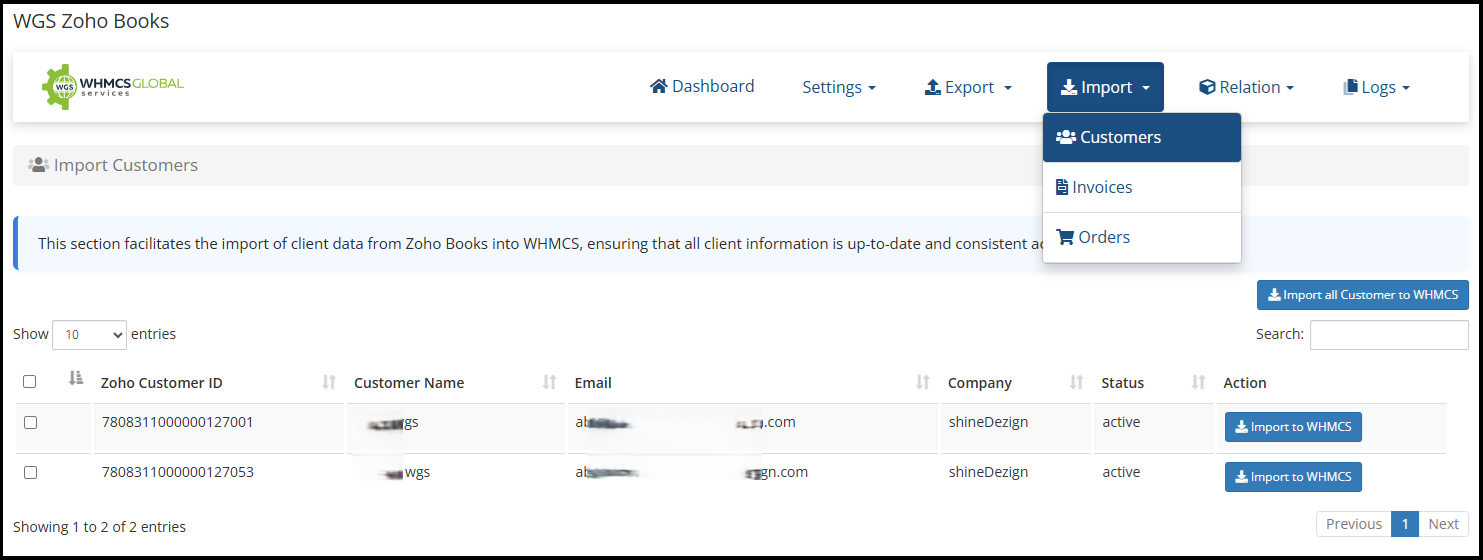
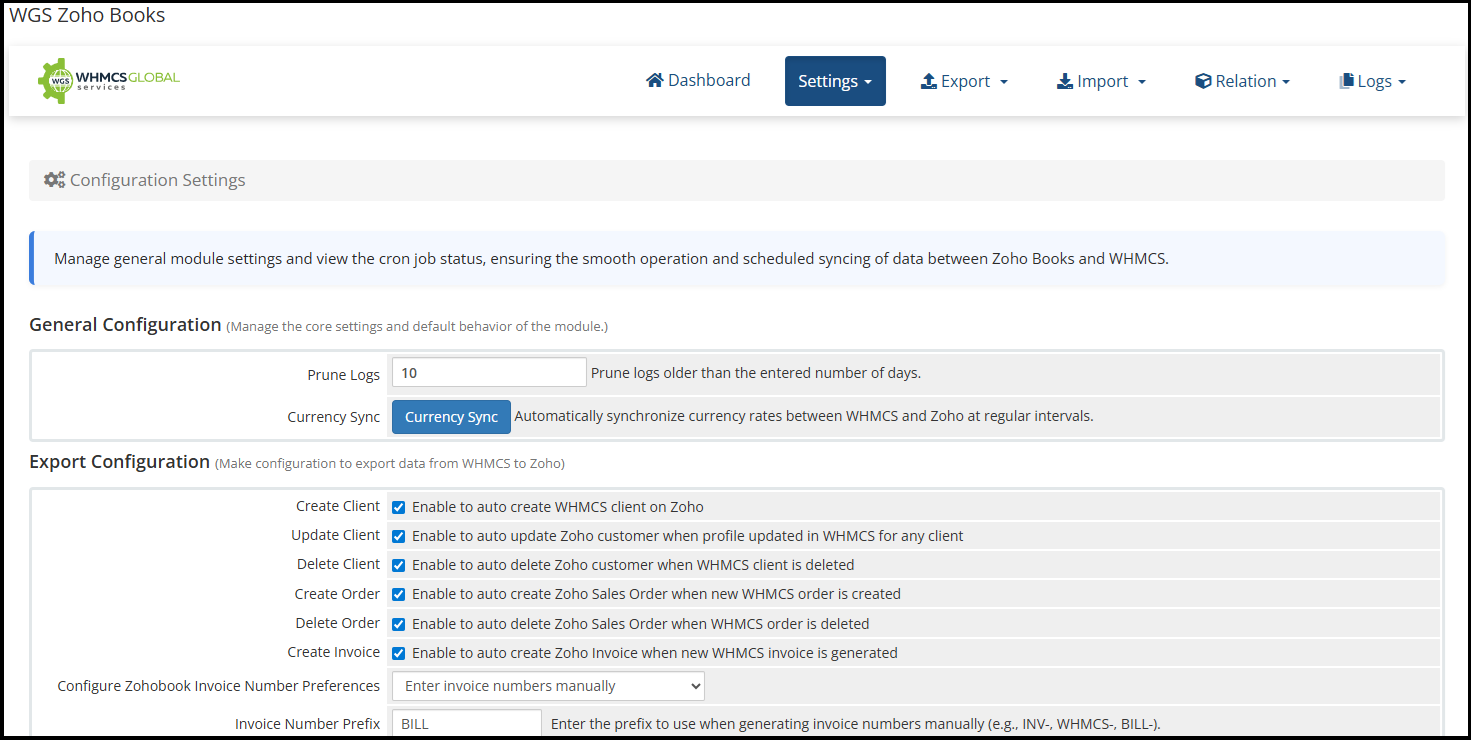
Simplify your business accounting with the Zoho Books WHMCS Module. This integration ensures seamless synchronization between WHMCS and Zoho Books, allowing you to automatically manage clients, invoices, payments, taxes, and product orders. Keep your financial records accurate and up to date without manual entry. Whether you're managing new signups, recurring billing, or tax calculations, this module streamlines the entire process. Gain better financial control, save time, and reduce errors by automating your bookkeeping workflow. Ideal for web hosting companies and digital service providers using WHMCS who want a reliable connection to Zoho Books for smart accounting.
See more detail here https://whmcsglobalservices.com/zoho-books-whmcs-module/
Paid Theme Services Offered With The Module
The changes are instantly reflected in Zoho Books, ensuring both systems are always in sync.
Yes, the integration allows you to easily sync your existing clients from WHMCS to Zoho Books.
Yes, invoices created in WHMCS are instantly generated in Zoho Books, making sure your financial records are always updated.
The client’s records will also be removed from Zoho Books, maintaining data consistency across both platforms.
Yes, detailed logs are available for all API requests and actions, providing a clear audit trail.
The best place to start if you need help with a specific product is to contact the developer. All WHMCS Marketplace developers have both a website and support URL listed.
Added a dedicated tab to export WHMCS taxes to Zoho Books.
Introduced a Tax Mapping tab to create and manage relationships between WHMCS taxes and Zoho Books taxes.
Taxes are now applied correctly when exporting invoices and orders from WHMCS to Zoho Books, based on the configured tax mappings.
Added an option to prevent sending the “Invoice Payment Confirmation” email based on configuration. This applies only to invoices linked with Zoho Books invoices.
Enhanced module compatibility by allowing users to select the Zoho Books Organization ID.
Organization ID is now displayed alongside the organization name in the API Settings tab.
Client status synchronization improved: clients marked inactive in WHMCS will now be marked inactive in Zoho Books automatically.
Improved cron status display for more accurate reporting.
Optimized the Import tab with table-based listings for Customers, Invoices, and Orders to improve data retrieval speed and overall performance.
Added support for WHMCS 9.0.1.
Added support for PHP 8.4 and ionCube Loader 15.
Fixed an issue related to refresh token handling.
Fixed an issue where the access token was not regenerated after updating the Client ID and Client Secret.
Resolved a path issue that occurred during cron execution.
Import Zoho Books customers (single or bulk) into WHMCS, including invoices, orders, and transactions
Import Zoho Books invoices into WHMCS that were not previously created
Import Zoho Books orders into WHMCS
Export WHMCS invoices, clients, and orders to Zoho Books
Automation settings to auto-import Zoho Books invoices, clients, orders, and transactions
Detailed import/export logs
Log auto-cleanup setting (prune logs after X days)
Enhanced admin interface
Improved export filters for clients, invoices, and orders
Simplified automation and cron configuration
Display connected Zoho organization name in API settings
Optimized data synchronization performance
Fixed DataTable log listing issues
Resolved export log regeneration issues
Invoice Status Sync: Introduced functionality to automatically update and manage invoice statuses in WHMCS when changes are made directly from the ZohoBooks portal.
Invoice Import: Added the ability to create corresponding WHMCS invoices for those generated directly in ZohoBooks but not yet present in WHMCS.
Client Import: New feature to automatically create WHMCS client records for clients added directly in ZohoBooks.
Activity Logs: Added a dedicated “Logs” tab within the addon interface to easily view and track synchronization activities and actions.



Integrate your financial data stored in WHMCS into QuickBooks Online.


Xes @xes4183
WARNING: Check your billing — duplicate charges confirmed
We used this module for years. The product itself works, but WHMCS Global Services has been systematically double-charging us through their billing system.
Our PayPal subscription pays $49.90 on the due date. Their system adds a $4.99 "late fee" ONE DAY LATER. We then paid again. Result: $104.79 for a $49.90 service, every quarter, for years.
We reported this in 2021. They acknowledged it. Never fixed it. After a formal claim with forensic evidence (41 invoices audited, PayPal Transaction IDs verified), they promised a refund SIX TIMES in writing over 25 days. Never paid.
PayPal resolved three disputes in our favor. WGS still owes $384.85.
Complete forensic evidence package with all Transaction IDs and screenshots: https://get.tomahost.net/s/gA6RzsD37zEJLkP
If you have a PayPal subscription with WGS, check your invoices against your PayPal history.