Changelog
v1.4.7
Released November 5th, 2026
Latest Version
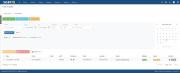
- Optional Zendesk ticket links: record a Zendesk ticket ID or pasted ticket URL on each time entry when the separate Zendesk for WHMCS addon is installed and configured
- The admin list links to the ticket in Zendesk, the client area links to the Zendesk for WHMCS ticket page, and the CSV export adds a Zendesk Ticket column
- Off by default under Settings > Display; without Zendesk for WHMCS the option is disabled and entries, lists and CSV exports stay unchanged
- No Zendesk API calls; upgrading adds a nullable zendesk_ticket_id column and keeps existing entries unchanged
Previous Versions
v1.4.6
Released November 4th, 2026
View/hide detailed changelog
- Translatable admin and client-area interface: labels, buttons, dialogs, notices, alerts and the CSV header row come from the language files
- Spanish translation for the complete admin and client-area interface
- One language loader for the admin and client areas: English loads first, then the selected language, with English fallback for missing or malformed files and missing keys
- Dutch and Russian keep their existing client-area translations and fall back to English for new text
v1.4.5
Released October 31st, 2026
View/hide detailed changelog
- Select all matching unbilled entries across every page, using the applied client, date, billable, invoiced and staff filters
- Keep selections across pagination and clear them when applied filters change; the header checkbox stays page-only
- Show the selected count, clients and applied date range in the invoice confirmation
v1.4.4
Released October 17th, 2026
View/hide detailed changelog
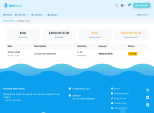
- Enhanced the admin dashboard widget with your running browser timer, your actual saved time today, and unbilled billable hours and amount, plus Add time and Review unbilled shortcuts.
- The dashboard widget respects addon role access and shows a safe notice when data is unavailable.
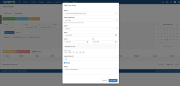
- Fixed the mobile admin layout: wide time-entry and client-rate tables scroll within the module, so the page and Add/Edit Time Entry dialog fit narrow screens down to 320px.
v1.4.3
Released October 2nd, 2026
View/hide detailed changelog
- Added full-description copying and expandable notes in the admin list, including invoiced entries.
- Added remembered filters per administrator and shortcuts for Today, This week, This month, Last month and Uninvoiced entries.
- New entries now prefill the applied client and selected date.
- Added “Save & add another” to create consecutive entries without reopening the form.
- Added day/month/year, month/day/year and year-month-day date formats, with optional leading zeros. System default remains available.
- Fixed chronological sorting across admin and client lists and CSV exports: newest day first, then latest start time.
v1.4.2
Released August 9th, 2026
View/hide detailed changelog
- Added a module Settings tab for time format and client-area navigation controls
- Added server-side client-area pagination for standard and Lagom themes while keeping summary totals across the complete entry history
- Moved existing settings out of the WHMCS addon configuration while preserving saved values; only the licence key remains there
v1.4.1
Released July 29th, 2026
View/hide detailed changelog
- Fixed ampersands being stored as HTML entities in time-entry notes and invoice descriptions
- Fixed edited notes not refreshing immediately in the admin time-entry table
v1.4.0
Released July 21st, 2026
View/hide detailed changelog
- Added configurable per-entry billing increments and minimum billable time for invoice generation and pending totals
- Fixed quote characters being stored as HTML entities in time-entry notes
- Removed the 50-character limit from time-entry notes in generated invoice descriptions
- Added 12-hour license-validation caching to improve module responsiveness and tolerate temporary licensing endpoint failures
- Fixed the payment gateway dropdown query for WHMCS's EAV-based gateway settings table
- Fixed filtered CSV exports being truncated at 100 entries, CSV quote escaping, and spreadsheet-formula handling
- Fixed client-area billed totals, non-billable row amounts, and Lagom currency suffixes
v1.3
Released July 9th, 2026
View/hide detailed changelog
- Added Invoice Payment Method setting: generated invoices now use a configurable gateway instead of a hardcoded one. Defaults to the client's own gateway, matching standard WHMCS behaviour
- Calendar now respects active client and staff filters (dots reflect filtered data)
- Fixed missing
send_invoice_email default on fresh installs
- Minor: inline invoice-description query replaced with existing helper function
v1.2
Released April 13th, 2026
View/hide detailed changelog
- Admin dashboard widget showing unbilled hours/amount with shortcut to Time Tracker
- Time format setting (24h/12h) on Configure page; all UI respects the choice, storage stays 24h
- Non-billable entries can be included on invoices as complimentary $0 line items (respects client currency)
- Fixed date shift bug in edit modal for admins in positive UTC offsets
- Invoice generation uses transactional row-lock to prevent double-invoicing
- Entry notes sanitised in client area and invoice descriptions
v1.1
Released March 11th, 2026
View/hide detailed changelog
- Added configurable "Send Invoice Email" setting to control whether clients receive invoice notification emails