WHMCS Client Group Manager
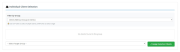
A simple and intuitive WHMCS addon module for managing client group assignments through a GUI interface.
Features
-
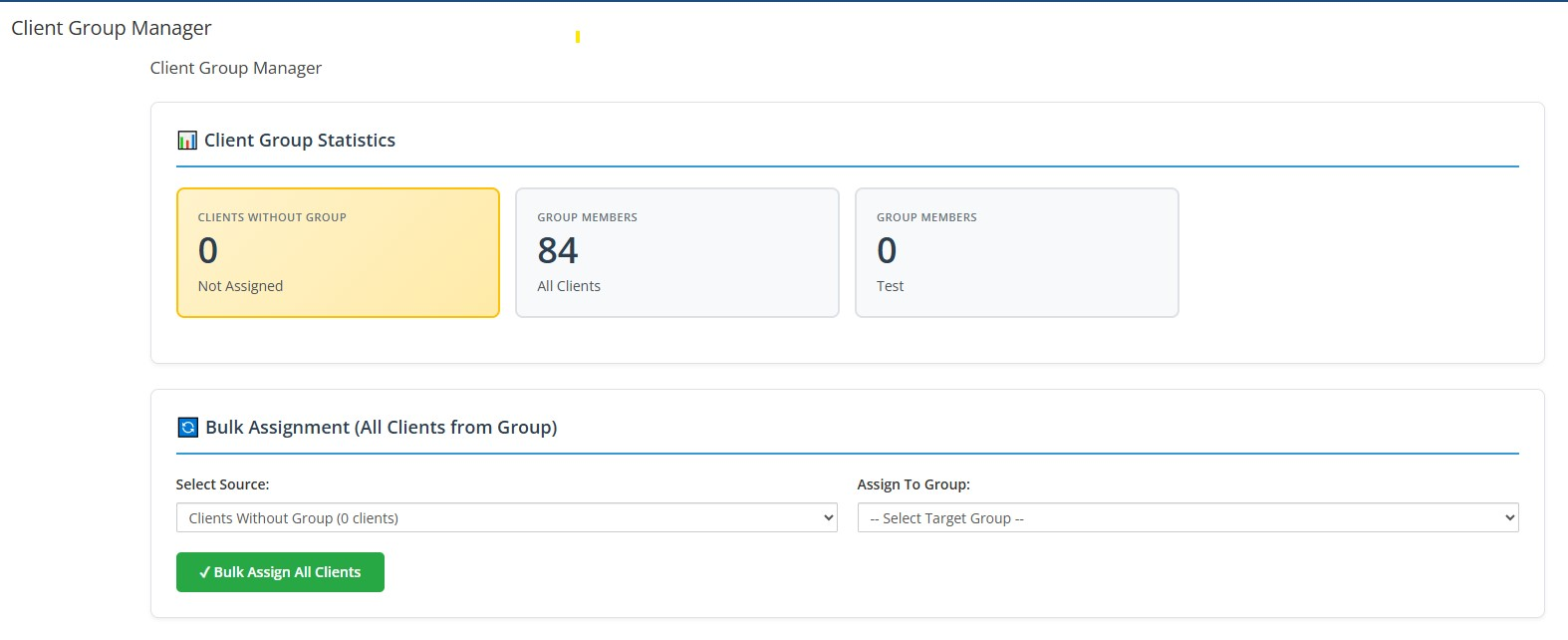
Visual Dashboard: See client counts for each group at a glance with beautiful card-based statistics
-
Bulk Assignment: Move ALL clients from one group to another in one action
-
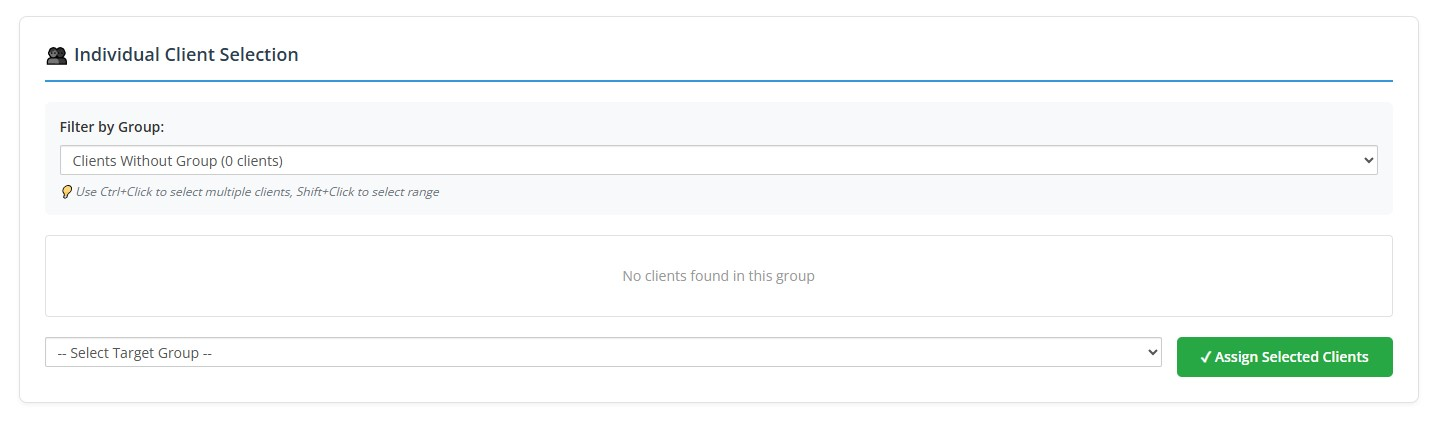
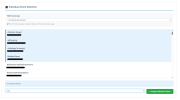
Individual Client Selection: Pick specific clients to assign with advanced selection controls
-
Click to select a single client
-
Ctrl+Click to select/deselect multiple individual clients
-
Shift+Click to select a range of clients
-
Filter by Group: View clients from specific groups or unassigned clients
-
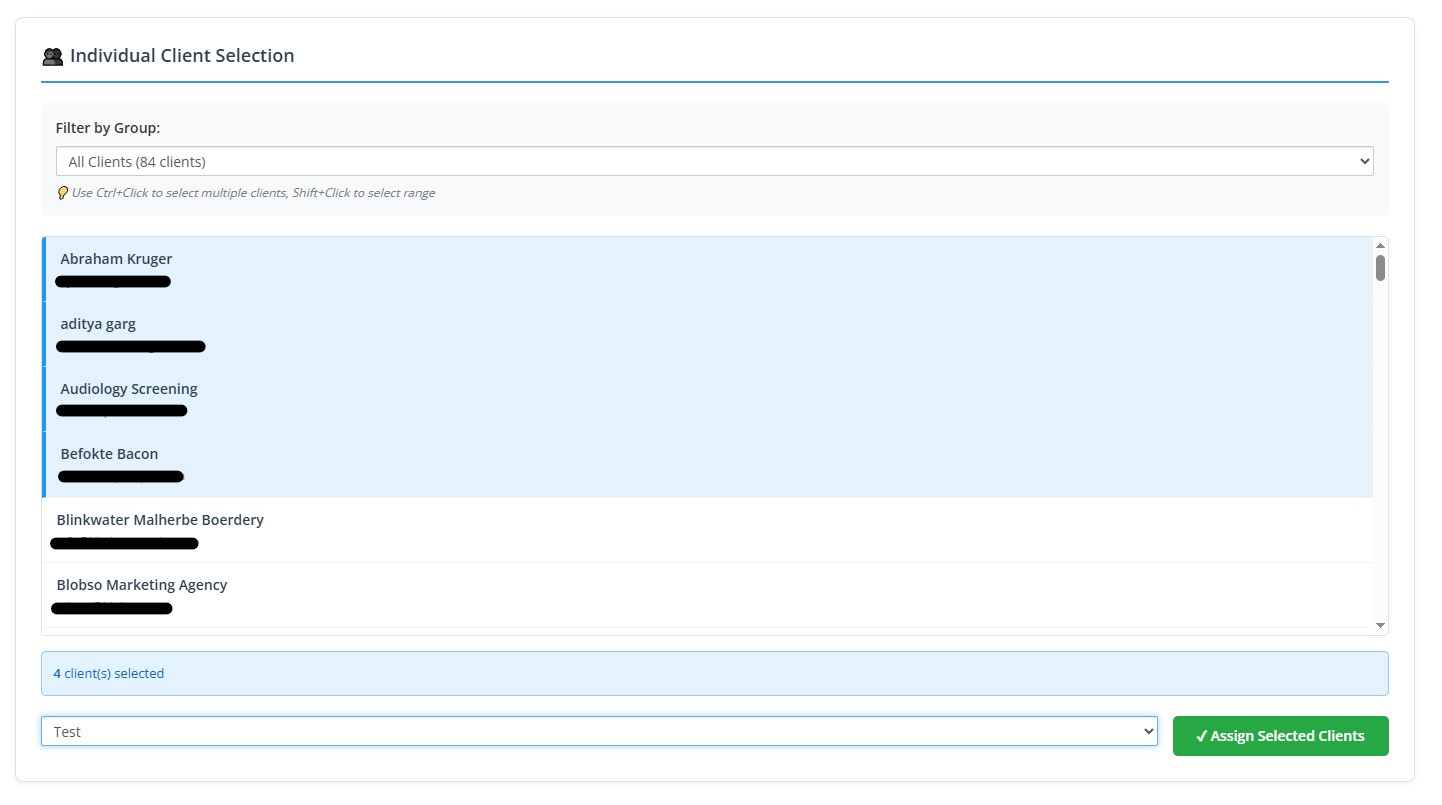
Real-time Selection Counter: See how many clients you've selected
-
Visual Feedback: Selected clients are highlighted with a blue indicator
-
Safety Features: Confirmation prompts and validation to prevent mistakes
-
WHMCS Native: Fully integrated with WHMCS admin styling and security
Installation
-
Create module directory:
- Create folder:
/modules/addons/clientgroupmanager/
- Copy
clientgroupmanager.php into this folder
- Final path:
/modules/addons/clientgroupmanager/clientgroupmanager.php
-
Activate the module:
- Log into your WHMCS Admin Area
- Navigate to: System Settings > Apps & Integrations > Addon Modules
- Find "Client Group Manager" in the list
- Click Activate
-
Access the module:
- Go to: Addons > Client Group Manager
- You should see the dashboard with client group statistics
Usage
Viewing Statistics
The dashboard displays:
- Number of clients without any group assignment (highlighted in yellow gradient)
- Client count for each existing group in card format
- All data updates in real-time after each assignment
Bulk Assignment (All Clients from Group)
This method assigns ALL clients from one group to another:
-
Select Source: Choose which clients to move:
- "Clients Without Group" - assigns all unassigned clients
- Or select a specific group to reassign all its members
-
Select Target Group: Choose the destination group
-
Click "Bulk Assign All Clients":
- A confirmation prompt will appear
- Click OK to proceed
- Success message shows how many clients were updated
Individual Client Selection
This method lets you select specific clients to assign:
-
Filter by Group: Choose which group to view clients from using the dropdown
-
Select Clients:
-
Click on a client to select them
-
Ctrl+Click (or Cmd+Click on Mac) to select multiple individual clients
-
Shift+Click to select a range of clients
- Selected clients are highlighted in blue
- Selection counter shows how many clients you've selected
-
Choose Target Group: Select where you want to assign the selected clients
-
Click "Assign Selected Clients":
- Confirmation prompt shows number of clients being assigned
- Only the selected clients will be moved
Example Scenarios
Scenario 1: Assign all unassigned clients to "Retail" group
- Use Bulk Assignment
- Source: "Clients Without Group"
- Target: "Retail"
- Result: All clients with no group are now in "Retail"
Scenario 2: Move specific clients from "Trial" to "Active"
- Use Individual Selection
- Filter: "Trial"
- Select specific clients using Ctrl+Click
- Target: "Active"
- Result: Only selected clients are moved to "Active"
Scenario 3: Move a range of clients
- Use Individual Selection
- Click first client, then Shift+Click last client
- Select range of clients in between
- Choose target group and assign
Safety Features
-
Validation: Prevents assigning a group to itself
-
Confirmation Prompts: Asks for confirmation before making changes, showing how many clients will be affected
-
Count Display: Shows how many clients will be affected before you proceed
-
Selection Feedback: Visual highlighting shows which clients are selected
-
WHMCS Tokens: Uses WHMCS CSRF protection
-
Visual Warnings: Clear warnings before bulk operations
-
Limit Protection: Individual selection limited to 500 clients per view (for performance)
Technical Details
-
Database: Uses WHMCS native database functions (
full_query, mysql_fetch_assoc)
-
Security: Implements WHMCS token validation and SQL injection protection
-
Compatibility: Works with WHMCS 7.x and 8.x
-
Requirements: PHP 7.2 or higher (WHMCS requirement)
-
Performance: Optimized queries with proper indexing on groupid column
SQL Equivalent
This GUI tool safely performs operations equivalent to:
-- Assign unassigned clients to group
UPDATE tblclients SET groupid = 'X' WHERE groupid = '' OR groupid = 0 OR groupid IS NULL;

-- Move clients from one group to another
UPDATE tblclients SET groupid = 'X' WHERE groupid = 'Y';
But with:
- Safety validations
- Visual confirmation
- Real-time statistics
- No direct database access needed
Support
Created by: Blu-Tec ICT
Version: 2.0
For issues or enhancements, modify as needed for your environment.
License
Modify for your WHMCS installation.