Tivro Migrator is a one-click hosting migration addon for WHMCS that lets your clients move their entire website to your hosting platform without raising a support ticket. From the client area, they can transfer website files over FTP, migrate MySQL databases, copy email accounts via IMAP, and automatically replace WordPress URLs — all in a single background job. Credentials are AES-256 encrypted, jobs retry automatically on failure, and every step is logged for admin visibility. Built for modern PHP 8.1+ environments with zero external dependencies.
Recursively copies all files from source to destination over FTP. Recreates the full directory structure automatically. Supports custom root paths (e.g. /public_html), custom FTP ports, and passive mode for firewalled servers.
Migrates complete MySQL databases without shell access. Copies rows in 500-row chunked transactions — if a table fails, it rolls back cleanly without affecting others. Foreign key checks are suspended during import. Views are skipped automatically.
Replaces the old domain with the new domain across the entire WordPress database — including serialized data in wp_options, wp_postmeta, and wp_usermeta. Recalculates serialized string byte lengths after replacement. Supports custom table prefixes.
Copies all mailbox folders and messages between mail servers. Preserves original delivery dates and message flags — Read, Answered, Flagged, Deleted, Draft. Creates missing destination folders automatically. Requires PHP IMAP extension.
All four types — files, database, WordPress URLs, and emails — can run in a single background job. Executed in a safe sequence: files → database → WordPress URL replacement → emails. Progress is tracked across all stages.
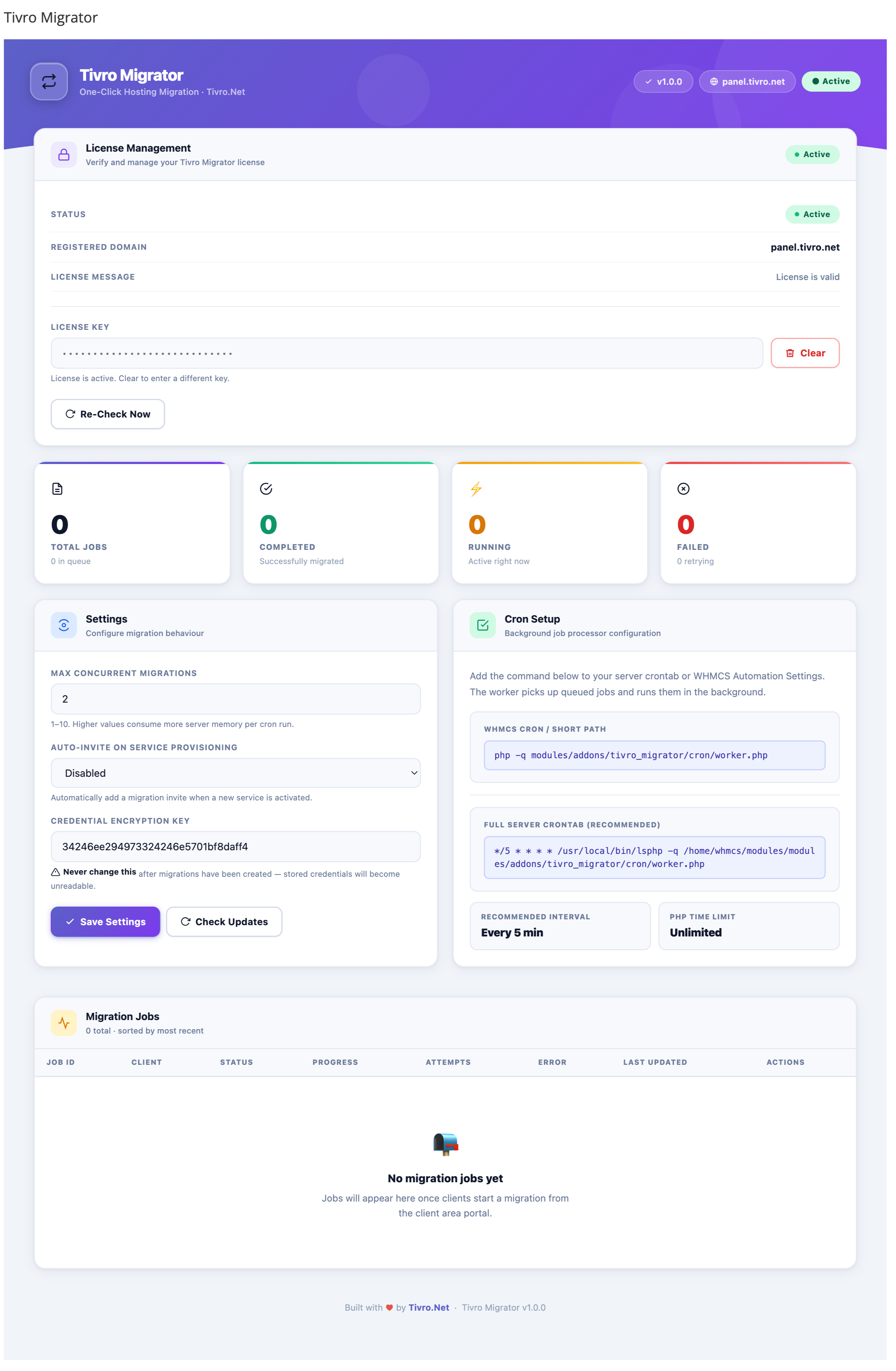
Jobs run entirely in the background via a cron-based worker. Clients do not need to keep their browser open. Schedulable every 1–5 minutes via WHMCS cron settings or a system cron job.
Run up to 10 migration jobs simultaneously. Admin-configurable concurrency limit so multiple clients can migrate at the same time without blocking each other.
Failed jobs are retried automatically up to 3 attempts before being marked permanently failed. Each attempt is logged with the error message, file, and line number for diagnosis.
Per-job percentage progress updated at every stage — file transfer, table-by-table database copy, and email folders. Visible in the client area history table.
Every action during a migration is logged — FTP connections, file counts, per-table database progress, IMAP folder operations, errors, and warnings. Supports INFO, WARN, and ERROR levels. Full log viewable per job from the admin panel.
All FTP, database, and IMAP passwords are encrypted with AES-256 before storage. The encryption key is generated on activation and stored separately. Credentials are decrypted only at runtime and never logged in plain text.
All client-area form submissions are protected by server-side CSRF tokens. Tokens are validated on every POST request and regenerated after each successful submission.
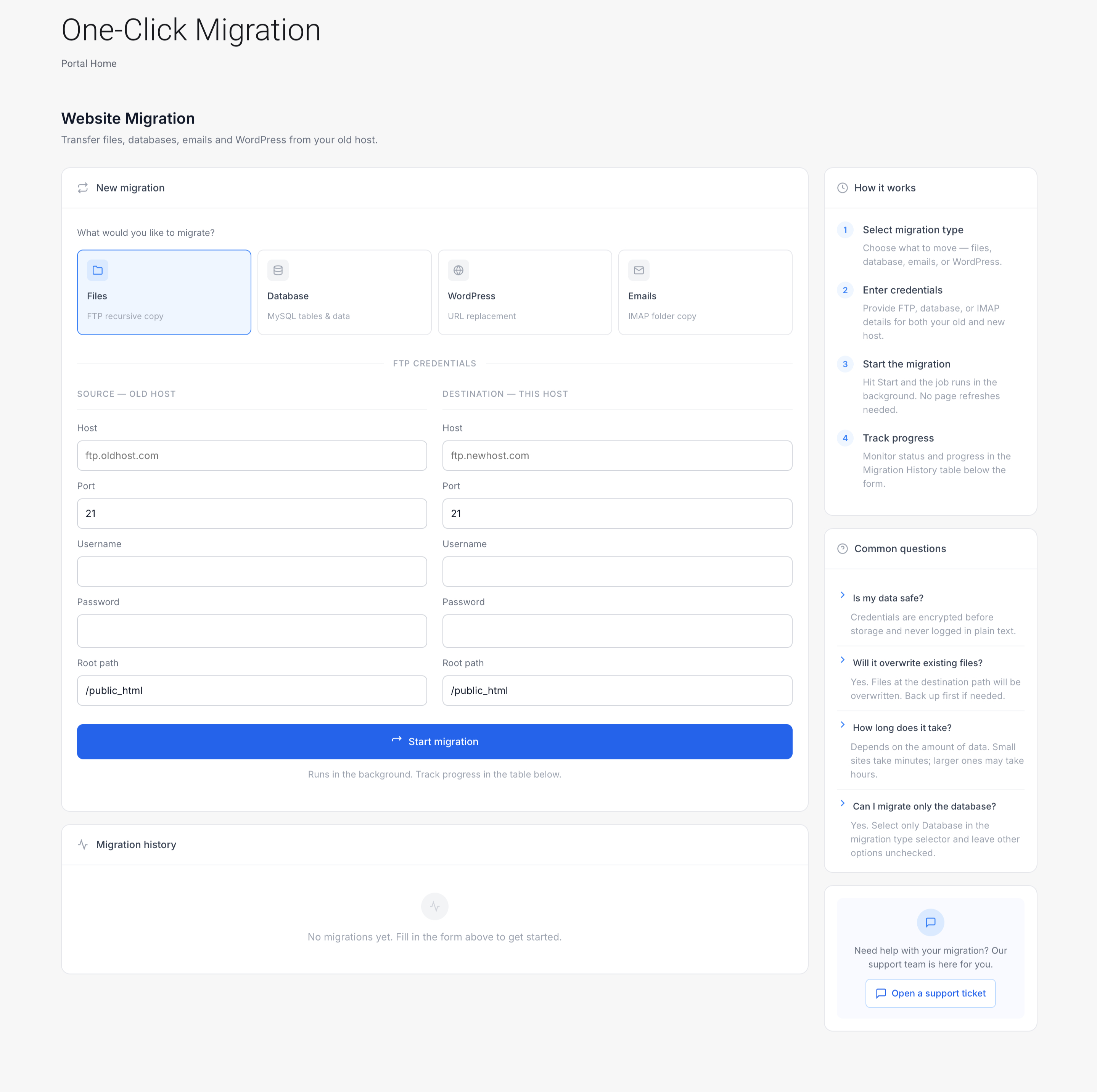
Clients submit migrations directly from WHMCS without contacting support. The wizard dynamically shows only the credential sections relevant to the selected migration types.
Clients can view all past and current jobs showing job ID, status (queued, running, completed, failed, retry), progress bar, and last updated time. Each job links to a detail view.
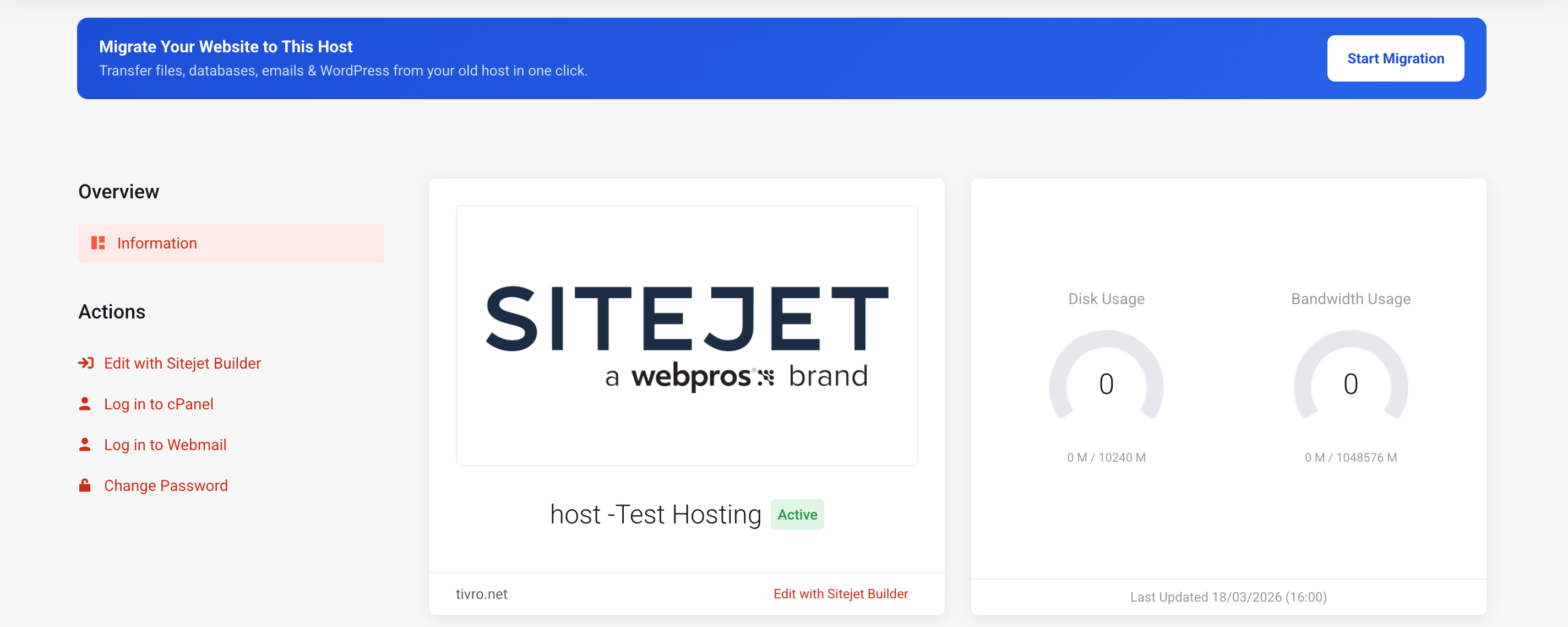
A responsive migration banner is injected on the hosting product management page. Appears only on hosting product types — not domains or other product types.
View all migration jobs across all clients from the WHMCS admin panel. See status, progress, client ID, and timestamps. Delete individual jobs from the dashboard.
Configure maximum concurrent jobs, enable or disable auto-invite, and view or regenerate the encryption key — all from the WHMCS addon settings page.
Optionally creates a migration invite automatically when a new hosting service is provisioned, enabling workflows that prompt new clients to migrate right away.
Runs entirely within WHMCS as a standard addon module. Uses the built-in Capsule database layer. No external dependencies, no separate application server, no additional database required.
Built with strict PHP 8.1+ typing throughout. No external dependencies. Compatible with modern PHP environments.
Be the first to review TivroMigrator - One Click Hosting Migration.
The best place to start if you need help with a specific product is to contact the developer. All WHMCS Marketplace developers have both a website and support URL listed.

Migrate your WHMCS configuration between installations with a single click. Export settings, gateways, tax rules, servers, and more into a secure JSON bundle and import them on a new WHMCS instance safely.
Clients can self-migrate their full cPanel account with one click — no tickets, no manual work
Service Transfer Module for WHMCS lets clients securely transfer services between accounts with mutual consent—no support tickets needed—while giving admins full control through logs, rules, and approvals.