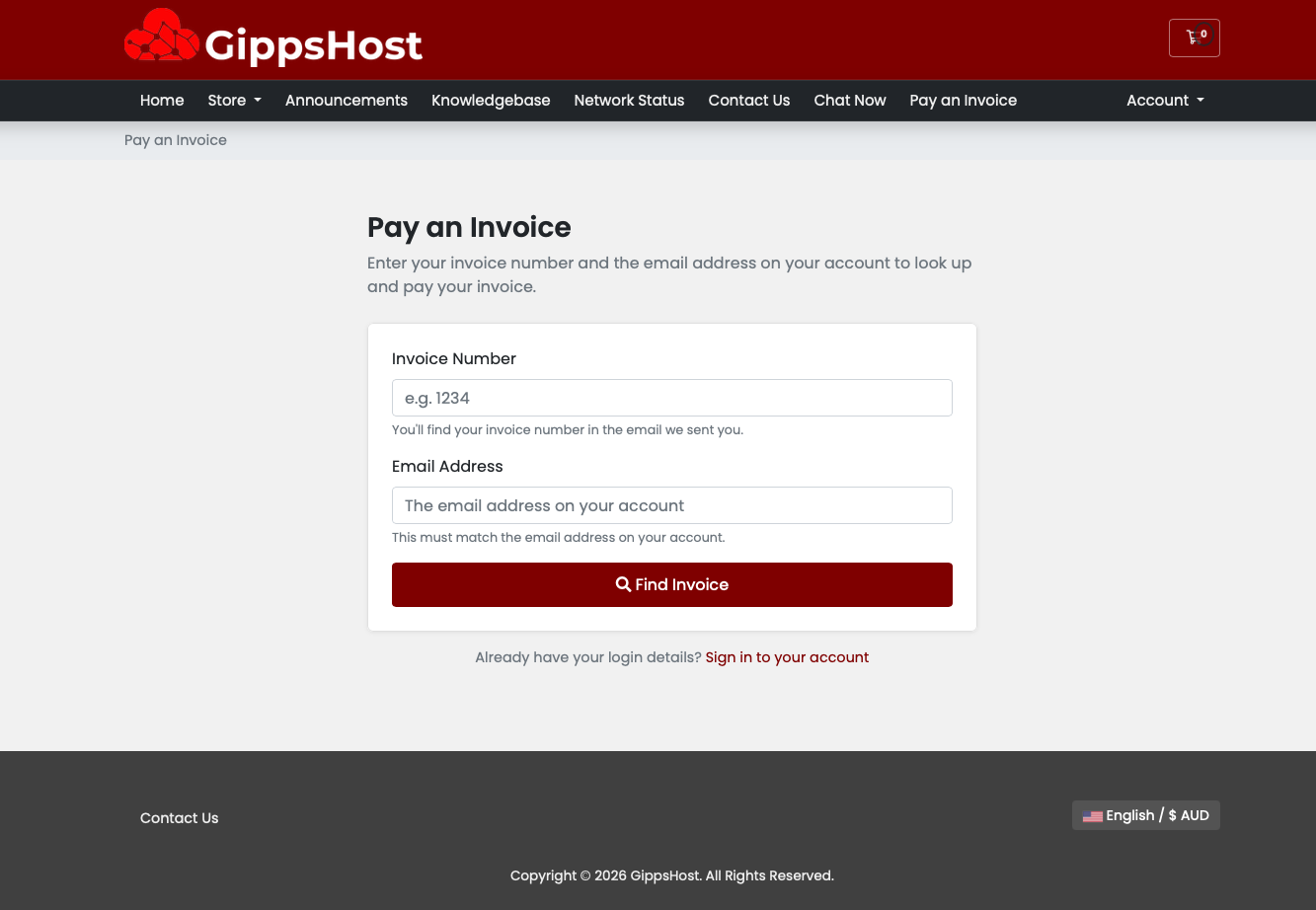
GuestPay lets your customers pay outstanding invoices without needing a WHMCS account or login. Ideal for one-off clients, shared accounts, and anyone who can't remember their password.
Customers visit /pay-invoice.php (or /pay-invoice with an optional URL rewrite), enter their invoice number and email address, and are shown their invoice details. If the invoice is unpaid, they can pay immediately via Stripe's hosted checkout — no card data ever touches your server.
Once payment is completed, Stripe fires a webhook that marks the invoice as paid in WHMCS and triggers the standard payment confirmation email.
.htaccess / Nginx rewrite rule includedAfter activation, go to Admin → Setup → Addon Modules → Guest Invoice Payment → Configure and enter your Stripe Publishable Key, Secret Key, and Webhook Secret. Company name, page title, and intro text are all customisable from the same screen.
Full installation instructions including Stripe webhook setup are included in the README.
Be the first to review GuestPay — Guest Invoice Payment.
The best place to start if you need help with a specific product is to contact the developer. All WHMCS Marketplace developers have both a website and support URL listed.



Integrate your financial data stored in WHMCS into QuickBooks Online.