Cloudflare WHMCS Module

Cloudflare WHMCS Module

Developed By WHMPress

Compatible with WHMCS v9.0
This Summer season, boost your WHMCS with premium modules and save 15% off.
Use promo code: SUMMER2026

Automated Cloudflare Zone Management Inside WHMCS

Cloudflare Server For WHMCS

Cloudflare Server is a WHMCS provisioning (server) module that sells Cloudflare as a product. The moment a client orders it, the module automatically creates a Cloudflare zone for the service's domain and applies your configured SSL, security, and cache defaults. Suspend, unsuspend and terminate map directly to pausing, resuming and deleting the zone. Clients manage their own zone, DNS, security, cache, firewall, and analytics right from the service page, and admins get the exact same controls on the admin service tab, with action buttons, live setting dropdowns, and popup panels for every feature. Account credentials and defaults are shared with the companion Cloudflare Manager addon, so nothing needs to be entered twice.

Admin Area Features

  • Zone Creation Defaults on the product's Module Settings page: Zone Type (Full DNS or Partial/CNAME), Default SSL Mode, Default Security Level, Default Cache Level, and an Auto-scan DNS on Zone Creation toggle.
  • Product Type flags (Shared Hosting, Reseller Hosting, Server/VPS, Other) stored per product for reporting/organisational purposes.
  • Configurable Options: one click to expose Zone Type, SSL Mode and Security Level as WHMCS configurable options clients can choose at checkout.
  • Client Area Features per product: toggle which of DNS Records, Security, Cache & Performance, Firewall and Analytics tabs are visible to that product's clients (Overview is always shown).
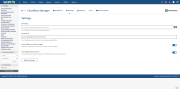
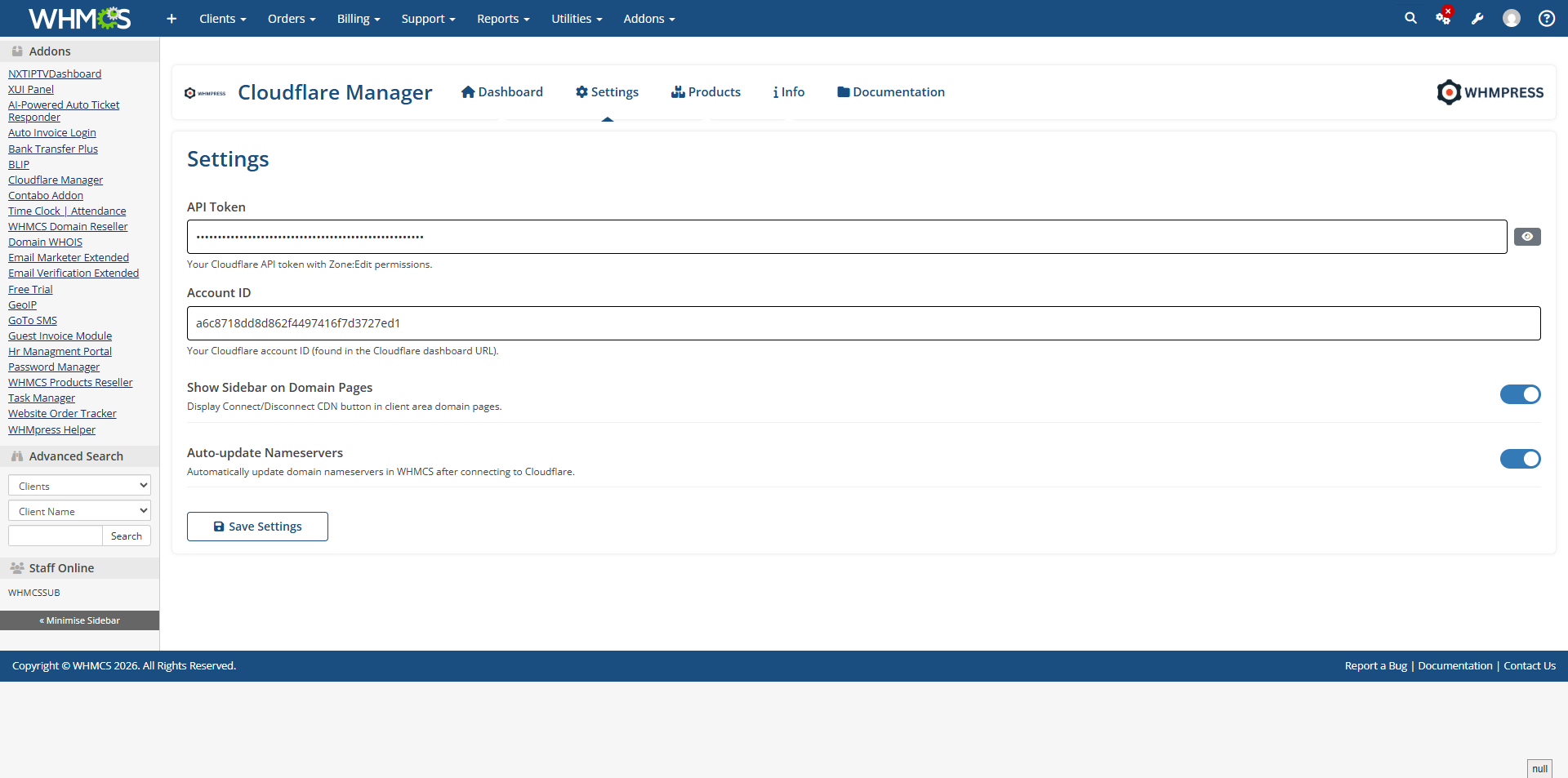
  • Cloudflare Account section at the top of the same settings page: Account ID, Server IP for initial DNS records, Auto-update Nameservers, and the same Cloudflare Tenant Account options (email, Global API Key, unit ID with a Fetch helper, account type, naming pattern) found in the Cloudflare Manager addon — saving here updates the addon too, and the reverse.
  • Client Area Styling settings on the same page: theme mode, light/dark colours, and a per-variable mapping table for the active WHMCS template, with shipped defaults for Lagom, Twenty-One, Six and Nexus.
  • Admin service tab, opened from Clients → Products/Services, showing:
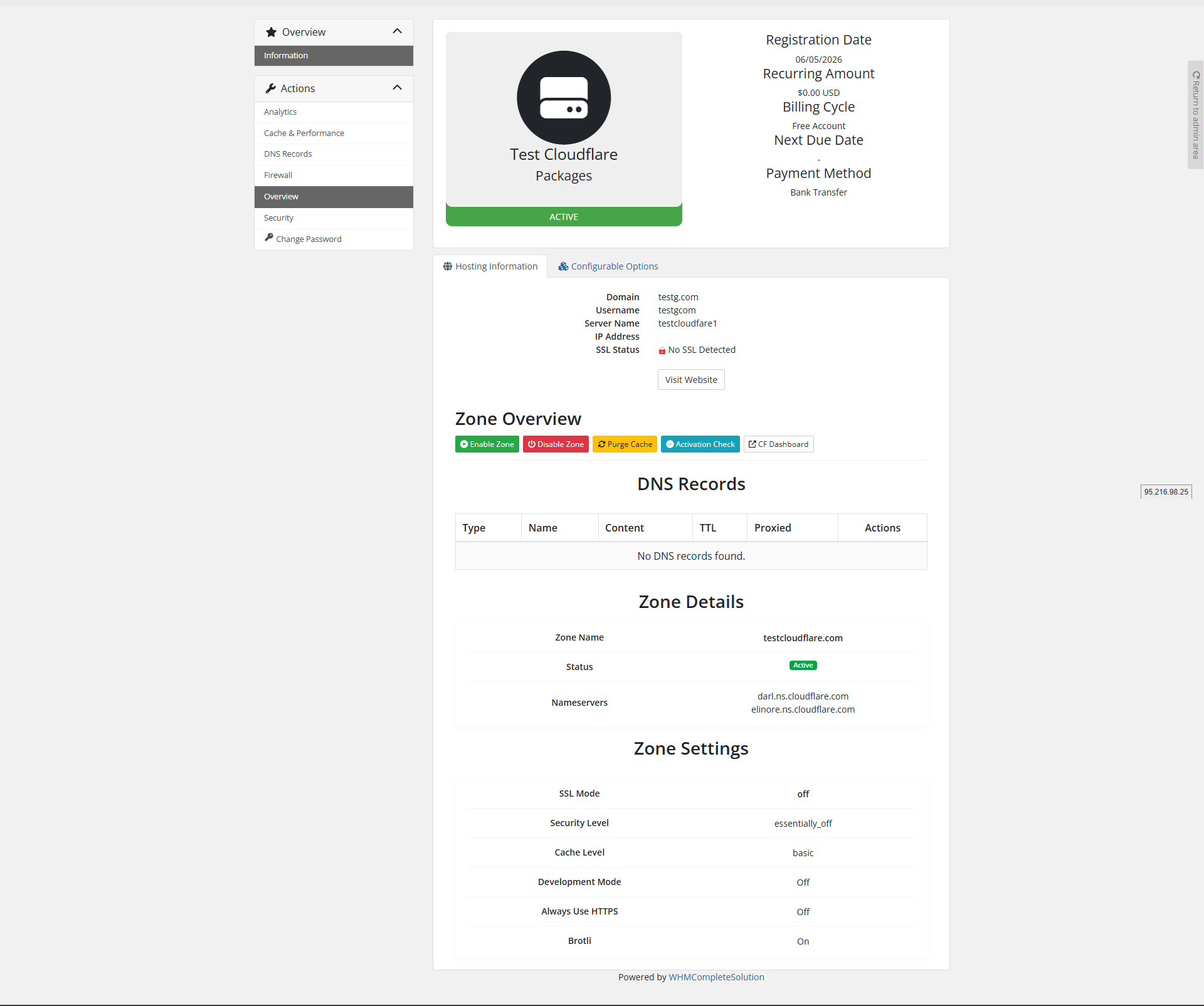
    • Action boxes for Enable Zone, Disable Zone (confirm), Purge Cache (confirm) and Activation Check, plus a direct Cloudflare dashboard link.
    • A Zone Information table — name, status, plan, zone ID, nameservers and record count — with copy buttons.
    • Popup panels for DNS Records (view/add/delete), Security (live setting dropdowns), Cache (live dropdowns plus purge everything or by URL), Firewall (IP access rules and WAF rules) and Analytics — the same features and layout the client sees.
  • Server "Access Hash" field is relabelled Cloudflare API Token on the Add/Edit Server page, with a matching placeholder and permission hint.
  • Automatic module updates through the WHMCS daily cron, ionCube-aware, logged to the Activity Log.
  • License banner: since this module has no license key of its own, an admin banner appears whenever the Cloudflare Manager addon's license is missing or invalid, linking straight to that addon's Configure page, with a sync icon to re-check live.

Client Area Features

  • Overview tab: zone status, nameservers with copy buttons, quick action boxes (Enable, Disable, Purge Cache, Activation Check, open Cloudflare dashboard), and management links to every other enabled tab.
  • DNS Records: add, edit, and delete records from the service page.
  • Security: Security Level, SSL Mode, Always Use HTTPS, Automatic HTTPS Rewrites, Hotlink Protection and Email Obfuscation, changed live via dropdowns.
  • Cache & Performance: Cache Level, Browser Cache TTL, Development Mode, Brotli and Rocket Loader, plus Purge Everything and purge-by-URL.
  • Firewall: IP access rules and WAF firewall rules, fully manageable by the client.
  • Analytics: 24-hour DNS query analytics for the zone.
  • Which of these tabs a client sees is controlled per product by the admin; the tab set, its icons and its labels come from one shared registry so the sidebar and the pages themselves are always in step.
  • 24 client-area languages, following each client's own WHMCS language setting automatically.

Package & Configuration Options

Zone Creation Defaults (per product)

  • Zone Type — Full DNS or Partial (CNAME).
  • Default SSL Mode — Off, Flexible, Full, or Strict (Full).
  • Default Security Level — Essentially Off, Low, Medium, High, or I'm Under Attack!.
  • Default Cache Level — Bypass, Basic, Simplified, or Aggressive.
  • Auto-scan DNS on Zone Creation toggle.
  • Product Type flags — Shared Hosting, Reseller Hosting, Server/VPS, Other.

Configurable Options (per product, optional)

  • Zone Type, SSL Mode, Security Level exposed to the client at checkout, overriding the product defaults above when set.

Client Area Features (per product)

  • Individually enable or disable the DNS, Security, Cache, Firewall and Analytics tabs for that product's clients.

Cloudflare Account (shared with Cloudflare Manager)

  • Account ID, Server IP for Initial DNS, Auto-update Nameservers.
  • Cloudflare Tenant Account toggle with Tenant Admin Email, Global API Key, Tenant Unit ID, New Account Type, and Account Name Pattern.

Client Area Styling (shared per install)

  • Theme Mode, light/dark colours, dark-toggle class mapping for non-Lagom themes, and a full theme-variable mapping table.

What the Module Works With

Cloudflare (via the official Cloudflare API v4)

  • Zones — create, pause (Suspend), unpause (Unsuspend), delete (Terminate)
  • Zone settings — SSL, security level, and the same full settings list as the Cloudflare Manager addon
  • DNS records — create, delete (from the admin custom-action AJAX handlers)
  • Cache — purge everything and purge by URL
  • Firewall — WAF rules and IP access rules, create and delete
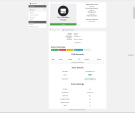
  • Zone info and DNS analytics for the admin service tab and client-area Overview

WHMCS integration points

  • Standard provisioning commands: Create, Suspend, Unsuspend, Terminate
  • A custom Purge Cache admin action button
  • Product configurable options and product-level Module Settings
  • The zone ID and nameservers are written to WHMCS custom fields (CfZoneId, CfNameservers) for admin visibility
  • The WHMCS daily cron, for automatic module updates
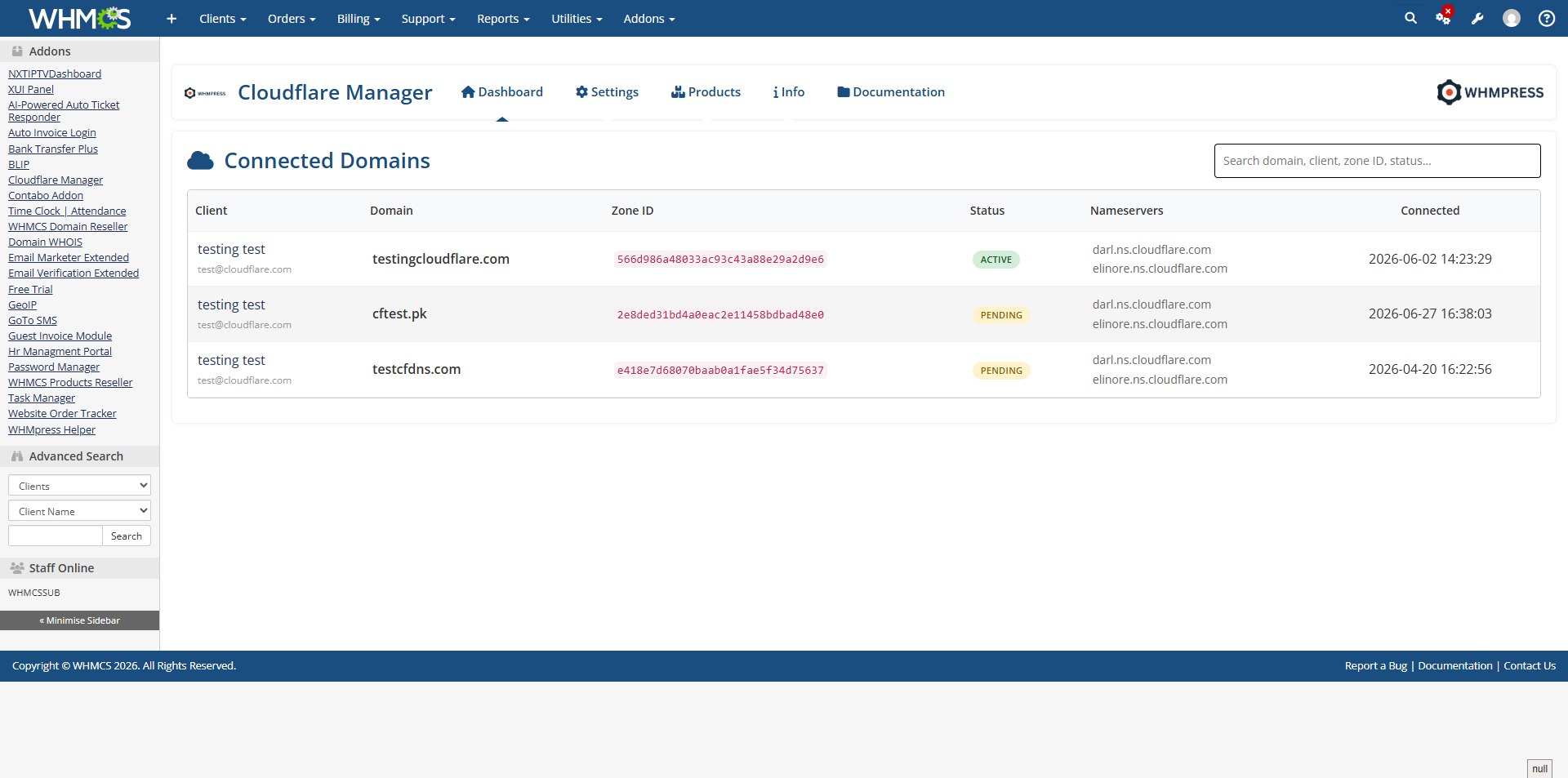
  • Zones created here are mirrored into the Cloudflare Manager addon's own zone table, so they appear on its All Zones admin dashboard alongside addon-connected domains

Notes for the listing form (not part of the copy)

Things worth knowing before this goes live, some of which affect what can honestly be claimed:

  • Zone-management AJAX actions have no access control. In ajax_functions.php, the $serviceActions group (pause, unpause, purge, DNS create/update/delete, setting patch, firewall and access-rule create/delete, activation check) is not gated by a logged-in session or by verifying the requesting client owns the target service — only a serviceid is required. This is a real security gap that should be fixed before this listing goes live; it isn't something to describe either way in the copy.
  • The API token is written in full to the module log by TestConnection (logModuleCall('cloudflare_server', 'TestConnection', 'API Token: ' . $apiToken, ...)). Worth fixing regardless of the listing.
  • Cloudflare Tenant account creation is not wired into this module's zone provisioning. The shared Tenant settings appear on this module's product page and do get saved to the shared settings table, but cloudflare_server_CreateAccount() never calls the tenant account-creation function, and the $account_created flag it checks afterwards is never assigned — so tenant_account is always stored as 0, and Terminate can never clean up a tenant account for a zone this module created. Tenant provisioning does work through the Cloudflare Manager addon's own connect flows. Don't describe this module as supporting tenant-mode zone creation as shipped.
  • Automatic module updates are not active. The auto-update hook needs this module's own store product IDs filled in; as shipped all three are 0, so the cron hook logs that it's skipped and exits.
  • bot_fight_mode and the minify (CSS/HTML/JS) settings are fetched into the Client Area template variables but have no corresponding form control anywhere in the templates, so they can't actually be changed through the module.

Why Choose WHMPRESS

WHMPress modules are built to sit naturally inside WHMCS rather than bolt on top of it. Cloudflare Server drives its client-area sidebar, its client-area pages and its admin service panel from one shared tab registry, so the two surfaces can never drift out of sync. Every action and icon is built from the module's own CSS icon system rather than static images, and the client-area styling adapts to Lagom, Twenty-One, Six and Nexus out of the box. Every WHMPress module ships with setup documentation and direct support from the developers who built it.

General Compatibility

  • WHMCS Versions: Fully compatible with versions 9.0.3 to 8.7

  • PHP Versions: Supports PHP 8.4, 8.3, 8.2, and 8.1

  • Themes Supported: Works with WHMCS themes such as Six, Twenty-One, and Lagom WHMCS Client Theme

  • System Requirement: Requires ionCube Loader v13 or later

Module Price

Monthly Price: 5$.

Annually Price: 39$.

One-Time Price: 75$.

OPEN-SOURCE VERSION: $199 One-time Price.


Reviews

5 stars
3
3
4 stars
0
0
3 stars
0
0
2 stars
0
0
1 star
0
0
Slawomir  avatar

Slawomir @slawomir9786

July 22, 2026 at 02:10:31 PM

We implemented this module to automate Cloudflare zone provisioning and it has performed very well. The integration is thorough, covering everything from DNS record management and security settings to cache control and firewall rules. Clients appreciate having all these controls directly in their WHMCS client area without needing a separate Cloudflare login. The auto provisioning works reliably and the per product configuration options give us good flexibility. A solid time saver for any hosting provider offering Cloudflare to clients.

  • 1 month ago
Eren  avatar

Eren @eren7589

June 29, 2026 at 12:25:43 PM

I tried several Cloudflare modules, but this one stands out. The WHMCS integration is seamless everything from zone provisioning to analytics is right inside the client area. I particularly like the granular control over SSL mode and security levels per product. Clients find the interface intuitive, and I've had zero API issues since install. Saved me hours of manual setup. Money well spent

  • 2 months ago
Rayonni Stewart avatar

Rayonni Stewart @rayonni9276

June 13, 2026 at 01:47:06 PM

I've been using this module for a few months, and it's been great. Cloudflare zone was auto-provisioned minutes after ordering. DNS, cache purge, security settings, and firewall rules are all easy to manage from the client area. No need to log into Cloudflare separately. Highly recommended.

  • 2 months ago

Version Compatibility


Compatible with WHMCS v9.0

Full Version Compatibility


  • Selected versions of WHMCS v9.0
        9.0.0 - 9.0.3
  • Selected versions of WHMCS v8.13
        8.13.0 - 8.13.2
  • All versions of WHMCS v8.12
  • All versions of WHMCS v8.11
  • Selected versions of WHMCS v8.10
        8.10.0
  • Selected versions of WHMCS v8.9
        8.9.0
  • Selected versions of WHMCS v8.8
        8.8.0
  • All versions of WHMCS v8.7

Support for this product

The best place to start if you need help with a specific product is to contact the developer. All WHMCS Marketplace developers have both a website and support URL listed.
Developed By WHMPress

Changelog

v1.0.0 Released May 6th, 2026

Latest Version


  • Zone management (create, delete, pause, unpause, activation check)
  • DNS record management (CRUD, scan, template application)
  • DNS templates with admin CRUD and default template support
  • Security settings (SSL, security level, bot fight mode, hotlink protection, etc.)
  • Cache management (cache level, browser cache TTL, brotli, rocket loader, minification)
  • Cache purge (everything, by URLs, by tags, by hosts)
  • Firewall rules (WAF rules CRUD)
  • IP access rules (block, challenge, whitelist)
  • Analytics dashboard with Chart.js visualizations
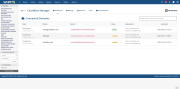
  • Admin area with tabbed interface (Zones, Settings, DNS Templates, Info)
  • Client area sidebar integration for services and domains
  • License verification system (WHMPress pattern)
  • Responsive design with cf- prefixed CSS classes


See also

cPanel DNS Manager Module for WHMCS

cPanel DNS Manager for WHMCS is an addon module which allows customers who have only domain names without a hosting package to manage DNS zones of their domain names.


Commercial
Project Management Addon

Track and Bill for your Projects using WHMCS

Commercial
CyberESXI

CyberESXI is a module designed for hosting companies using the WHMCS system. With Esx Addon, you can enable your clients to manage the virtual servers you created with Vmware ESX, ESXi software.

Commercial
Nameserver details widget hook by SparrowHost

This hook will let your customers know what is your nameservers on their client area at services page.
Free
Enhanced Support System

Enhanced Support System brings you an alternative support experience with clear department layout and ticket counts for each ticket status in every department.


Free