Binance Pay for WHMCS
Binance Pay for WHMCS is a payment gateway module by WHMPress that lets your hosting or service business accept cryptocurrency payments directly on WHMCS invoices through the official Binance Pay Merchant API. Invoices stay priced in your own fiat currency; the module creates a Binance Pay order for the invoice total, and your customer settles it in crypto from their Binance account, either through the Binance-hosted checkout window or by scanning an inline QR code with the Binance app. Payments are confirmed automatically in the background, so the invoice is marked paid within seconds of the customer completing payment — no manual reconciliation, no waiting on block confirmations on your side.
The module handles the full payment lifecycle inside WHMCS: order creation, expiry and re-issue, paid/cancelled/expired status tracking, admin-initiated refunds through the Binance Pay refund API, and Binance commission recorded as the transaction fee on the invoice payment. It supports both Live and Sandbox environments, optional sub-merchant IDs for Binance Pay channel partners, and detailed gateway logging for troubleshooting.
Key Features
Admin Area Features
-
Live and Sandbox environments — maintain two complete sets of credentials and switch between them from a single dropdown, so you can test checkout end-to-end before going live
-
Full Binance Pay Merchant API integration — every core Binance Pay operation is supported natively, including order creation, order status lookups, order cancellation, and refunds
-
Secure, signed transactions — every request to Binance is cryptographically signed and every incoming payment notification is verified against Binance's own certificates before it's trusted, so payment confirmations can't be spoofed or tampered with
-
Refunds from the WHMCS invoice screen — issue full or partial refunds directly through the standard WHMCS refund flow; the module confirms the refund with Binance, verifies it belongs to the invoice being refunded, and returns success, pending or declined accordingly
-
Pending refund tracking — refunds that Binance returns as still processing are tracked automatically and finalised the moment Binance confirms them, at which point the payment is refunded in WHMCS with no further action needed
-
Transaction Information support — WHMCS's transaction lookup returns live data for both payments and refunds, including amount, type, status, fee, currency and transaction date
-
Extended transaction metadata — details such as the Binance transaction ID, merchant trade number, settlement amount and currency, Binance commission, and refund reference are all recorded against the transaction for easy lookup
-
Commission recorded as invoice fee — the Binance commission is automatically converted back into your invoice currency and recorded as the payment fee, so your revenue reporting reflects what you actually received
-
Duplicate payment protection — built-in safeguards prevent an invoice from ever being credited twice, even if a payment confirmation arrives more than once
-
Automatic database setup — all required data storage is created on first use and upgraded in place; no manual setup required
-
Order lifecycle management — outdated or superseded payment orders are automatically closed and expired orders are flagged, so a single invoice never carries more than one live payment order at a time
-
Optional debug logging — log detailed request and response activity to the WHMCS Module Log for troubleshooting
-
Webhook activity logging — incoming payment notifications are recorded for auditing and support purposes
-
Sub-merchant ID support — supply a sub-merchant ID for Live and/or Sandbox if you operate as a Binance Pay channel partner
-
Configurable API base URL — override the Binance Pay API host per environment if required
-
Off-site payment method — the gateway is designed for Binance's hosted checkout, so WHMCS never presents a card entry form for it
Client Area Features
-
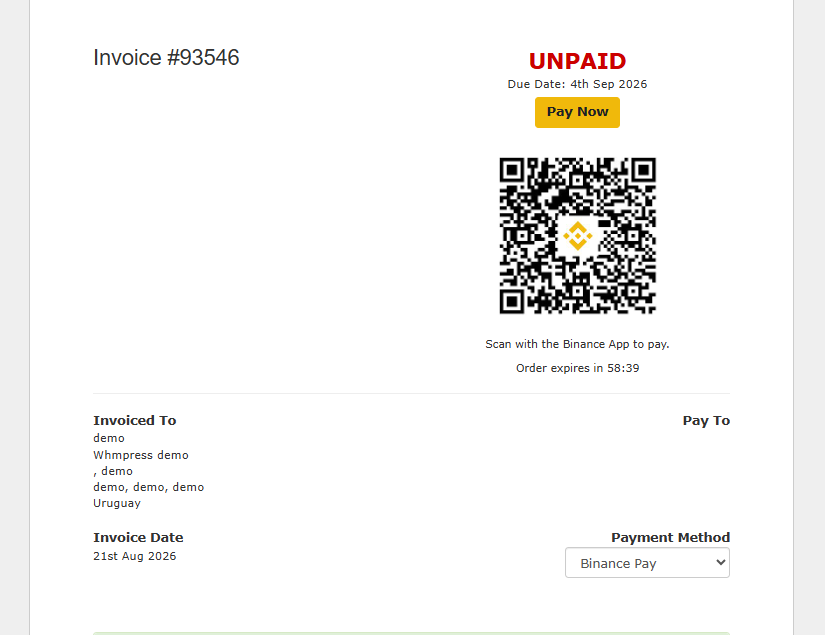
Pay Now button — opens the Binance-hosted checkout in a centred pop-up window, keeping the customer on your invoice page behind it
-
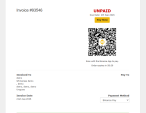
Inline QR code payment — renders the Binance Pay QR code directly on the invoice with a "Scan with the Binance App to pay" prompt, for customers paying from their phone
-
Choice of both — display the Pay Now button and the QR code together, or either one on its own
-
Live countdown timer — an optional on-invoice timer counts down to the order's expiry and switches to "expired" when the window closes
-
Automatic payment detection — the invoice page checks payment status in the background and redirects the customer straight to the paid invoice as soon as Binance confirms the payment, without a manual refresh
-
Automatic recovery on expiry — if an order expires or is cancelled, the page reloads and a fresh payment order is generated for the customer
-
Order re-use — returning to an unpaid invoice re-uses the existing live Binance Pay order when the amount and currency still match, instead of creating duplicate orders
-
Unsupported currency notice — if the invoice currency isn't supported by Binance Pay, the customer sees a clear message instead of a broken checkout
-
Localised Pay Now label — uses your WHMCS language file's Pay Now string
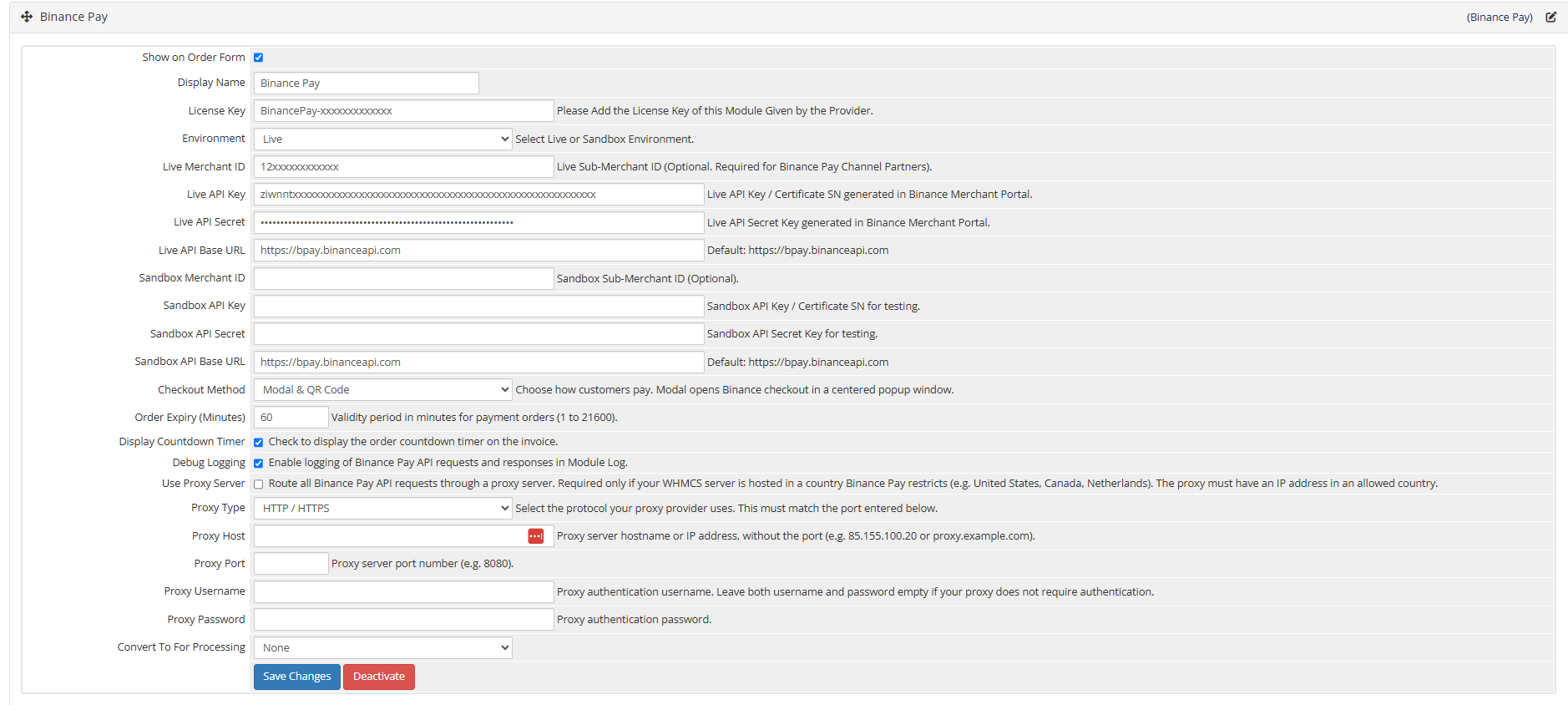
Gateway Configuration Options
-
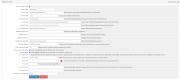
Environment — Live or Sandbox (Test Mode)
-
Live Merchant ID — optional sub-merchant ID, required for Binance Pay channel partners
-
Live API Key / Certificate SN — issued in the Binance Merchant Portal
-
Live API Secret — stored as a password field
-
Live API Base URL — defaults to
https://bpay.binanceapi.com
-
Sandbox Merchant ID — optional sub-merchant ID for testing
-
Sandbox API Key / Certificate SN
-
Sandbox API Secret — stored as a password field
-
Sandbox API Base URL — defaults to
https://bpay.binanceapi.com
-
Checkout Method — Modal, QR Code Only, or Modal & QR Code
-
Order Expiry (Minutes) — validity period for each payment order, from 1 to 21600 minutes (default 60)
-
Display Countdown Timer — show or hide the expiry countdown on the invoice
-
Debug Logging — enable or disable API request/response logging in the Module Log
Binance Pay Integration Coverage
-
Full order lifecycle — orders are created, checked, closed and refunded through Binance's official Merchant API, with every payment and refund outcome reflected automatically in WHMCS
-
Bank-grade security — outbound requests are signed and inbound payment confirmations are verified against Binance-issued certificates, so only genuine, untampered payment data is ever trusted
-
Reliable, tamper-proof confirmations — a locally cached certificate store and secure reference generation keep every transaction traceable and protected against spoofing
-
Currency handling — invoices are charged in your own fiat currency, and the customer chooses which crypto asset to pay with inside Binance's own checkout; the list of supported currencies is kept up to date automatically from Binance, with a broad set of major global currencies supported even if that check is temporarily unavailable
Important: Binance Pay Country Restrictions
If your WHMCS is hosted on servers located in the countries listed below, you cannot use Binance Pay for WHMCS (this is a restriction from Binance Pay):
List of Prohibited Countries as described in Binance's Terms of Use
- Canada
- Netherlands
- United States
- Cuba
- Democratic People's Republic of North Korea ("DPRK")
- Iran
- Syria
- Crimea region and any non-government-controlled areas of Ukraine
Why Choose WHMPRESS?
WHMPRESS builds WHMCS modules the way integrations should be built: against the provider's real API, with the security work done properly rather than skipped. This module signs every outbound request, verifies every inbound payment notification against Binance's own published certificates, guards against duplicate payment postings, and maintains its own payment history independently of gateway logs. You get a clean, honest integration — and a team that supports it.
General Compatibility
-
WHMCS Versions: Fully compatible with versions 9.0.6 to 8.7
-
PHP Versions: Supports PHP 8.4, 8.3, 8.2, and 8.1
-
Themes Supported: Works with WHMCS themes such as Six, Twenty-One, and Lagom WHMCS Client Theme
-
System Requirement: Requires ionCube Loader v13 or later
Module Price
Monthly Price: $10
Annually Price: $29
One-Time Price: $75
OPEN-SOURCE VERSION: $149 One-time Price