

Finally automate what you've been doing manually for years.
Tired of logging into cPanel, navigating to Zone Editor, deleting MX records one by one, and manually typing in Google Workspace mail servers? So were we. After years of doing this repetitive task for clients, we built MX Changer to handle it in seconds—right from the WHMCS admin panel.
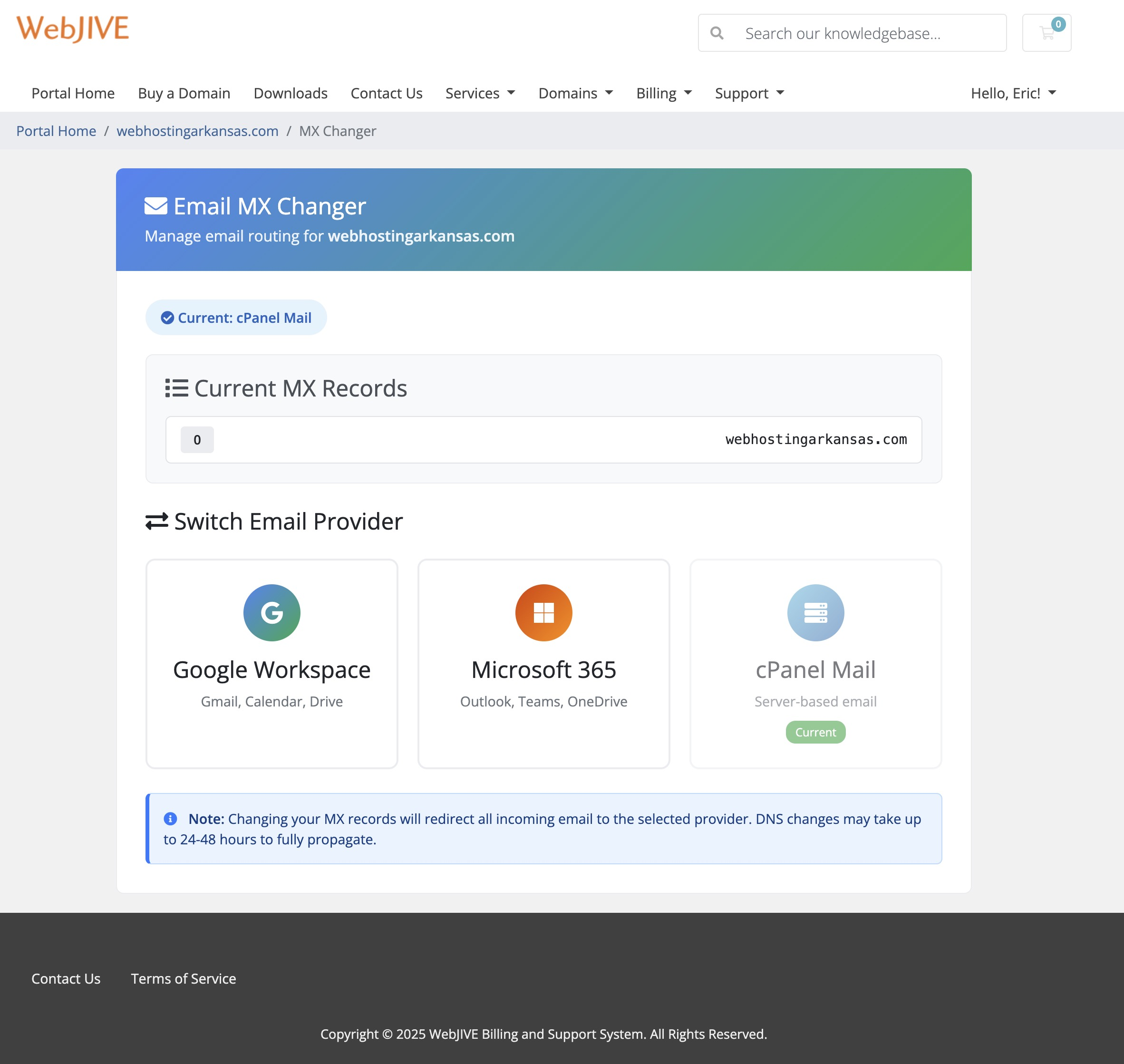
MX Changer adds an MX Manager button directly to the Products/Services tab on customer profiles. With one click, you can switch any cPanel hosting account between Google Workspace MX records and local cPanel mail—no more bouncing between interfaces or copying server addresses from documentation.
This addon is completely FREE.
We do not provide support for this module. It is offered as-is for the WHMCS community. If you run into issues or want to customize it, the full source code is available on GitHub and you are welcome to fork it.
GitHub Repository: https://github.com/webjive/WHMCS-MX-Changer
This addon was vibe coded with Claude AI—a fun experiment in AI-assisted development that turned a years-long wishlist item into a working tool in record time. It scratches an itch we have had since we started managing Google Workspace migrations for clients, and we figured other hosting providers might find it useful too.
Developed by WebJIVE — A Little Rock, Arkansas digital marketing and web hosting agency
Be the first to review MX Changer.
The best place to start if you need help with a specific product is to contact the developer. All WHMCS Marketplace developers have both a website and support URL listed.
MX records can now be managed for any domain hosted under a cPanel account — not just the primary domain. A domain picker appears in both the admin modal and the client area, listing all main, addon, and parked domains. Selecting a domain targets that domain's DNS zone precisely.
Fixed: cPanel Email Routing Not Switching to Local When restoring MX records to local cPanel mail, the Email Routing setting inside cPanel was not being updated to Local Mail Exchanger. This is now correctly set via the UAPI Email::set_mxcheck call, with an automatic fallback to the legacy API2 if needed.
Fixed: UAPI Compatibility Across WHM Versions Internal cPanel UAPI calls have been updated to use the json-api?cpanel_jsonapi_apiversion=3 format, replacing the /execute/ endpoint path which is not supported on all WHM configurations.
Fixed: Client Area Access Blocked When Enabled The Enable Client Access setting was not being read correctly — WHMCS stores checkbox values as on, but the module was checking for yes. Client access is now properly enabled when the setting is turned on in the addon configuration.
Fix client area access and bump version to 1.4.1
Change the license from MIT to GPL 3.0
Fixed client area redirect issue where the MX Changer page was not loading properly and showing "Client access is disabled" error.
Changes:
The client area MX Changer is now fully functional, allowing clients to manage their email routing between Google Workspace, Office 365, and cPanel mail.

Sell SSL on autopilot: automated issuance, validation, installation and renewal, right inside WHMCS.

Resell VPS & Cloud Dedicated Products from Liquid Web

Kopage, self-hosted, Website Builder for Webhosting Companies your clients will love to use. Attract more clients and reduce churn rate with easy and intiutive website builder.

Turnkey PaaS, Docker hosting, auto-scalable clusters and VPS with full integration to WHMCS

Resell Dedicated Servers from Limestone Networks white label API.