reForge Captcha Manager is a WHMCS addon module that replaces the default Google reCAPTCHA with reForge Captcha — a privacy-friendly, GDPR-compliant captcha solution built by Software By Ricardo. It supports multiple widget types, themes, and languages.
The module automatically injects the captcha widget into your WHMCS client area and admin login forms, and validates tokens server-side before allowing form submissions through.
allow_url_fopen enabled in PHP (for server-side token verification)Register at reforgecaptcha.cloud, create a site, and copy your Site Key (public) and Secret Key (private). Make sure to register your WHMCS domain in the dashboard.
Note: All API calls and widget scripts run through
reforgecaptcha.cloud. This is the only supported endpoint.
reforgecaptcha folder to your WHMCS server at:
/path/to/whmcs/modules/addons/reforgecaptcha/
modules/addons/reforgecaptcha/
├── reforgecaptcha.php
└── hooks.php
644 for files, 755 for directories).https://yourwhmcsinstallation.tld/youradminpath/configaddonmods.php
Once activated, manage all settings at:
https://yourwhmcsinstallation.tld/youradminpath/addonmodules.php?module=reforgecaptcha
site_.
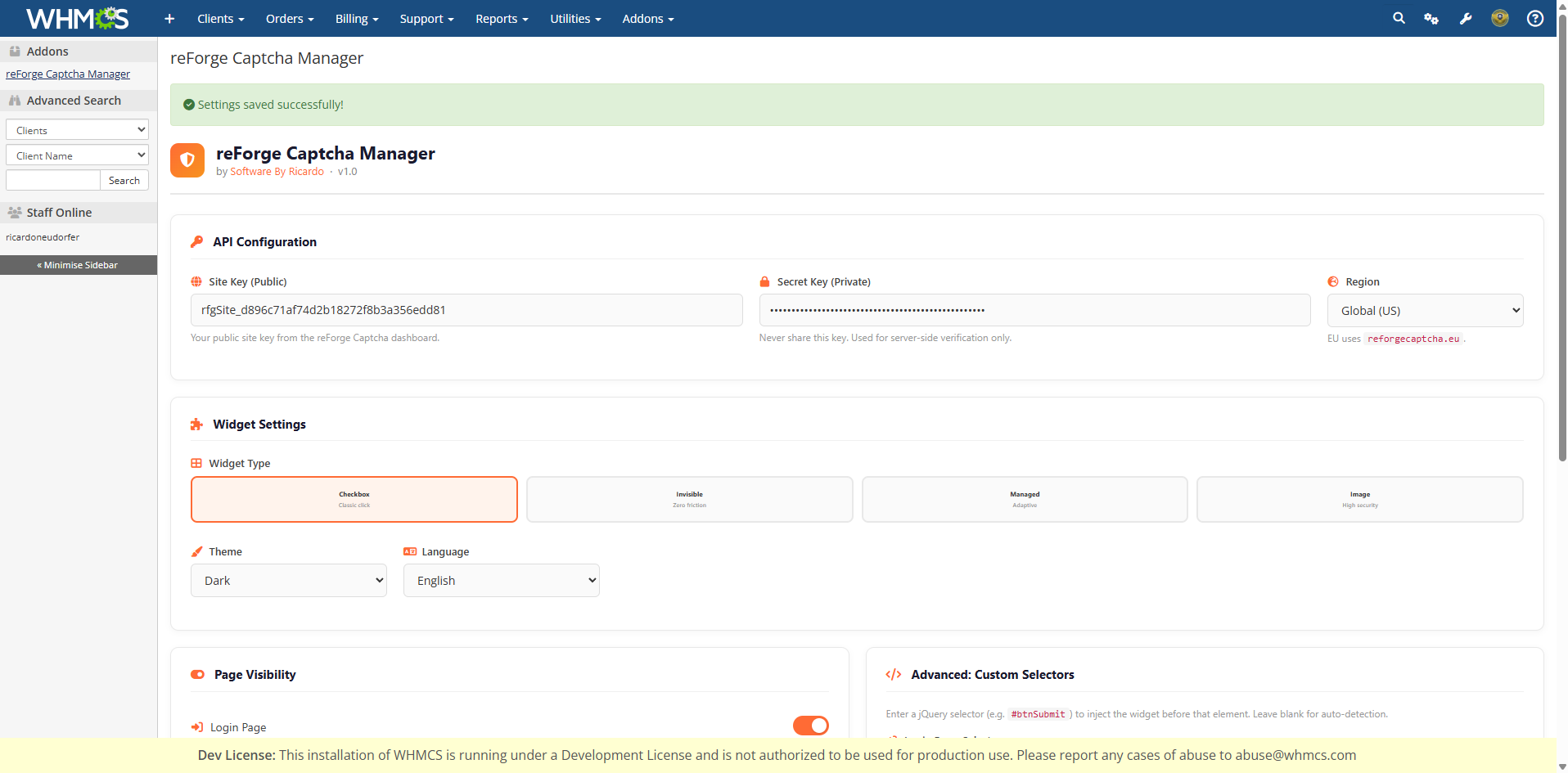
Secret Key (Private)
Your private key used for server-side verification. Never expose this publicly.
Checkbox — classic click-to-verify. Invisible — zero friction, runs silently. Managed — adaptive, decides automatically. Image — high security image challenge.
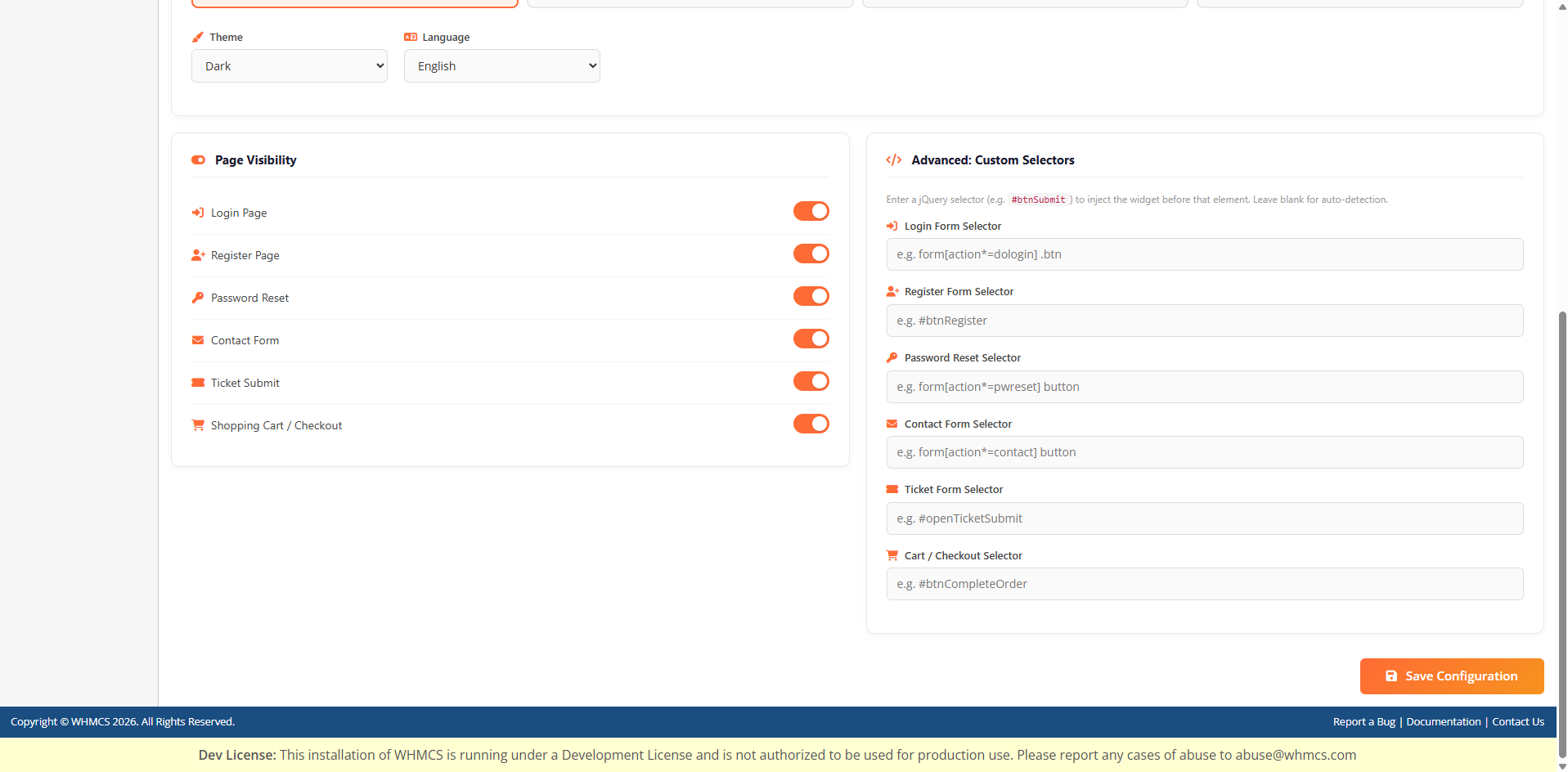
Theme
Auto follows the user's system preference. Light or Dark forces a specific theme.
Language
Widget display language: English, Dutch, German, French, or Spanish.
Enable or disable the captcha widget per page using the toggle switches. Pages with the toggle off will not show any widget and will not be verified.
Toggle Description Login Page Protects the client area login form. Register Page Protects the client registration form. Password Reset Protects the password reset request form. Contact Form Protects the contact form. Ticket Submit Protects the support ticket submission form. Shopping Cart / Checkout Protects the checkout flow.By default the module auto-detects the correct form and submit button on each page. If your WHMCS theme uses non-standard markup, you can override the injection target with a custom jQuery selector.
Example: To inject the widget before a button with id #mySubmitBtn, enter #mySubmitBtn in the relevant selector field.
Leave blank to use automatic detection.
<head> of the page on any enabled page.<div class="reforge-captcha"> is injected into the form just before the submit button.reforge-captcha-token input into the form./api/verify) and checks that success is true and score >= 0.5.https://yourwhmcsinstallation.tld/youradminpath/configaddonmods.php
modules/addons/reforgecaptcha/ directory from your server.Deactivating removes the module from WHMCS but does not delete saved settings from the database (
tbladdonmodules). To fully clean up, remove rows wheremodule = 'reforgecaptcha'from that table.
For issues or questions, visit Software By Ricardo.
For reForge Captcha API documentation, visit reforgecaptcha.cloud.
Be the first to review reForge Captcha Manager.
The best place to start if you need help with a specific product is to contact the developer. All WHMCS Marketplace developers have both a website and support URL listed.
>= 0.5).

Easily generate and change passwords for your clients without the need to send an email


Give your customers the power to unblock themselves from the CSF Firewall! Lessen your staff support ticket load