WHMCS MCP Server

WHMCS MCP Server

Developed By Provonic

Compatible with WHMCS v9.0

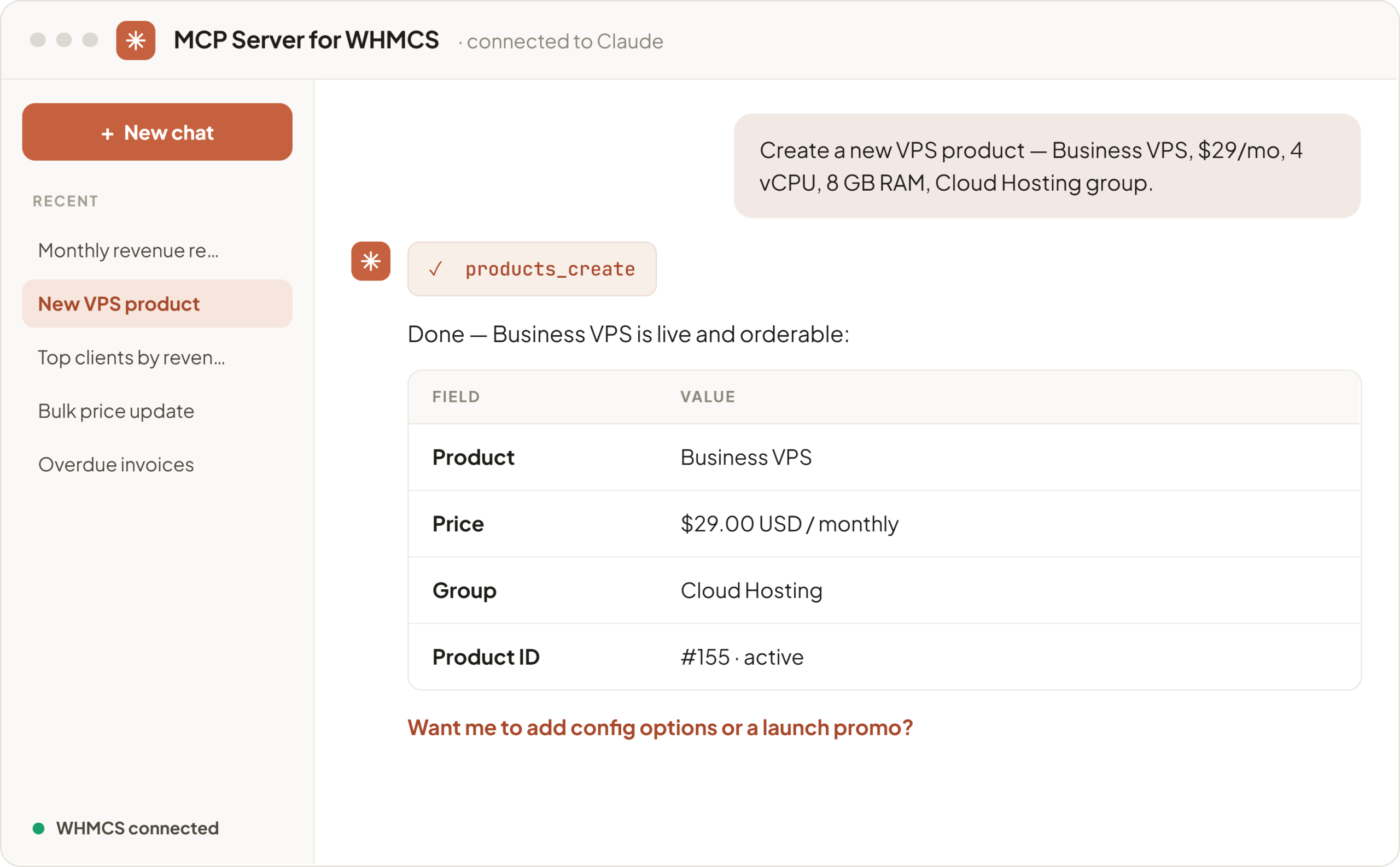
Model Context Protocol (MCP) Server for WHMCS is a self-hosted WHMCS MCP server by Provonic that connects AI assistants such as Claude Desktop, Claude.ai, Cursor and Codex directly to your WHMCS installation. It is an MCP server for WHMCS, an AI integration for WHMCS and a WHMCS AI assistant in one: ask in plain English, for example "which invoices are overdue?" or "show my top clients by revenue", and your AI assistant answers from your live WHMCS data or carries out the action for you, without clicking through WHMCS menus.

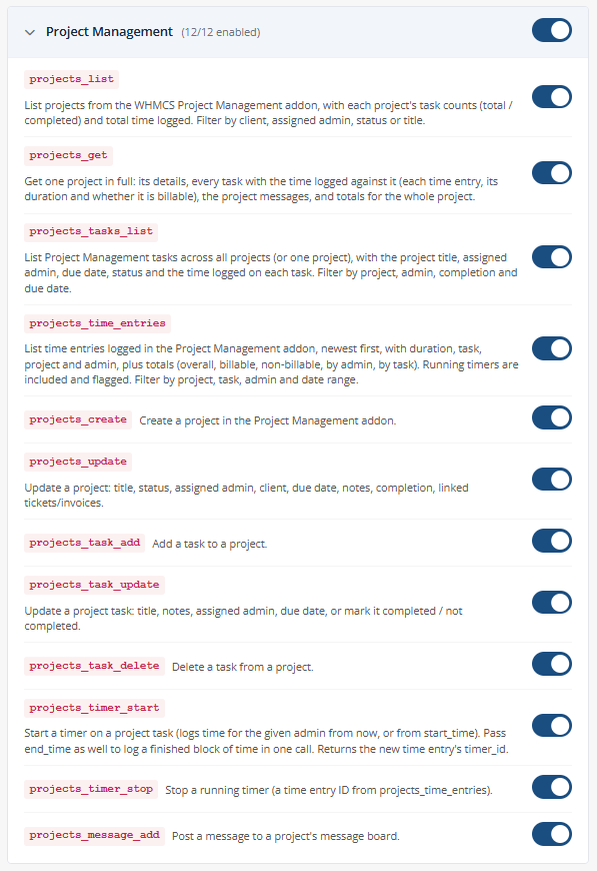
139 tools cover clients, services, billing and invoices, quotes, orders, domains, support tickets, products and pricing, configurable options, addons, reports and system data. Project Management tools let AI assistants work with the WHMCS Project Management addon: list projects and tasks, see the time logged with billable totals per staff member and per task, create and update projects and tasks, start and stop task timers and post project messages. Built-in business metrics return Monthly Recurring Revenue (MRR), churn rate, revenue statistics, top clients by revenue, aging invoices, domains expiring soon and payment gateway transaction fees.

The MCP server runs inside your own WHMCS, with no third-party relay in between: your WHMCS data goes only to the AI assistant you connect. Each MCP client gets its own API key, stored only as a SHA-256 hash, with its own tool permissions and rate limit. The Tools Manager switches individual tools or whole categories on and off, and audit logging records every tool call with its API key, client IP, transport and status. Remote MCP clients connect over MCP Streamable HTTP or legacy Server-Sent Events (SSE), and an AI agent on the WHMCS server itself can use the local stdio transport.

Test all features with our 5-Day Free Access!

Ask WHMCS In Plain English:

  • Natural Language Questions And Actions
  • Answers With WHMCS Admin Links
  • Amounts In The Client's Currency
  • AI Agents Work Inside WHMCS

139 WHMCS Tools:

  • Clients: List, Search, Create, Merge
  • Billing: Invoices, Payments, Credit, Refunds
  • Late Fees, Credit Notes, Transactions
  • Quotes And Orders
  • Services: Provision, Suspend, Upgrade, SSO
  • Domains: Register, Transfer, Renew, WHOIS
  • EPP Codes, Nameservers And Domain Lock
  • Support Tickets, Notes And Merges
  • Products, Addons, Configurable Options
  • Product Rename With Translations And URL
  • Announcements And Client Emails

Project Management Tools:

  • Projects, Tasks And Time Logged
  • Billable Time Per Staff Member
  • Time Totals Per Task
  • Create And Update Projects And Tasks
  • Start And Stop Task Timers
  • Post Project Messages
  • Overdue Tasks And Tasks Due This Week

Business Metrics And Reports:

  • Monthly Recurring Revenue (MRR)
  • Churn Rate
  • Revenue Statistics And Top Clients
  • Aging Invoices And Overdue Invoices
  • Domains Expiring Soon
  • Payment Gateway Transaction Fees
  • Clients With The Most Support Tickets
  • Run Any WHMCS Report

Admin Features:

  • Dashboard: Keys, Requests And Tools
  • API Keys Per MCP Client
  • Per-Key Tool Permissions
  • Full Access Switch
  • Per-Key Rate Limit
  • Tools Manager: Tools And Categories On/Off
  • Audit Logs With Arguments And Errors
  • Connection Guide With Your Own URLs
  • Check For Update And Install

Security:

  • Self-Hosted Inside Your WHMCS
  • API Keys Stored As SHA-256 Hashes
  • Key Shown Once, Delete To Revoke
  • HTTPS Required For Remote Connections
  • Access By Admin Role Group
  • Switched-Off Tools Refused By Name

Works With:

  • Claude Desktop
  • Claude.ai Custom Connector
  • Cursor
  • Codex
  • Local MCP Clients Over Stdio
  • MCP Streamable HTTP And SSE
  • Tools From Other Provonic Modules

General Info:

  • WHMCS 8.0 And Later
  • PHP 8.1 To 8.4
  • ionCube Loader v13, v14 Or v15
  • 5-Day Free Trial, Once Per Client

Available Pricing Models:

  • Monthly And Annually
  • One-Time
  • Open Source

Whether you are looking for a WHMCS MCP, MCP for WHMCS, a Model Context Protocol server for WHMCS, WHMCS AI, AI for WHMCS, an AI assistant for WHMCS, Claude for WHMCS, a Claude WHMCS integration, Cursor for WHMCS or a WHMCS AI agent, this WHMCS addon module connects your AI assistant to WHMCS in minutes.


Reviews

5 stars
4
4
4 stars
0
0
3 stars
0
0
2 stars
0
0
1 star
0
0
Aiko Tanaka avatar

Aiko Tanaka @aiko2205

October 10, 2026 at 06:13:06 AM

I was skeptical about connecting AI to my WHMCS, but this module won me over. The self-hosted design and SHA-256 token hashing addressed my security concerns immediately.

Setup was quick. Now I just ask Claude things like "show me overdue invoices" or "what's our MRR?" and get instant formatted answers. The native tools cover clients, billing, domains, and tickets things the standard API can't do.

It's saved me hours of menu-clicking every week. The one-time pricing option is a bonus.

  • 1 week ago
  • Version Number 1.0.0
Slawomir  avatar

Slawomir @slawomir9786

July 22, 2026 at 02:14:55 PM

We integrated this module to test AI-driven WHMCS administration and it has delivered impressive results. The natural language interface handles everything from client lookups and invoice management to domain operations and revenue reporting. The available tools cover almost every aspect of WHMCS management.

The self-hosted architecture with SHA-256 token hashing and comprehensive audit logging addresses our security concerns. Setup was quick and the module works seamlessly with Claude Desktop and ChatGPT. The ability to perform complex queries like MRR calculations or churn analysis without manual reporting is a game changer for our team. A well-built solution that bridges AI and WHMCS effectively.

  • 2 months ago
  • Version Number 1.0.0
Ramson  Joy avatar

Ramson Joy @ramson7113

July 22, 2026 at 01:47:34 PM

I've been using this module for a few weeks now, and it has genuinely streamlined how I manage our hosting business. While I was initially skeptical about connecting an AI to our WHMCS, the self-hosted, secure design immediately put my concerns at ease. The setup process was straightforward, and the audit logging is a fantastic feature for keeping track of all actions.

The real value, however, is in the day-to-day use. The ability to get complex reports, like revenue breakdowns or a list of expiring domains, with a simple natural language prompt has saved me a significant amount of time. I no longer need to dig through multiple menus to generate a simple report, and the "direct database-safe updates" mean I can perform actions that are typically cumbersome through the standard API. It's quickly become an indispensable tool for our team, and the pricing, especially the one-time option, makes it a no-brainer.

  • 2 months ago
  • Version Number 1.0.0
Eren  avatar

Eren @eren7589

July 14, 2026 at 02:24:43 PM

This is a game changer for WHMCS administration. Being able to query clients, invoices, and revenue in plain English through Claude Desktop saves us hours of clicking through menus. The native tools cover everything from billing to domain management, and audit logging gives us peace of mind. Setup was straightforward and security is solid with Bearer token authentication. Finally, AI actually useful for hosting operations. Highly recommended

  • 3 months ago
  • Version Number 1.0.0

Version Compatibility


Compatible with WHMCS v9.0

Full Version Compatibility


  • All versions of WHMCS v9.0
  • All versions of WHMCS v8.13
  • All versions of WHMCS v8.12
  • All versions of WHMCS v8.11
  • Selected versions of WHMCS v8.10
        8.10.0
  • Selected versions of WHMCS v8.9
        8.9.0
  • Selected versions of WHMCS v8.8
        8.8.0
  • All versions of WHMCS v8.7
  • All versions of WHMCS v8.6
  • All versions of WHMCS v8.5
  • All versions of WHMCS v8.4
  • All versions of WHMCS v8.3
  • All versions of WHMCS v8.2
  • All versions of WHMCS v8.1
  • All versions of WHMCS v8.0

Support for this product

The best place to start if you need help with a specific product is to contact the developer. All WHMCS Marketplace developers have both a website and support URL listed.


Developed By Provonic

Changelog

v1.5.0 Released October 20th, 2026

Latest Version


Added

  • Project Management tools: AI assistants can list projects and tasks and see the time logged on them, with billable totals per staff member and per task
  • AI assistants can create and update projects and tasks, start and stop task timers and post project messages
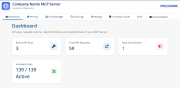
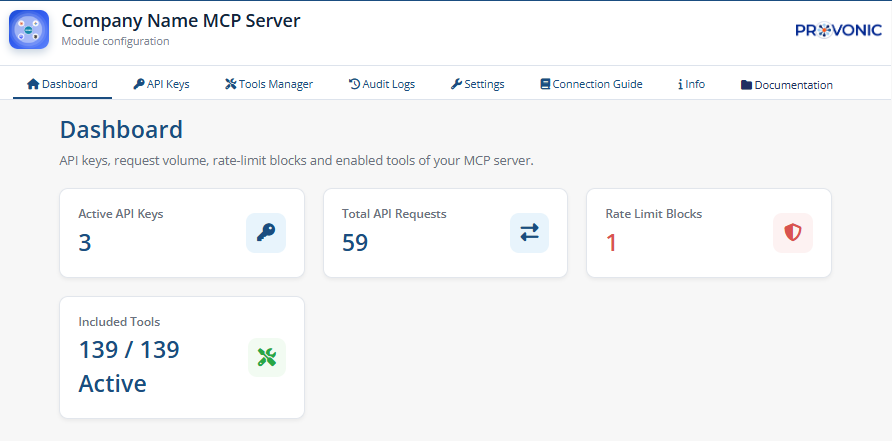
  • Dashboard tab with active API keys, total requests, rate-limit blocks and enabled tools
  • Info tab with module, licence and environment details
  • Check for Update button that installs a new version straight away

Changed

  • New Provonic design for the admin area
  • The licence is now checked with the Provonic licence server; AI clients receive a clear error while the licence is not active
  • Branding, author and documentation links now point to Provonic

Fixed

  • Renaming a product through an AI assistant now also updates the name clients see, can change the product's web address, and confirms the result
  • Tools switched off in the Tools Manager no longer run when an assistant calls them by name
  • The Enable Audit Logging setting now takes effect
  • Audit Logs now show calls from a deleted API key as that deleted key instead of Local CLI
  • The Claude Desktop / Codex configuration in the Connection Guide was missing its closing brace


Previous Versions


v1.1.0 Released September 10th, 2026

View/hide detailed changelog

Added

  • Full Access switch that selects or clears every permission in one click when generating an API key

Changed

  • The API Keys list now shows a key's exact permissions when you hover over them

Fixed

  • An API key's chosen permissions were ignored and every new key was given Full Access
  • A missing or unreadable permission choice is now refused instead of granting Full Access


v1.0.0 Released June 29th, 2026

View/hide detailed changelog

Added

  • First release


See also

Software Licensing Addon

Build, License & Distribute Your Own Apps using WHMCS

Commercial
Easy Favicon

Set favicons for client and admin areas of your WHMCS installation without coding

Free
Ranger - Sell license keys

Generate, distribute and validate license keys

Free
Bulk Delete Clients

Select and Delete multiple clients at the same time

Free
WHMCS Language Editor

This module allows you to alter the language strings used throughout WHMCS.

Free