MailCow

MailCow

Developed By OneSystems GmbH

Compatible with WHMCS v9.0

Turn MailCow into a fully managed email hosting product inside WHMCS.

MailCow for WHMCS connects your WHMCS installation with the MailCow API and automates the complete service lifecycle. New orders can provision domains, domain administrators and DKIM automatically, while package limits for storage, mailboxes, aliases and domains are enforced across the entire service.

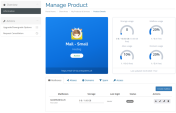
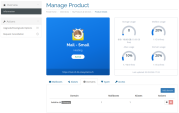
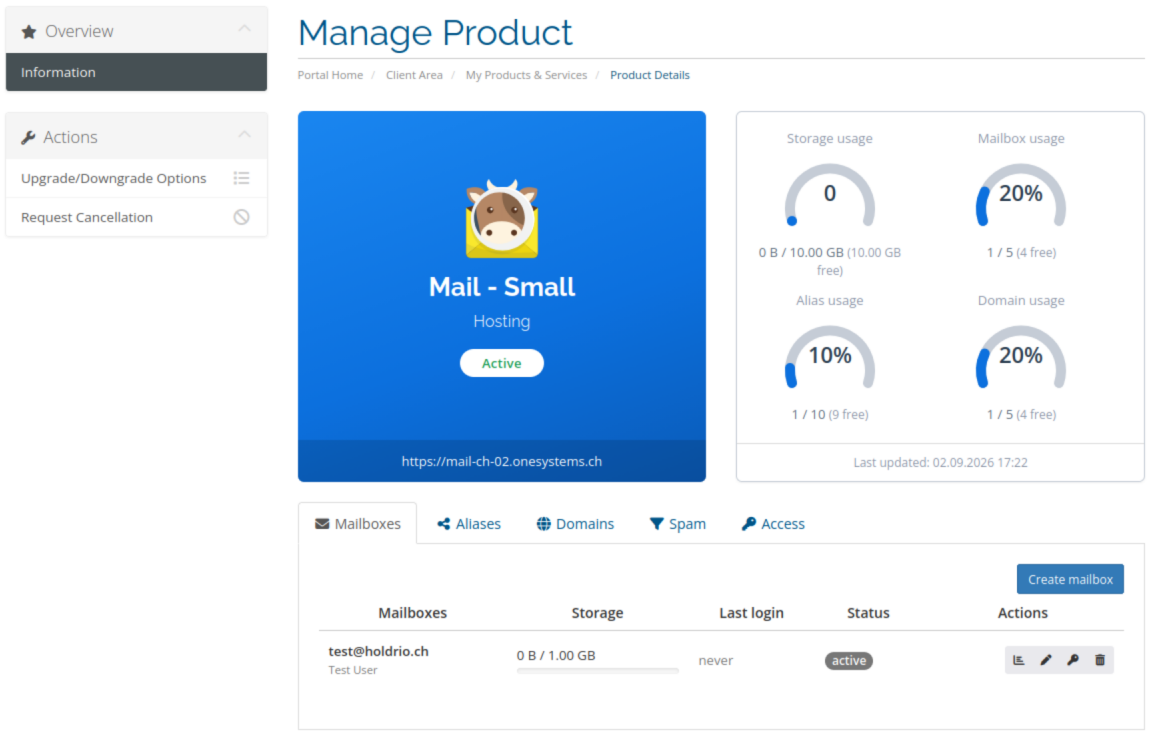
Customers manage their email hosting directly from the familiar WHMCS client area. They can create and manage mailboxes and aliases, add domains, review spam quarantine, check DNS configuration and access their MailCow domain administration without requiring staff intervention for everyday tasks.

Mailboxes or aliases created directly in MailCow remain synchronized with WHMCS, allowing administrators to continue using the native MailCow interface whenever server-side administration is required.

Features

  • Automated provisioning of domains, domain administrators and DKIM
  • Complete mailbox management from the WHMCS client area, including passwords, quotas and quarantine notifications
  • Alias management with delivery to one or multiple mailboxes or external addresses
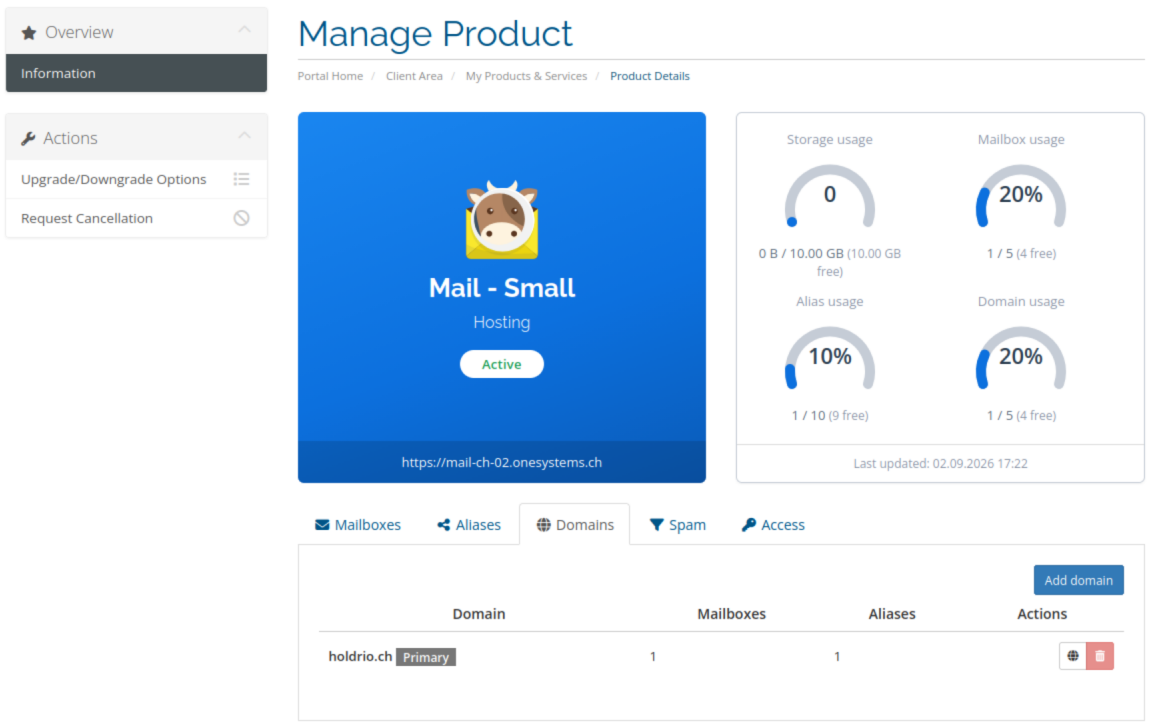
  • Multi-domain hosting packages with domains selected from the customer's WHMCS account or entered manually
  • Package-wide limits and usage tracking for storage, mailboxes, aliases and domains
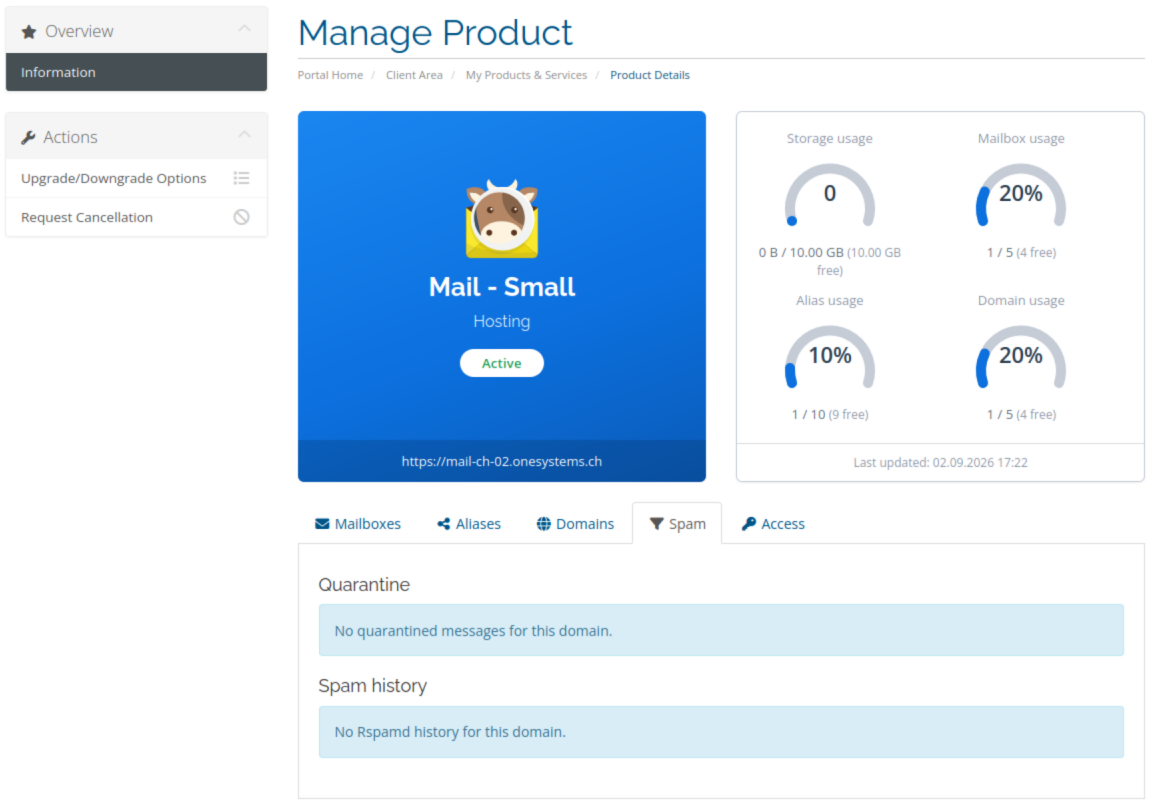
  • Spam management with quarantine release and deletion plus Rspamd history for the customer's own recipients
  • Live DNS validation for MX, SPF, DKIM and DMARC with recommended DNS values
  • Domain administration access directly from the client area
  • Configurable hosting packages with optional order sliders for additional storage, mailboxes, aliases and domains
  • Per-product protocol control for IMAP, POP3, SMTP, Sieve, ActiveSync and CalDAV/CardDAV
  • Automatic service locking on suspension, overdue invoices, cancellation, Cancelled or Fraud status
  • Automatic service restoration after unsuspension when no cancellation remains
  • Complete termination handling for assigned domains and domain administrators
  • Import existing MailCow domains including mailboxes, aliases and DKIM for migrations
  • Administrative tools for synchronization, import, domain-admin password reset, package limits and DKIM generation
  • Automated email notifications for welcome messages, package activation, mailbox creation, storage warnings and package changes
  • Daily usage synchronization with one-time storage warning notifications per mailbox
  • Multiple MailCow servers, each with its own API credentials and connection test
  • Templates for Six / Twenty-One and Lagom 2
  • Client and administration interfaces in German and English
  • Compatible with PHP 8.2 and PHP 8.3

How It Works

  1. A customer orders a MailCow hosting product in WHMCS.
  2. WHMCS provisions the domain, domain administrator and DKIM through the MailCow API and applies the configured package limits.
  3. The customer manages domains, mailboxes, aliases, spam and DNS directly from the WHMCS client area.
  4. Usage and resources remain synchronized between WHMCS and MailCow.
  5. Package changes automatically update the available limits across the assigned domains.
  6. Suspension, unsuspension and termination are handled automatically according to the WHMCS service lifecycle.

A domain does not have to be supplied during the initial order. In this case, the service is prepared and the customer can add the first domain later from the client area.

MailCow maintains limits per domain internally, while the module calculates and enforces storage, mailbox, alias and domain limits across the complete WHMCS service.

Requirements

  • A running MailCow installation with an administrator API key
  • A MailCow server configured in WHMCS
  • PHP 8.2 or PHP 8.3
  • A valid OneSystems license key

FAQ

Do customers need access to the MailCow interface?

No. Customers can manage their domains, mailboxes, aliases, spam quarantine and DNS configuration directly from the WHMCS client area.

A domain-admin login can still be provided for customers who should also have access to the native MailCow interface.

Can existing MailCow domains be imported?

Yes. Existing MailCow domains can be assigned to a WHMCS service and imported together with their mailboxes, aliases and DKIM configuration.

The import process does not delete the existing MailCow configuration.

Does the module support multiple domains per customer?

Yes. A single WHMCS service can contain multiple domains. Customers can select domains already registered in their WHMCS account or enter additional domains manually.

Package limits are calculated across all domains assigned to the service.

Is SOGo webmail included?

SOGo is provided by MailCow itself. The module handles provisioning and email administration through WHMCS while customers can continue to use the MailCow host for SOGo webmail.

Are ActiveSync and CalDAV/CardDAV supported?

Yes. Protocol availability can be configured per WHMCS product. ActiveSync and CalDAV/CardDAV require MailCow 2026-01 or later.


There are no reviews yet!

Be the first to review MailCow.

Version Compatibility


Compatible with WHMCS v9.0

Full Version Compatibility


  • Selected versions of WHMCS v9.0
        9.0.0 - 9.0.7
  • Selected versions of WHMCS v8.13
        8.13.0 - 8.13.6

System Requirements


  • PHP 8.1+

* Requirements listed are in addition to the WHMCS default system requirements.

Support for this product

The best place to start if you need help with a specific product is to contact the developer. All WHMCS Marketplace developers have both a website and support URL listed.

Developed By OneSystems GmbH

Changelog

v1.0.0 Released August 18th, 2026

Latest Version


Initial release

  • New Feature: Provision MailCow domains, domain admins and DKIM from WHMCS
  • New Feature: Package-wide limits for storage, mailboxes, aliases and domains
  • New Feature: Client area for mailboxes, aliases, domains, spam quarantine, Rspamd history and access/DKIM
  • New Feature: Live DNS check for MX, SPF, DKIM and DMARC
  • New Feature: Optional order sliders (configurable options) for extra storage, mailboxes, aliases and domains
  • New Feature: Per-product protocol control (IMAP, POP3, SMTP, Sieve, ActiveSync, CalDAV/CardDAV)
  • New Feature: Suspend, lock, unsuspend and terminate via the MailCow API
  • New Feature: Import existing MailCow domains including mailboxes, aliases and DKIM
  • New Feature: Admin commands: sync, import, reset domain-admin password, apply limits, generate DKIM
  • New Feature: Email templates (German + English): welcome, package ready, mailbox created, storage warning, package changed
  • New Feature: Daily usage cron with a one-time storage-warning email per mailbox
  • New Feature: Multiple MailCow servers with connection test
  • New Feature: Templates for Six / Twenty-One and Lagom 2
  • New Feature: German and English client and admin texts
  • Compatibility: PHP 8.2 / 8.3


See also

Liquid Web VPS & Cloud Dedicated Reseller Program

Resell VPS & Cloud Dedicated Products from Liquid Web

Free
Kopage Website Builder for Webhosts with support for WHMCS, cPanel, DirectAdmin & more

Kopage, self-hosted, Website Builder for Webhosting Companies your clients will love to use. Attract more clients and reduce churn rate with easy and intiutive website builder.

Free
PaaS Extension for WHMCS

Turnkey PaaS, Docker hosting, auto-scalable clusters and VPS with full integration to WHMCS
Free
Dedicated Server Reseller for WHMCS

Resell Dedicated Servers from Limestone Networks white label API.

Free
SOLUSVM 2.0 WHMCS addon

Automate the sale of VPS servers via integration with SolusVM 2.0

Free