PUQ Mikrotik WireGuard VPN provisioning module

PUQ Mikrotik WireGuard VPN provisioning module

Developed By PUQ Software

Compatible with WHMCS v9.0

PUQ Mikrotik WireGuard VPN is a WHMCS server provisioning module for automated deployment of WireGuard VPN accounts on Mikrotik routers. The module communicates with Mikrotik via REST API and provides full lifecycle management of VPN services including creation, suspension, unsuspension, termination, and package changes.

Key Features

  • Automatic WireGuard VPN provisioning — create and deploy VPN accounts on Mikrotik routers automatically
  • Full lifecycle management — create, suspend, unsuspend, terminate, and change packages
  • Mikrotik REST API only — communicates exclusively via Mikrotik REST API (RouterOS 7+) with 15s connection timeout protection
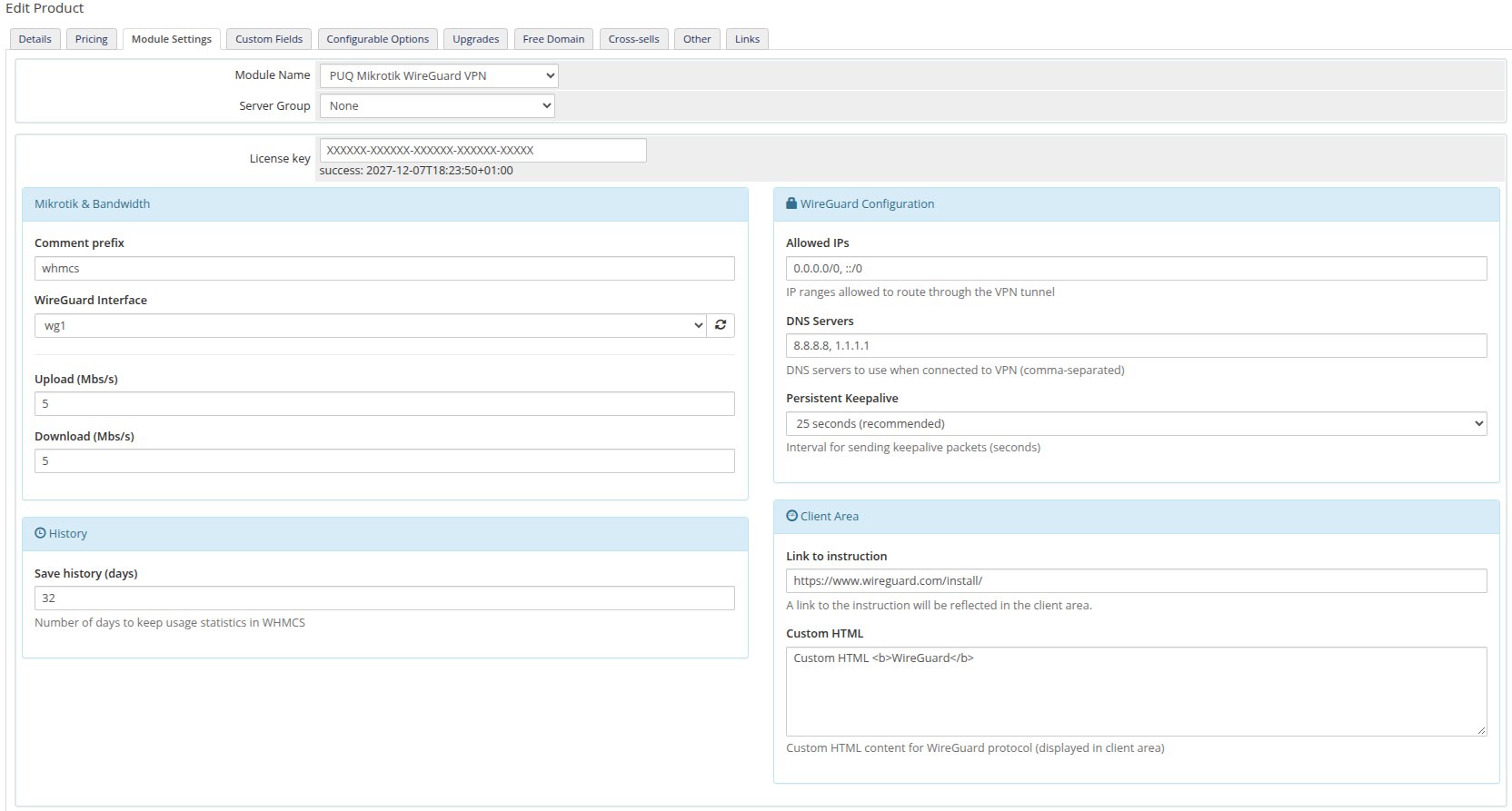
  • Bandwidth speed limits — configurable upload/download speed limits per product using Mikrotik Simple Queues
  • Private and public IP support — assign IPs from a configurable pool per server
  • Metric billing — post-paid usage-based billing for incoming and outgoing traffic (GB) via standard WHMCS MetricProvider
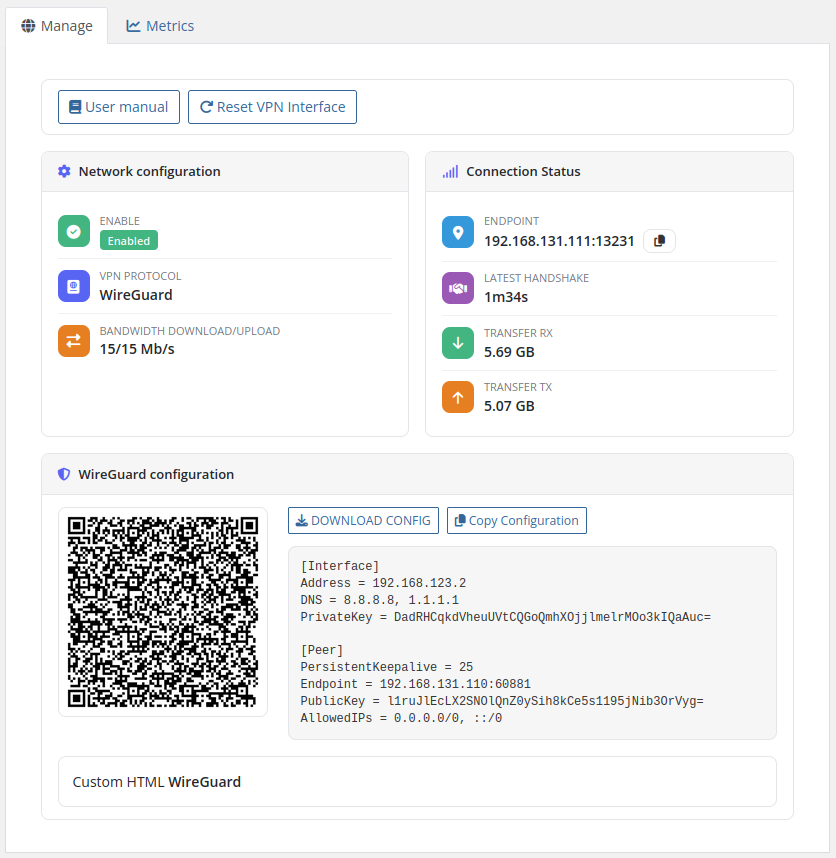
  • WireGuard configuration export — text and dynamic QR code formats with one-click .conf file download
  • VPN connection status monitoring — real-time endpoint, handshake, and transfer statistics dynamically formatted in human-readable units (B, KB, MB, GB, TB)
  • Reset VPN Interface — disconnect and reset frozen connections from client or admin area
  • Atomic traffic statistics — daily and monthly traffic charts with Google Charts, backed by atomic database increments (can be disabled per product)
  • Multilingual interface — 26 languages: Arabic, Azerbaijani, Catalan, Chinese, Croatian, Czech, Danish, Dutch, English, Estonian, Farsi, French, German, Hebrew, Hungarian, Italian, Macedonian, Norwegian, Polish, Romanian, Russian, Spanish, Swedish, Turkish, Ukrainian
  • Custom links — configurable links to setup instructions and VPN client downloads in client area

Available Options in the Admin Panel

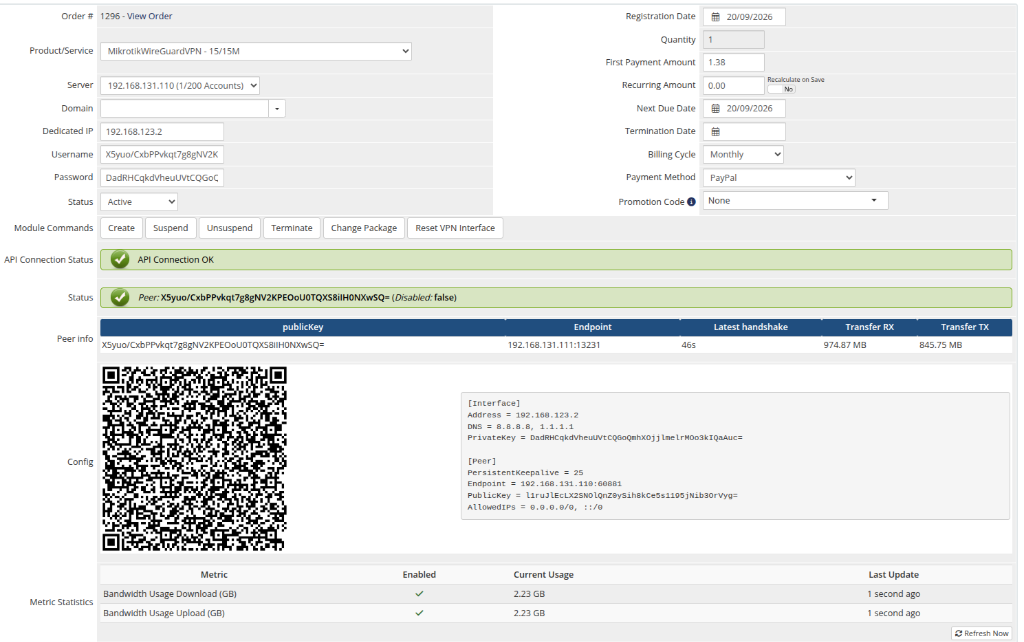
  • Create / Suspend / Unsuspend / Terminate users
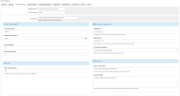
  • Change package (update bandwidth limits and WireGuard interface)
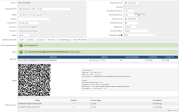
  • VPN connection status and peer information
  • Reset VPN Interface function
  • Text and QR code configuration display
  • Metric Billing (Bandwidth Usage Download/Upload in GB)

Available Options in the Client Panel

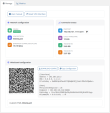
  • VPN connection status (endpoint, handshake, RX/TX in human-readable units)
  • Text and QR code configuration with download button
  • Reset VPN Interface function
  • Traffic statistics with daily and monthly charts
  • Links to user manual and VPN client downloads

System requirements

Requirement Minimum WHMCS 8.x+, 9.x+ PHP 7.4, 8.1, 8.2, 8.3, 8.4 ionCube Loader v15+ Mikrotik RouterOS 7.x+

Important Notes

  • The upload and download speed settings in the WHMCS module register the opposite values on the Mikrotik router (e.g., download speed in WHMCS = upload speed in Mikrotik).
  • To ensure proper VPN functionality, the administrator must correctly configure the Mikrotik router: NAT, Firewall, routing, and all required settings for VPN to operate correctly.

Links

  • Product page: https://puqcloud.com/whmcs-module-mikrotik-wireguard-vpn.php
  • Documentation: https://doc.puq.info/books/mikrotik-wireguard-vpn-whmcs-module
  • Support: https://puqcloud.com/submitticket.php
  • Community: https://community.puqcloud.com/


There are no reviews yet!

Be the first to review PUQ Mikrotik WireGuard VPN provisioning module.

Version Compatibility


Compatible with WHMCS v9.0

Full Version Compatibility


  • Selected versions of WHMCS v9.0
        9.0.0 - 9.0.8
  • All versions of WHMCS v8.13
  • All versions of WHMCS v8.12
  • All versions of WHMCS v8.11
  • Selected versions of WHMCS v8.10
        8.10.0
  • Selected versions of WHMCS v8.9
        8.9.0
  • Selected versions of WHMCS v8.8
        8.8.0
  • All versions of WHMCS v8.7
  • All versions of WHMCS v8.6
  • All versions of WHMCS v8.5
  • All versions of WHMCS v8.4
  • All versions of WHMCS v8.3
  • All versions of WHMCS v8.2
  • All versions of WHMCS v8.1
  • All versions of WHMCS v8.0

System Requirements


  • WHMCS: 8.x+, 9.x+
  • PHP: 7.4, 8.1, 8.2, 8.3, 8.4
  • ownCloud: 10.x or higher
  • Mikrotik RouterOS: 7.x

* Requirements listed are in addition to the WHMCS default system requirements.

Support for this product

The best place to start if you need help with a specific product is to contact the developer. All WHMCS Marketplace developers have both a website and support URL listed.

Developed By PUQ Software

Changelog

v4.0.0 Released September 22nd, 2026

Latest Version


  • WireGuard Simple Queue and metric collection fix. Resolved router 404 errors caused by slashes (%2F) in Base64 public keys in REST API paths by introducing apiFindQueue() with dedicated IP (target=.../32) and query-parameter lookups. Queue deletion and counter resets are now executed reliably via internal RouterOS .id.
  • Atomic traffic statistics collection. Replaced read-modify-write logic with atomic SQL increments (Capsule::raw) in StatisticsSaveTraffic(), eliminating race conditions and traffic data loss during concurrent WHMCS cron jobs and metric queries.
  • WHMCS Usage Billing MetricProvider fix. Resolved zero-traffic reporting so that Usage(0.0) is reliably returned when usage is 0 GB, preventing "No usage data" statuses in WHMCS.
  • Human-readable Transfer RX & TX units. Replaced raw byte integers in the client area with dynamically formatted units (B, KB, MB, GB, TB) with 2-decimal precision.
  • Admin API connection timeout and performance optimization. Enforced a strict 15-second timeout on router status checks and removed early blocking API calls from constructor, eliminating admin panel delays and cron execution lags.
  • PHP 7.4 & PHP 8.x compatibility. Resolved syntax compatibility issues across PHP 7.4 through PHP 8.4.
  • ionCube 15 & PHP 8.2+ architectural upgrade. Transitioned hooks.php to an unencoded lightweight bootstrap delegating logic to lib/puqMikrotikWireGuardVPNHooks.php for seamless ionCube 15 compatibility.
  • Automated usage cleanup on termination. Local usage statistics in puqMikrotikWireGuardVPN_statistics are now automatically purged when a service is terminated.
  • Enhanced Client Area UI. Integrated standard PUQ client area UI toolkit with header.tpl, QR code rendering, dynamic config download, copy-to-clipboard, CSRF protection, and streamlined layout.
  • Legacy configuration fallback. Added transparent backward compatibility for products migrating from older configuration schemas.


Previous Versions


v3.2.1 Released June 2nd, 2026

View/hide detailed changelog

  1. Full compatibility with the latest Mikrotik RouterOS 7.21.4. The module has been tested and certified against RouterOS 7.21.4, so you can confidently run the newest firmware on your routers without any provisioning hiccups.

  2. Rock-solid REST API connections. Resolved rare cases where requests to the router could stall and time out, leaving operations hanging. Account creation, suspension, statistics collection and status checks now complete instantly and reliably.

  3. Snappier, more dependable automation. With every API call responding without delay, day-to-day provisioning and billing run faster and smoother — fewer retries, no stuck tasks, and a more responsive experience for both your team and your customers.

  4. PHP 7.4 support restored. The module once again runs on PHP 7.4 in addition to PHP 8.x, so hosting environments that have not yet migrated to PHP 8 can keep using the latest version. PHP 7.4 will remain supported for as long as it is technically possible to do so.


v3.2 Released April 21st, 2026

View/hide detailed changelog

  • Improved stability across the WHMCS admin area. Rare page-loading errors that could appear on some admin screens (for example when opening a support ticket on installations with non-standard file layouts, symlinks or custom hosting paths) have been eliminated. The admin panel now loads smoothly in every environment.
  • Greater compatibility with complex hosting setups. The module is now fully resilient to WHMCS installations using symlinked directories, multi-domain hosting and custom include paths.
  • Smoother day-to-day operation for administrators. Fewer interruptions, no unexpected "Oops!" pages, and a more predictable experience when working with tickets, clients and services — so your team can focus on customers, not on troubleshooting.


v3.1 Released February 26th, 2026

View/hide detailed changelog

New Features

  1. Added option to disable traffic statistics collection per product
  2. When statistics collection is disabled, traffic data is not collected and the statistics page is hidden from the client area


v3.0 Released February 1st, 2026

View/hide detailed changelog

  1. Support for WHMCS 9+
  2. Product module settings have been redesigned ⚠️ Product reconfiguration is required after update
  3. Updated client area interface design

Product reconfiguration is required after update


v2.0 Released September 23rd, 2024

View/hide detailed changelog

Module is coded ionCube v13

Supported php version:

  • php 7.4 WHMCS 8.11.0 -
  • php 8.1 WHMCS 8.11.0 +
  • php 8.2 WHMCS 8.11.0 +


v1.3 Released July 29th, 2024

View/hide detailed changelog

  1. Add metric pricing for incoming/outgoing traffic


v1.2 Released June 17th, 2024

View/hide detailed changelog

  1. Added VPN interface reboot function (to reset a frozen connection)
  2. Improved adaptation to the mobile version of the client area
  3. Some changes in translations


v1.1 Released December 15th, 2023

View/hide detailed changelog

  1. Added functionality for changing packages
  2. Minor changes to the admin/client interface


v1.0 Released October 9th, 2023

View/hide detailed changelog

First version


See also

Hetzner Servers Manager

Integrate manager for Hetzner Dedicated

Commercial
Liquid Web VPS & Cloud Dedicated Reseller Program

Resell VPS & Cloud Dedicated Products from Liquid Web

Free
SolusVM WHMCS module

Automate the sale of VPS servers & give your clients the ability to completely manage their VPS server inside of WHMCS, using the industry leading SolusVM control panel.


Free
Acronis Cyber Protect Cloud

AI-Powered Integration of Data Protection and Cybersecurity.

Free
VPN reseller module

Resell VPN accounts with whitelabel Windows, Mac, IOS and Android software

Free