Changelog
v4.0.0
Released September 30th, 2026
Latest Version
Major architecture update for ionCube 15 compatibility, modern Guzzle HTTP client integration, PUQ UI Toolkit client area upgrade, automated cron task resilience, and enhanced security standards.
Architecture & Compatibility
-
Unencoded Hooks Architecture (v4.0.0+ / ionCube 15) —
hooks.php is now completely unencoded with zero business logic, ensuring 100% compatibility with ionCube 15 and WHMCS dynamic hook loading. All hook logic moved to lib/puqVPNcpHooks.php.
-
Guzzle HTTP Client — Replaced all legacy direct cURL calls in both the PUQVPNCP API client (
puqVPNcpApi) and license verification with WHMCS built-in \GuzzleHttp\Client, featuring robust error handling and timeout controls.
-
Automated Cron & Usage Resilience — Usage updates and metric collection in WHMCS cron tasks are fully isolated per service with detailed logging; temporary connectivity hiccups with a panel or node will never interrupt scheduled automation or other customer accounts.
-
Clean Module Logging — Eliminated repetitive local offline database license checks from the WHMCS Module Log, recording exclusively online license transactions to prevent log clutter.
-
PHP 7.4 – 8.4 Support — Full compatibility with PHP 7.4 through PHP 8.4, explicit nullable parameter types, and strict null safety.
-
PUQVPNCP v2.x+ Requirement — Explicit compatibility requirement and connection verification for PUQVPNCP panel version 2.x and higher.
-
WHMCS 9 & Select2 Dynamic Settings — Modernized product settings dropdown detection to support WHMCS 9 Select2 elements seamlessly.
Multi-Protocol & Welcome Email
-
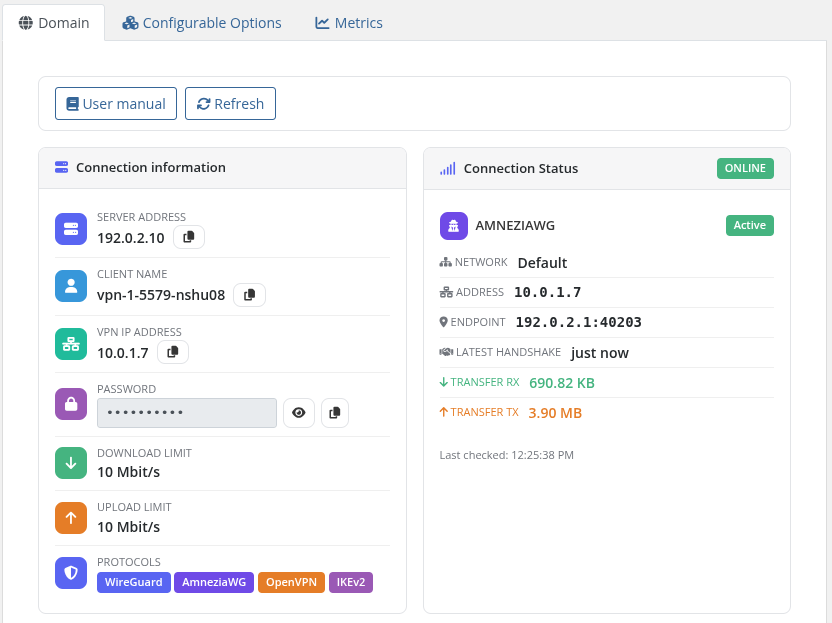
AmneziaWG Protocol Support — Added comprehensive support for AmneziaWG (censorship-resistant obfuscated WireGuard) alongside WireGuard, OpenVPN, and IKEv2 across the entire module.
-
Configuration & QR Code Delivery — AmneziaWG configuration text and QR code generation with download/copy functionality in both Client Area and Admin Area.
-
Resilient Multi-Protocol Welcome Email Delivery — Welcome email template delivers configurations for WireGuard, AmneziaWG (with inline QR codes), OpenVPN (
.ovpn profile), IKEv2 credentials, and One-Time Link (OTL). Custom email variables are transmitted as native PHP arrays to bypass WHMCS serialization length limits, with inline data-URI image rendering and monospace formatting. Only protocols enabled on the assigned server/network are fetched and rendered.
Client Area & UI Toolkit
-
PUQ UI Toolkit — Added standard
templates/header.tpl providing CSS design tokens, modern card layouts, and JavaScript primitives (puqToast, puqLoading, puqCopyToClipboard).
-
CSRF Protection — Form and state-changing AJAX calls in the client area now include CSRF token verification.
-
Full Localization — Added AmneziaWG translations, month name translations for traffic statistics, and multi-protocol labels across all supported languages with dual Ukrainian language file support (
ukrainian.php and ukranian.php).
Settings & Provisioning
-
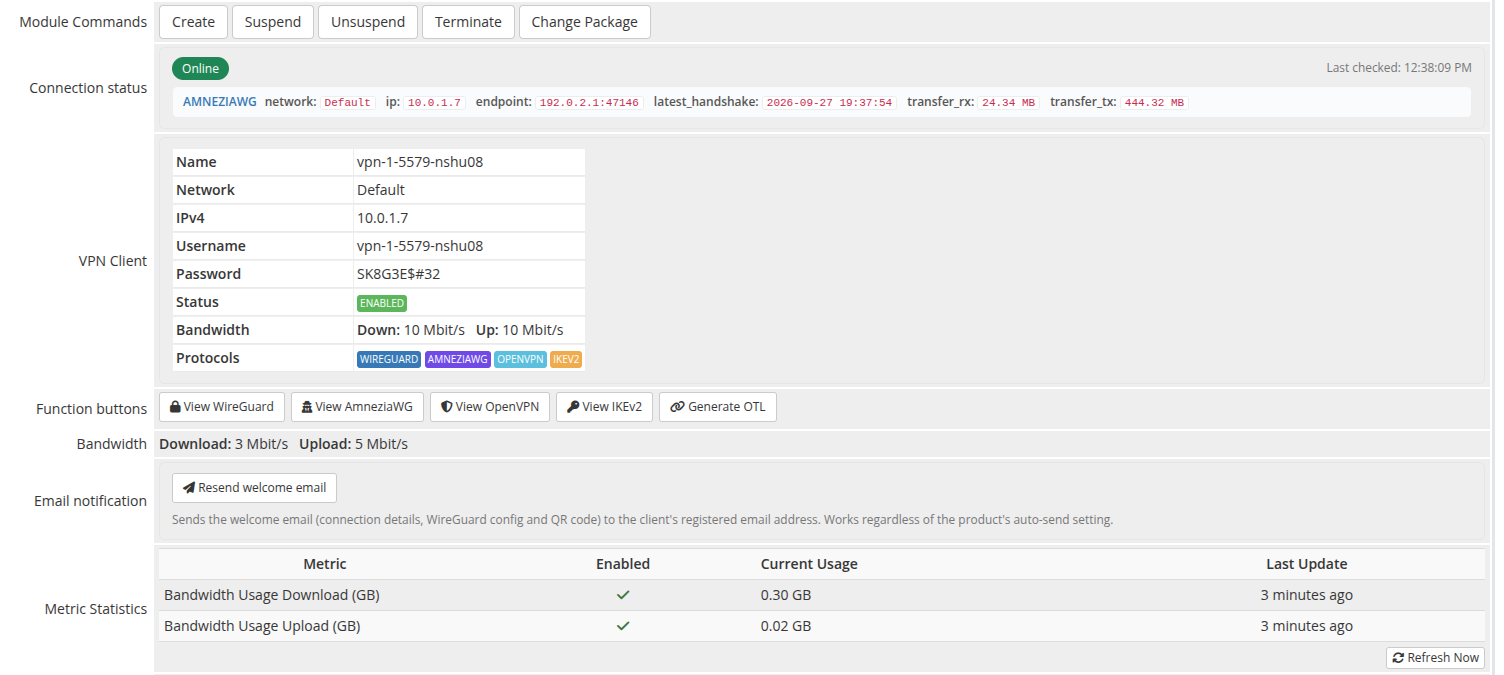
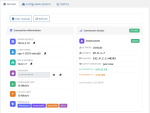
Admin API Connection Status — Displays real-time API connection status for the assigned server/node in the WHMCS admin service tab, matching the standard interface of other PUQ modules with pre-check optimization and resilient error reporting.
-
Zero-Touch Settings Auto-Migration — Automatically upgrades legacy product settings into modern unified configuration slots (
configoption24) in the database upon product viewing.
-
Streamlined Service Provisioning — Removed redundant domain field handling to ensure faster and cleaner service activation without unnecessary database overhead.
-
Automated Service Cleanup — Local service statistics and traffic records are automatically removed upon successful account termination.
-
Protective Directory Indexes — Added protective
index.php across all module subdirectories.
Previous Versions
v1.2
Released June 22nd, 2026
View/hide detailed changelog
Speed tiers via Configurable Options, an automated welcome email with connection configs, a clearer One-Time Link, and a cleaner client-area overview.
Configurable Options — speed presets
-
One-click creator — a Create speed presets button on the product Module Settings tab builds the WHMCS Configurable Options for Download limit (Mbit/s) and Upload limit (Mbit/s), adds the presets (Unlimited, 10, 25, 50, 100, 250, 500, 1000 Mbit/s) priced at
0 in every currency, and links the group to the product. Idempotent — safe to click repeatedly.
-
Per-order speed — the customer's selected value overrides the product's default download/upload limit. Applied on provisioning and on every upgrade/downgrade (WHMCS calls change-package for configurable-option changes as well).
- Per-tier pricing can be set on the sub-options to charge for faster speeds.
Welcome email
- Optional welcome email sent on provisioning, containing the connection details, full WireGuard config text and an inline QR code, plus a manage-service link.
- Selectable template — use any WHMCS Product/Service template or the bundled PUQ VPNcp - Welcome, with Create if missing / Reset to default buttons. The template is auto-created on first send if absent.
-
Resend welcome email button on the admin service tab; works regardless of the per-product auto-send setting.
One-Time Link
- The client-area One-Time Link now includes a description, an Open link button, and a notice stating it carries every protocol config, QR code and credential and can be opened only once.
Client area
- The default WHMCS Domain / Username / Server Name / IP Address / Visit Website block is hidden on the service overview, as it is not relevant for VPN products.
Maintenance
- Admin AJAX endpoints made POST-only; output-escaping fixes; minor edge-case corrections.
v1.1
Released June 18th, 2026
View/hide detailed changelog
Bug fixes
-
Client area blank page — fixed output-buffer conflict in the AJAX controller: WHMCS buffered HTML was prepended to JSON responses, causing the client area to render nothing
-
VPN session list false-positive error — the
/client/online endpoint returning an empty list [] (no active sessions) was incorrectly treated as an API failure; now handled correctly
-
Smarty template security error — replaced blocked
{$smarty.get.id} superglobal access (disallowed by WHMCS Smarty security policy) with the safe {$service->service_id} in client area and traffic statistics templates
-
Wrong default API port — HTTP connections to the PUQVPNCP panel were falling back to port 80 instead of the correct default 8098; fixed in all four code locations across three files
-
AJAX responses on inactive services — AJAX requests for suspended or terminated services now return a proper JSON error response instead of an empty string, preventing JavaScript parse errors in the client area
v1.0
Released April 17th, 2026
View/hide detailed changelog
- First release
- Multi-protocol VPN provisioning (WireGuard, OpenVPN, IKEv2)
- Lifecycle: create / suspend / unsuspend / terminate / change-package
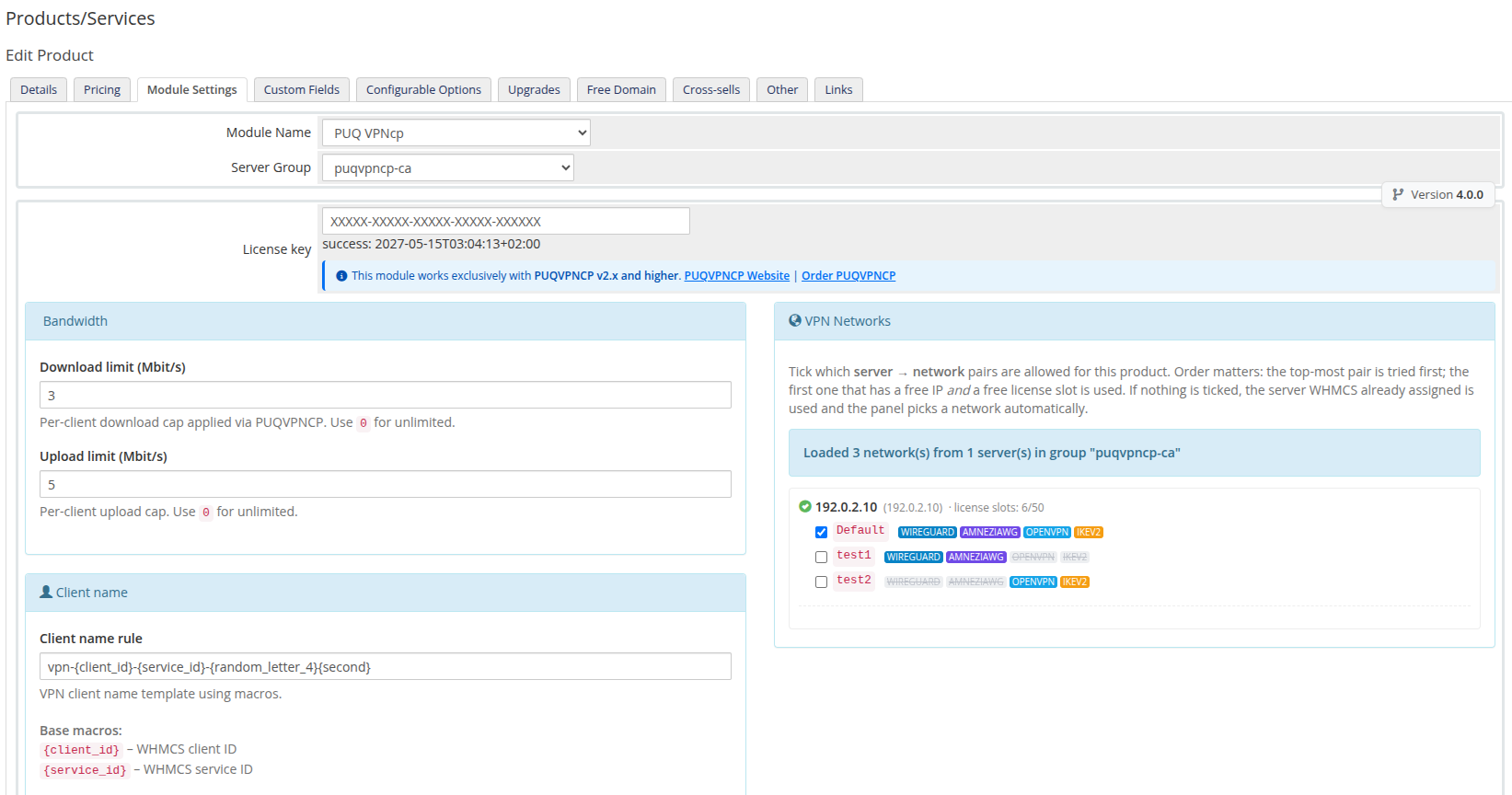
- Per-client download and upload bandwidth caps
- Per-product VPN network selection via checkboxes — iterated at provisioning, first with free IP wins
- Client area: VPN client details, WireGuard config + QR, OpenVPN profile, IKEv2 profile, OTL generator
- Client area: monthly traffic chart with totals
- Admin service tab: API connection status, remote client state, bandwidth, selected networks
- License verification (online + offline cache)