CPanel Extended for WHMCS

CPanel Extended for WHMCS

Developed By WHMPress

Compatible with WHMCS v9.0

Cpanel Extended Module

Bring Full cPanel Control Panel Experience Directly Into WHMCS Client Area

Cpanel Extended is a powerful WHMCS server module that brings the full cPanel control panel experience directly into the WHMCS client area. Instead of redirecting clients to a separate cPanel login, this module exposes individual cPanel tools and features as clean, accessible shortcuts inside the client area sidebar, giving clients instant one-click access to the exact cPanel features they need without ever leaving WHMCS.

Administrators have complete control over which cPanel shortcuts are visible to each client. From the WHMCS admin product configuration panel, the super admin can enable or disable individual cPanel features per product using a simple checkbox system organized into clear categories — Email and Domains, Files Management, Metrics and Stats, and Software.

Clients see only the tools their plan allows. The sidebar in the client area displays each enabled cPanel feature as a clearly labeled button. Clicking any button takes the client directly into that specific cPanel section without requiring a separate login, providing a seamless and professional hosting management experience. Cpanel Extended Module by WHMPress is an alternative to cPanel modules by other developers, offering individual feature shortcuts, per-product controls, and seamless WHMCS integration.

Key Features

Admin Module Settings

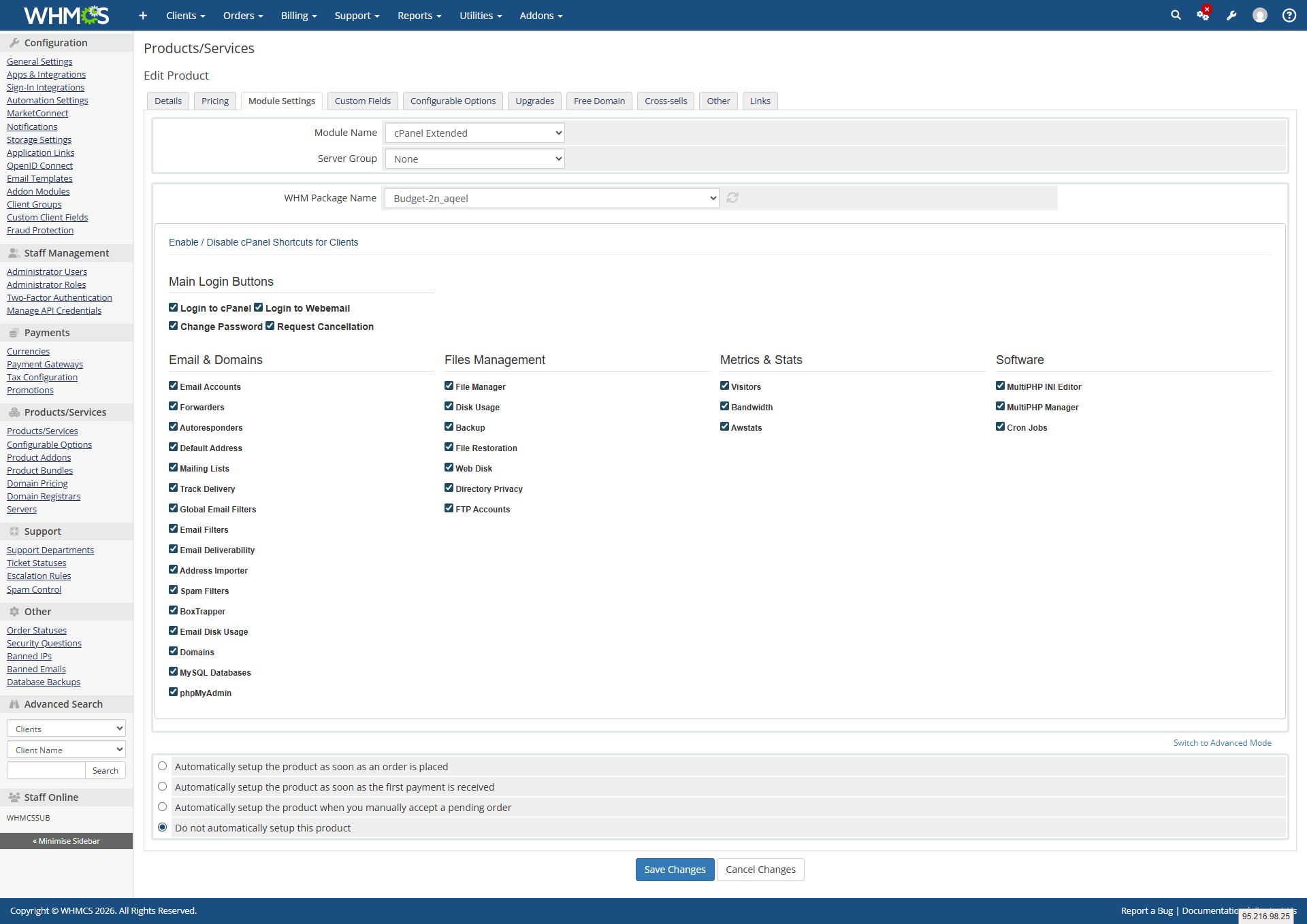
The module integrates directly into the WHMCS product configuration panel under Module Settings. Admins configure the module per product with the following options:

  • Module Name set to cPanel Extended to activate the server module
  • Server Group assign the server group connected to this product
  • WHM Package Name select the WHM hosting package to link to this product from a dropdown of all available packages on the server

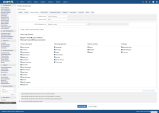
cPanel Shortcuts Control Panel:

  • A full checkbox grid organized into four categories, allowing admins to enable or disable each individual cPanel feature per product
  • Enabled features appear as clickable shortcuts in the client area sidebar for all clients on that product
  • Disabled features are completely hidden from the client area
  • Changes apply instantly on save with no module reload required

Email and Domains Category:

  • Email Accounts: manage all email accounts on the hosting account
  • Forwarders: set up email forwarding rules
  • Autoresponders: configure automatic email reply messages
  • Default Address: set the catch-all default email address
  • Mailing Lists: create and manage mailing list subscriptions
  • Track Delivery: monitor outgoing email delivery status
  • Global Email Filters: set server-wide email filtering rules
  • Email Filters: set per-account email filtering rules
  • Email Deliverability: check and fix email authentication records
  • Address Importer: bulk import email accounts and forwarders
  • Spam Filters: configure Apache SpamAssassin spam protection
  • BoxTrapper: enable challenge-response spam protection
  • Email Disk Usage: monitor disk space used by email accounts
  • Domains: manage addon domains, subdomains, and aliases
  • MySQL Databases: create and manage MySQL databases
  • phpMyAdmin: access the phpMyAdmin database management interface

Files Management Category:

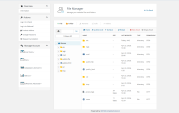
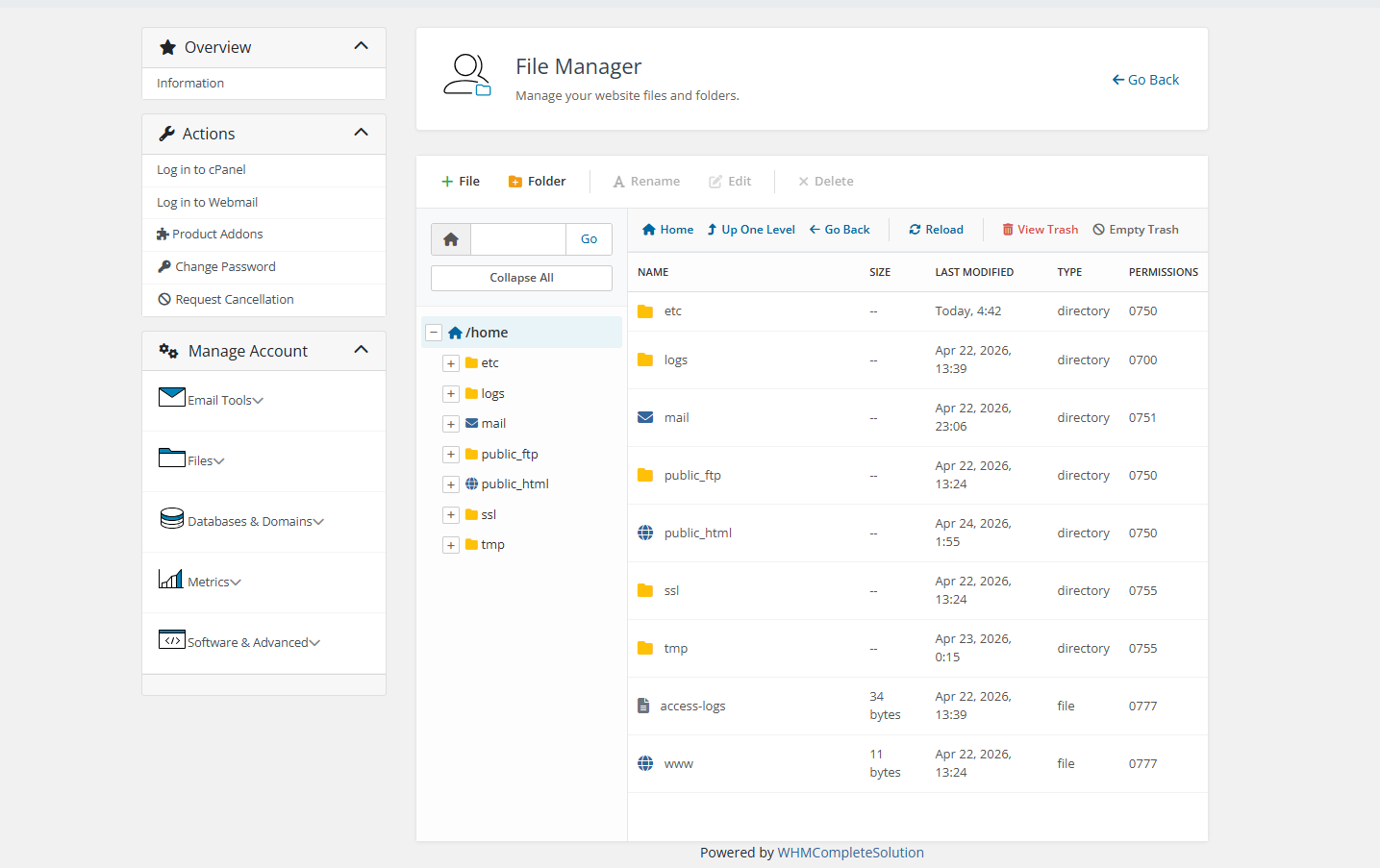
  • File Manager: Access the full cPanel web-based file manager
  • Disk Usage: View disk usage breakdown across the hosting account
  • Backup: Create and download full or partial account backups
  • File Restoration: Restore files from previously created backups
  • Web Disk configure WebDAV access to hosting files
  • Directory Privacy: Password-protect directories on the account
  • FTP Accounts: Create and manage FTP user accounts

Metrics and Stats Category:

  • Visitors view detailed visitor logs for hosted websites
  • Bandwidth monitor monthly bandwidth usage statistics
  • Awstats provides advanced website traffic analytics via Awstats

Software and Advanced Category:

  • MultiPHP Manager: switch PHP versions per domain or directory
  • MultiPHP INI Editor: modify PHP configuration settings per domain
  • Cron Jobs: create and manage scheduled cron job tasks

Client Area Sidebar Shortcuts

Clients accessing their hosting service in the WHMCS client area see a clean sidebar populated with all cPanel shortcuts enabled for their product. Each shortcut is displayed as a clearly labeled button.

  • Log in to cPanel: direct one-click login to the full cPanel panel
  • All enabled feature shortcuts are listed individually in the sidebar in alphabetical order for easy navigation
  • Each shortcut button takes the client directly into that specific cPanel section without requiring a separate login session
  • Only features enabled by the admin for that product are visible
  • Features not enabled for the product are completely hidden from the client, with no indication they exist

Client Area Extended cPanel Dashboard

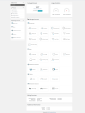
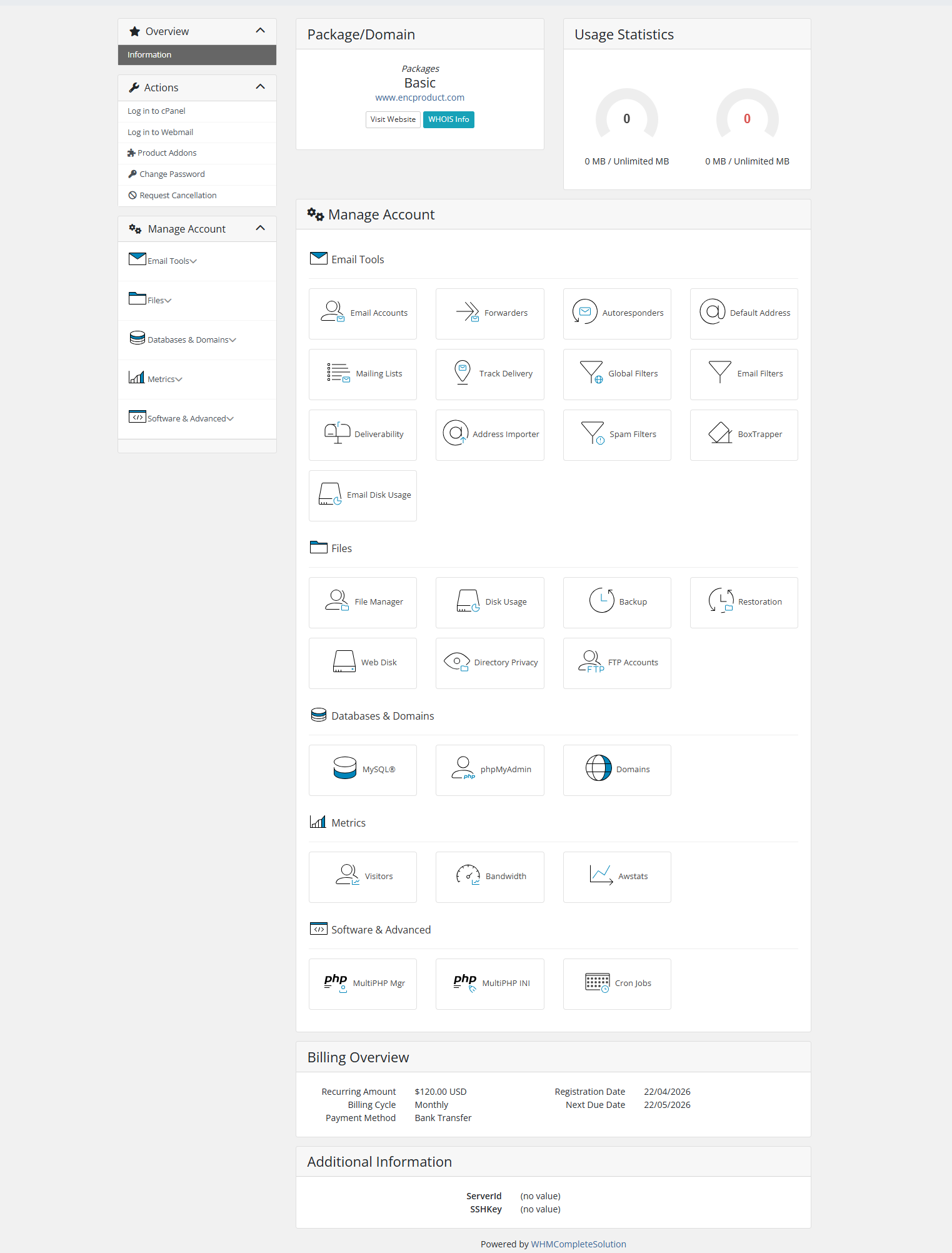
When a client clicks into their hosting service, they see a full Manage Account dashboard organized into clear sections matching the enabled features for their product.

Email Tools Section:

  • Email Accounts, Forwarders, Autoresponders, Default Address, Mailing Lists, Track Delivery, Global Filters, Email Filters, Deliverability, Address Importer, Spam Filters, BoxTrapper, and Email Disk Usage all displayed as icon cards with labels

Files Section:

  • File Manager, Disk Usage, Backup, Restoration, Web Disk, Directory Privacy, FTP Accounts — displayed as icon cards

Databases and Domains Section:

  • MySQL, phpMyAdmin, Domains displayed as icon cards

Metrics Section:

  • Visitors, Bandwidth, Awstats displayed as icon cards

Software and Advanced Section:

  • MultiPHP Manager, MultiPHP INI Editor, Cron Jobs icon cards

  • Each card displays a unique icon and the feature name

  • Clicking any card opens that cPanel tool directly

  • Dashboard layout is clean, organized, and professional

  • Only enabled features for the client's product are displayed

  • Hidden features leave no gaps or empty placeholders in the layout

Why Choose WHMPress?

With the Cpanel Extended Module, WHMPress gives you complete control over which cPanel features your clients can access — all without ever leaving WHMCS. Whether you want to offer email management, file access, database tools, or advanced settings, this module delivers per-product shortcuts, a clean client dashboard, and one-click access to individual cPanel tools. No more separate cPanel logins — just seamless, professional, and controlled hosting management.

General Compatibility:

  • WHMCS Versions: Fully compatible with versions 9.0.3 to 8.7

  • PHP Versions: Supports PHP 8.4, 8.3, 8.2, and 8.1

  • Themes Supported: Works with WHMCS themes such as Six, Twenty-One, and Lagom WHMCS Client Theme

  • System Requirement: Requires ionCube Loader v13 or later

Module Price

Monthly Price: $5

Annually Price: $29

OPEN-SOURCE VERSION $99 One-Time Price


There are no reviews yet!

Be the first to review CPanel Extended for WHMCS.

Version Compatibility


Compatible with WHMCS v9.0

Full Version Compatibility


  • All versions of WHMCS v9.0
  • All versions of WHMCS v8.13
  • All versions of WHMCS v8.12
  • All versions of WHMCS v8.11
  • Selected versions of WHMCS v8.10
        8.10.0
  • Selected versions of WHMCS v8.9
        8.9.0
  • Selected versions of WHMCS v8.8
        8.8.0
  • All versions of WHMCS v8.7

Support for this product

The best place to start if you need help with a specific product is to contact the developer. All WHMCS Marketplace developers have both a website and support URL listed.

Developed By WHMPress

Changelog

v1.0.0 Released April 20th, 2026

Latest Version


  • Seamless integration of cPanel hosting accounts with the WHMCS platform.
  • Effortless management of cPanel features (Emails, Files, Databases, Domains, etc.) directly from the WHMCS client area.
  • One-click Single Sign-On (SSO) support for instant, password-less access to cPanel and WHM.
  • Advanced UI options allow clients to easily manage complex settings like Directory Privacy, BoxTrapper, and Email Filters.
  • Built-in secure API communication ensuring safe data handling between WHMCS and cPanel.
  • Clients can view real-time disk usage, bandwidth consumption, and other hosting metrics through interactive interfaces.
  • Admins can easily control feature visibility and manage module settings directly from the WHMCS product configuration.


See also

Liquid Web VPS & Cloud Dedicated Reseller Program

Resell VPS & Cloud Dedicated Products from Liquid Web

Free
Kopage Website Builder for Webhosts with support for WHMCS, cPanel, DirectAdmin & more

Kopage, self-hosted, Website Builder for Webhosting Companies your clients will love to use. Attract more clients and reduce churn rate with easy and intiutive website builder.

Free
PaaS Extension for WHMCS

Turnkey PaaS, Docker hosting, auto-scalable clusters and VPS with full integration to WHMCS

Free
Dedicated Server Reseller for WHMCS

Resell Dedicated Servers from Limestone Networks white label API.

Free
Free Site.pro Website Builder

White Label Website Builder

Free