WHMPress – WHMCS Client Area (WCAP)
WHMPress – WHMCS Client Area (WCAP) brings the WHMCS client area inside your WordPress site. Instead of sending customers away to a separate WHMCS installation, WCAP renders the full logged-in client experience — services, domains, invoices, quotes, support tickets and account management — directly on your WordPress pages through a single shortcode. Your clients log in on your site, in your theme, and never leave it.
WCAP is a WordPress plugin that communicates with WHMCS over the WHMCS API together with the WHMPress Helper addon module installed on your WHMCS server. It ships with three client area templates, optional WordPress ↔ WHMCS single sign-on, and granular control over every menu item your clients see — making it a practical way to run a hosting client portal, domain management area and billing dashboard on WordPress.
Plugin Features
- Renders the WHMCS client area inside WordPress via the
[whmcs_client_area] shortcode — no iframe, no redirect to WHMCS
- Seven shortcodes included:
whmcs_client_area, wcap_login_form, wcap_whmcs_nav_menu, wcap_button (contextual login/logout), wcap_logged_in_content, wcap_logged_out_content and whmcs_user_synchronization
- Three selectable client area templates — default, modern and sleek — chosen from a single admin setting
- Choice of top menu or sidebar menu layout, with a mobile hamburger menu and optional site favicon in the sidebar
- Per-item menu control: hide any menu or submenu entry, hide it from the sidebar only, or override its URL — configured separately for the logged-in area, the front end, and the order process
-
WordPress ↔ WHMCS single sign-on (SSO), with automatic client record updates on WordPress login and registration
-
One-time bulk user synchronisation in either direction — WHMCS to WordPress or WordPress to WHMCS — for accounts that existed before SSO was enabled
- WHMCS-to-WordPress profile field mapping, including WHMCS client custom fields, so existing user-meta fields from other plugins can be reused
- Configurable role for newly created WordPress users, username source (email or first + last name), and handling of empty address fields
- Exclude selected WordPress roles from SSO, and optionally hide the WordPress admin bar
- Configurable login and logout redirect URLs, plus a WHMCS-side redirect that sends WHMCS visitors back to your WordPress client area
- Multilingual-aware: detects WPML (
ICL_LANGUAGE_CODE) and Polylang, with language-specific client area and redirect URLs
-
16 bundled translations: Arabic, Danish, Dutch, English (US), French, German, Greek, Italian, Norwegian Bokmål, Portuguese (Brazil), Portuguese (Portugal), Romanian, Spanish (Spain), Spanish (Mexico), Swedish and Ukrainian
- Built-in licence status check with an admin notice and an on-demand re-check button
- Debug Info admin page reporting WordPress, PHP, MySQL, WHMCS and Helper versions, memory limits, active plugins and API/Helper response times
- Ready-to-copy deep links for login, logout, domain registration, domain transfer and every individual product order page
Plugin Client Area Features
Dashboard
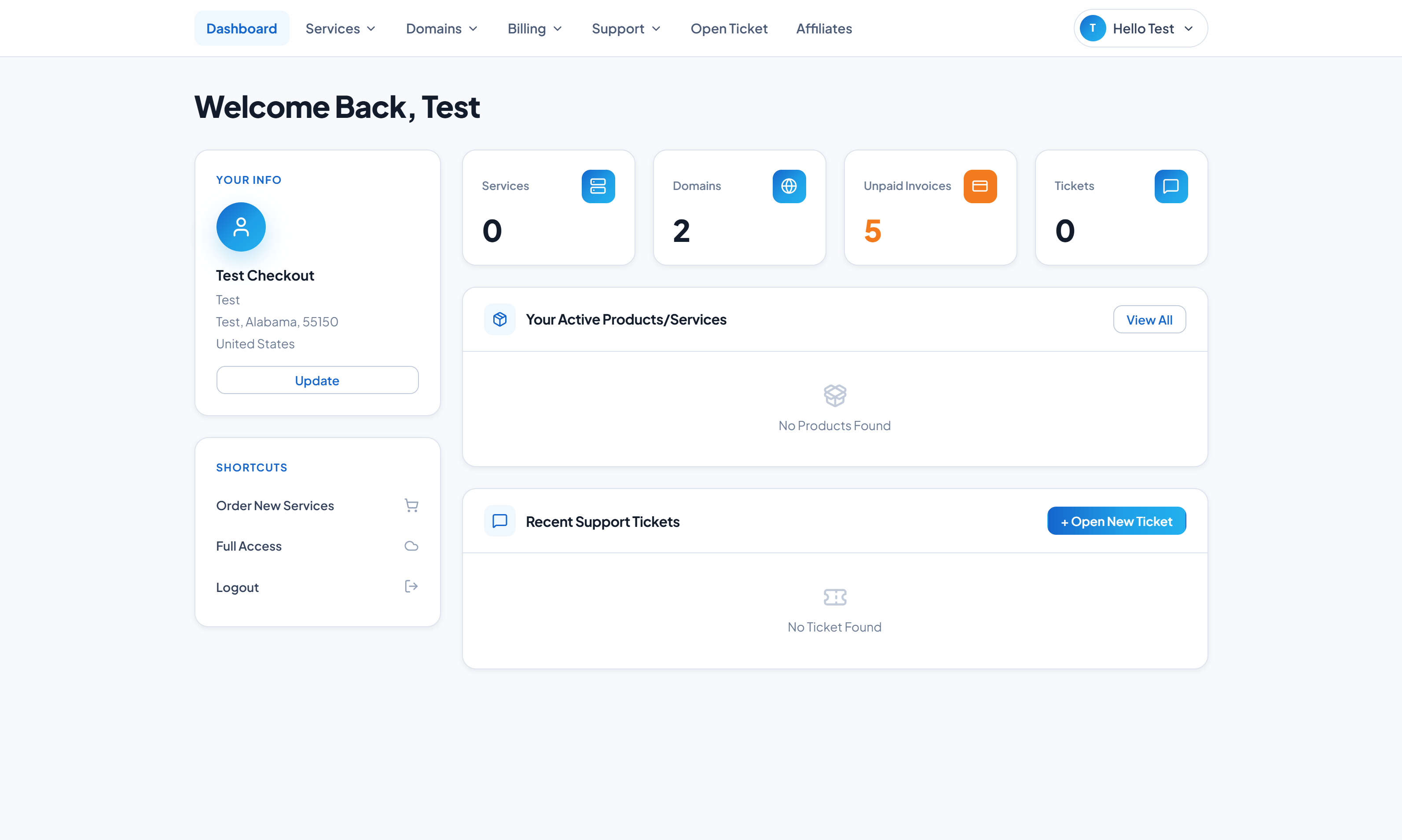
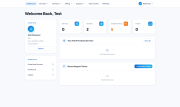
- Welcome panel with active products/services, domains, invoice and ticket counts
- Recent support tickets and quick-action shortcuts
- Attached client files, served through WHMCS SSO-authenticated download links
- "Full Access" jump into the native WHMCS client area via an SSO token
Products & Services
- Product and service listing filtered by Active, Pending, Suspended, Cancelled or Terminated status
- Service detail view with billing overview, configurable options, addons, registration date, next due date and recurring amount
-
Login to cPanel, Login to Plesk and Login to WHM buttons on eligible services
- Service password change, upgrade/downgrade with option-level comparison, and cancellation requests (immediate or end of billing period)
- Product addons browsing and ordering
Domains
- Domain listing with renewal management and expiry countdown
-
DNS host record management, private nameserver registration, modification and deletion, and email forwarding
- Registrar lock control, auto-renew toggling, ID Protection, WHOIS contact editing and EPP/auth code retrieval
- Domain availability lookup with WHOIS check and per-registration-period pricing
Billing
- Invoice listing filtered by Paid, Unpaid, Cancelled or Refunded, with an outstanding-balance summary
- Invoice viewing rendered through your WHMCS invoice templates
-
Mass payment for multiple outstanding invoices
- Quotes listing with stage, validity and download
- Payment method management: add, edit, delete and set-default, including credit card entry with billing address
Support
- Ticket listing by status, ticket viewing and threaded replies with attachments
- New ticket submission with department selection
- Knowledgebase with categories and articles, announcements, downloads with categories, and network status
- Contact form
Account
- Profile and account detail editing
- Contacts / sub-accounts with per-contact permissions and email preferences
- Password change and password reset by email
- Security question management
- Email history with full message viewing
Ordering
- Built-in order flow for new services and domain registration or transfer, with product category sidebar, configurable options, promo code validation and checkout
- Client registration and account creation from the front end
- Defers to WHMPress WCOP for ordering when that plugin is active and a cart page is configured
Package & Configuration Options
-
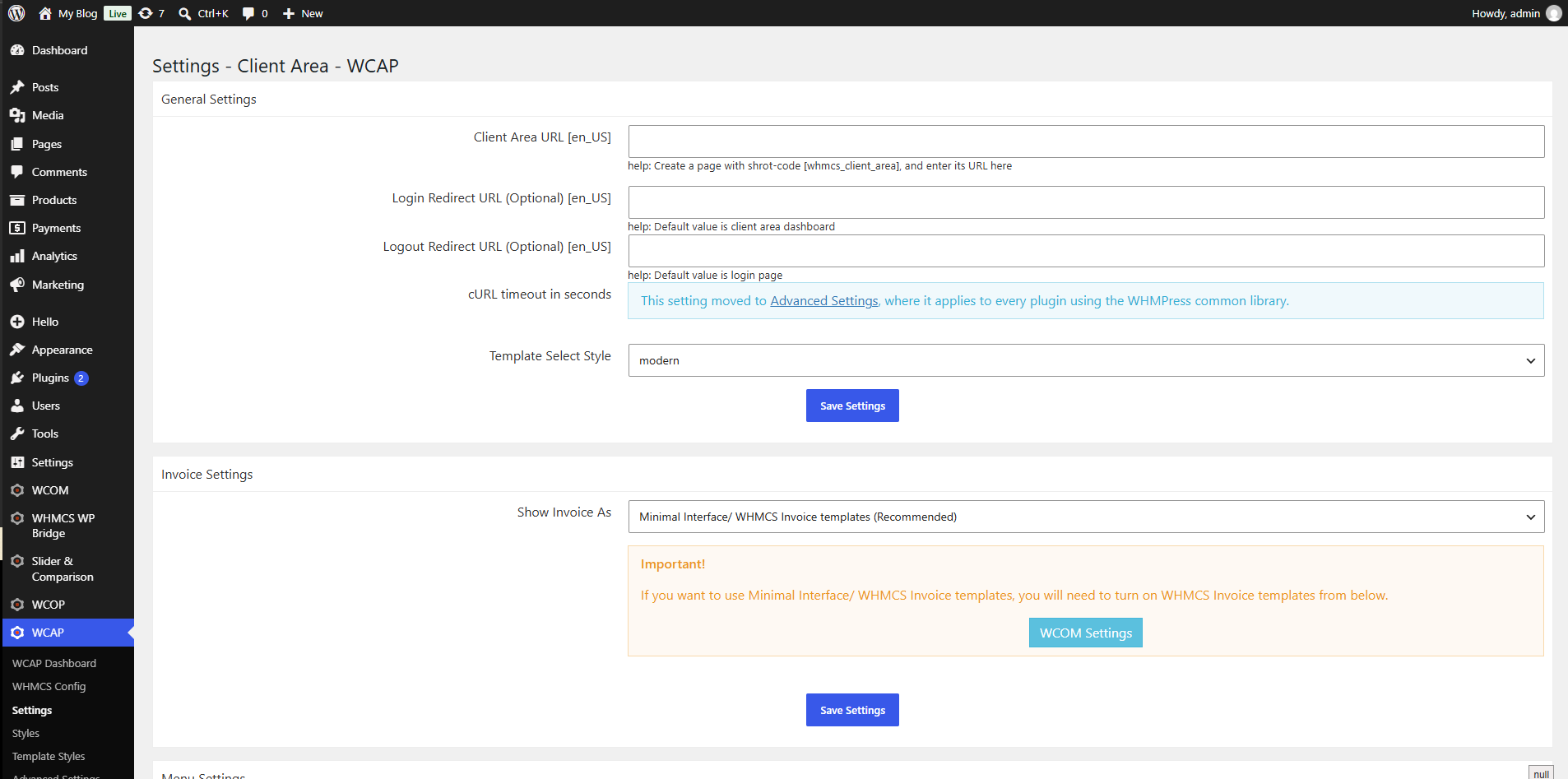
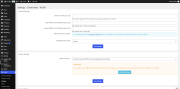
Client Area URL — the page carrying the
[whmcs_client_area] shortcode (per language)
-
Login / Logout redirect URLs (per language)
-
Template style — default, modern or sleek
-
Menu style — top menu or sidebar, with favicon display toggle
-
Hide WHMCS menu — independently for the logged-in area, the front end and the order process
-
Individual menu settings — hide, hide-from-sidebar or URL-override for every menu and submenu item
-
Invoice display — minimal interface using your WHMCS invoice templates
-
cURL timeout in seconds
-
WHMCS redirect URL — where WHMCS visitors are sent on your WordPress site
-
SSO settings — enable SSO, hide WP admin bar, excluded roles, new-user role, username source, WHMCS user type, empty-address handling, and WHMCS-to-WordPress field mapping
-
One-time sync — direction selection and manual run
-
WHMCS API configuration — WHMCS admin URL, credentials, API key, invoice auth key, WHMCS frontend URL and invoice redirect URL
-
Colour and styling overrides — text and link colours, font size, primary/success/info/warning/danger colours, primary and secondary button colours and borders including hover states, general and button border radius, plus dedicated sidebar/topbar menu colours (primary, secondary, surface, text, muted text, border, hover and active)
-
Client dummy fields — default values for company, address, city, state, zip, country and phone to suppress those fields during ordering
-
Domains config — custom domain field control per TLD
-
Advanced cURL options — force SSL verification, send USERAGENT, use GET for Helper requests
-
Google reCAPTCHA site and secret keys, displayed on the client area login and password reset forms
-
Debug log toggle
Integrations & Supported Platforms
Page builders and editors
- Elementor — six dedicated widgets under a "WCAP" category (Client Area, Login Form, Navigation Menu, WCAP Button, Logged In Content, Logged Out Content)
- WPBakery Page Builder / Visual Composer — shortcodes mapped via
vc_map
- Fusion Builder (Avada) — shortcodes mapped via
fusion_builder_map
- Classic Editor — TinyMCE shortcode insertion button
Control panels (via WHMPress Helper, on services provisioned with these server types)
- cPanel — one-click client login
- WHM — one-click client login
- Plesk — one-click client login
Multilingual plugins
Companion WHMPress plugins
- WHMPress Helper (WHMCS addon module) — required
- WHMPress WCOP – WHMCS Cart & Order Pages — optional; when active, ordering links route to your WCOP cart page
Payment handling
- WCAP does not add payment gateways. It works with the gateways already configured in your WHMCS installation, and classifies them as merchant, tokenised or third-party in order to decide whether stored payment methods can be offered to the client.
General Compatibility
All figures below are taken directly from the plugin source and changelog.
Plugin version: 4.4-revision-2
WHMCS
- Minimum required: 8.x (9.0.6 recommended)
- Most recent version explicitly noted as tested in the changelog: WHMCS 8.7
WordPress
- Minimum required: 4.8.0 (4.9.0 recommended)
- Most recent version explicitly noted as tested in the changelog: WordPress 6.3
-
WordPress Multisite is not supported — the plugin's own diagnostics flag Multisite installs as incompatible
PHP
- Minimum checked by the plugin's diagnostics: 5.6
- PHP 8.0 compatibility added in 4.0-revision-6; PHP 8.2 noted as tested in 4.2-revision-0
- The Elementor integration layer requires PHP 7.0 or later
- The bundled WHMPress Helper is ionCube-encoded and supplied in three builds covering PHP 8.1–8.2, 8.1–8.3 and 8.1–8.4 — choose the build matching your WHMCS server's PHP version
WHMPress Helper (WHMCS addon module)
-
Required. The client area will not render without it
- Bundled version: 4.0.9
- The client area enforces Helper 4.0 or later; the diagnostics page reports a floor of 3.6.2
- Requires the ionCube Loader on the WHMCS server
Themes
- No theme-specific dependency. The client area renders inside your active theme through the shortcode, and its colours, fonts, border radius and menu styling are adjustable from the plugin's Styles page to match your design. Child themes are supported and reported by the diagnostics page.
System requirements
-
cURL PHP extension (all WHMCS API and Helper communication)
-
MySQLi extension
- PHP sessions enabled
- Memory limit: 256 MB minimum, 512 MB recommended
- A reachable WHMCS installation with API access and an admin API credential
Why Choose WHMPRESS
WHMPress has built WordPress-to-WHMCS integration tools for years, and WCAP reflects that: an actively maintained codebase, three selectable client area templates, sixteen bundled translations, and native support for the page builders your site is probably already using. Every release is documented in a public changelog, licensing and version checks are built into the plugin, and direct ticket support is available to license holders.
Module Price
Monthly Price: 5$.
Annually Price: 29$.
One-Time Price: 75$.