cPanel Pro - cPanel Extended For WHMCS

cPanel Pro - cPanel Extended For WHMCS

Developed By TIVRO

Compatible with WHMCS v9.0

cPanel Pro for WHMCS

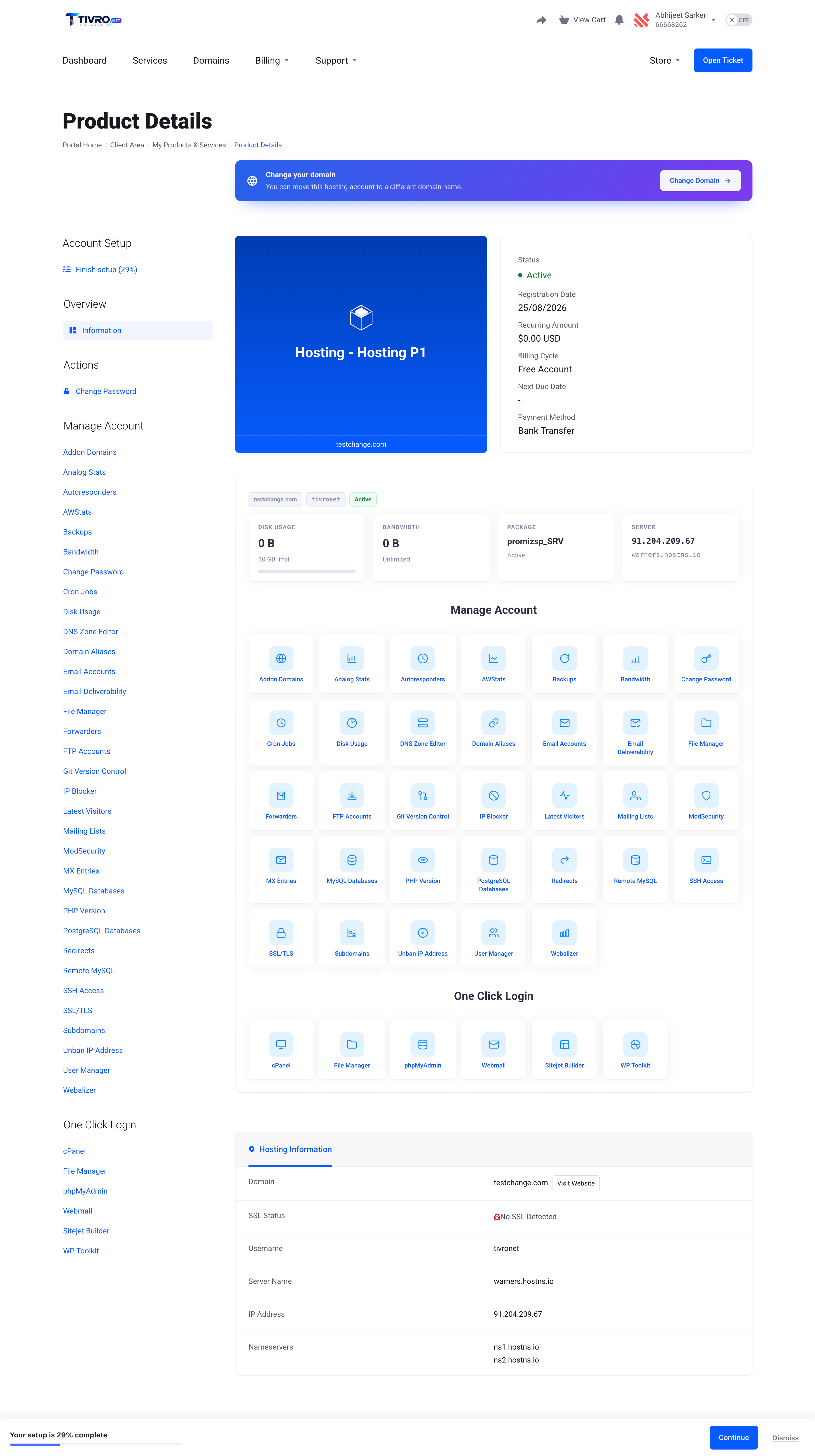
cPanel Pro for WHMCS transforms the WHMCS product details page into a complete hosting control panel. Clients can manage domains, email accounts, databases, files, security, backups, applications and more directly inside your WHMCS client area — without being redirected to the standard cPanel interface.

With 39 integrated control panel features, configurable permissions, per-product limits, one-click logins, multiple client-area themes and full activity logging, you decide exactly what customers can access and how their hosting management experience looks.

The module also includes complete cPanel provisioning, allowing it to replace the standard WHMCS cPanel server module while keeping configuration, permissions and client-area management together in one place.

39 Control Panel Features

  • Domains — manage addon domains, subdomains, aliases, redirects and DNS zones
  • DNS Zone Editor — manage A, AAAA, CNAME, MX, TXT, SRV and CAA records
  • Email Accounts — create and manage mailboxes with quota controls
  • Email Forwarders — create and manage forwarding addresses
  • Autoresponders — configure automatic email responses
  • MX Entries — manage mail routing configuration
  • Mailing Lists — manage mailing lists directly from WHMCS
  • Email Deliverability — inspect and repair SPF and DKIM configuration
  • MySQL Databases — create and manage MySQL databases and users
  • PostgreSQL Databases — manage PostgreSQL databases and users
  • Database Privileges — grant and revoke database-user permissions
  • Remote Database Access — manage remote access hosts
  • File Manager — browse and manage account files directly from WHMCS
  • File Editor — edit supported files from the integrated file manager
  • FTP Accounts — create and manage FTP users
  • Backups — create full and partial account backups
  • JetBackup — access JetBackup functionality where installed
  • Disk Usage — view storage usage across the hosting account
  • Git Version Control — manage Git repositories
  • Latest Visitors — review recent website visitor information
  • Bandwidth — view bandwidth usage by domain
  • AWStats — access the relevant AWStats reports
  • Webalizer — access Webalizer statistics
  • Analog Stats — access Analog statistics
  • SSL/TLS — manage SSL certificates and certificate installation
  • CSR Generation — generate certificate signing requests
  • SSH Keys — manage SSH key access
  • IP Blocker — block and manage IP addresses
  • ModSecurity — control ModSecurity on a per-domain basis
  • cPHulk Unban — remove blocked client IP addresses
  • User Manager — access cPanel User Manager functionality
  • Softaculous / Installatron — install and manage supported applications
  • Application Clone & Staging — clone and stage supported applications
  • Application Backup & Restore — manage supported application backups
  • WP Toolkit — manage WordPress installations, plugins and themes
  • PHP Version — allow customers to manage their PHP version
  • Cron Jobs — create and manage scheduled tasks
  • CloudLinux Usage — display resource usage against the customer's package limits
  • Password Management — change cPanel passwords while keeping WHMCS and related credentials synchronised

One Click Logins

  • cPanel login — securely log customers directly into cPanel
  • File Manager login — open the cPanel File Manager directly
  • phpMyAdmin login — launch phpMyAdmin without requiring another login
  • Webmail login — send customers directly to Webmail
  • Sitejet Builder login — open Sitejet Builder directly where available
  • WP Toolkit login — launch WP Toolkit without navigating through the cPanel home page
  • No account password exposure — login sessions are generated securely through the WHM API
  • Automatic cPHulk handling — clear the client's blocked IP before generating the login session
  • Cross-version compatibility — automatically handles supported cPanel session URL formats
  • Individual controls — enable or disable each one-click destination globally or per product

Per-Product Control

  • Feature-level permissions — choose exactly which control panel features are available for each WHMCS product
  • Different features per plan — offer different functionality across Starter, Business, Premium or other hosting plans
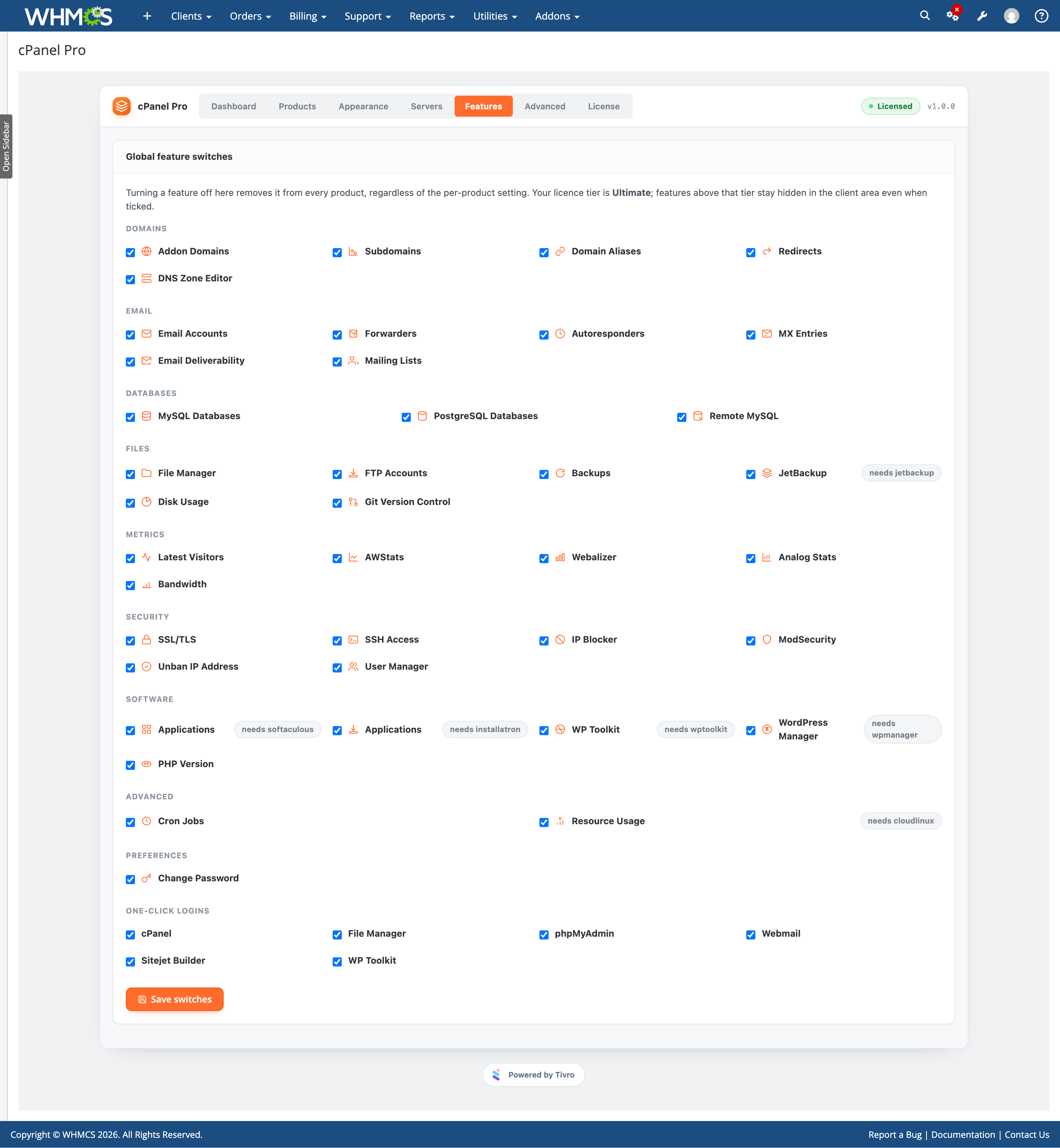
  • Global feature switches — disable a feature across every product from one setting
  • Client resource limits — enforce limits for addon domains, subdomains, FTP accounts, databases, mailboxes and cron jobs
  • WHM package selection — retrieve available WHM packages directly from the server
  • Package resource information — view disk and bandwidth values while selecting a WHM package
  • Custom package configuration — configure quota, bandwidth, mailbox, database and domain limits directly within the product
  • CloudLinux limits — configure CPU, memory, I/O, IOPS, entry processes, inodes and PHP version
  • Automatic application installation — deploy WordPress or other supported applications during account provisioning
  • Application restrictions — control which applications customers can install
  • Configuration cloning — copy an existing product configuration to other products

Client Experience

  • Native WHMCS sidebar integration — Manage Account and One Click Login options appear directly within the WHMCS service sidebar
  • Real pages and URLs — every control panel feature has its own address
  • Bookmark support — clients can bookmark individual management pages
  • Browser navigation support — standard browser back and forward navigation works as expected
  • Direct support links — support staff can send clients directly to a specific management screen
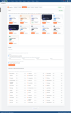
  • Hosting overview — display disk usage, bandwidth usage, package information and server details
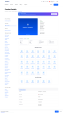
  • Feature dashboard — available hosting features are displayed directly from the account overview
  • Built-in explanations — each page explains its feature and provides relevant guidance
  • Searchable tables — quickly locate records on larger hosting accounts
  • Sortable columns — organise account data directly from client-area tables
  • Pagination — large record sets remain manageable
  • Smart defaults — automatically populate common values such as document roots and subdomains
  • Password generation — generate strong passwords directly from supported forms
  • Destructive action confirmation — clients must confirm potentially destructive operations
  • Bulk actions — perform supported actions across multiple selected records
  • Fully responsive — designed for desktop, tablet and mobile devices
  • Reduced-motion support — respects the customer's accessibility preferences

Themes & Appearance

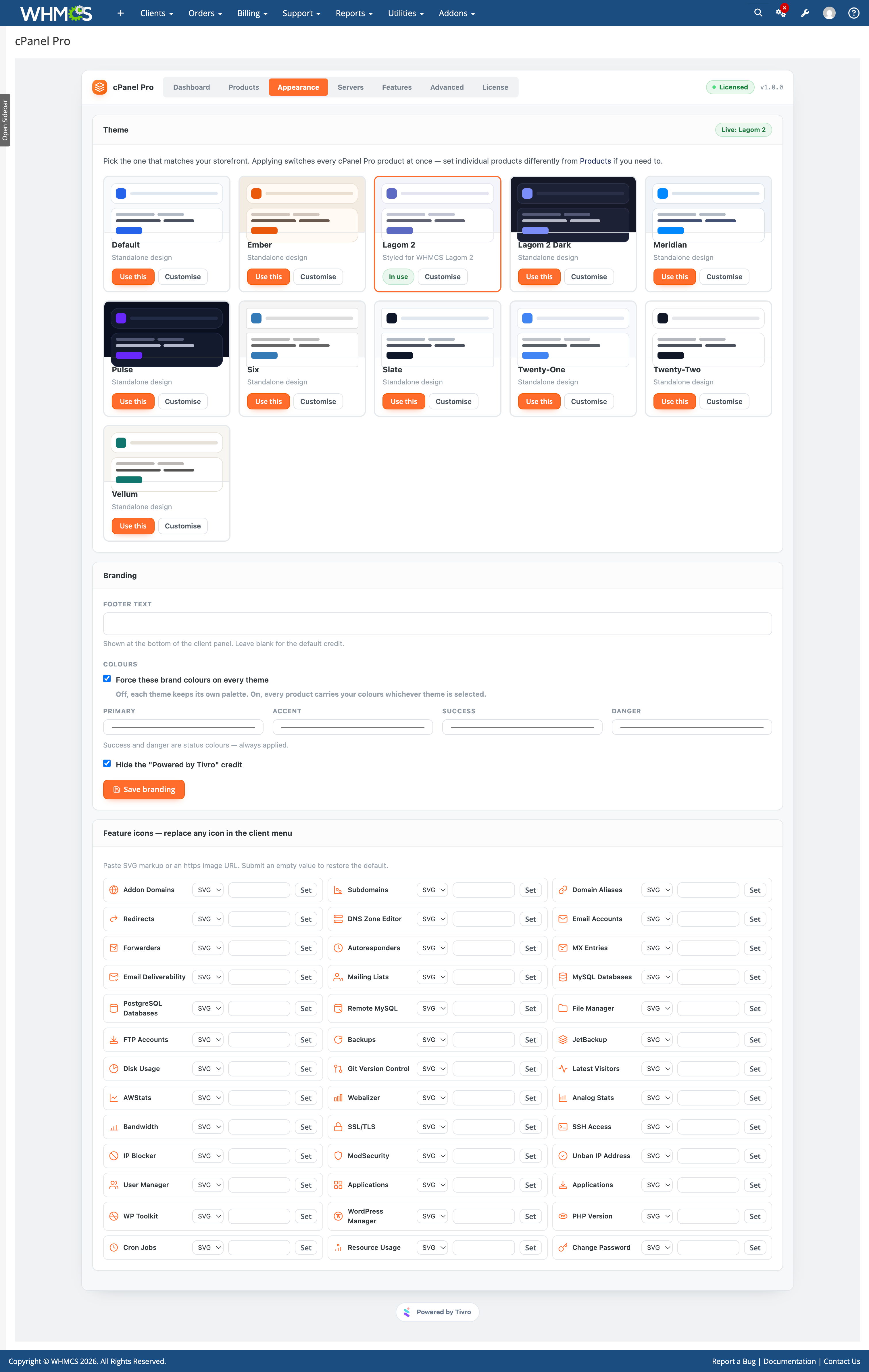
  • Eleven included themes — choose from WHMCS-inspired and standalone control panel designs
  • WHMCS Six integration — styling designed to match the Six client theme
  • Twenty-One integration — styling designed to match the Twenty-One client theme
  • Twenty-Two integration — styling designed to match the Twenty-Two client theme
  • Lagom 2 integration — dedicated styling for Lagom 2
  • Lagom 2 Dark integration — dedicated dark styling for Lagom 2
  • Standalone themes — additional layouts for custom and third-party WHMCS themes
  • Theme previews — select themes using visual preview cards from the admin area
  • Global theme switching — apply a selected theme across all configured products
  • Per-product themes — use different designs for individual hosting products
  • Colour customisation — customise colours without modifying module files
  • Corner radius controls — configure interface corner styling
  • Font customisation — customise panel typography
  • Card shadow controls — adjust visual depth directly from module settings
  • Row density settings — control table and interface spacing
  • Brand colour override — apply your own brand palette across supported themes
  • Three overview layouts — choose icon tiles, compact tiles or a simple list
  • Custom feature icons — replace individual icons with your own SVG or image
  • Scoped styling — module styles remain isolated from the rest of your WHMCS theme
  • Theme cloning — duplicate an existing theme before making customisations

Language & Wording

  • Editable interface text — customise feature names, descriptions, hints, buttons and confirmation messages
  • Admin-based editing — change wording without editing template or language files
  • Multi-language support — create and manage any number of language configurations
  • Per-product language — assign different language configurations to different hosting products
  • Modified string tracking — easily identify wording changed from the default
  • JSON import & export — export translations for editing and import them back into the module
  • English reset — restore the original shipped wording when required
  • Upgrade safe — customised wording is stored in the database and preserved during module upgrades

Server Detection & Compatibility

  • Automatic capability detection — each configured server is checked for supported third-party functionality
  • CloudLinux detection — CloudLinux features only appear when available
  • Softaculous detection — installer functionality is automatically detected
  • Installatron detection — supported Installatron functionality appears where available
  • WP Toolkit detection — WP Toolkit functionality is shown only on compatible servers
  • JetBackup detection — backup features are enabled only when JetBackup is available
  • UAPI and API2 compatibility — automatically use the appropriate cPanel API implementation
  • Automatic API fallback — fall back when a feature is unavailable through the preferred API
  • Plain-language errors — technical cPanel errors are converted into client-friendly messages
  • Server connection testing — verify server API credentials directly from the admin area

Reliability & Background Processing

  • Background bulk operations — long-running operations are queued instead of blocking the client request
  • Standard WHMCS cron — queued operations run through the existing WHMCS cron
  • Automatic retries — failed background operations can retry using a backoff
  • Stalled job recovery — interrupted queue jobs can be recovered automatically
  • Smart caching — server capabilities, resolved features and supported list responses are cached for performance
  • Automatic cache invalidation — relevant cache entries are refreshed when configuration changes
  • Read-only suspended accounts — suspended customers can view their configuration but cannot make changes
  • Server-side enforcement — suspended account restrictions are enforced by the backend
  • Automatic database upgrades — database schema updates run automatically after uploading a new module version
  • Upgrade-safe customisations — existing themes, settings and customised wording are preserved

Admin Panel

  • Seven administration areas — Dashboard, Products, Appearance, Servers, Features, Advanced and License
  • Centralised configuration — manage cPanel Pro settings from one addon interface
  • No duplicate server-module settings — the provisioning module contains no separate configuration fields
  • Tabbed product configuration — organise features, account creation, email defaults, client limits, CloudLinux, auto installer and behaviour settings
  • Server capability overview — see supported features for every configured server
  • WHM package information — view the number of available packages reported by each server
  • Authentication visibility — see whether each server uses an API token or password
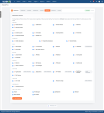
  • Activity logs — review client actions, services, outcomes and originating IP addresses
  • Filterable activity history — filter logs by service or feature
  • Detailed payload viewer — inspect additional information when troubleshooting an action
  • Queue management — view pending, running, completed and failed jobs
  • Queue retries — retry individual failed jobs or retry all
  • Manual worker execution — run the background worker directly from the admin area
  • Queue cleanup — purge completed jobs when required
  • Built-in diagnostics — inspect database row counts, PHP version, cURL version and ionCube Loader status
  • Cache management — clear module caches directly from the admin panel
  • Live account information — view disk, bandwidth, package, IP and suspension status on the WHMCS admin service page
  • Mobile responsive admin — manage the addon from desktop or mobile
  • Safe deactivation — product configurations, themes and settings remain stored when the module is disabled

Provisioning

  • Complete cPanel provisioning module — replaces the standard cPanel module rather than operating alongside it
  • Account creation — automatically create cPanel accounts when WHMCS provisions a service
  • Suspend accounts — automatically suspend accounts through WHM
  • Unsuspend accounts — restore suspended hosting accounts
  • Terminate accounts — remove terminated services from the cPanel server
  • Change package — synchronise WHMCS package changes with WHM
  • Change password — securely update cPanel account passwords
  • Collision-safe usernames — generated usernames are checked against the destination server
  • Username fallback — automatically generate an alternative when the preferred username already exists
  • Email sending limits — apply hourly email limits and deferred-failure thresholds during provisioning
  • CloudLinux provisioning — apply configured CloudLinux resource limits during account creation
  • Fault-isolated extras — optional provisioning steps cannot roll back an account that was successfully created
  • Optional pre-termination backup — create a full backup before removing an account
  • Existing account import — supports the WHMCS account importer for existing cPanel accounts

Security

  • No cPanel account passwords stored — end-user actions are proxied through WHM using the server API credentials
  • WHM API token support — use API tokens instead of storing the WHM root password
  • Ownership verification — validate the active session and service ownership before processing client actions
  • Per-service security tokens — requests are additionally protected using service-specific validation
  • Server-side permissions — disabled features cannot be accessed by manually changing a URL
  • File Manager isolation — file access is restricted to the customer's own home directory
  • Path traversal protection — unsafe paths are normalised and rejected
  • Encrypted activity logs — sensitive activity payloads are protected using AES-256-GCM
  • Credential redaction — passwords and credentials are removed before activity data is stored
  • CSRF protection — state-changing requests in both the client and admin areas require valid security tokens
  • SVG sanitisation — uploaded SVG icons are cleaned of scripts, event handlers and external references
  • Automatic housekeeping — old activity logs and completed queue jobs are removed according to retention rules
  • Private data storage — customer information remains within your own WHMCS installation

Compatibility

  • WHMCS: 8.x
  • PHP: 8.1+
  • ionCube Loader: Required
  • Database: MySQL 5.7+ or MariaDB 10.3+
  • Server: cPanel & WHM — currently supported versions
  • Authentication: WHM API token per server — root password not required
  • CloudLinux: Supported where installed
  • Softaculous: Supported where installed
  • Installatron: Supported where installed
  • WP Toolkit: Supported where installed
  • JetBackup: Supported where installed
  • Client Themes: Works with any WHMCS client area theme
  • Template Changes: Not required
  • Cron: Uses the standard WHMCS cron
  • Core Modifications: None
  • License: Valid license required


There are no reviews yet!

Be the first to review cPanel Pro - cPanel Extended For WHMCS.

Version Compatibility


Compatible with WHMCS v9.0

Full Version Compatibility


  • Selected versions of WHMCS v9.0
        9.0.0 - 9.0.8
  • All versions of WHMCS v8.13
  • All versions of WHMCS v8.12
  • All versions of WHMCS v8.11
  • Selected versions of WHMCS v8.10
        8.10.0
  • Selected versions of WHMCS v8.9
        8.9.0
  • Selected versions of WHMCS v8.8
        8.8.0
  • All versions of WHMCS v8.7
  • All versions of WHMCS v8.6
  • All versions of WHMCS v8.5
  • All versions of WHMCS v8.4
  • All versions of WHMCS v8.3
  • All versions of WHMCS v8.2
  • All versions of WHMCS v8.1
  • All versions of WHMCS v8.0

Support for this product

The best place to start if you need help with a specific product is to contact the developer. All WHMCS Marketplace developers have both a website and support URL listed.

Developed By TIVRO

Changelog

vv1.0.0 Released August 26th, 2026

Latest Version


v1.0.0 - released 26 AUG 2026


See also

Hetzner Servers Manager

Integrate manager for Hetzner Dedicated

Commercial
Liquid Web VPS & Cloud Dedicated Reseller Program

Resell VPS & Cloud Dedicated Products from Liquid Web

Free
SolusVM WHMCS module

Automate the sale of VPS servers & give your clients the ability to completely manage their VPS server inside of WHMCS, using the industry leading SolusVM control panel.


Free
Acronis Cyber Protect Cloud

AI-Powered Integration of Data Protection and Cybersecurity.

Free
VPN reseller module

Resell VPN accounts with whitelabel Windows, Mac, IOS and Android software

Free