XUI Reseller Module for WHMCS
XUI Reseller Module connects WHMCS directly to your XUI.one panel, automating the routine work of provisioning, suspending, restoring, renewing, and managing IPTV reseller lines.
When an order is accepted, the line is created automatically. When an invoice becomes overdue, the line is suspended. When payment clears, it is restored. Renewals, upgrades, downgrades, and terminations can all follow your WHMCS billing lifecycle without manual intervention.
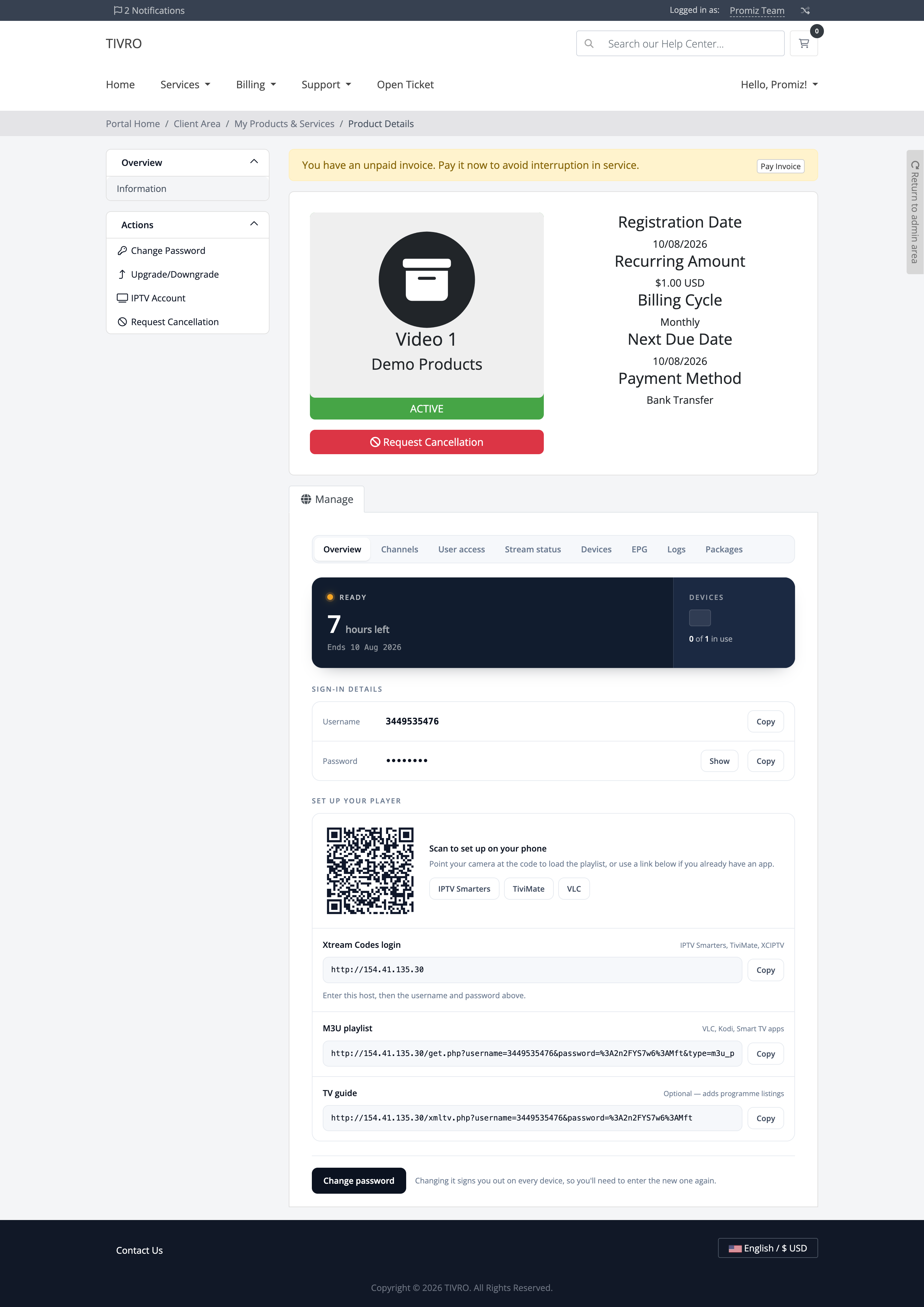
The client area is designed to answer common IPTV support questions before they become tickets. Clients can scan a QR code to load their playlist, launch IPTV Smarters, TiviMate, or VLC with credentials already filled in, see their current connection usage, check remaining days, manage credentials, and access subscription information from a responsive interface.
The module also monitors changes made directly on your XUI panel, helps protect revenue from unbilled extensions or connection increases, prevents common trial abuse patterns, and supports multiple XUI panels from the same WHMCS installation.
Provisioning & Lifecycle
-
Lines Created On Order — Create the IPTV line as soon as an order is accepted, using your configured username and password formats, with credentials available in the client area.
-
Suspend And Restore In Step With Billing — An unpaid invoice suspends the line and payment restores it automatically.
-
Renewals Extend Automatically — Extend the line expiry when a service renews and re-enable the line if it had previously lapsed.
-
Upgrades And Downgrades Applied — Apply connection count and panel package changes when the client changes their WHMCS product, while keeping existing credentials intact.
-
Termination Your Way — Delete the line on cancellation or disable it while retaining its viewing history on the panel.
-
Trial Products — Configure dedicated trial durations based on the billing cycle or set an explicit duration, with trial abuse controls applied automatically.
-
Works Without A Reseller API — The module can drive the panel's own interface for reseller-tier accounts that do not expose a usable API.
Client Experience
-
Scan And It's Set Up — A QR code loads the playlist directly onto a phone, avoiding the need to manually type an M3U address.
-
One Tap Into Their Player — Links can open IPTV Smarters, TiviMate, or VLC with the credentials already filled in.
-
A Device Meter, Not A Number — Visual connection indicators show how many allowed connections are currently in use.
-
Days Left, Not A Timestamp — Display the remaining subscription time in an easy-to-understand format, with the exact expiry date underneath.
-
Labelled By Purpose, Not Protocol — Present credentials using customer-friendly labels such as Xtream Codes login and identify compatible players instead of exposing confusing technical terminology.
-
Copy Buttons Everywhere — Copy usernames, passwords, and addresses easily, with password reveal controls and copy confirmation.
-
Self-Service Password Changes — Allow clients to change their password according to your configured policy and cooldown, with the change applied to the panel immediately.
-
An Index For Multiple Subscriptions — Clients with multiple lines can view all subscriptions from a single list, sorted with remaining time clearly visible.
-
Mobile Ready — Fully responsive client area with meters, tables, controls, and buttons designed for mobile devices.
Four Interfaces, Not Four Colour Schemes
-
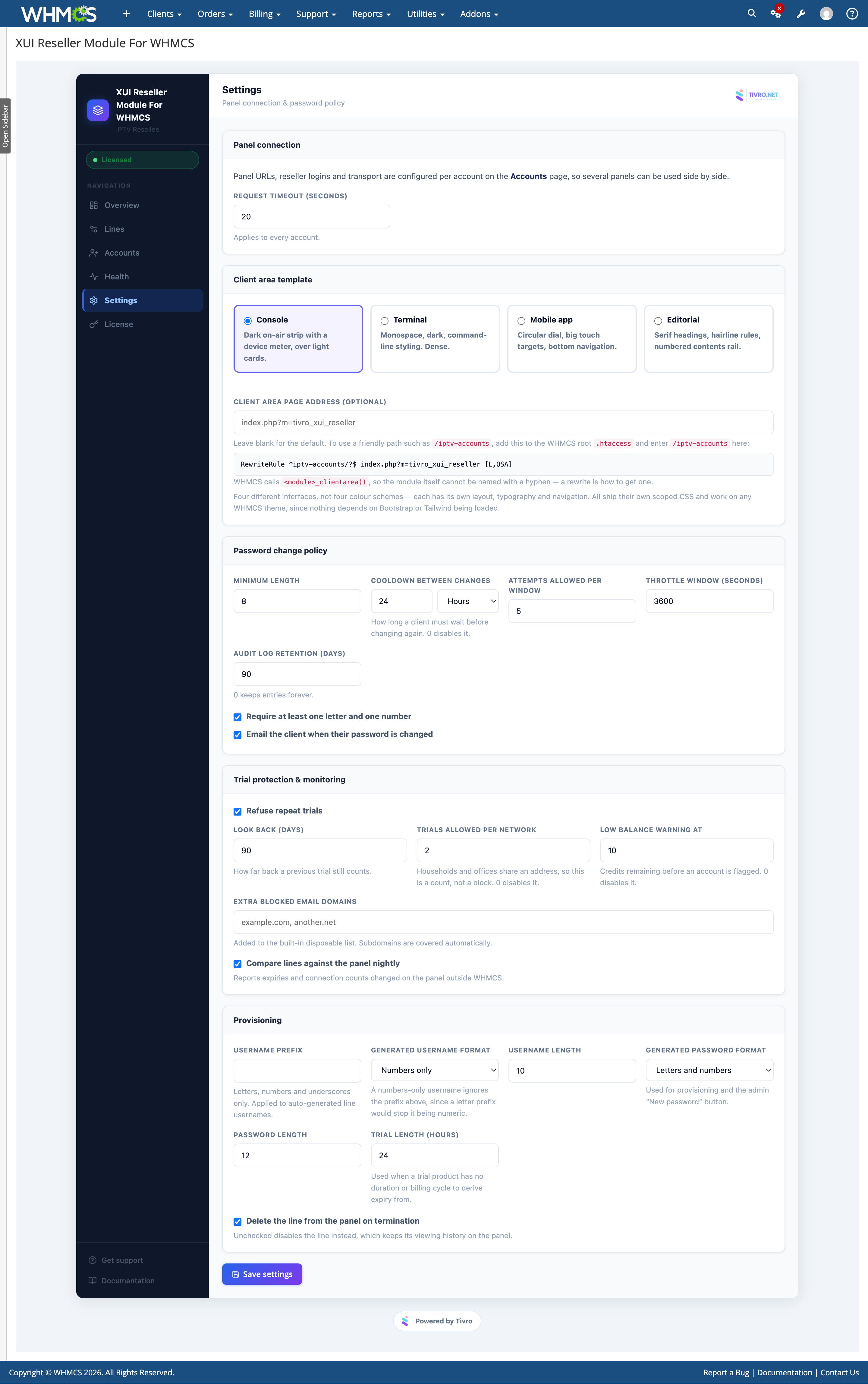
Console — A dark broadcast-style status strip with a live indicator and device meter combined with light information cards.
-
Terminal — Monospace typography and command-line styling for a dense, technical interface.
-
Mobile App — A circular remaining-time dial, large touch targets, and bottom navigation designed to resemble a native mobile application.
-
Editorial — A card-free interface with serif headings, hairline rules, and a numbered contents rail.
-
Genuinely Different Layouts — Each interface changes the actual layout and presentation rather than simply recolouring the same design.
-
No Framework Dependency — Each interface carries its own styling and does not depend on Bootstrap or a specific Tailwind build.
-
Scoped, So Nothing Leaks — Module styling is isolated from the rest of the client area, while your existing theme cannot interfere with the module.
-
Switch Any Time — Change the interface from a single setting without editing templates.
Eight Client Area Tabs
-
Overview — Display remaining time, devices in use, sign-in details, QR code, and player links.
-
Channels — Show channel groups included in the subscription, read directly from your panel.
-
Stream Status & Devices — View current playback activity and where the subscription is signed in.
-
EPG, Logs, User Access And Packages — Provide access to the guide address, recent activity, login details, and upgrade options.
-
Instant Switching — Tabs are prepared for immediate switching without unnecessary reloads or waiting.
-
Only Their Own Line — Panel information is filtered to the signed-in client's own subscription before being displayed.
-
Light On Your Panel — Data is cached briefly and shared between tabs to reduce unnecessary requests to the panel.
Multiple Panels
-
As Many Panels As You Need — Add multiple panel accounts, each with its own address, login credentials, and configured routes.
-
Assigned The Way You Already Work — Assign panels through your existing WHMCS server and server-group configuration.
-
Lines Stay With Their Panel — Each line remembers its assigned panel even when the default panel account changes.
-
Test Before You Trust It — Test panel connectivity and read the line form before relying on the mapping for customer provisioning.
-
Different Panel Builds Supported — Configure routes independently for panels using different paths or interface structures.
-
Credentials Encrypted At Rest — Panel login credentials are stored encrypted, and editing an account does not silently remove existing credentials.
-
Safe Deletion — Panel accounts with attached lines cannot be removed accidentally. The module reports how many lines remain attached.
Revenue Protection
-
Nightly Panel Comparison — Compare WHMCS records with the values currently stored on the panel to detect changes made outside WHMCS.
-
Ranked By What It Costs You — Changes such as extended expiry periods or increased connections are prioritised based on their potential revenue impact.
-
Accept Or Revert, One Click — Accept the panel's current value and update WHMCS, or restore the WHMCS value back to the panel.
-
The Scan Only Reads — Reconciliation does not automatically change anything. You decide whether a detected change is legitimate.
-
Detects More Than Dates — Identify expiry changes, connection increases, renamed lines, and password changes made directly on the panel.
-
Clears Itself Up — Differences that no longer exist are automatically closed, while small timing variations are ignored to reduce unnecessary noise.
Trial Abuse Prevention
-
Recognises The Mailbox, Not The Address — Normalises dots and plus-tags so variations such as
[email protected] and [email protected] can be recognised as the same mailbox.
-
Throwaway Domains Refused — Use a built-in disposable-domain list and add your own domains, with subdomains covered automatically.
-
Network Limits That Aren't Blunt — Limit trial usage by connection count rather than simply blocking an entire network, allowing legitimate households and offices to share a connection.
-
Paid Orders Never Touched — Trial restrictions apply only to products that you have specifically marked as trials.
-
Configurable Look-Back — Choose how far into the past a previous trial should count toward the restriction.
-
Conversion Tracked Properly — Record trial attempts whether they are allowed or refused and mark successful conversions when the client pays.
Credentials & Password Policy
-
Four Generated Formats — Generate usernames and passwords using numbers only, letters only, letters and numbers, or letters, numbers, and symbols, with independent length settings.
-
No Ambiguous Characters — Exclude commonly confused characters such as zero and capital O, or one and lowercase L, from generated credentials.
-
Mixed Formats Always Qualify — Generated passwords contain every character class required by the selected format.
-
Conflicts Flagged — The settings interface identifies conflicting password requirements instead of allowing incompatible rules to be saved silently.
-
Cooldown In Your Own Units — Configure client password-change cooldowns in minutes, hours, or days, or disable the cooldown entirely.
-
Attempt Throttling — Limit repeated password-change attempts within a defined window.
-
One Policy, Every Route — Client, admin, and provisioning password changes all use the same configured rules, cooldowns, and audit trail.
-
Client Notified In Writing — Optionally send an email whenever a client's password is changed.
Monitoring & Health
-
Credit Balance Tracking — Read reseller credit balances from supported panels and refresh them nightly, with configurable low-balance warnings.
-
Honest When It Can't Tell — When a panel does not expose usable credit information, the module explains why instead of displaying an assumed value.
-
Bouquet Synchronisation — Read channel groups from each panel, including their names and reference numbers.
-
Trial Statistics — View trials granted, refused, and converted over the previous 30 days, including the conversion rate.
-
One Page For All Of It — Review panel balances, detected differences, and trial performance from a single health overview.
Admin Panel
-
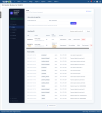
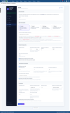
Six-Page Interface — Dedicated sections for Overview, Lines, Accounts, Health, Settings, and License.
-
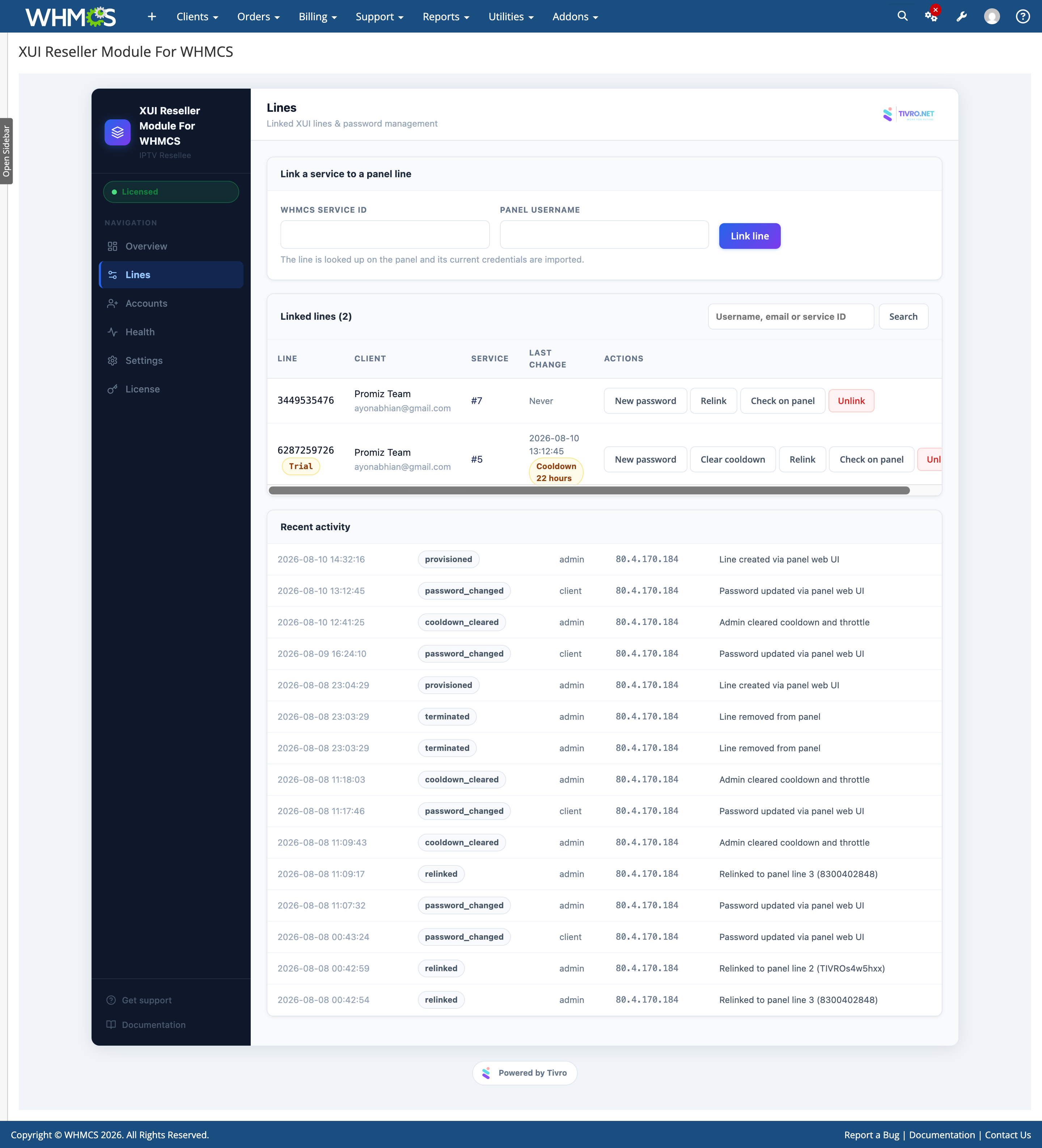
Link Existing Lines — Attach services migrated from another system or created manually by username and import their current credentials, expiry, and connection count.
-
Diagnostics That Tell You What To Do — Check panel mappings, correct stale references, inspect panel data, and receive actionable diagnostic information.
-
Repair Without Unlinking — Relink a line to re-read its current information from the panel and refresh its stored details.
-
Admin Password Reset — Issue a new client password immediately from the admin area, bypassing the normal client cooldown.
-
Complete Activity Log — Record provisioning actions, password changes, and reconciliation activity with source, address, and time while never storing passwords in the log.
-
Runs On Your Existing Cron — Balance refreshes, drift scans, and housekeeping use the standard WHMCS daily cron.
-
Upgrades Take Care Of Themselves — Upload updated module files and allow the database structure to update automatically without manually running upgrade scripts.
Security & Reliability
-
Exact Matching Only — Lines are identified using exact username matching rather than partial matches, helping prevent actions from being applied to the wrong subscription.
-
Client Area Scoped To Its Owner — Panel information is filtered against the signed-in client's account before it reaches the client area.
-
Encrypted Credential Storage — Panel credentials and line passwords are stored encrypted rather than as plain text.
-
Request Verification — Client and admin submissions carry verification tokens that are checked before processing.
-
Remote Content Never Trusted — Data received from the panel is reduced to safe plain text before being displayed in the client area.
-
Fails Closed — If the license or panel connection cannot be verified, provisioning stops rather than proceeding on an assumption.
-
Sessions Reused, Not Re-Established — Panel sessions are retained and refreshed when required to reduce unnecessary repeated logins.
-
Your Data Stays Yours — Module data is stored in your own WHMCS database and client information is not sent to external services.
Compatibility
-
WHMCS: 8+
-
PHP: 8.1+
-
ionCube Loader: v15
-
Database: MySQL 5.7+ or MariaDB 10.3+
-
Panel: XUI.one with a reseller or administrator login — no reseller API required
-
Client Area Themes: Works with any client area theme — no template changes required
-
Reseller Panels: Unlimited panel accounts
-
Cron: Standard WHMCS daily cron — no additional cron entry required
-
License: Valid license required