cPanel Extended For WHMCS

cPanel Extended For WHMCS

Developed By HosTwega

Compatible with WHMCS v9.0

cPanel Extended for WHMCS

cPanel Extended is an advanced WHMCS provisioning and client-area management module designed to provide a more complete cPanel hosting experience directly from WHMCS.

The module combines standard WHMCS provisioning, live hosting information, account statistics, feature controls, selected management tools inside the WHMCS Client Area, and secure access to native cPanel applications.

It is designed for hosting providers who want to give customers easier access to their hosting account while keeping WHMCS as the central service-management interface.

Automated cPanel Provisioning

cPanel Extended integrates with WHM and supports the standard WHMCS hosting lifecycle.

Supported provisioning actions include:

  • Create Account
  • Suspend Account
  • Unsuspend Account
  • Terminate Account
  • Change Password
  • Change Package
  • WHM API connectivity
  • Standard WHMCS service automation

The module uses the WHM server credentials and API Token configured in WHMCS.

Client Area Hosting Management

cPanel Extended enhances the WHMCS product details page with additional hosting management features.

Customers can access hosting information, statistics, selected management functions, and cPanel tools directly from their WHMCS service.

Some functions are managed directly inside WHMCS, while other cPanel-native applications are opened using secure temporary cPanel sessions.

This approach keeps the WHMCS interface lightweight while still providing access to the full range of supported cPanel functionality.

General Hosting Information

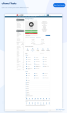
Customers can view important hosting account details directly from the WHMCS Client Area, including:

  • cPanel Username
  • Primary Domain
  • SSL Status
  • Shared IP Address
  • Home Directory

The information is retrieved from the hosting server and displayed directly inside the WHMCS service page.

Live Account Statistics

The module retrieves hosting usage and resource information directly from cPanel.

Available statistics may include:

  • Disk Usage
  • File Usage
  • Database Disk Usage
  • PostgreSQL Disk Usage
  • Bandwidth
  • Addon Domains
  • Subdomains
  • Alias Domains
  • Email Accounts
  • Mailing Lists
  • Autoresponders
  • Forwarders
  • Email Filters
  • FTP Accounts
  • MySQL Databases
  • PostgreSQL Databases
  • CPU Usage
  • Entry Processes
  • Physical Memory Usage
  • IOPS
  • Number of Processes

Resource values are retrieved from cPanel, while the interface labels follow the active WHMCS client-area language.

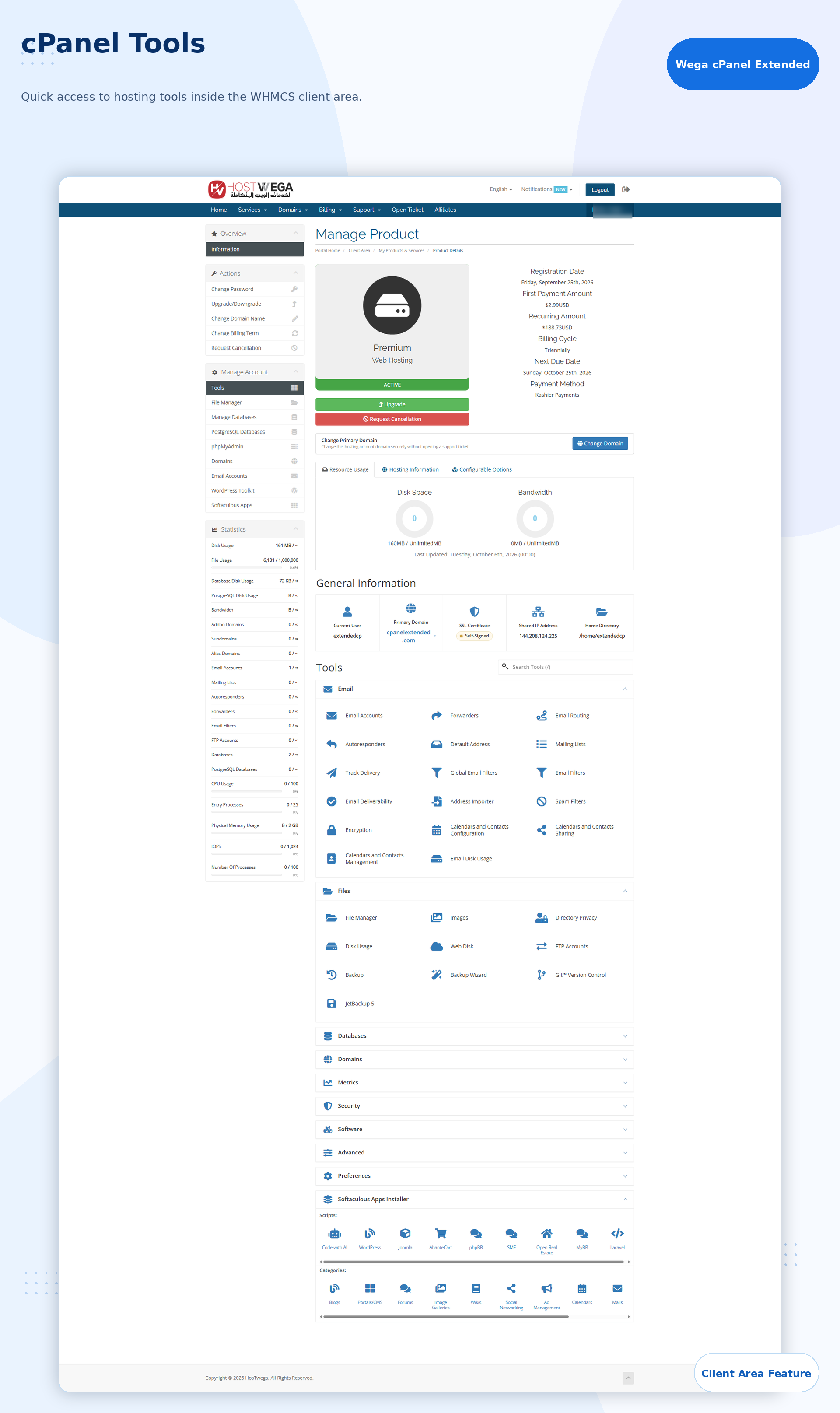
cPanel Tools Dashboard

The client area includes an organized cPanel-style Tools dashboard.

Available tool groups can include:

Email

  • Email Accounts
  • Forwarders
  • Email Routing
  • Autoresponders
  • Default Address
  • Mailing Lists
  • Track Delivery
  • Global Email Filters
  • Email Filters
  • Email Deliverability
  • Address Importer
  • Spam Filters
  • Encryption
  • Calendars and Contacts
  • Email Disk Usage

Files

  • File Manager
  • Images
  • Directory Privacy
  • Disk Usage
  • Web Disk
  • FTP Accounts
  • Backup
  • Backup Wizard
  • Git Version Control
  • JetBackup

Databases

  • phpMyAdmin
  • MySQL Database Management
  • Database Wizard
  • Remote Database Access
  • PostgreSQL Databases
  • PostgreSQL Database Wizard
  • phpPgAdmin

Domains

  • Domain Management
  • Redirects
  • Zone Editor
  • Dynamic DNS
  • Domain Aliases
  • Subdomains
  • WordPress Management
  • Sitejet Builder
  • Social Media Management

Metrics

  • Visitors
  • Site Quality Monitoring
  • Errors
  • Bandwidth
  • Raw Access
  • AWStats
  • Webalizer
  • Webalizer FTP
  • Metrics Editor
  • Resource Usage
  • Analog Stats

Security

  • SSH Access
  • IP Blocker
  • SSL/TLS
  • API Token Management
  • Hotlink Protection
  • Leech Protection
  • ModSecurity
  • Two-Factor Authentication
  • Imunify360
  • IP Unban Tools

Software

  • Softaculous Apps Installer
  • Redis
  • SitePad Website Builder
  • PHP PEAR Packages
  • Perl Modules
  • Optimize Website
  • Application Manager
  • MultiPHP Manager
  • Node.js Applications
  • Python Applications
  • Select PHP Version
  • AccelerateWP

Advanced

  • LiteSpeed Web Cache Manager
  • Terminal
  • Cron Jobs
  • Track DNS
  • Indexes
  • Error Pages
  • Apache Handlers
  • MIME Types

Preferences

  • Account Preferences
  • Password & Security
  • Change Language
  • Contact Information
  • User Manager
  • Manage Team

Direct WHMCS Management and Native cPanel Access

cPanel Extended uses two different integration methods depending on the feature.

Managed Inside WHMCS

Selected hosting functions can be managed directly from the WHMCS Client Area, such as:

  • File Manager
  • Email account management
  • FTP account management
  • MySQL management
  • PostgreSQL management
  • Cron Jobs
  • Domain-related information
  • Resource and usage statistics

Native cPanel Applications

Other cPanel tools continue to use their native cPanel interfaces.

When a customer opens one of these tools, the module can generate a temporary cPanel session and redirect the customer to the appropriate application without requiring them to manually enter their cPanel credentials.

This preserves the native cPanel experience for advanced tools while providing convenient access from WHMCS.

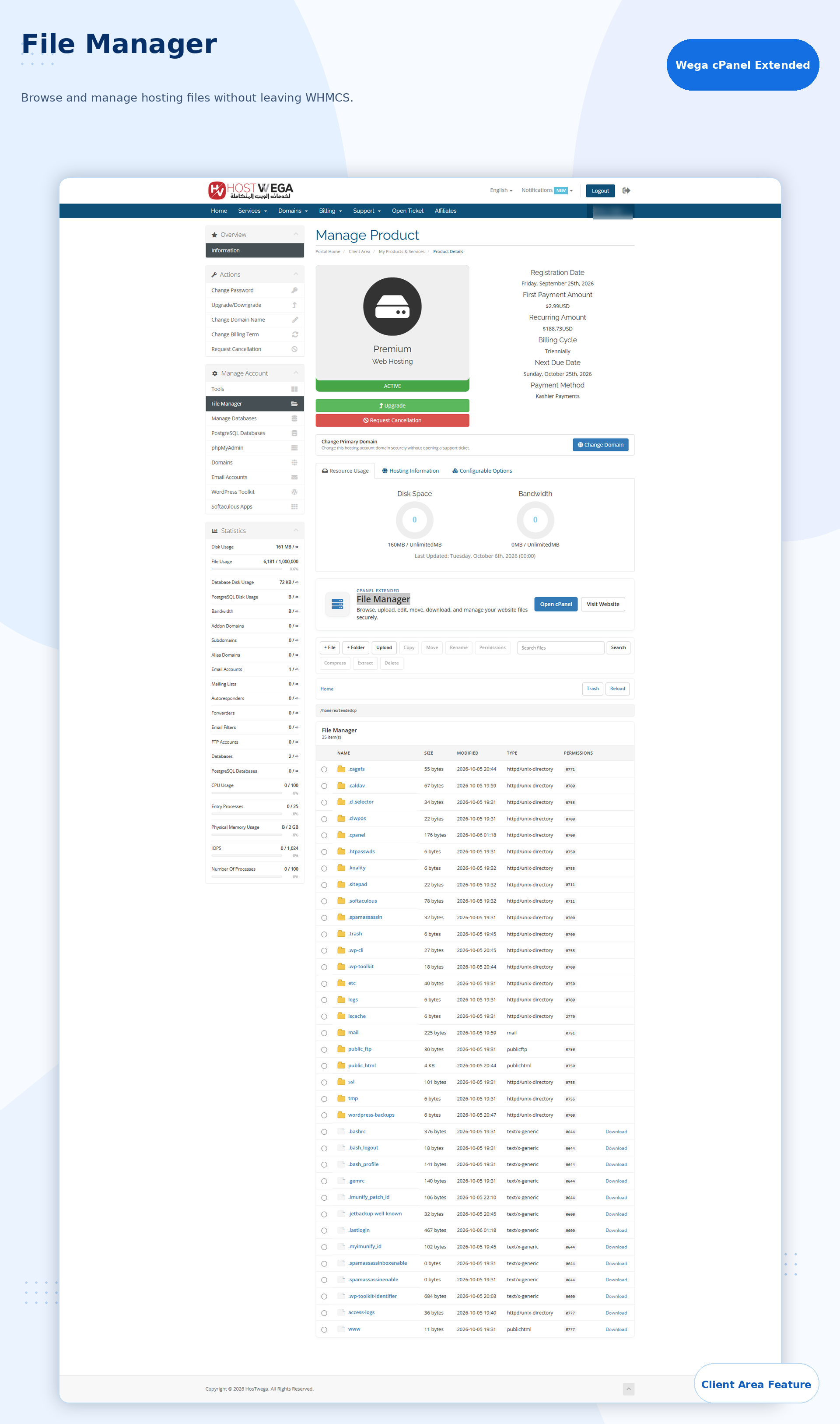
File Manager

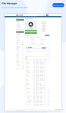
The built-in File Manager allows customers to browse and manage hosting files without leaving WHMCS.

Supported file management functions can include:

  • Browse directories
  • Upload files
  • Create files
  • Create folders
  • Copy
  • Move
  • Rename
  • Delete
  • Change permissions
  • Search files
  • Download files
  • Compress and extract archives

The File Manager operates against the customer's cPanel hosting account.

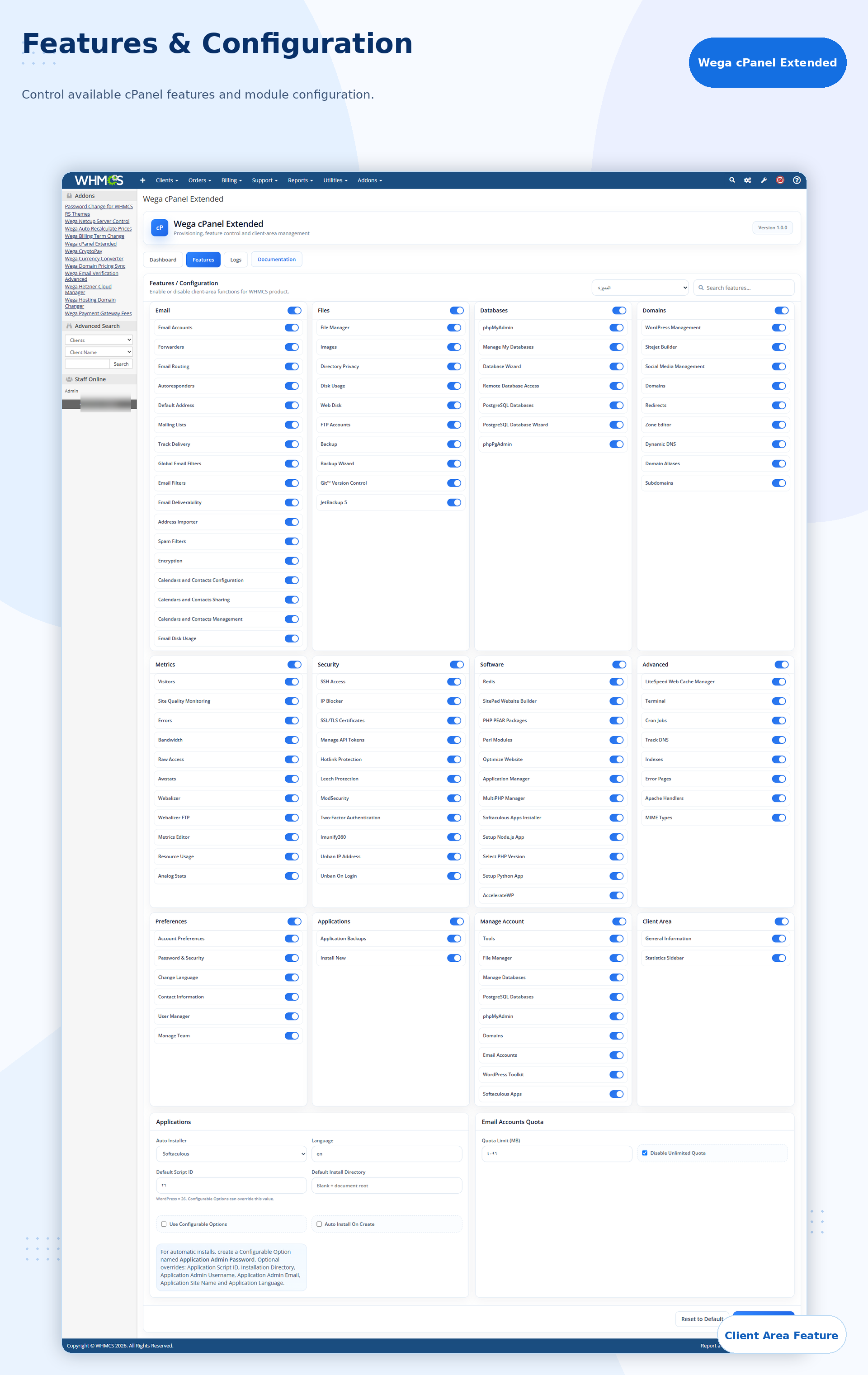
Product-Level Feature Control

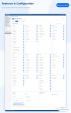
Administrators can control which client-area features are available for each WHMCS product.

Each category and individual tool can be enabled or disabled separately.

This makes it possible to create different feature sets for different hosting packages.

For example, a basic hosting plan can expose a limited set of tools, while a premium product can provide access to a larger range of cPanel features.

Application Management

The module supports application-related configuration and integration with supported auto-installation tools.

Configuration options can include:

  • Auto Installer
  • Default Application Language
  • Default Script ID
  • Default Installation Directory
  • Automatic Installation on Account Creation
  • Configurable Option Integration

Softaculous functionality is available when Softaculous is installed and available on the cPanel server.

Email Quota Controls

Administrators can configure email account quota behavior for supported email management functions.

Options include:

  • Default email quota limit
  • Disable unlimited quota option

This gives hosting providers additional control over customer-created email accounts.

Multilingual Interface

cPanel Extended includes separate language handling for the WHMCS Client Area and administration area.

The client interface follows the language currently selected in WHMCS instead of relying only on the language stored in the customer profile.

This means customers can change the WHMCS interface language and the module interface will follow the active language.

RTL layouts are also supported for right-to-left languages.

Administration Dashboard

The module includes a modern WHMCS administration interface for managing product features and reviewing module activity.

The administration area includes:

  • Dashboard statistics
  • Configured product count
  • Hosting service count
  • Active service count
  • Module activity information
  • Product-level feature controls
  • Feature search
  • Application settings
  • Email quota configuration
  • Module logs
  • Documentation

Module Logs

Built-in logging allows administrators to review module activity and provisioning-related operations.

Log records can include:

  • Date and Time
  • Service
  • Action
  • Status
  • Message

Logs can be reviewed directly from the module administration area.

Secure WHM and cPanel API Integration

cPanel Extended communicates with WHM and cPanel using API-based integration.

The module can use WHM API access for provisioning and account management and can generate temporary cPanel sessions when access to native cPanel applications is required.

This avoids requiring customers to repeatedly enter their cPanel login credentials.

Responsive Client Area

The client interface is designed to work across desktop, tablet, and mobile devices.

The module also uses isolated frontend styles so it can integrate with common WHMCS themes without replacing the global theme design.

Supported environments include standard WHMCS themes as well as customized client-area templates.

Benefits for Hosting Providers

cPanel Extended helps hosting providers create a more integrated hosting management experience inside WHMCS.

Key benefits include:

  • Centralized hosting management
  • Automated cPanel provisioning
  • Live hosting account information
  • Live cPanel resource statistics
  • Direct management of selected hosting functions
  • Quick access to native cPanel tools
  • Product-level feature control
  • Reduced need for customers to manually log in to cPanel
  • Improved WHMCS client-area experience
  • Multilingual interface support
  • Mobile-friendly design

Designed for cPanel Hosting Providers

cPanel Extended is suitable for hosting companies that use WHMCS together with cPanel/WHM and want to provide customers with a more complete service-management experience.

It does not attempt to replace cPanel.

Instead, it integrates selected hosting functions directly into WHMCS while providing convenient access to native cPanel applications when their original interface is the better option.

This gives hosting providers a practical balance between WHMCS integration and the full functionality of cPanel.


There are no reviews yet!

Be the first to review cPanel Extended For WHMCS.

Version Compatibility


Compatible with WHMCS v9.0

Full Version Compatibility


  • All versions of WHMCS v9.0
  • All versions of WHMCS v8.13
  • All versions of WHMCS v8.12
  • All versions of WHMCS v8.11
  • Selected versions of WHMCS v8.10
        8.10.0

System Requirements


  • WHMCS 8.10.1 – 9.X
  • PHP 8.1 – 8.4
  • ionCube Loader 14+
  • PHP cURL extension
  • cPanel/WHM server with WHM API access
  • Valid WHM API Token
  • HTTPS/2087 connectivity to the WHM server
  • Softaculous (optional, for application management features)

* Requirements listed are in addition to the WHMCS default system requirements.

Support for this product

The best place to start if you need help with a specific product is to contact the developer. All WHMCS Marketplace developers have both a website and support URL listed.

Developed By HosTwega

Changelog

v1.0.0 Released October 6th, 2026

Latest Version


  • Initial release of cPanel Extended for WHMCS.
  • Added automated cPanel account provisioning through WHMCS.
  • Added support for account creation, suspension, unsuspension, termination, password changes, and package changes.
  • Added advanced client-area cPanel management directly inside WHMCS.
  • Added categorized Tools interface for Email, Files, Databases, Domains, Metrics, Security, Software, Advanced, Preferences, and Applications.
  • Added cPanel-style General Information and live account statistics.
  • Added direct integration with WHM and cPanel APIs.
  • Added product-level feature controls for enabling or disabling individual client-area tools.
  • Added File Manager, email account management, FTP management, database management, domain tools, Cron Jobs, and additional cPanel utilities.
  • Added Softaculous application integration and application management options.
  • Added email account quota controls.
  • Added multilingual support for both the client area and admin area.
  • Added support for RTL languages.
  • Added language detection based on the currently selected WHMCS interface language.
  • Added responsive client-area interface for desktop, tablet, and mobile devices.
  • Added modern administration dashboard with service statistics, feature configuration, quick actions, and module status information.
  • Added module activity logs with search, filtering, pagination, and log management.
  • Added configurable Tools block ordering and collapse state in the client area.
  • Added live resource usage values retrieved directly from cPanel.
  • Added compatibility with modern WHMCS and PHP versions.
  • Added support for Twenty-One, Six, Lagom, and custom WHMCS themes.


See also

Hetzner Servers Manager

Integrate manager for Hetzner Dedicated

Commercial
Liquid Web VPS & Cloud Dedicated Reseller Program

Resell VPS & Cloud Dedicated Products from Liquid Web

Free
SolusVM WHMCS module

Automate the sale of VPS servers & give your clients the ability to completely manage their VPS server inside of WHMCS, using the industry leading SolusVM control panel.


Free
Acronis Cyber Protect Cloud

AI-Powered Integration of Data Protection and Cybersecurity.

Free
VPN reseller module

Resell VPN accounts with whitelabel Windows, Mac, IOS and Android software

Free