

Crisp Live Chat

Crisp Live Chat

Developed By Crisp

Compatible with WHMCS v9.0

Crisp connects your WHMCS client portal to a complete customer support platform.

Add the Crisp chatbox to your WHMCS website so customers can contact your team while managing their services, invoices, domains, and support requests. Every conversation is sent to the Crisp Inbox, where your team can answer, collaborate, and automate repetitive requests from one place.

The plugin is quick to install and does not require you to edit your WHMCS theme manually.

Give customers direct access to your support team

Customers often need help while browsing their WHMCS portal, checking an invoice, managing a service, or choosing a new plan.

Crisp adds a chatbox directly to your WHMCS website, giving customers a faster way to contact your team without leaving the page.

Use Crisp to:

  • Answer pre-sales questions about your hosting plans or services
  • Help customers with billing, account, and technical requests
  • Guide visitors toward the right product
  • Collect customer details before a conversation starts
  • Continue conversations after visitors leave the website

Manage every conversation from one shared inbox

Messages from your WHMCS website appear directly in the Crisp Inbox.

Your support team can:

  • Assign conversations to the right teammate
  • Add private notes and collaborate internally
  • Use saved replies for common questions
  • Share help articles during conversations
  • Organize requests by topic, team, or priority
  • Access conversations from desktop and mobile apps

You can also connect other customer communication channels to Crisp, helping your team avoid switching between separate tools throughout the day.

Reduce repetitive support requests

WHMCS businesses often receive the same questions about invoices, renewals, account access, services, and technical setup.

Crisp helps your team handle those requests more efficiently with:

  • Shortcuts for frequently used answers
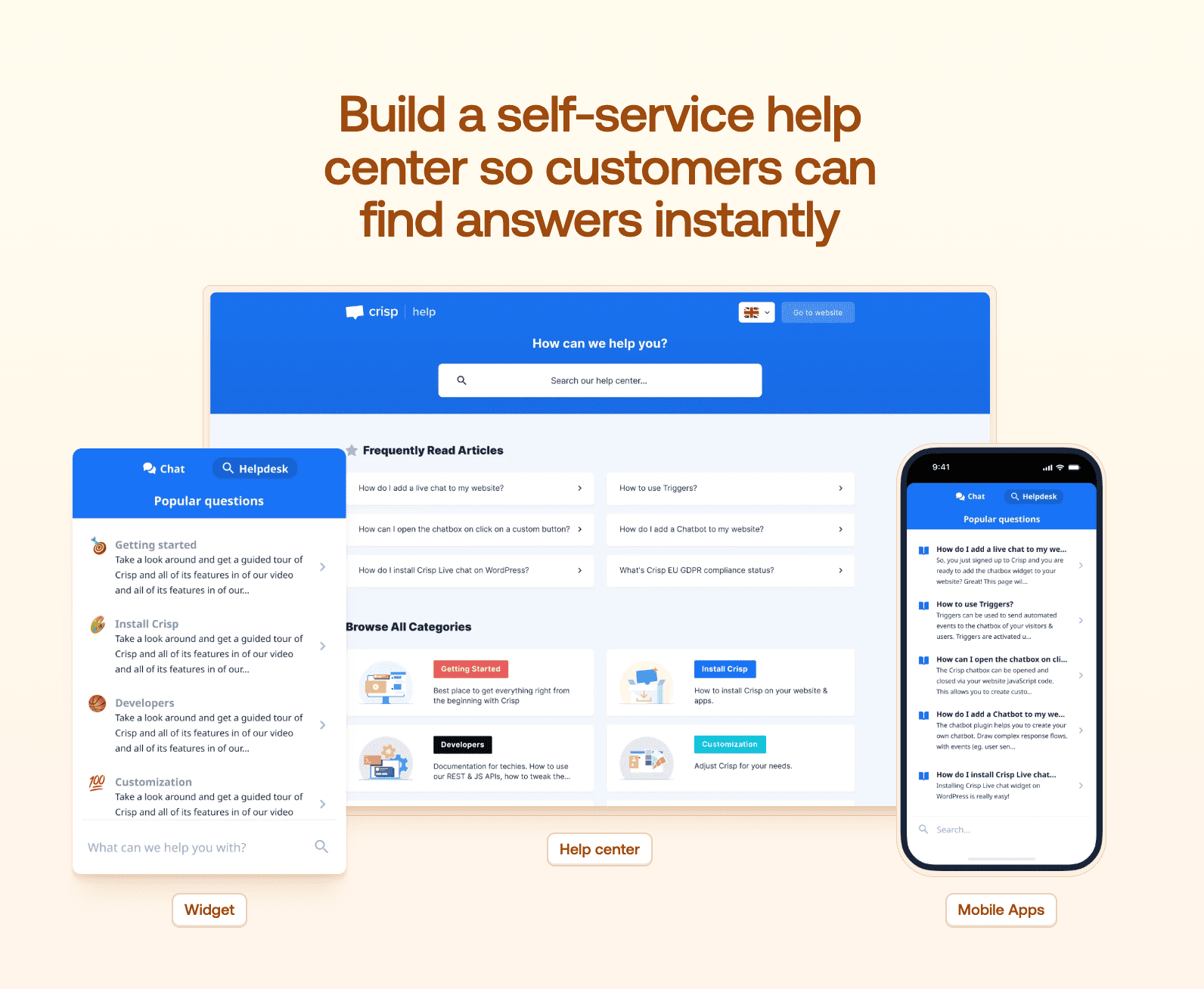
  • A customer-facing Knowledge Base
  • Automated workflows and routing rules
  • Hugo AI Agent for repetitive support conversations
  • Escalation to a human operator when a request needs more attention

Hugo can use your existing help content and support instructions to answer common questions, while your team remains available for complex or sensitive cases.

Keep customer context inside every conversation

Crisp keeps useful customer information alongside the conversation, so operators have more context before answering.

Your team can view and manage details such as:

  • Customer name and email
  • Previous conversations
  • Internal notes
  • Conversation history
  • Custom customer data
  • Browsing activity available through Crisp

This helps operators understand the request faster and avoid asking customers to repeat information.

Customize Crisp for your WHMCS website

Adapt the Crisp chatbox to fit your brand and support workflow.

Depending on your Crisp plan, you can:

  • Customize the chatbox appearance
  • Configure welcome messages
  • Set team availability
  • Route conversations to specific teams
  • Create automated support workflows
  • Build a self-service Knowledge Base
  • Review support performance with analytics

Install Crisp on WHMCS

To connect your WHMCS website to Crisp:

  1. Open your Crisp workspace.
  2. Go to Settings → Workspace Settings → Setup & Integrations.
  3. Select WHMCS.
  4. Download the Crisp addon and copy the license key.
  5. Extract the downloaded ZIP file.
  6. Upload the crisp folder to modules/addons in your WHMCS installation.
  7. Open Addons → Apps & Integrations in WHMCS.
  8. Search for Crisp and activate the integration.
  9. Enter the license key provided by Crisp.
  10. Open your WHMCS customer portal and send a test message.

Once the integration is active, your customers can contact your team directly from the WHMCS portal, while your operators manage every conversation from Crisp.


Reviews

5 stars
3
3
4 stars
0
0
3 stars
0
0
2 stars
0
0
1 star
0
0
Eric Caldwell avatar

Eric Caldwell @eric6982

June 4, 2024 at 05:24:45 PM

No comment provided.

  • 2 years ago
Tony_WN  avatar

Tony_WN @tonywn5351

November 19, 2021 at 08:34:22 PM

Look Nice module

  • 4 years ago
Jordan Howard avatar

Jordan Howard @Jordan

March 17, 2021 at 11:19:08 PM

Honestly is the best chat software out there.
Pricing isn't based on per seat so you can have unlimited agents for a very very reasonable price!

  • 5 years ago

Version Compatibility


Compatible with WHMCS v9.0

Full Version Compatibility


  • All versions of WHMCS v9.0
  • All versions of WHMCS v8.13
  • Selected versions of WHMCS v8.1
        8.1.0 - 8.1.1
  • Selected versions of WHMCS v8.0
        8.0.0 - 8.0.4
  • Selected versions of WHMCS v7.10
        7.10.0 - 7.10.1
  • All versions of WHMCS v7.9
  • All versions of WHMCS v7.8
  • All versions of WHMCS v7.7
  • All versions of WHMCS v7.6
  • All versions of WHMCS v7.5
  • All versions of WHMCS v7.4
  • Selected versions of WHMCS v7.3
        7.3.0
  • All versions of WHMCS v7.2
  • All versions of WHMCS v7.1
  • All versions of WHMCS v7.0
  • All versions of WHMCS v6.3
  • All versions of WHMCS v6.2
  • All versions of WHMCS v6.1
  • All versions of WHMCS v6.0

System Requirements


  • WHMCS 9.0 or a compatible supported version
  • PHP and ionCube Loader requirements follow the selected WHMCS version

* Requirements listed are in addition to the WHMCS default system requirements.

Support for this product

The best place to start if you need help with a specific product is to contact the developer. All WHMCS Marketplace developers have both a website and support URL listed.

Developed By Crisp

Changelog

v1.1 Released May 13th, 2019

Latest Version


This is the initial release for the Crisp WMCS Plugin. This version let you add the Crisp Live Chat on your WHMCS site.


 

See also

tawk.to Live Chat

Free live chat App

Free
Live Chat & Visitor Tracking

Chat and Engage with Your Customers to Increase Conversions!

Commercial
LiveChat - live chat for WHMCS

Customer service platform with live chat and customer engagement capabilities

Free
PreMadeKB WHMCS Knowledgebase - Step by Step + Images

PreMadeKB - Readymade Knowlegebase Articles for WHMCS - With Images and 431+ Articles on cPanel, Plesk, DA, Softaculous, etc.


Commercial
Lara AI Assistant

Lara, AI Assistant .. OpenAI's ChatGPT for WHMCS Tickets

Commercial