AI Ticket Assistant for WHMCS
Transform your WHMCS support operations with the power of AI. Generate professional, context-aware ticket responses in seconds — not minutes. Built for hosting companies, SaaS providers, and service businesses that demand fast, consistent, and high-quality customer support.
Why AI Ticket Assistant?
Every minute your support agents spend crafting responses is a minute they're not solving the next problem. AI Ticket Assistant works alongside your team — not as a replacement — to draft intelligent responses using your full ticket context, knowledge base, client history, and custom training data.
The result? Faster response times, happier customers, and agents who can focus on what matters most.
Key Features:
AI-Powered Response Generation
- One-click response drafting from any ticket textarea — replies, notes, and more
- Context-aware responses built from ticket history, client data, knowledge base articles, past tickets, SLA information, and custom training data
- Enhanced prompt engineering that produces responses your agents can send with confidence
- Supports six response tones: Professional, Friendly, Technical, Empathetic, Formal, and Casual
- Smart retry handling — if the AI service is temporarily unavailable, your instructions are preserved for instant retry
Multi-Language Support
Generate and auto-detect responses in 14+ languages:
English, Spanish, French, German, Portuguese, Arabic, Chinese, Japanese, Korean, Russian, Italian, Dutch, Turkish, Hindi
Advanced AI Analysis
Every ticket is analyzed in real-time with:
-
Sentiment Analysis — detect customer mood (happy, neutral, frustrated, angry, confused, urgent)
-
Smart Ticket Routing — AI suggests the best department for each ticket
-
Escalation Detection — automatic escalation level recommendations (none/low/medium/high/critical)
-
Confidence Scoring — know how confident the AI is in its response
-
Suggested Actions — actionable next steps for your agents
-
Automatic Ticket Summaries — concise summaries of complex ticket threads
Analytics & Performance Dashboards
Comprehensive dashboards powered by Chart.js give you full visibility into:
- Daily response volume trends
- Sentiment distribution across tickets
- Department usage breakdown
- Hourly activity patterns
- Response time trends
- Tone and escalation distribution
- Agent performance metrics — responses generated, average response time, and quality ratings per agent
- Customer satisfaction trends — sentiment over time, rating trends, and confidence scoring
Response Approval Queue
For teams that need oversight before AI responses go out:
- Agents generate AI responses
- Responses are submitted for approval
- Designated approvers review, approve, or reject with notes
- Approved responses are automatically posted to the ticket
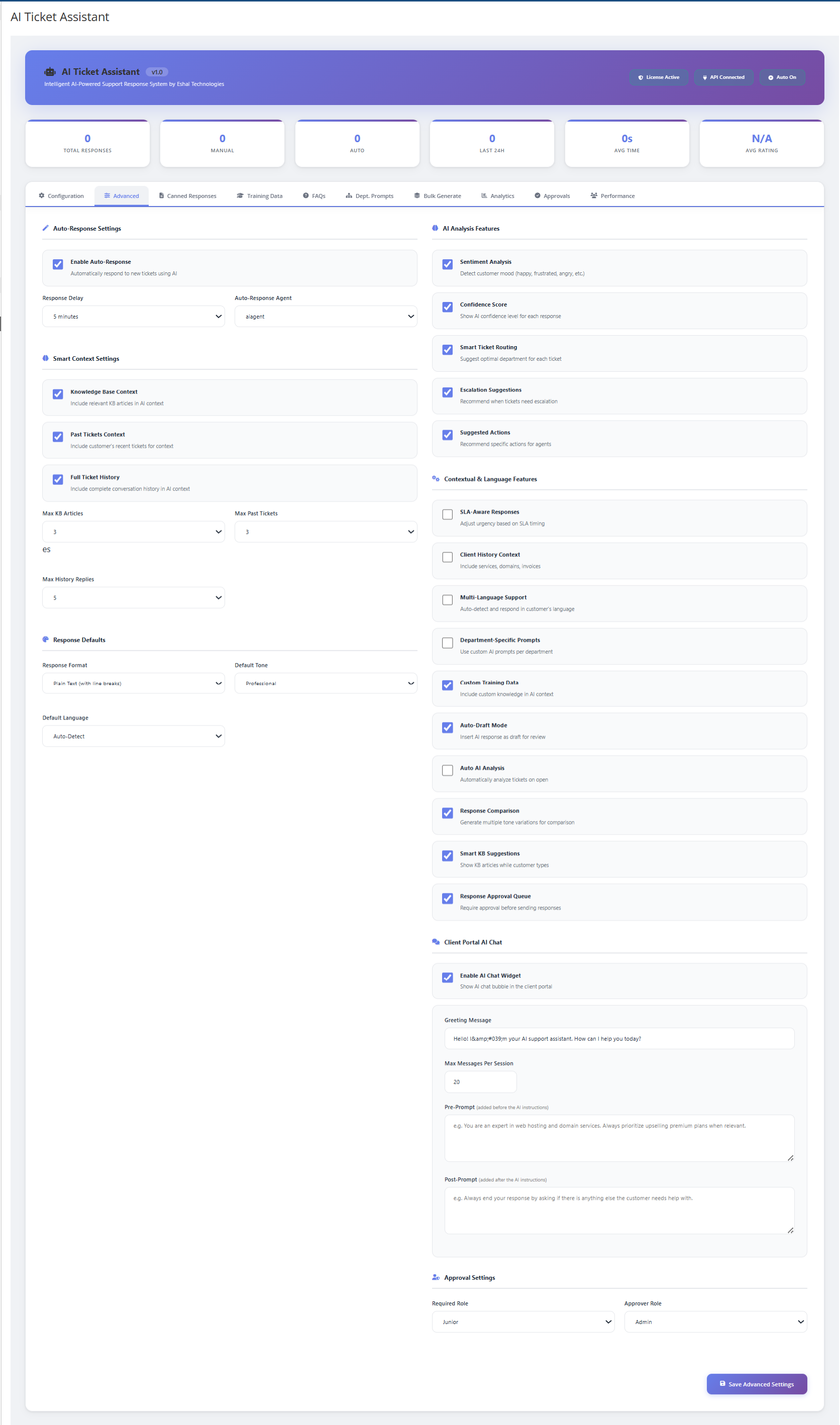
- Configurable role-based access — set which roles require approval and which roles can approve.
Client Portal AI Chat Widget
Give your customers instant AI-powered assistance directly in the client portal:
- Floating chat bubble on all client-facing pages
- Real-time AI responses using your knowledge base and FAQs
- Conversation history preserved per session
- Configurable greeting message and message limits
- Customizable Pre-Prompt and Post-Prompt — control the chatbot's personality and behavior
- Smart retry logic with graceful error handling — no broken experiences for your customers
Knowledge Management
- Knowledge Base Integration — AI references your existing WHMCS KB articles in responses
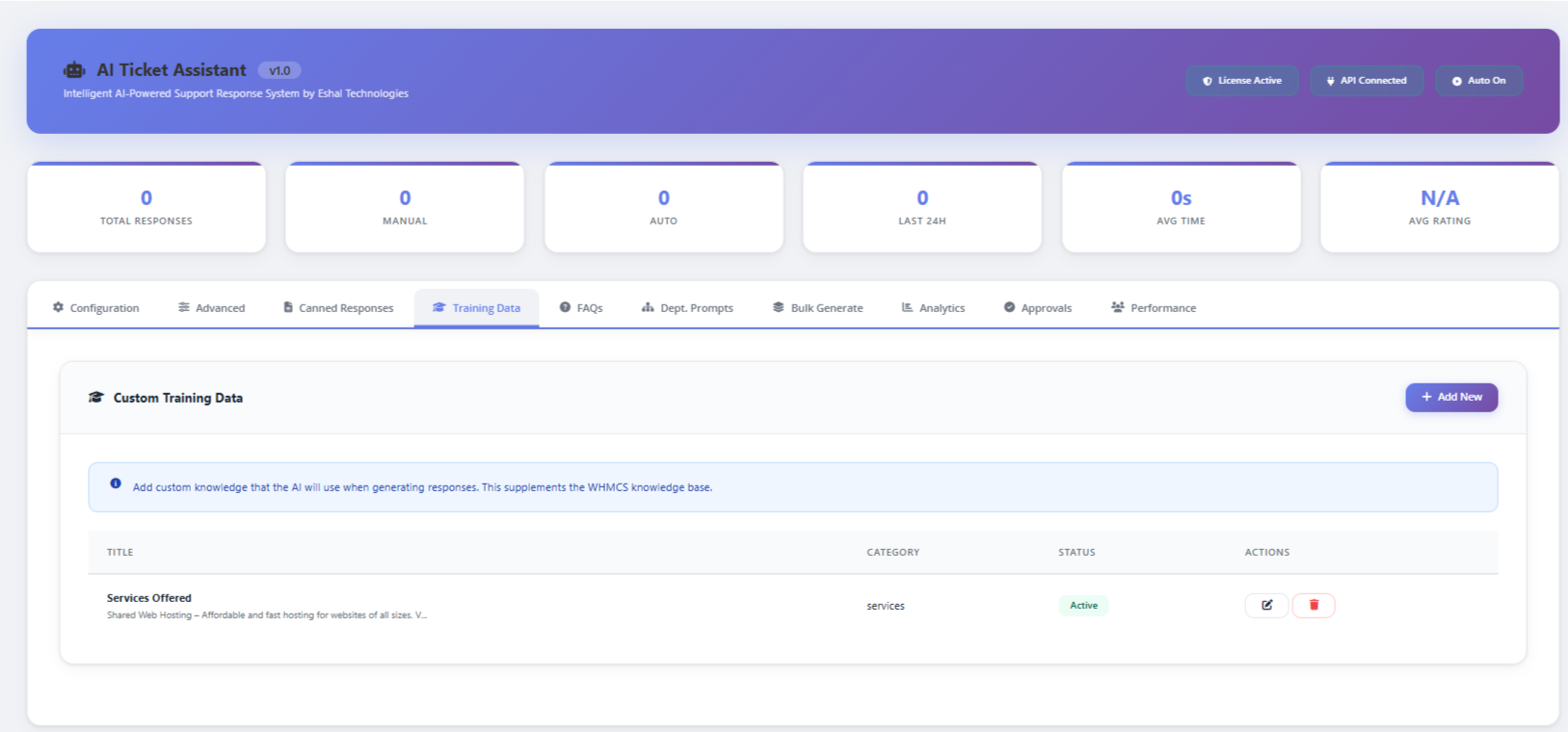
- Custom Training Data — teach the AI about your specific products, services, and policies
- Department-Specific Prompts — set unique AI instructions per department
- FAQ Management — add common questions and answers the AI can reference
- Canned Response Templates — pre-built templates that agents can combine with AI generation
Automation & Bulk Operations
- Auto-Response on New Tickets — automatically generate and send AI responses when tickets are opened
- Configurable Delay — set a delay before auto-responses are sent (or send immediately)
- Bulk Response Generation — generate AI responses for multiple tickets at once
- Auto-Draft Mode — AI responses are pre-filled as drafts for agent review before sending
- Queue-Based Processing — auto-responses are queued and processed via WHMCS cron for reliability
How It Works
-
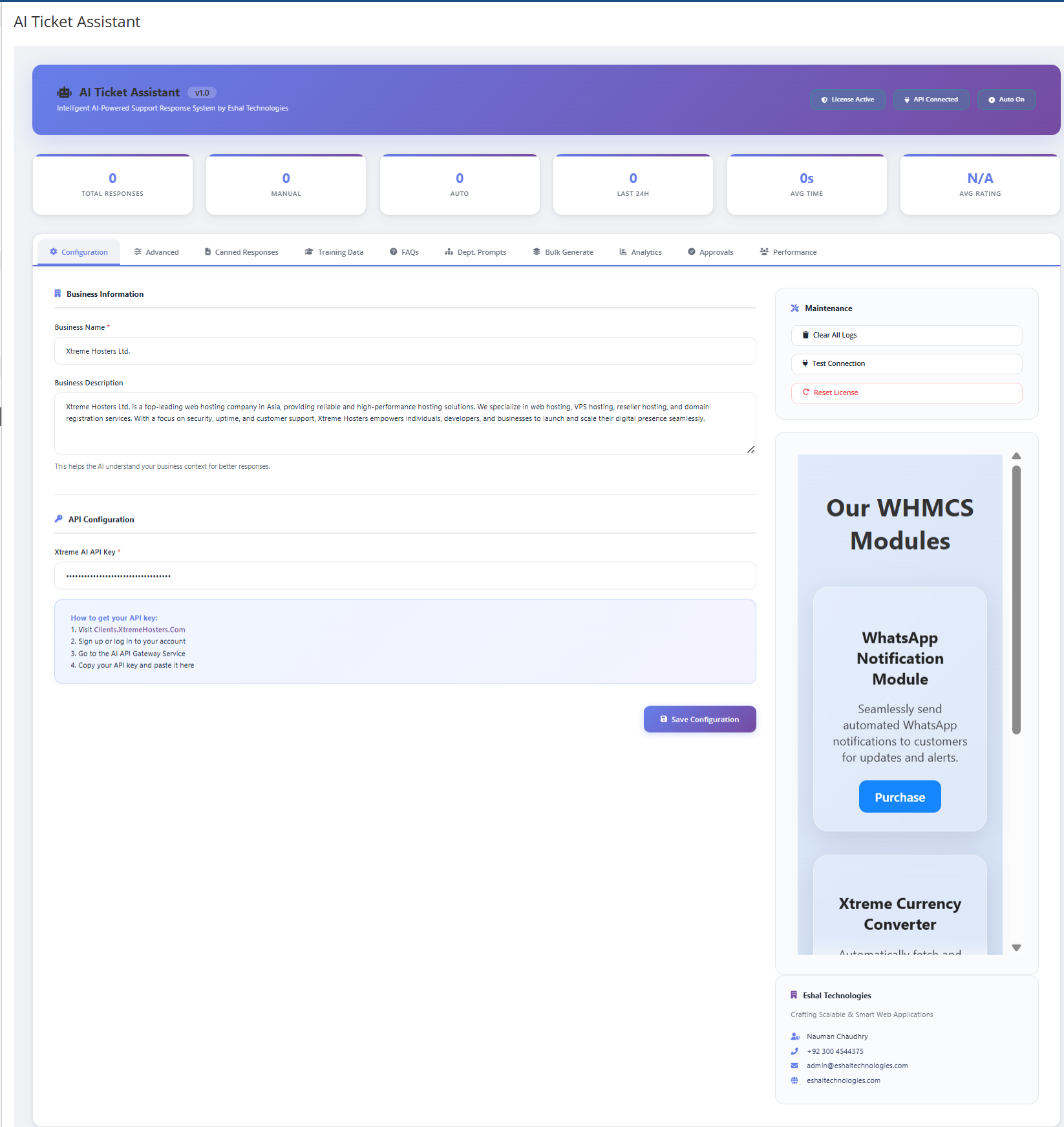
Install & Configure — Upload the module, enter your API key and license key (Can get from https://clients.xtremehosters.com), and configure your business details
-
Customize — Set your preferred response tone, language, enable features like auto-response, KB integration, and approval workflows
-
Generate Responses — Click the AI button next to any ticket textarea, provide brief instructions, and get a polished response in seconds
-
Review & Send — Review the AI-generated response, make any adjustments, and send it to your customer
-
Monitor & Improve — Use the analytics dashboards to track performance, rate responses, and continuously improve
Requirements
- WHMCS 8.x or later
- PHP 8.2 or later
- IonCube Loader 15.0 installed on your server
- Active API key from Xtreme AI (Can get from https://clients.xtremehosters.com)
- cURL PHP extension enabled
What You Get
- Complete addon module — ready to install and use
- Admin panel with modern, responsive UI
- Client portal chat widget — no additional setup required
- Full documentation — installation guide, configuration reference, and best practices
- Regular updates — new features, improvements, and security patches
- Priority support — dedicated support from Eshal Technologies
About the Developer
We specialize in building intelligent automation tools for the hosting and SaaS industry. AI Ticket Assistant is the product of years of experience in WHMCS development and a deep understanding of what support teams actually need.
Website: eshaltechnologies.com
Email: [email protected]
Phone: +92 300 4544375






Marcos Whitaker @marcos2406
I purchased this module and I was having issues installing it correctly, so I reached out to the developer and they offered to install it for me at no extra charge. It comes with 500 credits included that's more than enough to test the product and I can, it's the best module in the market for this job, you won't regret it, it's worth every penny, purchase it with confidence.
Eshal Technologies @nauman7577
Thank you; your review is very valuable to us. We are always available to support our customers if they face any issues.
Owner@Eshal TechnologiesGiddyHost @giddyhost5590
A very powerful support tool for WHMCS. The multilingual support and client portal AI chat widget are incredibly useful for our business. Highly recommended.
difyesalmo @difyesalmo2952
Impressive
TezHost @tezhost8429
This module has made our WHMCS support workflow much faster and more organized. The AI-generated replies are context-aware and the approval system is a great addition.
bumlosapse @bumlosapse5359
Absolutely impressed with Xtreme AI Ticket Assistant. It saves our team a huge amount of time and the responses are surprisingly accurate, professional, and ready to use.