Password Manager For WHMCS

Password Manager For WHMCS

Developed By PD Modules

Compatible with WHMCS v9.0

Password Manager For WHMCS is a WHMCS addon, installed and kept up to date through PD Modules, our free control panel for WHMCS, where it appears as PD Password Manager.

PD Password Manager gives your team a password generator, an encrypted vault and a one-time link that self-destructs, so a credential never has to sit in an inbox.

Everyone knows sending a password by email is wrong, and everyone does it anyway, because the alternative is usually more work. WHMCS has been able to change a service password since 8.13; what it still cannot do is hand the new one to the customer safely. That last step is where the credential ends up in plain text.

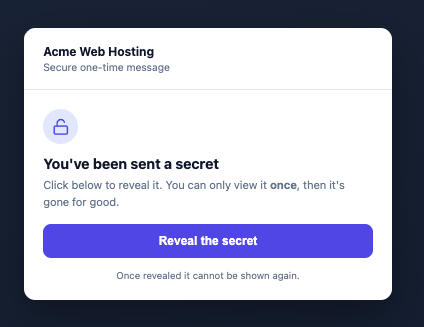
Turn any secret into a link that reveals it once and then destroys itself. Address it to a signed-in client so only they can open it, or use a public link for a brand-new customer with no account yet. Set how long it stays valid, and it expires on its own if nobody opens it. A link-preview bot cannot burn it, because the secret is only revealed on a deliberate click.

Reset and hand off does the whole job in one place: pick a client and one of their services, take the generated password, optionally apply it to the server there and then, and deliver it as a one-time link.

Admin Area Features

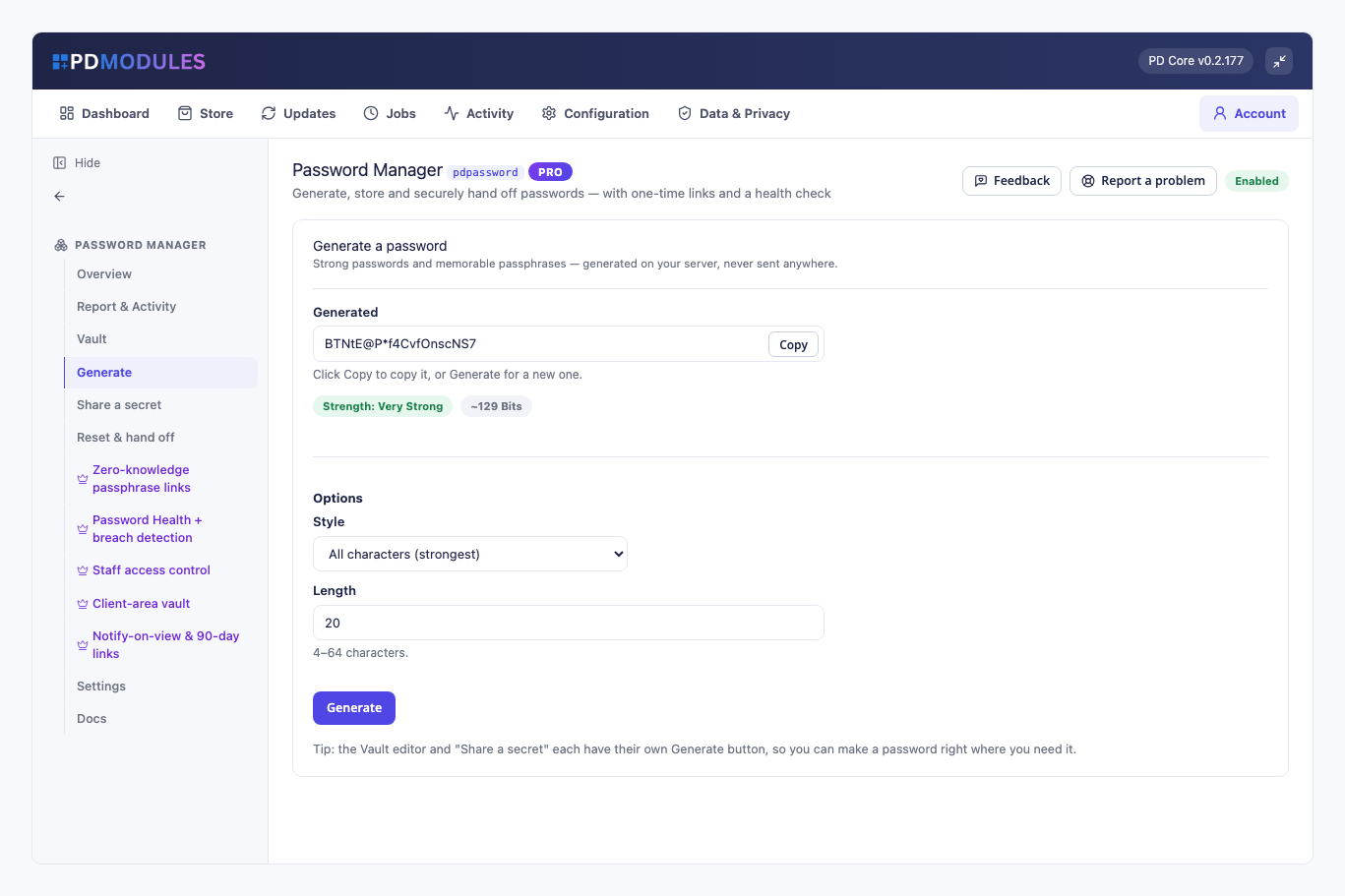
  • A generator that runs on your own server, with nothing sent anywhere
  • Character mode from 4 to 64 with a style you choose: all characters, letters and numbers, easy to read (no look-alikes) or easy to say
  • Passphrase mode of 3 to 8 memorable words with your separator, capitalisation and a number
  • A live strength meter with an honest entropy estimate
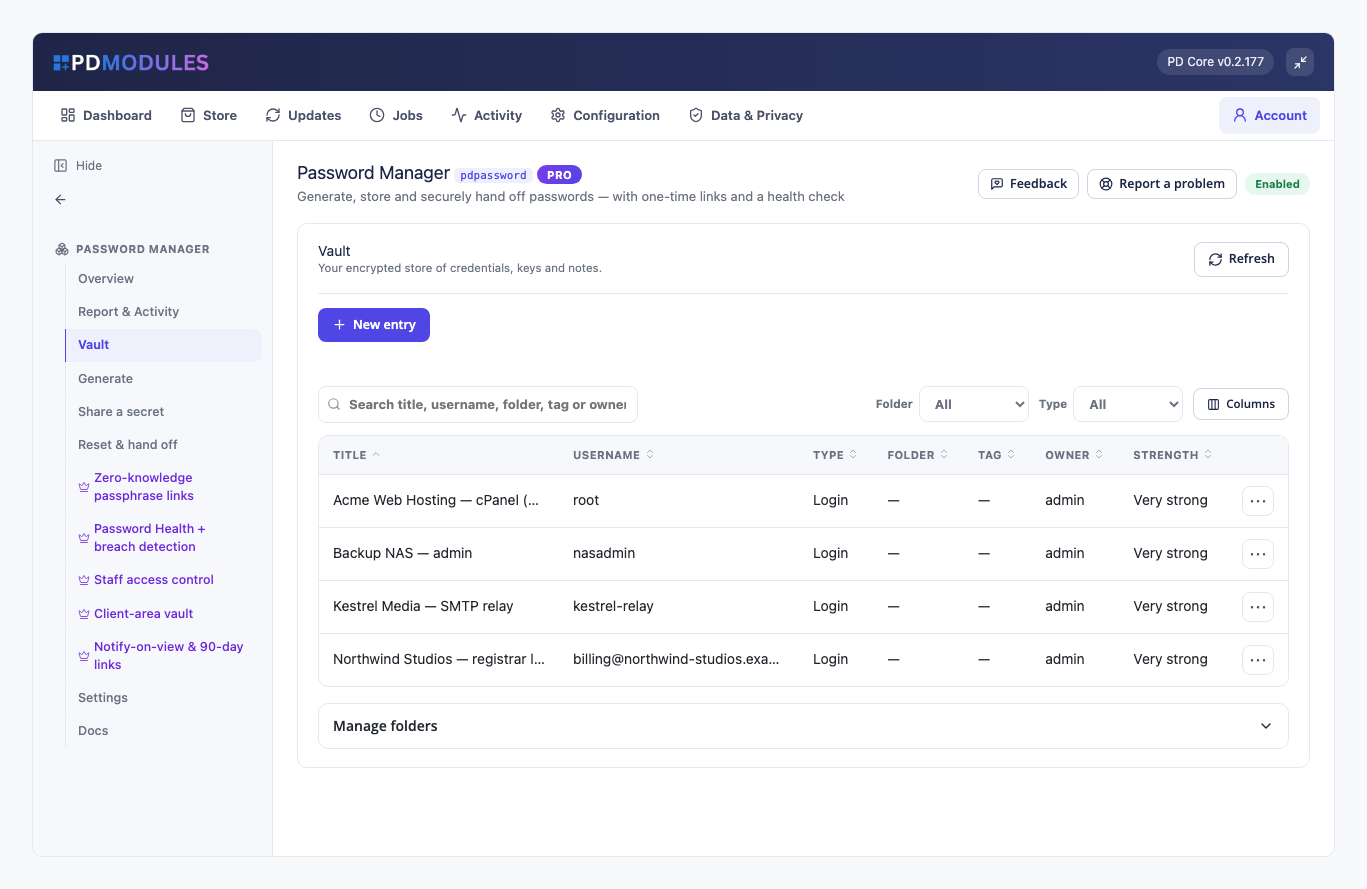
  • An encrypted vault for logins, API and licence keys, secure notes and card details
  • Folders and free-text tags, searchable across titles, usernames, URLs and tags
  • Attach an entry to a WHMCS client so it is there when you open their account
  • Every secret field encrypted at rest with a server-side key, so a database dump alone cannot read it
  • Revealing a stored password is written to the activity log
  • Reset a service password, optionally apply it to the server (cPanel, Plesk and other server modules), and hand it over as a one-time link or email that link to the client

Client Area Features

  • A one-time link opens on any device with no login, or only for the signed-in client you addressed it to

General Info

  • Secrets are encrypted at rest and only ever revealed on a deliberate click.
  • The generator and the vault run entirely on your own server.

PD Password Manager Pro, an optional paid upgrade

Everything above is part of the free module and stays free. Pro is a separate paid subscription, bought inside the panel, that adds:

  • Zero-knowledge links protected by a passphrase you share separately, so the secret cannot be read without it, not even by us
  • A password-health dashboard that scans the vault for weak, reused and ageing passwords and checks each against known breaches through HaveIBeenPwned, sending only the first five characters of a hash off your server, returning a health score and a fix-it list
  • Staff access control per admin role over who may view the vault, reveal a secret, and create or delete entries
  • A client-area vault, opt-in, so a client can see and copy their own credentials
  • More on links: multiple views, lifetimes up to 90 days, and an email alert when a secret is opened
  • Rotation reminders, a weekly heads-up about passwords that are ageing or breached

Pro is optional and the free module is fully usable without it. If a Pro subscription lapses, the module returns to the free tier with your data and settings intact.

Installed and updated through PD Modules

PD Modules is our free control panel for WHMCS. You install it once, and every module you take from us installs itself inside it.

  • No manual installation. Nothing to upload, unzip or set file permissions on, for this module or any of the others.
  • Updates apply themselves, so there is no file overwriting between versions and no release notes to watch. WHMCS has no native auto-update for third-party modules; this is the reason the panel exists.
  • Every install and update is checked against your server first, for PHP, WHMCS and ionCube versions, and refused outright rather than half applied if it cannot run there.
  • Every install and update is staged, verified, and only then swapped in. If any step fails it rolls back to the version you were running.
  • Every build is cryptographically signed, and a download whose signature does not verify is rejected rather than installed.
  • Uninstalling removes the module's own tables and settings and leaves nothing behind.

Available pricing models

Free, with an optional Pro upgrade billed monthly or annually.


There are no reviews yet!

Be the first to review Password Manager For WHMCS.

Version Compatibility


Compatible with WHMCS v9.0

Full Version Compatibility


  • Selected versions of WHMCS v9.0
        9.0.0 - 9.0.6
  • Selected versions of WHMCS v8.13
        8.13.0 - 8.13.5

Support for this product

The best place to start if you need help with a specific product is to contact the developer. All WHMCS Marketplace developers have both a website and support URL listed.


Developed By PD Modules

Changelog

v0.2.32 Released August 19th, 2026

Latest Version


Stable Release


See also

tawk.to Live Chat

Free live chat App

Free
Live Chat & Visitor Tracking

Chat and Engage with Your Customers to Increase Conversions!

Commercial
LiveChat - live chat for WHMCS

Customer service platform with live chat and customer engagement capabilities

Free
PreMadeKB WHMCS Knowledgebase - Step by Step + Images

PreMadeKB - Readymade Knowlegebase Articles for WHMCS - With Images and 431+ Articles on cPanel, Plesk, DA, Softaculous, etc.


Commercial
Lara AI Assistant

Lara, AI Assistant .. OpenAI's ChatGPT for WHMCS Tickets

Commercial