WHMPress – WHMCS Cart & Order Pages (WCOP)
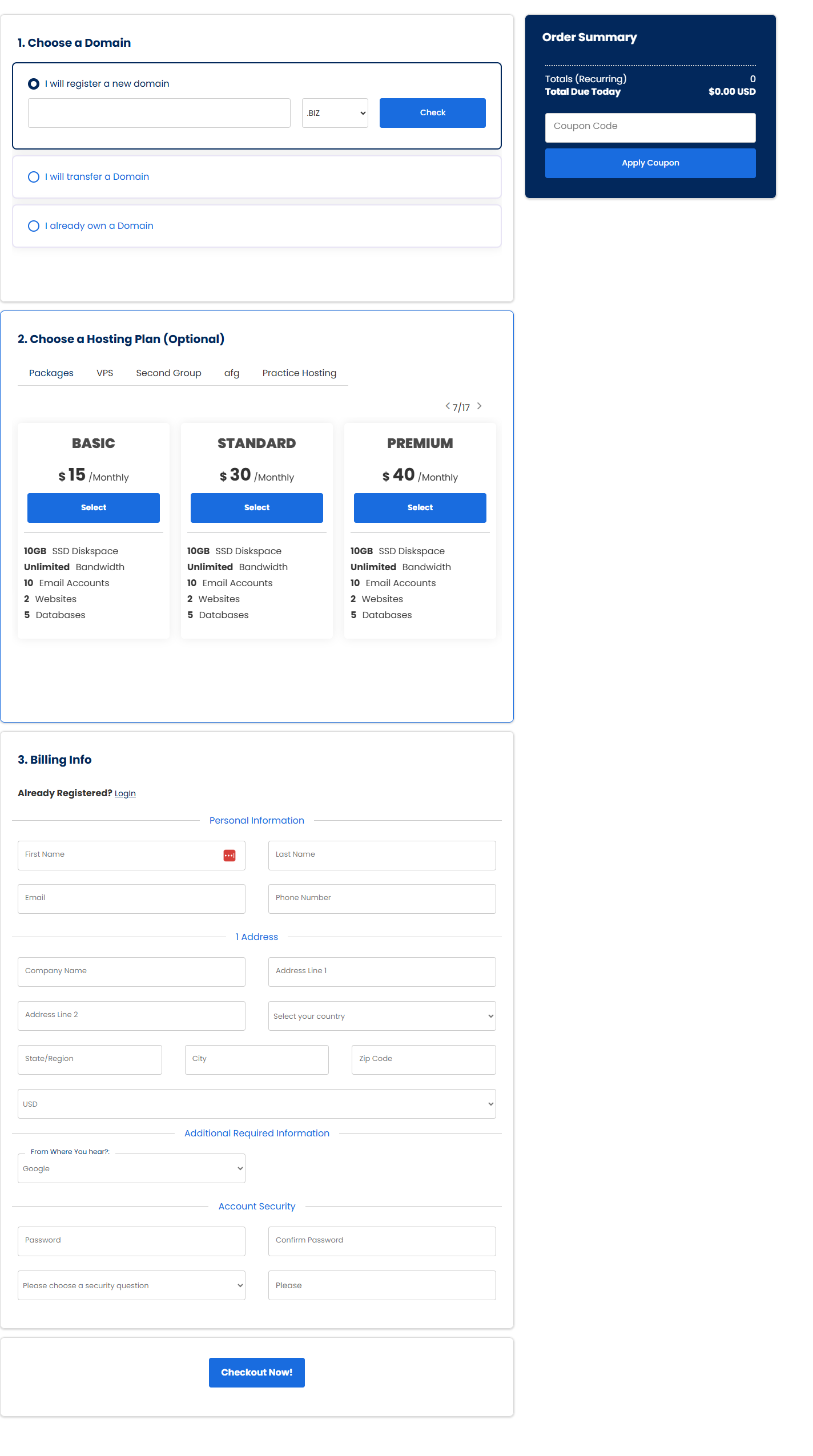
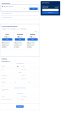
WHMPress – WHMCS Cart & Order Pages (WCOP) moves your entire WHMCS ordering process onto your WordPress site. Visitors search a domain, pick a hosting plan, configure options, create their account and pay — without ever being handed off to WHMCS. The order lands in WHMCS exactly as it would have, but the customer never leaves your brand, your theme or your checkout.
WCOP is a WordPress plugin that talks to WHMCS through the WHMCS API together with the WHMPress Helper addon module installed on your WHMCS server. It ships five one-page checkout templates, a visual Order Page Builder that writes the shortcode for you, and inline Stripe and PayPal payment capture so customers can pay on the spot rather than being bounced to an invoice. If you want a faster, better-converting WHMCS order form on WordPress, this is the plugin that replaces cart.php.
Plugin Features
- Complete WHMCS ordering flow rendered inside WordPress — domain search, product selection, configurable options, account creation and checkout, all on your own pages
-
One-page checkout via
[whmpress_cart_single_page] — the full order process in a single scrolling page with step navigation
-
Domain-first order flow via
[whmpress_cart_domain_first] — start the customer with a domain search, then attach products
-
Store / product listing via
[whmpress_store] and [whmpress_cart_list_products], and a product configuration page via [whmpress_cart_config_product]
- Standalone client registration (
[whmpress_cart_register_form]) and login ([whmpress_login_form]) shortcodes
-
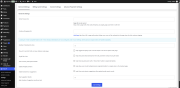
Visual Order Page Builder — a live-preview admin screen with tabbed controls that generates the shortcode for you, then saves named order pages to a database table you can revisit and edit
-
Order Page list — create, name, store and re-edit as many differently configured order pages as you need
-
Five one-page checkout templates: Elegant (default), Minimal, Ease, Sleek and Modern
-
Dark mode available across templates
- Per-order-page primary colour, secondary colour and font family overrides, plus preset colour-pair swatches
-
Theme template overrides — drop a
whmpress_whmcs_cart/templates/ folder into your child theme or parent theme and WCOP loads your files instead of its own
- Skeleton loading placeholder on the default template so the page doesn't flash while it initialises
- Sticky navbar offset and scrolling-section offset settings for themes with fixed headers
- Optional preloading of the registration form into the one-page checkout
- Google reCAPTCHA support on the checkout login and password-reset forms (configured in the shared WHMCS Config screen)
-
16 bundled translations: Arabic, Danish, Dutch, English (US), French, German, Greek, Italian, Norwegian Bokmål, Portuguese (Brazil), Portuguese (Portugal), Romanian, Spanish (Spain), Spanish (Mexico), Swedish and Ukrainian
- WPML and Polylang aware, with language-specific order page, continue-shopping and redirect URLs
- Built-in licence status check with an admin notice and an on-demand re-check button
- Works alongside WHMPress WCAP — when the WHMCS Client Area plugin is installed, its client area page is used as the post-checkout destination
Plugin Client-Facing Features
Domain step
- Register a new domain, transfer an existing domain, or use a domain the customer already owns
-
Multiple domains per order — customers can add several register/transfer domains to a single checkout
-
Alternative TLD suggestions — after a search, WCOP offers the same name on other TLDs configured in your WHMCS, each with a live availability check and price, with load-more paging and a configurable results-per-load limit
-
Subdomain registration on TLDs you offer as free subdomains
-
Free domain handling — products with free-domain payment terms and eligible TLDs are detected and applied
- Domain configuration: ID Protection, DNS Management, Email Forwarding and nameserver fields
- Per-TLD custom domain fields (Domains Config)
Product step
- Product listing by group, as dropdowns, radio selections or descriptive cards depending on template
- Configurable options and product addons, with the ability to pre-select addons on an order page
- Billing cycle selection with control over which cycles appear, which is default, monthly-equivalent conversion and discount display
- "Show more" expandable product descriptions and a single-plan view driven by a URL parameter
- Server/hostname and nameserver fields where the product requires them
Checkout step
- Live order summary with setup fees, recurring totals, one-time and recurring discounts, and total due today
-
Promo / coupon codes with validation, clear error states (expired, limit reached, not applicable to the selected product) and removal
-
Tax estimation based on the customer's selected country and state
-
Currency switching, using the currencies configured in WHMCS
- Inline client registration or existing-customer login without leaving the checkout
- Full billing details capture including company, address, city, state, postcode, country and phone
- Saved payment methods for returning clients
Payment
-
Stripe — PaymentIntents created server-side and confirmed with Stripe.js, with Stripe customer creation and card saving
-
PayPal — PayPal Orders API with the PayPal JS SDK, supporting both live and sandbox environments
-
PayPal ACDC (Advanced Credit and Debit Card) — direct card fields powered by PayPal
-
WooCommerce gateway bridge — pay a WHMCS invoice through any gateway WooCommerce has configured, with the WHMCS invoice automatically marked Paid on
woocommerce_payment_complete
- Merchant gateway support (beta) for storing card details in WHMCS, with a configurable list of merchant gateway module keys
- Third-party WHMCS gateways continue to work by handing off to the invoice after the order is placed
After checkout
- Separate, configurable destinations for orders placed but not yet paid (the invoice or the client area dashboard) and orders placed and paid (the client area dashboard, the ordered item's page, or a custom URL with your own button label)
-
Single-click redirect toggle for each case — go straight through, or show a confirmation screen with buttons for the invoice, dashboard, ordered item and your custom page
- Legacy redirect settings are migrated automatically on upgrade
Package & Configuration Options
Order page shortcode attributes (set visually in the Order Page Builder, or written by hand)
-
style — Elegant, Minimal, Ease, Sleek or Modern
-
pid, pids, group_id / gids — restrict an order page to a product, a set of products or a product group
-
billingcycle, promocode, addon_selected
-
hide_navigation, hide_domain, hide_domain_transfer, hide_domain_owned, hide_domain_configuration
-
hide_product, hide_selected_product, hide_selected_product_section, hide_additional_services
-
hide_promo, hide_summary_group_name, hide_server_fields, hide_hosting_section_title
-
show_domain_nameservers, show_summary_product_description, post_load_login_form
-
hosting_section_title, addon_section_title — custom section headings
-
primary_color, secondary_color, font_family, dark_mode
- Most attributes also accept a short URL-parameter form, so order pages can be deep-linked and pre-configured from a marketing link
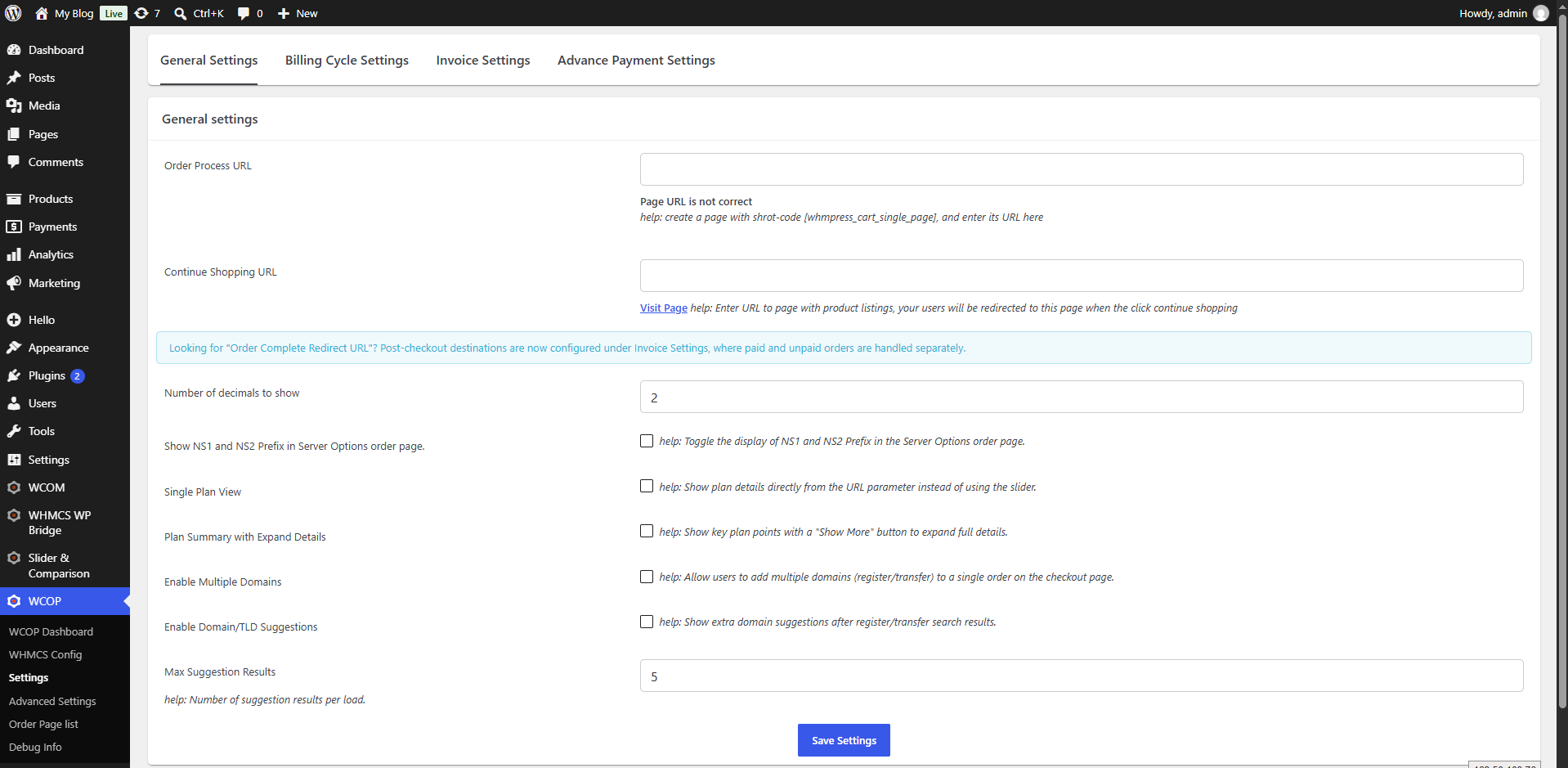
General settings
- Order Process URL and Continue Shopping URL (per language)
- Number of decimal places to display
- Show NS1 / NS2 prefixes in server options
- Single Plan View and expandable plan summary
- Enable multiple domains per order
- Enable domain/TLD suggestions, with max results per load
- Custom field name and view-all template URL for slider-based templates
Billing cycle settings
- Choose which billing cycles are offered (monthly, quarterly, semi-annually, annually, biennially, triennially)
- Default billing cycle selection, including a "lowest" option
- Convert prices to monthly equivalent, show discount against monthly base, and duration display format
Invoice settings
- Show invoice as popup, same tab, new tab, or minimal (recommended, requires WHMCS custom templates enabled)
Checkout redirect settings
- Unpaid-order destination and single-click toggle
- Paid-order destination, custom URL, custom button label and single-click toggle
Advance payment settings
- Enable merchant gateway mode (beta) and select one or more merchant gateway module keys
Template settings
- Sticky navbar offset and scrolling sections offset
Miscellaneous
- Preload the registration form into the one-page checkout
Shared WHMCS configuration (WHMCS Config, Advanced Settings and Debug Info screens)
- WHMCS admin URL, credentials, API key and invoice auth key
- WHMCS custom templates toggle
- Colour, typography and button styling overrides
- Client dummy fields, to suppress address fields during ordering
- Per-TLD Domains Config
- Advanced cURL options, Google reCAPTCHA keys and debug logging
- WooCommerce REST API consumer key and secret, for the WooCommerce payment bridge
Integrations & Supported Platforms
Payment gateways (implemented directly in the order page, credentials read from your WHMCS gateway configuration)
- Stripe — PaymentIntents API and Stripe.js v3
- PayPal — Orders API and PayPal JS SDK, live and sandbox
- PayPal ACDC — advanced card fields
- WooCommerce — any gateway configured in WooCommerce, used to pay WHMCS invoices
- WHMCS merchant gateways — beta, by module key
- All other WHMCS third-party gateways are supported through the standard post-order invoice hand-off
Page builders and editors
- Elementor — three dedicated widgets (Store, Standard Order Process, One Page Checkout)
- WPBakery Page Builder / Visual Composer — shortcodes mapped via
vc_map with full parameter UI
- Fusion Builder (Avada) — shortcodes mapped via
fusion_builder_map
- Classic Editor — TinyMCE shortcode insertion button
Multilingual plugins
Companion WHMPress plugins
- WHMPress Helper (WHMCS addon module) — required
- WHMPress WCAP – WHMCS Client Area — optional; when installed and configured, its client area page becomes the post-checkout destination
- WHMPress Comparison Tables — detected, and WCOP defers its jQuery UI slider assets when active
General Compatibility
All figures below are taken directly from the plugin source and changelog.
Plugin version: 4.5-revision-3
WHMCS
- Minimum required: 8.x (Latest version recommended)
- Changelog states compatibility with WHMCS 8.x; the most recent version explicitly noted as tested is WHMCS 9.0.6
WordPress
- Minimum required: 4.8.0 (4.9.0 recommended)
- Changelog states compatibility with WordPress 6.x; the most recent version explicitly noted as tested is WordPress 6.3
-
WordPress Multisite is not supported — the plugin's own diagnostics flag Multisite installs as incompatible
PHP
- Minimum checked by the plugin's diagnostics: 5.6
- PHP 8 compatibility noted in the changelog; PHP 8.2 noted as tested
- The Elementor integration layer requires PHP 7.0 or later
- The bundled WHMPress Helper is ionCube-encoded and supplied in three builds covering PHP 8.1–8.2, 8.1–8.3 and 8.1–8.4 — choose the build matching your WHMCS server's PHP version
WHMPress Helper (WHMCS addon module)
-
Required. The one-page checkout will not render without it
- Bundled version: 4.0.9
- The one-page checkout enforces Helper 4.0 or later; the diagnostics page reports a floor of 3.6.2
- Requires the ionCube Loader on the WHMCS server
- Stripe and PayPal gateway credentials are retrieved through the Helper, so those payment features depend on a Helper version that provides them (4.0.3 and later per the Helper changelog)
Elementor
Themes
- No theme-specific dependency. Order pages render inside your active theme, and colours, fonts and dark mode are set per order page. Template overrides are supported from a child theme or parent theme via a
whmpress_whmcs_cart/templates/ directory, so developers can fully replace the markup without touching the plugin.
System requirements
-
cURL PHP extension (all WHMCS API, Helper, Stripe and PayPal communication)
-
MySQLi extension
- PHP sessions enabled (the cart is session-backed)
- Memory limit: 256 MB minimum, 512 MB recommended
- Creates one database table (
{prefix}wcop_one_page_check_out_shortcode) on activation to store saved order pages
- A reachable WHMCS installation with API access and an admin API credential
- Front-end assets load Slick Carousel, Font Awesome 4.3.0 and jQuery UI from public CDNs
Why Choose WHMPRESS
WHMPress has been building WordPress-to-WHMCS integration tools for years, and WCOP shows the mileage: five actively maintained checkout templates, a point-and-click order page builder, dark mode across every template, sixteen bundled translations, and theme-level template overrides for developers who want full control. Releases are documented in a public changelog, licensing and version checks are built in, and direct ticket support is available to licence holders.
Module Price
Monthly Price: 5$.
Annually Price: 29$.
One-Time Price: 75$.