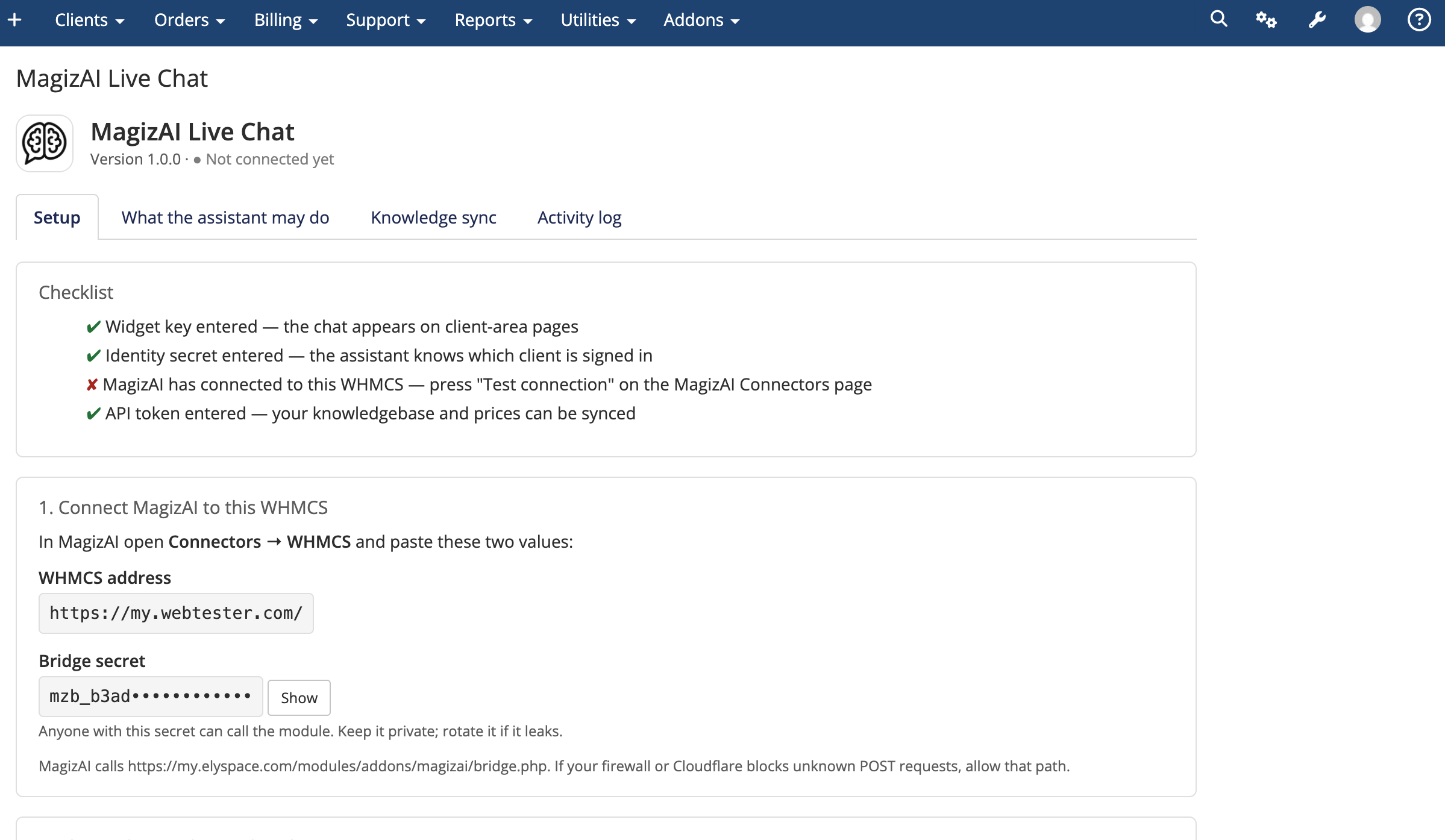
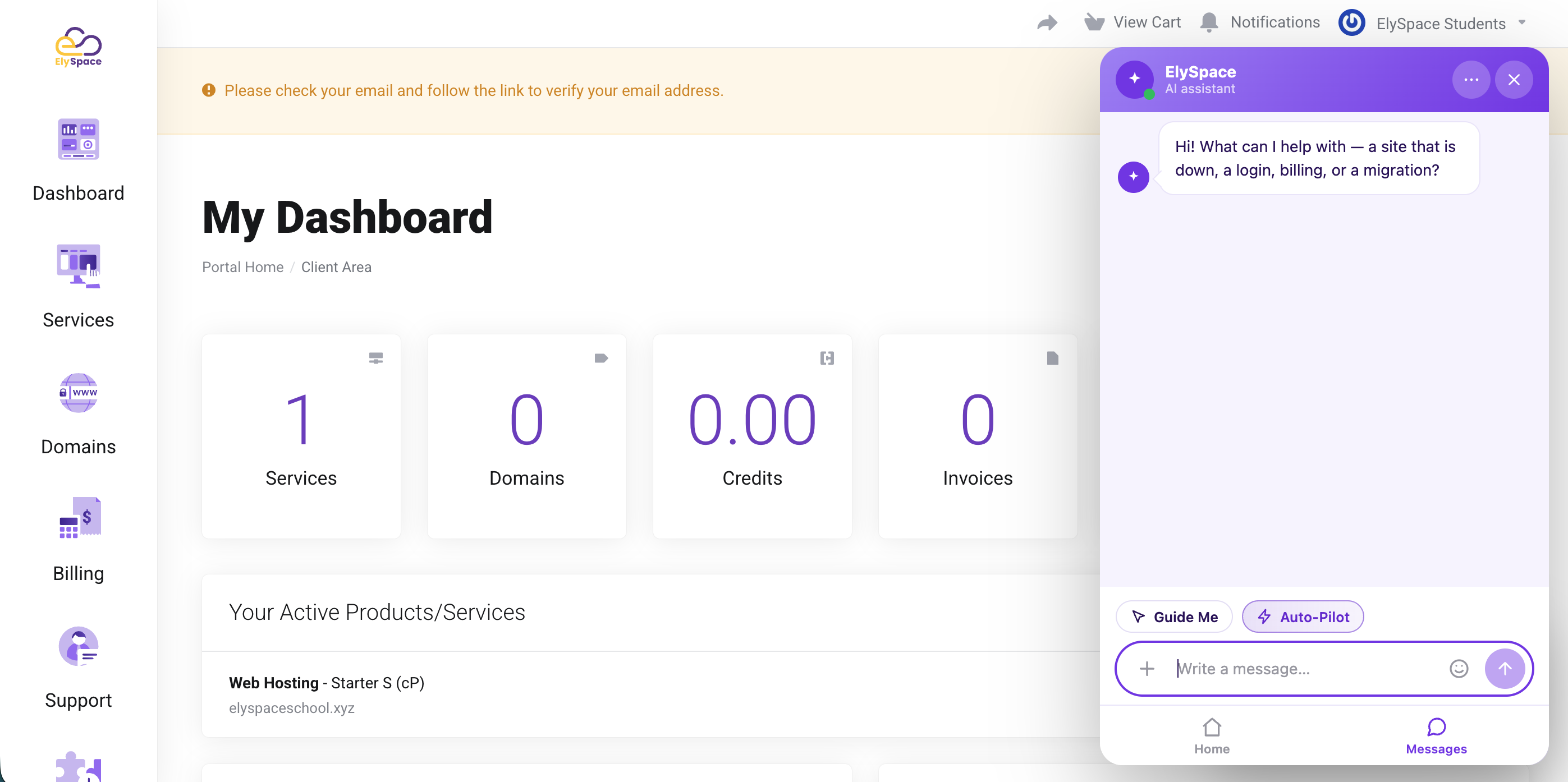
MagizAI is AI live chat built for web hosting companies. This module connects it to your WHMCS, so the assistant answers from your own plans, prices and help articles, and from the signed-in client's own account. Account answers are read from WHMCS at the moment the client asks.
A client whose hosting is suspended doesn't have to wait for your team. The assistant tells them the service is suspended, names the overdue invoice behind it and gives them the link to pay. If that invoice is already paid and the service is still down, it passes the case to your team rather than guess.
"What's my cPanel password?" is one of the most common tickets a host gets. Signed-in clients can now get their own login details from the chat, with no ticket and no reset of a password that's already in use.
A password reaches the chat only when the client's sign-in was confirmed in the last 15 minutes, a window you can change; otherwise it goes by email. Login details go out at most three times an hour per account. Team members on an account get the password only if the owner gave them "View & Modify Product Passwords" in WHMCS.
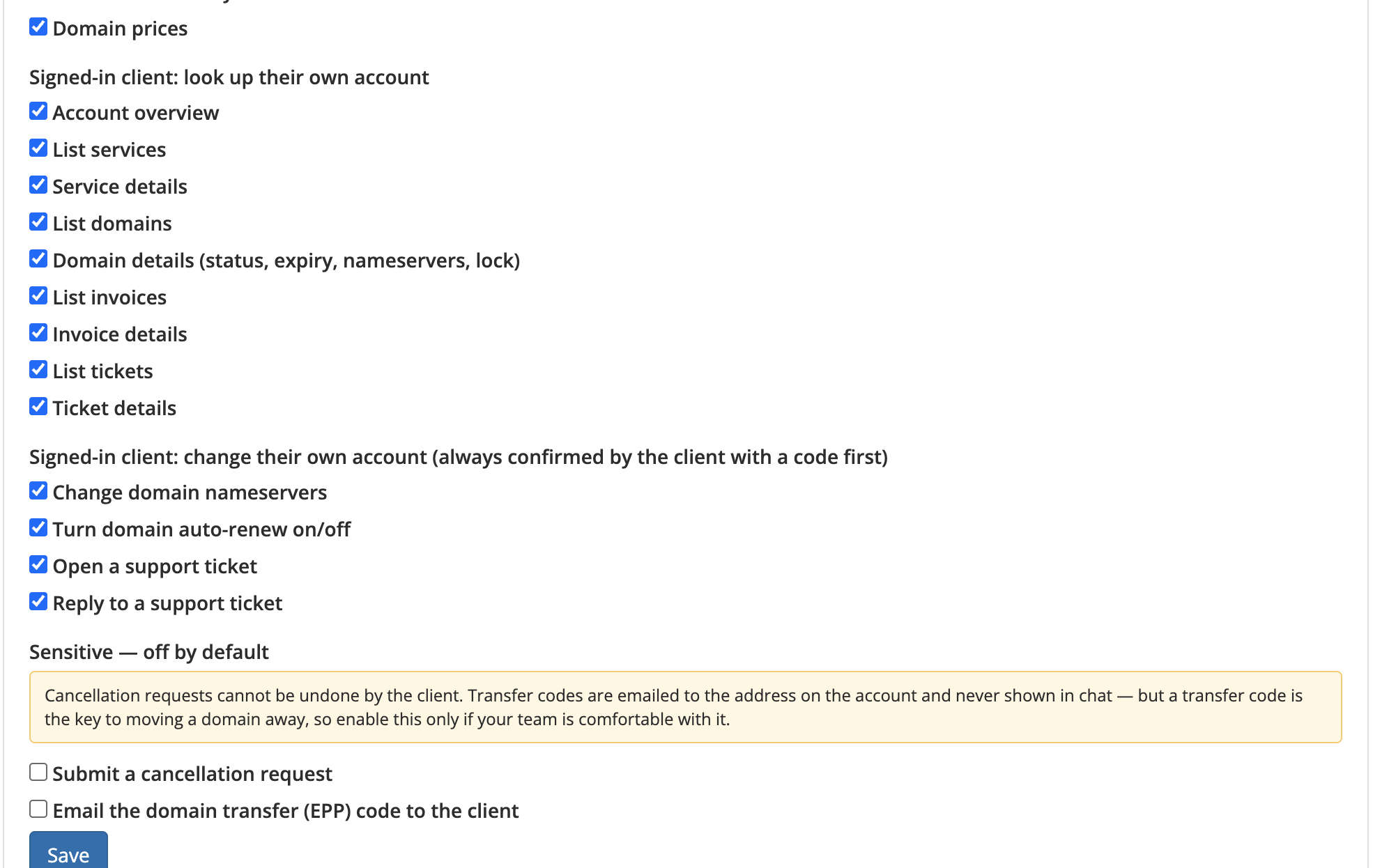
Every one of these starts switched off. You pick which ones the assistant may use, and the client types a one-time code in the chat before any of them runs. Orders and renewals are checked against WHMCS first, so nobody is asked to confirm something WHMCS would refuse.
No card details in the chat, ever. An order creates the order and its invoice in WHMCS and returns your own pay link. The client pays on your checkout, through your gateway.
Transfer codes go by email, either to the address on the account or from the registrar to the domain's registrant contact.
Prices come from WHMCS in the currency the client is billed in, with no exchange-rate conversion. An order is priced again just before it's placed, so the invoice matches what the client agreed to.
Email history shows dates and subjects only, since welcome emails carry passwords. Fraud check results, card details and full payment references never reach the chat.
MagizAI never stores or uses admin credentials. It talks to a narrow endpoint inside this module, which answers only the actions you've switched on.
Every request carries an HMAC-SHA256 signature, a timestamp and a one-time nonce, and unsigned, expired or replayed requests are refused. Replies are signed as well, so MagizAI can tell a real answer from a login page or a proxy error.
When a client opens a client-area page, the module signs a short-lived sign-in for them, 15 minutes on a new install. The chat refreshes it while the page is open. Once the client signs out, it stops working in every tab and on every device.
With PHP's sodium extension, the module can sign with an Ed25519 key that never leaves your WHMCS. MagizAI can check those sign-ins but cannot create them.
Every service, domain, invoice and ticket is looked up under the signed-in client. "Not found" and "not yours" get the same reply, so nobody can use the chat to probe other accounts. Team members on an account see only what the owner allows them in WHMCS.
Login as Owner and admin sessions count as staff, not as the client. An optional staff view lets your team check account answers read-only: changes are refused and nothing is emailed to the client.
Ten account changes an hour per client by default, three login-detail sends and three resent emails an hour per account, and caps on domain lookups. Every request lands in the module's activity log and every change in the WHMCS activity log too. Clients get an email when their account changes. Passwords and transfer codes are masked in the WHMCS module log.
modules/addons/ and activate it.No admin API key, no ionCube, no Composer. Updates keep your settings, secrets and action choices, and never switch on anything that changes an account or raises an invoice.
WHMCS 8.0 or later (8.8 or later to renew a service early from the chat). PHP 7.4 or later. Outbound HTTPS. PHP's sodium extension for the optional Ed25519 signing key.
Clients get real answers from their own account at any hour: presales questions, domain checks, billing, login details and changes to their services. Your team gets the conversations that need a person.
The best place to start if you need help with a specific product is to contact the developer. All WHMCS Marketplace developers have both a website and support URL listed.
1.6.0: Login details: one link opens cPanel, Plesk, DirectAdmin, InterWorx or CyberPanel through WHMCS's own single sign-on, and a password shown in the chat needs a sign-in confirmed in the last 15 minutes. New answers: payment status, order status, renewal dates, email history, and resending a welcome or invoice email (off until you tick it). Sign-ins refresh on open pages, end on sign-out and can be signed with a key only your WHMCS holds. Staff sessions are recognised, with an optional read-only staff view. Team member permissions follow WHMCS's own. Account overviews count everything and list what needs attention first. The module is rebuilt as small files, one per action.
1.4.2 Ships a full changelog with the module, so you can read what a version changes before you install it.
1.4.1 Prices are read in the client's own currency, the one WHMCS invoices in; nothing is converted with an exchange rate. A plan with no price in that currency says so rather than reporting that the plan does not exist. The duplicate-invoice guard now covers services with no domain, such as a VPS or a licence. Upgrade pricing is capped so one lookup cannot fan out into an unbounded number of API calls. The module now tells you when a newer version exists, with a SHA-256 so you can verify the download.
1.4.0 Ordering and account changes from the chat: place an order for a plan and a domain, upgrade or downgrade a service at WHMCS's own pro-rata price, renew a service or a domain, add an extra, and reset a hosting password. Plus three new read-only actions: what an upgrade would cost, what extras are available, and deep links into the right client-area page. Everything that creates an invoice is off until you switch it on.
1.3.0 Ownership check for MagizAI's Site Doctor, so a website can only be inspected for the client who owns it.
1.2.0 Your plans as cards in the chat, with real prices and terms read from WHMCS. Below this version plan cards cannot exist, and the assistant falls back to describing plans in its own words.
1.1.0 Client-area password reset. The chat never shows, asks for or sets a password.


Chat and Engage with Your Customers to Increase Conversions!

Customer service platform with live chat and customer engagement capabilities

PreMadeKB - Readymade Knowlegebase Articles for WHMCS - With Images and 431+ Articles on cPanel, Plesk, DA, Softaculous, etc.



Mehran majeed @mehran2086
MagizAI has been a really useful addition to WHMCS. It makes handling customer questions, checking account details, and providing quick support much easier. Setup was simple and the integration works smoothly. Definitely recommended.
Shishir Ahmed @shishir9711
I am the founder of IntelWebHost, and Magiz AI has been a great addition to our WHMCS setup. It handles around 80% of our routine support automatically, including orders, domain nameserver updates, invoices, troubleshooting, and step-by-step customer guidance.
The best part is that it automates the customer journey from A to Z and significantly reduces our support workload. Their support team also guided us for free, helped us set everything up through a video call, and explained everything smoothly.